
Amazon Prime has evolved from a simple expedited shipping service into a massive digital ecosystem comprising streaming media, cloud storage, encrypted payment gateways, and interconnected smart device integration. Setting up Amazon Prime is more than just a financial transaction; it is a process of configuring a cross-platform software environment that spans mobile apps, desktop interfaces, and internet-of-things (IoT) hardware.
This guide provides a comprehensive technical walkthrough for initializing and optimizing your Amazon Prime account, ensuring you maximize the utility of its diverse software suite while maintaining robust digital security.

Initial Configuration and Subscription Management
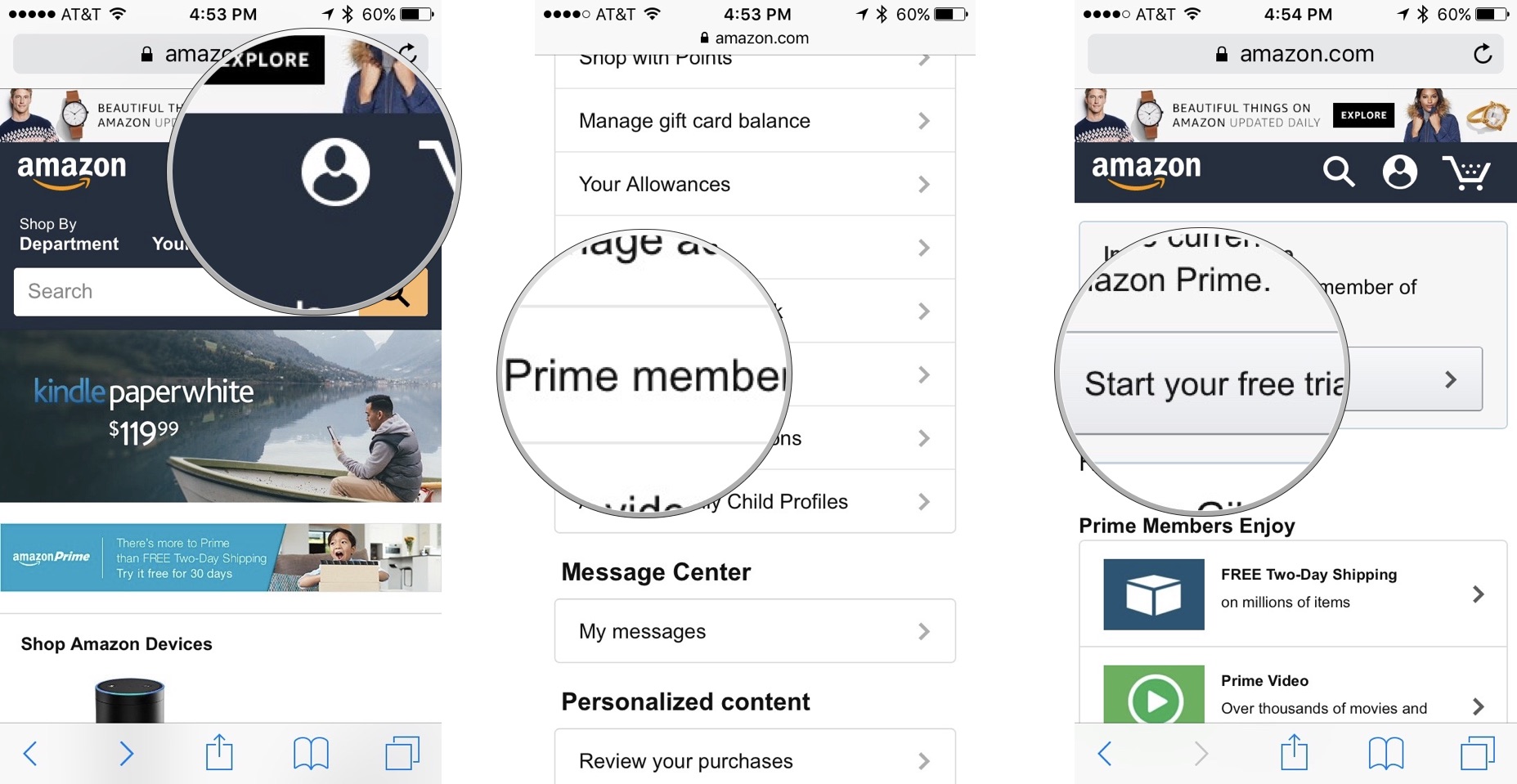
The foundation of the Prime experience begins with the creation of an Amazon account and the subsequent activation of the Prime membership layer. This process involves interfacing with Amazon’s secure servers to establish your identity and payment credentials.
Choosing the Right Digital Tier
Before initiating the setup, it is essential to understand the software tiers available. Amazon offers standard monthly and annual subscriptions, but there are specific configurations for different user demographics. The “Prime Student” tier requires a valid .edu email address or equivalent verification of enrollment, which triggers a different validation API. Similarly, individuals receiving qualifying government assistance can access a discounted tier through the EBT or Medicaid verification portal. Selecting the correct path during the initial handshake ensures that your account is provisioned with the appropriate permissions and billing cycles.
The Digital Onboarding Process
To begin the setup, navigate to the official Amazon portal via a secure web browser or the Amazon Shopping app. From a technical standpoint, the app provides a more streamlined experience on mobile devices due to its integration with biometric authentication (FaceID or Fingerprint sensors).
-
Account Creation: If you do not have an existing Amazon account, you will need to provide an email address and create a robust password. Amazon utilizes salted password hashing to protect your credentials, but it is recommended to use a unique, complex string generated by a password manager.
-
Payment Integration: Prime requires a persistent payment method for recurring billing. Amazon’s payment gateway supports credit/debit cards and, in some regions, direct bank transfers. During this stage, the system performs a small “test” transaction—a pre-authorization hold—to verify the validity of the financial instrument.
-
Address Synchronization: Setting up your primary “1-Click” address is crucial. This data point is used by the Prime algorithm to calculate shipping logistics and determine the availability of “Same-Day” or “One-Day” delivery services in your specific geolocation.
Configuring the Prime Video and Streaming Experience
Prime Video is a core component of the subscription, requiring specific configuration to ensure high-fidelity playback across various hardware architectures.
Optimizing Streaming Quality on Hardware
Prime Video utilizes adaptive bitrate streaming, which adjusts the video quality in real-time based on your network’s bandwidth. However, users can manually override these settings for a more consistent experience.
-
Smart TVs and Streaming Sticks: When setting up Prime Video on a Fire TV Stick, Roku, or integrated Smart TV app, you must link the device to your account using a “Register Device” code. This involves a secondary device (phone or laptop) where you enter a six-digit alphanumeric code generated by the TV app, establishing a secure handshake between the hardware and your Amazon profile.
-
Resolution Settings: For users with 4K UHD capabilities, ensure your hardware supports HDCP 2.2 (High-bandwidth Digital Content Protection). Without this protocol, the software will throttle the stream to 1080p regardless of your internet speed. Navigate to the “Settings” menu within the app to set the “Data Usage” to “Best” for the highest possible bitrate.
Offline Downloads and Mobile Syncing
One of the most powerful features of the Prime Video mobile app is the ability to cache encrypted video files for offline viewing. In the “My Stuff” or “Downloads” section of the app, you can configure the download quality. Selecting “Data Saver” will utilize less storage but lower the resolution, whereas “Optimal” will download the maximum resolution supported by the device. This is particularly useful for tablets and smartphones during travel where cellular data may be metered or unavailable.
Managing Digital Security and Multi-User Access
As an Amazon Prime account contains sensitive financial information and personal data, implementing advanced security protocols is a non-negotiable step in the setup process.
Implementing Two-Factor Authentication (2FA)
To protect your Prime ecosystem, you should immediately enable Two-Factor Authentication. This adds a layer of security beyond your password.
-
Navigate to Account & Lists > Login & Security.
-
Select Two-Step Verification (2V) Settings.
-
You can choose between SMS-based codes or an Authenticator App (such as Google Authenticator or Authy). From a technical security perspective, an Authenticator App is superior as it is not susceptible to SIM-swapping attacks.
Amazon Household: Managing Shared Access Safely
The Amazon Household feature allows two adults to share Prime benefits without sharing their actual login credentials. This is a critical distinction for digital security. By creating a “Household,” you link two separate accounts into one Prime umbrella.
-
Privacy Controls: Within the Household management console, you can toggle whether you want to share payment methods.
-
Parental Controls: You can add up to four child profiles. This allows you to manage “FreeTime” (now Amazon Kids) settings, enabling you to set time limits on apps, filter content by age, and monitor digital consumption via the Parent Dashboard.
Maximizing the Prime Ecosystem: Music, Gaming, and Photos
The Prime subscription extends into specialized software niches, including high-fidelity music streaming, gaming rewards, and cloud-based image storage.
Connecting Prime Gaming with Twitch
For the gaming community, Prime includes “Prime Gaming.” Setting this up requires linking your Amazon account to a Twitch.tv account. This is done through the Prime Gaming portal, where you authorize an API link between the two platforms. Once connected, the system automatically recognizes your Prime status on Twitch, granting you a monthly channel subscription and access to exclusive in-game digital assets and software downloads.
Cloud Storage Integration with Amazon Photos
Amazon Photos offers Prime members unlimited full-resolution photo storage, including RAW files—a significant technical advantage for photographers.
-
Desktop Sync: Download the Amazon Photos desktop client to automate the backup of your local image directories to the cloud. The software performs a checksum of your files to avoid duplicates and ensures that your directory structure is mirrored in the cloud.
-
AI Tagging: The software utilizes machine learning algorithms to automatically categorize images by objects, locations, and facial recognition. You can manage these privacy settings in the “People” tab to enable or disable automated facial grouping.
Troubleshooting and Optimization Tips
Even with a successful setup, technical bottlenecks can occur. Optimizing your Prime experience requires periodic maintenance of your digital footprint.
Resolving Common Connectivity and Buffering Issues
If you encounter buffering in Prime Video or slow downloads in the Amazon Music app, the issue often lies in the DNS (Domain Name System) settings of your router. Switching to a high-speed public DNS, such as Google (8.8.8.8) or Cloudflare (1.1.1.1), can often decrease the latency when the app attempts to ping Amazon’s content delivery networks (CDNs).
Furthermore, always ensure that your “Registered Devices” list is current. If you have signed into Prime on old phones or guest computers, navigate to the “Manage Your Content and Devices” section of your Amazon account. De-registering unused hardware prevents unauthorized access and ensures that you remain within the concurrent streaming limits (usually three devices at once).

Future-Proofing Your Subscription
As Amazon continues to integrate AI via its Alexa platform, your Prime account serves as the central hub for voice-activated commerce and smart home control. Regularly update the Amazon app and the firmware on any Echo or Fire TV devices to ensure compatibility with the latest security patches and feature updates. By maintaining a clean, secure, and updated account configuration, you ensure that the Amazon Prime technical ecosystem remains a reliable tool for both productivity and entertainment.
aViewFromTheCave is a participant in the Amazon Services LLC Associates Program, an affiliate advertising program designed to provide a means for sites to earn advertising fees by advertising and linking to Amazon.com. Amazon, the Amazon logo, AmazonSupply, and the AmazonSupply logo are trademarks of Amazon.com, Inc. or its affiliates. As an Amazon Associate we earn affiliate commissions from qualifying purchases.