
The landscape of sports broadcasting has undergone a seismic shift over the last decade, transitioning from the rigid structures of linear cable television to the dynamic, data-driven world of Over-the-Top (OTT) streaming. For NFL enthusiasts, the pinnacle of this digital evolution is NFL RedZone—a channel dedicated to “seven hours of commercial-free football” that captures every touchdown from every afternoon game. As YouTube TV has solidified its position as the premier destination for NFL content, specifically through its acquisition of NFL Sunday Ticket, the process of integrating RedZone into your digital ecosystem has become both more streamlined and more technically sophisticated.
Getting RedZone on YouTube TV is not merely about clicking a “subscribe” button; it is about understanding the software architecture of the YouTube TV platform, optimizing your hardware for high-bitrate live streaming, and managing your digital subscription footprint within the Google ecosystem.
Understanding the Tech Stack: YouTube TV and the Sports Plus Add-on
To successfully deploy NFL RedZone on your devices, you must first understand how YouTube TV structures its service tiers. Unlike traditional cable providers that might hide RedZone behind complex “Gold” or “Platinum” bundles, YouTube TV utilizes a modular “Add-on” system. This approach allows users to customize their software experience based on specific data needs—in this case, high-octane sports content.
The Shift from Cable to OTT Streaming
The move from cable to OTT platforms like YouTube TV represents a fundamental change in how data is delivered to your screen. Traditional cable uses Quadrature Amplitude Modulation (QAM) to deliver fixed channels through a coaxial pipe. In contrast, YouTube TV uses Adaptive Bitrate Streaming (ABR). When you access RedZone, the YouTube TV app communicates with Google’s Edge PoPs (Points of Presence) to deliver the highest quality video your current bandwidth can support. This technical shift is why YouTube TV can offer features like instant replays and real-time stats that were impossible on legacy hardware.
Hardware Requirements for 4K and Fluid Playback
While RedZone is primarily broadcast in 1080p at 60 frames per second (fps), the technical overhead required to maintain a stutter-free experience during high-motion sports is significant. To get the most out of your RedZone subscription, your hardware must support modern video codecs like VP9 or AV1. Devices such as the Chromecast with Google TV, Apple TV 4K (2021 or later), or the Nvidia Shield TV are recommended for their superior processing power and ability to handle the high-bitrate streams necessary for “witching hour” football.
Step-by-Step Configuration: Enabling NFL RedZone on Your Account
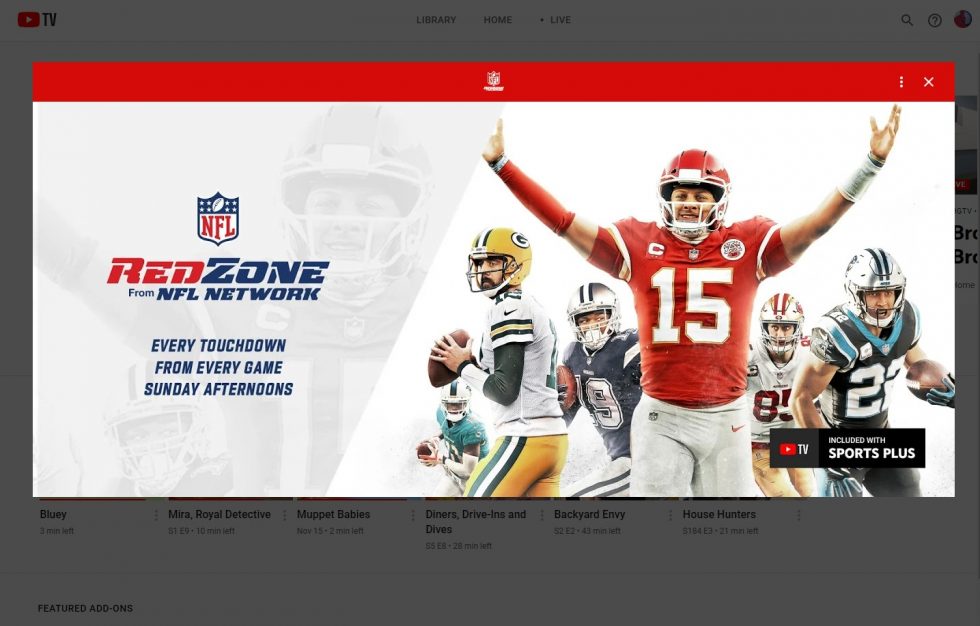
The technical process of adding RedZone to your YouTube TV account can be handled through several different interfaces, but the backend synchronization remains the same. RedZone is bundled within the “Sports Plus” add-on, a specialized software package that includes several other high-bandwidth sports networks.
Navigating the YouTube TV Interface
To begin the integration, launch the YouTube TV application on your preferred device. Navigate to your user profile icon in the top right corner—this is your central hub for account management and digital rights. Select “Settings” and then “Membership.” Here, the app displays your current “Base Plan” and a list of available modules.
From a technical standpoint, adding the Sports Plus pack initiates a license update for your account ID. Once you toggle the Sports Plus option, the Google billing API processes the transaction, and the RedZone stream is instantly unlocked across all devices associated with your Google account. Because YouTube TV utilizes cloud-based credentialing, there is no need to “refresh” your box or wait for a signal hit, as was common with satellite providers.
Managing Add-ons via Desktop vs. Mobile App
While the television interface is convenient for viewing, the desktop web interface (tv.youtube.com) offers more granular control over your technical settings. If you are troubleshooting a subscription issue, the web interface provides a more detailed log of your transaction history and active modules. Furthermore, managing your subscription on a desktop allows you to easily verify your “Home Area” settings. Because NFL RedZone and other sports content are often subject to regional geofencing, ensuring your IP address matches your registered zip code is a vital technical step in avoiding “blackout” errors.
Optimizing the Streaming Experience: Bandwidth and Bitrate Control

Once RedZone is activated, the focus shifts to maintaining the integrity of the stream. Live sports are the most demanding type of content for a home network due to the high frame rate and the lack of a “buffer cushion” that pre-recorded shows enjoy.
Troubleshooting Buffer Issues during Live Broadcasts
If you experience “spinning wheels” or resolution drops while watching RedZone, the issue usually lies in the “Last Mile” of your internet connection. A professional-grade streaming setup should ideally utilize a hardwired Ethernet connection (Cat6 or better) rather than Wi-Fi. If Wi-Fi is the only option, moving to the 5GHz or 6GHz (Wi-Fi 6E) band is essential to minimize interference from other household devices.
From a technical diagnostics perspective, YouTube TV offers a “Stats for Nerds” feature. By enabling this in the playback settings, you can view real-time data on your connection speed, frame drops, and “Live Latency.” Monitoring the “Buffer Health” metric is particularly useful; if this drops below 5 seconds, you are at risk of a stutter.
Utilizing Multiview: The Technical Edge of YouTube TV
One of the most impressive technical features available to RedZone subscribers is “Multiview.” This feature allows you to watch up to four different streams simultaneously, including RedZone and three other live games. Unlike local hardware-based picture-in-picture, YouTube TV’s Multiview is processed server-side. Google’s servers ingest the four separate feeds, stitch them into a single 1080p or 4K frame, and then stream that single consolidated feed to your device. This reduces the computational load on your local hardware and ensures that your bandwidth isn’t quadruple-taxed by four separate streams.
Beyond RedZone: The Future of Sports Technology on Digital Platforms
The integration of RedZone into YouTube TV is part of a larger trend where sports consumption is becoming increasingly integrated with cloud computing and artificial intelligence.
Cloud DVR Integration and Latency Reduction
One of the primary benefits of getting RedZone via YouTube TV is the unlimited Cloud DVR. Technically, this isn’t “recording” in the traditional sense. Instead, YouTube TV flags the metadata of the RedZone broadcast on its servers and assigns a pointer to your account. This allows for instantaneous seeking and “Start from Beginning” functionality without consuming any local storage on your device.
Furthermore, Google is constantly working on “Low Latency Mode.” In the world of live sports, being 30 seconds behind the live action can result in spoilers via social media or mobile alerts. By utilizing the QUIC protocol and optimized chunk sizes in the video delivery stream, YouTube TV aims to bring “Glass-to-Glass” latency down to levels that rival traditional cable and satellite.
The Role of AI in Real-Time Sports Analytics
As you watch RedZone, you may notice the “Key Plays” and “View Stats” features. These are powered by machine learning algorithms that analyze the video feed in real-time to identify touchdowns, turnovers, and big gains. This metadata is then overlaid on your stream, providing a tech-heavy, interactive layer to the traditional viewing experience. For the user, this means you can catch up on a game’s pivotal moments through an AI-generated playlist before diving back into the live RedZone feed.
Security and Account Management for Sports Streamers
As your YouTube TV account now holds significant value—both financially and in terms of personal data—maintaining rigorous digital security is paramount.
Securing Your Digital Footprint with Two-Factor Authentication
Since your RedZone access is tied to your Google Account, any security breach of your email could lead to unauthorized access to your streaming services. Implementing Two-Factor Authentication (2FA) via a hardware key (like a YubiKey) or a dedicated authenticator app is a critical technical best practice. This ensures that even if your password is compromised, your “Game Day” experience remains uninterrupted.
Managing Subscriptions and Avoiding Hidden Costs
From a software management perspective, it is important to remember that the Sports Plus add-on is a recurring monthly subscription. However, the NFL season is finite. A savvy tech user should know how to utilize the “Pause Membership” feature within YouTube TV. This allows you to halt your subscription (and the associated billing) once the regular season ends, preserving your settings and DVR library for the following year without incurring costs during the off-season.
By understanding the technical nuances of the YouTube TV platform—from server-side Multiview processing to the intricacies of ABR streaming—you can ensure that your access to NFL RedZone is not just functional, but optimized for the best possible digital experience. The transition from cord-cutting to “cord-leveraging” involves mastering these tools to create a personalized, high-performance sports viewing environment.
aViewFromTheCave is a participant in the Amazon Services LLC Associates Program, an affiliate advertising program designed to provide a means for sites to earn advertising fees by advertising and linking to Amazon.com. Amazon, the Amazon logo, AmazonSupply, and the AmazonSupply logo are trademarks of Amazon.com, Inc. or its affiliates. As an Amazon Associate we earn affiliate commissions from qualifying purchases.