
As tax season approaches, many households and small business owners look toward software solutions to navigate the complexities of the internal revenue code. TurboTax has long established itself as a dominant player in the financial tool space, offering a range of products designed to simplify the filing process. However, a common question arises for those who manage the finances of multiple family members or multiple business entities: how many tax returns can actually be filed using a single TurboTax license?
The answer is not a simple digit, as it depends heavily on the version of the software you choose, the method of submission (electronic versus paper), and the strict regulations set forth by the Internal Revenue Service (IRS). Understanding these limitations is crucial for personal finance management, ensuring that you maximize your investment in financial software while remaining compliant with federal filing standards.

The IRS Electronic Filing Limit: The “Rule of Five”
Before diving into the specific product offerings of TurboTax, it is essential to understand the regulatory environment in which all tax software operates. The IRS imposes a strict limit on the number of federal tax returns that can be e-filed from a single software package or a single computer. This is commonly referred to in the financial world as the “Rule of Five.”
Why the IRS Restricts Electronic Submissions
The primary reason for the five-return limit is security and the prevention of unauthorized tax preparation services. The IRS distinguishes between “personal use” software and “professional preparer” software. Personal software, such as TurboTax, is designed for individual taxpayers to prepare their own returns or those of their immediate family.
By limiting the number of e-files to five, the IRS creates a barrier for individuals who might attempt to run an unlicensed tax preparation business using consumer-grade software. Professional preparers are required to have a Preparer Tax Identification Number (PTIN) and must use professional-grade software that tracks the preparation of hundreds or thousands of returns. For the average user, five e-files are typically more than enough to cover a household, including dependents and perhaps elderly parents.
The Distinction Between E-filing and Paper Filing
It is a common misconception that the five-return limit applies to the total number of returns a software program can generate. In reality, the limit applies strictly to electronic transmissions. Under IRS guidelines, a single TurboTax Desktop license allows you to prepare as many returns as you need, but you are capped at five electronic submissions.
If you find yourself in a position where you need to file a sixth or seventh return—for instance, in a large extended family or a complex trust situation—you can still use the software to prepare the forms. However, these additional returns must be printed and mailed to the IRS via traditional post. While this lacks the speed and immediate confirmation of e-filing, it remains a valid legal pathway for utilizing your software investment across a wider range of filings.
TurboTax Online vs. TurboTax Desktop: Choosing the Right Tool
When evaluating how many returns you can file, the most significant factor is the platform you choose. TurboTax offers two primary delivery methods: a web-based “Online” version and a “Desktop” version that you download and install on your computer. These two products have vastly different architectures and filing capacities.
TurboTax Online: The One-Account, One-Return Model
TurboTax Online is built for simplicity and accessibility. It is priced per return, meaning that your account is generally tied to a single Social Security Number (SSN) or a single joint filing. If you have a complex household and need to file for yourself, your spouse separately, and three children who have part-time jobs, TurboTax Online requires you to create separate accounts or pay for each individual return.
From a financial management perspective, TurboTax Online is often the most expensive route for multi-return households. Since each return necessitates its own fee, the costs can scale quickly. While the convenience of cloud-based filing is undeniable, those looking to optimize their tax preparation budget should be wary of the per-return cost structure of the online platform.
TurboTax Desktop: The Multi-Return Powerhouse
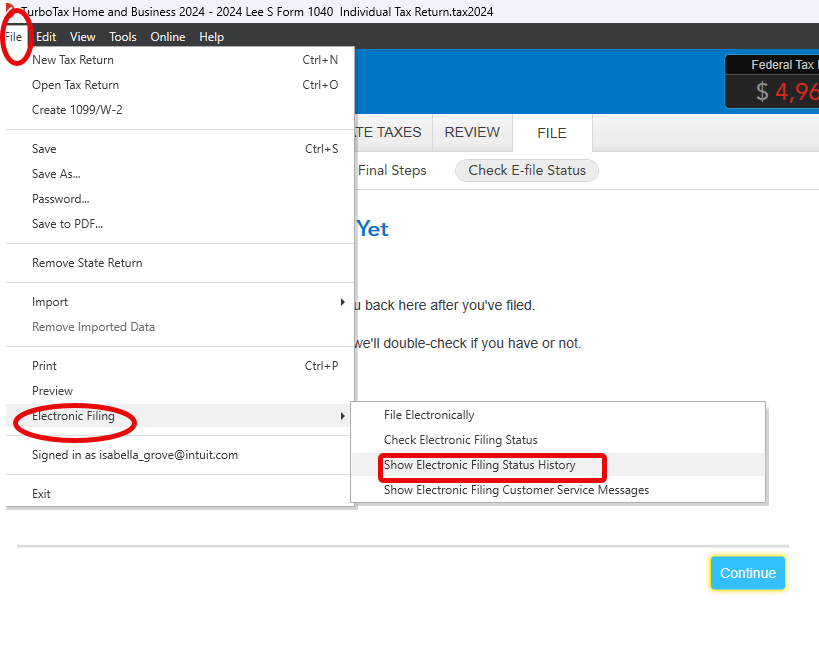
For users who need to file multiple returns, TurboTax Desktop is almost always the superior financial choice. When you purchase a license for the Desktop software (Basic, Deluxe, Premier, or Home & Business), you are typically granted the ability to e-file up to five federal returns at no additional cost.
This “five-pack” of e-files makes the Desktop version a favorite for families. For one flat fee, you can handle the filings for a husband and wife, their college-aged children, and perhaps a grandparent. Furthermore, because the data is stored locally on your hard drive rather than on Intuit’s servers, you have greater control over the files and can switch between different tax profiles with ease.
Navigating the Tiers of TurboTax Desktop
To maximize the utility of the five-return e-file limit, you must select the version of the software that aligns with your specific financial portfolio. Each tier of the Desktop software offers the same five federal e-files, but their ability to handle different types of income varies.
Basic and Deluxe: Foundation for Simple Portfolios
The Basic version is designed for straightforward tax situations, primarily those involving W-2 income and standard deductions. However, most savvy investors and homeowners gravitate toward TurboTax Deluxe. Deluxe is often considered the “sweet spot” for personal finance because it handles itemized deductions, mortgage interest, and charitable donations.
Even in these lower tiers, the ability to file five returns remains. This means a parent could use the Deluxe version to file their own complex itemized return and also use it to file four simple returns for their children, provided the children’s tax situations do not require the advanced features found in higher tiers.
Premier and Home & Business: Handling Investments and Side Hustles
As your financial life grows to include rental properties, stock market investments, or cryptocurrency, you will likely need to move to TurboTax Premier. For those who are part of the “gig economy” or own a small unincorporated business, the Home & Business version is the standard.
Regardless of the complexity, the five-return rule stays the same. A small business owner can use one Home & Business license to file their own joint personal and business return, and still have four e-files left over to help family members with their personal taxes. This multi-use capability significantly lowers the “per-return” cost of the software, making it a highly efficient financial tool for those managing a diverse range of economic interests.
Strategic Benefits of Multi-Return Software for Personal Finance
Viewing tax software as a strategic financial asset rather than a one-time expense can change how you approach tax season. By leveraging the multi-return capabilities of the Desktop software, you can implement several cost-saving and organizational strategies.
Cost-Efficiency and ROI
In the world of personal finance, Return on Investment (ROI) is everything. If a TurboTax Desktop Premier license costs $100 and you use it to file five federal returns, your cost per return is only $20. Compared to the $60-$90 per return charged by the Online version—or the hundreds of dollars charged by a professional firm—the Desktop software offers an unbeatable value proposition for middle-class families and small-scale investors.
Centralizing Family Records
Using a single software install to manage multiple family returns allows for better financial oversight. While each return remains a separate legal document, the preparer can ensure consistency across the board. For example, when filing for a dependent child who has investment income, the parent can easily reference their own return to ensure that the kiddie tax calculations and dependency status are handled correctly. This centralized approach reduces the risk of conflicting information being sent to the IRS, which can trigger audits or delays in refund processing.
Security and Compliance: Best Practices for Multiple Filings
While the ability to file five returns is a powerful feature, it comes with responsibilities. Data security and legal compliance must remain at the forefront of your financial planning.
Protecting Sensitive Data
When you file multiple returns on one computer, you are storing multiple sets of Social Security Numbers, bank account details, and income statements. It is imperative to use robust encryption and password protection. TurboTax Desktop allows you to password-protect individual tax files. In the context of digital security, this is a non-negotiable step. If you are filing for an adult child or a relative, you should treat their data with the same level of care as your own, ensuring that their financial privacy is maintained.
Avoiding the “Paid Preparer” Trap
It is vital to remember that consumer tax software licenses are for personal use. If you use TurboTax to file returns for friends or extended family and charge them a fee for your services, you may be in violation of both the software’s Terms of Service and IRS regulations.
The IRS requires anyone who is paid to prepare or assist in preparing federal tax returns to have a valid PTIN. They must also sign the return as a paid preparer. TurboTax consumer products are not designed to include paid preparer information. Using the “five-pack” of e-files to start a side business without the proper credentials can lead to significant legal and financial penalties.

Recognizing the Limits of Self-Preparation
Despite the versatility of TurboTax, there comes a point where the complexity of a financial situation exceeds the capabilities of consumer software. If you are managing more than five entities, or if your business interests involve complex K-1s, multi-state corporate filings, or international tax treaties, it may be time to transition to professional-grade software or a Certified Public Accountant (CPA).
While the five e-file limit is a generous offering for the average user, the true value of the tool lies in its ability to empower the taxpayer. By understanding how many returns you can file and the most cost-effective way to do so, you turn a mandatory annual chore into a streamlined component of your broader financial strategy. Whether you are maximizing the ROI of a Desktop license or simply ensuring that your family’s filings are handled accurately and securely, knowing the limits and capabilities of your tools is the hallmark of sound financial management.
aViewFromTheCave is a participant in the Amazon Services LLC Associates Program, an affiliate advertising program designed to provide a means for sites to earn advertising fees by advertising and linking to Amazon.com. Amazon, the Amazon logo, AmazonSupply, and the AmazonSupply logo are trademarks of Amazon.com, Inc. or its affiliates. As an Amazon Associate we earn affiliate commissions from qualifying purchases.