
In the realm of personal computing, the central processing unit (CPU) is often described as the “brain” of the device. Among the manufacturers that have defined the history and trajectory of this technology, Intel Corporation stands as the most prominent. An Intel processor is a sophisticated hardware component that executes the instructions of a computer program, performing the basic arithmetic, logic, controlling, and input/output (I/O) operations specified by the software.
Since the introduction of the 4004 microprocessor in 1971, Intel has pioneered the x86 architecture, which remains the industry standard for desktop and laptop computing. To understand what an Intel processor is today, one must look beyond the physical silicon and explore the intricate layers of architecture, the hierarchy of product tiers, and the cutting-edge innovations that power everything from thin-and-light ultrabooks to massive enterprise data centers.

The Architecture and Evolution of Intel Silicon
At its core, an Intel processor is an integrated circuit consisting of billions of microscopic transistors etched onto a silicon wafer. These transistors act as switches, manipulating electrical signals to represent binary data (1s and 0s). The arrangement and orchestration of these transistors are governed by an instruction set architecture (ISA), primarily the x86-64 standard, which Intel developed and refined over several decades.
The Shift to Hybrid Architecture
One of the most significant shifts in Intel’s recent history is the move toward a hybrid architecture. Starting with the 12th Generation (Alder Lake), Intel moved away from using identical cores for every task. Instead, modern Intel processors utilize a combination of Performance-cores (P-cores) and Efficient-cores (E-cores).
P-cores are designed for high-frequency, single-threaded tasks such as gaming and intensive productivity applications. They handle the “heavy lifting.” Conversely, E-cores are optimized for multi-threaded performance and power efficiency. They manage background tasks, system processes, and minor applications, ensuring that the P-cores are free to focus on the user’s primary activity. This orchestration is managed by the Intel Thread Director, a hardware-level feature that communicates with the operating system to ensure the right workload goes to the right core at the right time.
The Role of Microarchitecture and Nodes
Every few years, Intel introduces a new microarchitecture (such as Raptor Lake or Meteor Lake). This refers to the specific design and layout of the processor’s internal components. Closely tied to this is the “process node,” measured in nanometers (nm). A smaller node typically allows for more transistors to be packed into the same space, increasing performance while reducing power consumption and heat generation. While the industry has moved toward increasingly complex nomenclature for these nodes, Intel’s focus remains on density and power efficiency to maintain its competitive edge in the semiconductor market.
Decoding the Intel Product Lineup
For the average consumer, the term “Intel processor” is most commonly associated with the “Core” brand. However, Intel’s catalog is vast, designed to meet the specific demands of different market segments. Understanding the naming convention is essential for identifying the performance capabilities of a specific chip.
The Intel Core Series: i3 to i9
The Core series is the flagship line for mainstream consumers. It is categorized into four main tiers:
-
Intel Core i3: These are entry-level processors designed for everyday tasks like web browsing, office work, and video streaming. They offer a balance of affordability and sufficient power for basic users.
-
Intel Core i5: Often considered the “sweet spot” for most users, i5 processors provide excellent performance for gaming, content creation, and heavy multitasking.
-
Intel Core i7: Targeted at enthusiasts and professionals, these chips offer higher clock speeds and more cores, making them ideal for video editing, 3D rendering, and high-end gaming.
-
Intel Core i9: The pinnacle of the consumer lineup, i9 processors feature the highest core counts and frequencies, designed for extreme multitasking and professional-grade workloads.
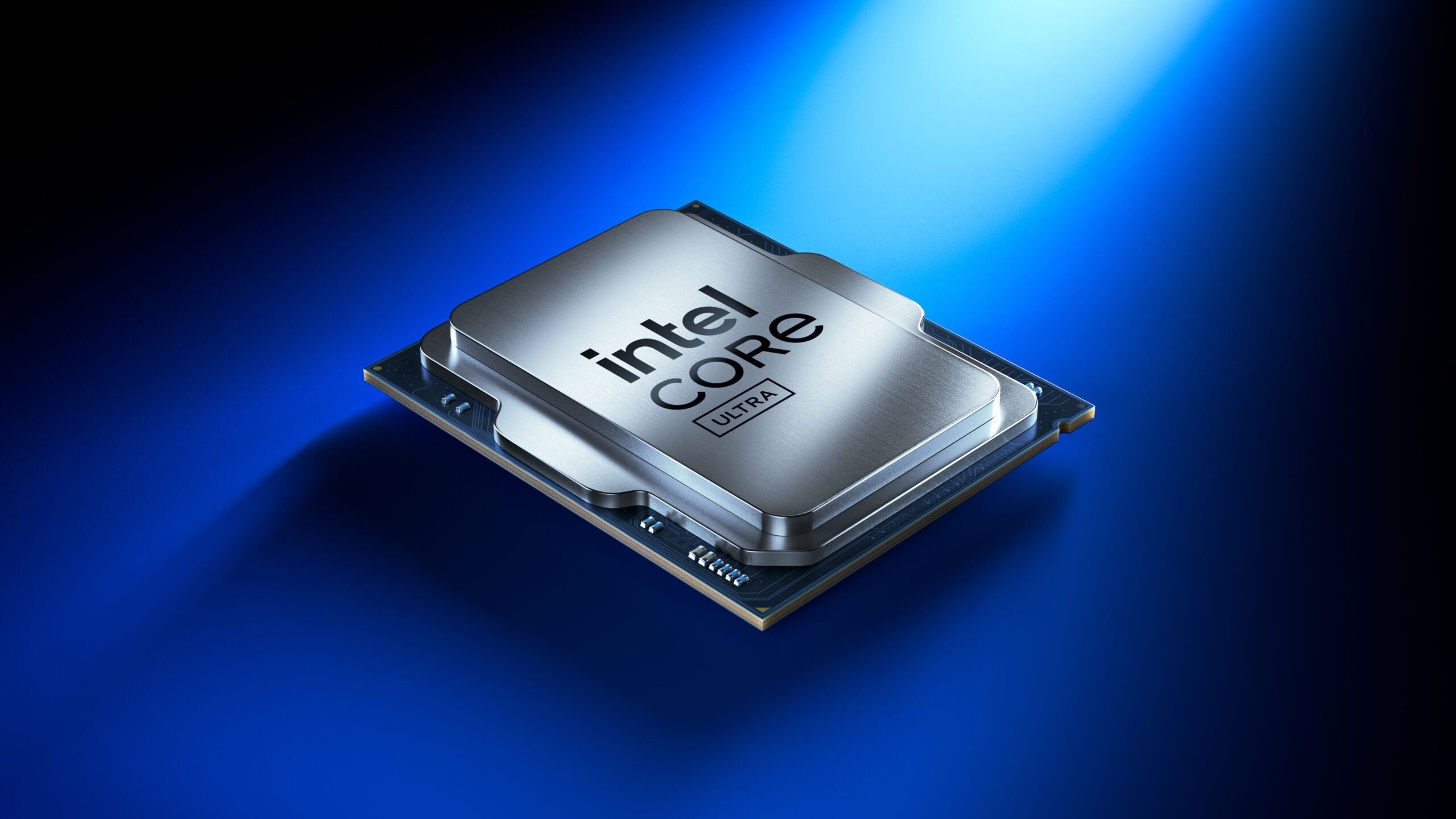
Intel has recently begun transitioning this branding toward the “Core Ultra” designation for its latest chips featuring dedicated AI hardware, signaling a new era of “AI PCs.”
Specialized Processors: Xeon, Pentium, and Celeron
Beyond the mainstream Core series, Intel produces specialized hardware:
-
Intel Xeon: These processors are designed for workstations and servers. They support ECC (Error Correction Code) memory, which prevents data corruption, and are built to run 24/7 under massive computational loads.
-
Intel Pentium and Celeron: These represent the budget-oriented segment. While less powerful than the Core series, they are highly efficient and cost-effective for basic education laptops and low-power hardware.

Understanding Suffixes
The letters at the end of an Intel processor’s model number (e.g., i7-13700K) provide vital information. A “K” denotes an unlocked processor that can be overclocked. An “F” means the chip lacks integrated graphics and requires a dedicated GPU. A “U” signifies an ultra-low power chip designed for thin laptops, while “H” indicates high-performance graphics for gaming notebooks.
Key Technologies Powering Intel Processors
The performance of an Intel processor is not determined by core count alone. Several proprietary technologies work in tandem to maximize the efficiency and speed of the silicon.
Hyper-Threading and Turbo Boost
Intel Hyper-Threading Technology allows a single physical core to act as two logical cores. This enables the processor to execute more tasks simultaneously, significantly improving performance in multi-threaded applications like rendering software.
Intel Turbo Boost Technology is another critical feature. It allows the processor to dynamically increase its clock speed above the base frequency when the workload demands it, provided there is enough thermal and power headroom. This gives users “power on demand” without consuming excessive energy during idle periods.
Integrated Graphics and AI Acceleration
Most Intel processors come equipped with an Integrated Graphics Processor (iGPU). While traditionally used for basic display tasks, the latest Intel Iris Xe and Intel Arc graphics allow for light gaming and 4K video playback without the need for an expensive discrete graphics card.
The newest frontier is the NPU (Neural Processing Unit). Integrated into the latest Intel silicon, the NPU is a dedicated engine designed specifically for artificial intelligence tasks. It handles features like background blur in video calls, AI-driven photo editing, and local large language models (LLMs) with far greater efficiency than a standard CPU or GPU could achieve.
Smart Cache and Memory Support
Intel processors utilize a multi-tier cache system (L1, L2, and L3). Cache is high-speed memory located directly on the processor die. It stores frequently accessed data so the CPU doesn’t have to wait for information to travel from the slower system RAM. Intel’s “Smart Cache” allows all cores to dynamically share access to the last-level cache, reducing latency and improving overall system responsiveness.
The Future of Intel: Innovation in a Competitive Landscape
The world of processors is more competitive than ever, with advancements in ARM-based architecture and aggressive competition from rivals like AMD. In response, Intel has doubled down on its “IDM 2.0” strategy, focusing on manufacturing leadership and the expansion of its foundry services.
Advanced Packaging: Foveros and Beyond
Future Intel processors are moving toward “disaggregated” designs. Instead of one large piece of silicon, the processor is built from multiple smaller “tiles” or “chiplets” produced on different process nodes and then fused together using advanced packaging technologies like Foveros. This allows Intel to mix and match different technologies—such as putting a high-performance compute tile next to a specialized graphics tile—to create more efficient and powerful products.
Security at the Silicon Level
As digital threats evolve, Intel has integrated hardware-based security features into its processors. Technologies like Intel Hardware Shield and Intel Control-Flow Enforcement Technology (CET) provide protections that software alone cannot match. These features defend against sophisticated attacks like memory corruption and ransomware, making Intel processors a staple in corporate environments where data integrity is paramount.
Conclusion: Why the Processor Matters
Choosing an Intel processor is about more than just speed; it is about choosing an ecosystem. From the software compatibility of the x86 architecture to the deep integration with Windows and Linux operating systems, Intel processors provide the foundation for the modern digital experience. Whether it is a student using a Core i3 laptop for research, a gamer pushing frame rates on a Core i9, or a data scientist training models on a Xeon-powered workstation, the Intel processor remains a central force in the evolution of technology. As we move into the era of the AI-integrated PC, the processor will continue to transform, shifting from a simple instruction executor to an intelligent, adaptive engine that anticipates user needs and redefines what is possible with a computer.
aViewFromTheCave is a participant in the Amazon Services LLC Associates Program, an affiliate advertising program designed to provide a means for sites to earn advertising fees by advertising and linking to Amazon.com. Amazon, the Amazon logo, AmazonSupply, and the AmazonSupply logo are trademarks of Amazon.com, Inc. or its affiliates. As an Amazon Associate we earn affiliate commissions from qualifying purchases.