
The landscape of personal finance has undergone a seismic shift over the last decade. Gone are the days when opening a new bank account required a physical trip to a local branch, standing in line, and signing a mountain of physical paperwork. Today, financial giants like JPMorgan Chase have streamlined the onboarding process, allowing consumers to establish a robust banking relationship from the comfort of their own homes. As one of the largest and most technologically advanced financial institutions in the world, Chase offers a digital application process that is both intuitive and secure.

Understanding how to navigate this process is essential for anyone looking to modernize their financial toolkit. Whether you are transitioning from a smaller credit union, looking for better mobile tools, or opening your first adult checking account, the ability to open a Chase account online represents the pinnacle of banking convenience. This guide delves into the prerequisites, the specific steps of the application, and the strategic considerations you should keep in mind to maximize your financial health.
Essential Prerequisites for Your Online Application
Before clicking the “Open an Account” button on the Chase website, it is crucial to gather the necessary documentation and understand the eligibility requirements. Being prepared not only speeds up the process but also reduces the likelihood of your application being flagged for manual review, which can delay account access by several business days.
Personal Identification and Legal Requirements
Chase, like all major U.S. financial institutions, must adhere to federal regulations such as the USA PATRIOT Act, which requires banks to verify the identity of anyone opening an account. To complete the online application, you will need to provide:
-
Social Security Number (SSN): This is non-negotiable for tax reporting and identity verification purposes.
-
Government-Issued ID: While the online system may not always require a scan immediately, you should have your Driver’s License, State ID, or Passport handy. You will need the ID number, issue date, and expiration date.
-
Contact Information: This includes a valid physical U.S. address (P.O. boxes are generally not accepted for opening accounts), a functional email address, and a mobile phone number for two-factor authentication.
Financial Eligibility and History
While Chase makes banking accessible, they do utilize reporting agencies like ChexSystems to review your banking history. This is different from a hard credit pull. ChexSystems tracks past banking behavior, such as unpaid overdrafts or accounts closed for fraud. Having a relatively clean banking history is a prerequisite for most Chase products. Additionally, you must be at least 18 years old to open an individual account online. For those under 18, a joint account (such as Chase High School Checking) usually requires an in-person visit with a parent or guardian.
Selecting the Optimal Chase Account for Your Financial Goals
Chase offers a variety of checking and savings products, each tailored to different spending habits, income levels, and financial goals. Choosing the right one during the online application is vital to avoid unnecessary monthly maintenance fees.
Chase Total Checking: The Versatile Standard
This is the most popular option for the average consumer. It offers access to over 15,000 ATMs and 4,700 branches. The account comes with a monthly service fee, but Chase provides several ways to waive it, such as having a recurring direct deposit of $500 or more, or maintaining a minimum daily balance of $1,500. For most professionals, the direct deposit waiver is the most seamless way to enjoy “free” banking.
Chase Secure Banking: Built for Accessibility
For those who want a simpler banking experience without the risk of overdraft fees, Chase Secure Banking is an excellent entry point. It does not offer paper checks, which reduces the complexity of the account. Unlike Total Checking, the monthly fee for Secure Banking is typically lower and can be waived through qualifying electronic deposits. It is an ideal choice for those who are rebuilding their financial standing or prefer a digital-only transaction lifestyle.
High-Tier Options: Chase Premier Plus and Sapphire Banking
For individuals who maintain higher balances, Chase offers premium tiers. Chase Premier Plus Checking earns a small amount of interest and waives fees for certain additional services like cashier’s checks and money orders. Chase Sapphire Banking is geared toward affluent clients, offering perks like no ATM fees worldwide and specialized customer service. When applying online, consider whether your average daily balance justifies these tiers, as the requirements to waive the higher monthly fees are significantly more substantial.
The Online Application Walkthrough

The actual process of opening the account is designed to take roughly ten to fifteen minutes. Chase has optimized their user interface to be mobile-friendly, meaning you can complete these steps on a smartphone or a desktop computer.
Starting the Process and Initial Selection
Navigate to the Chase official website and select the “Checking accounts” or “Savings accounts” tab. Once you choose your preferred account type, you will see an “Open Account” button. If you are an existing Chase customer (perhaps you have a Chase credit card), you should log in first. This will pre-fill most of your personal information, making the process significantly faster and increasing the likelihood of instant approval.
Data Entry and Identity Verification
The application will prompt you to enter your legal name, date of birth, and SSN. Following this, you will provide your employment status and primary source of income. This information helps Chase comply with “Know Your Customer” (KYC) regulations. A critical part of the digital process is the identity verification quiz. You may be asked questions based on your credit file, such as “Which of these addresses have you lived at in the past?” or “What was the make of the vehicle you financed in 2018?” Answering these accurately is essential for the automated system to approve your application in real-time.
Funding the Account
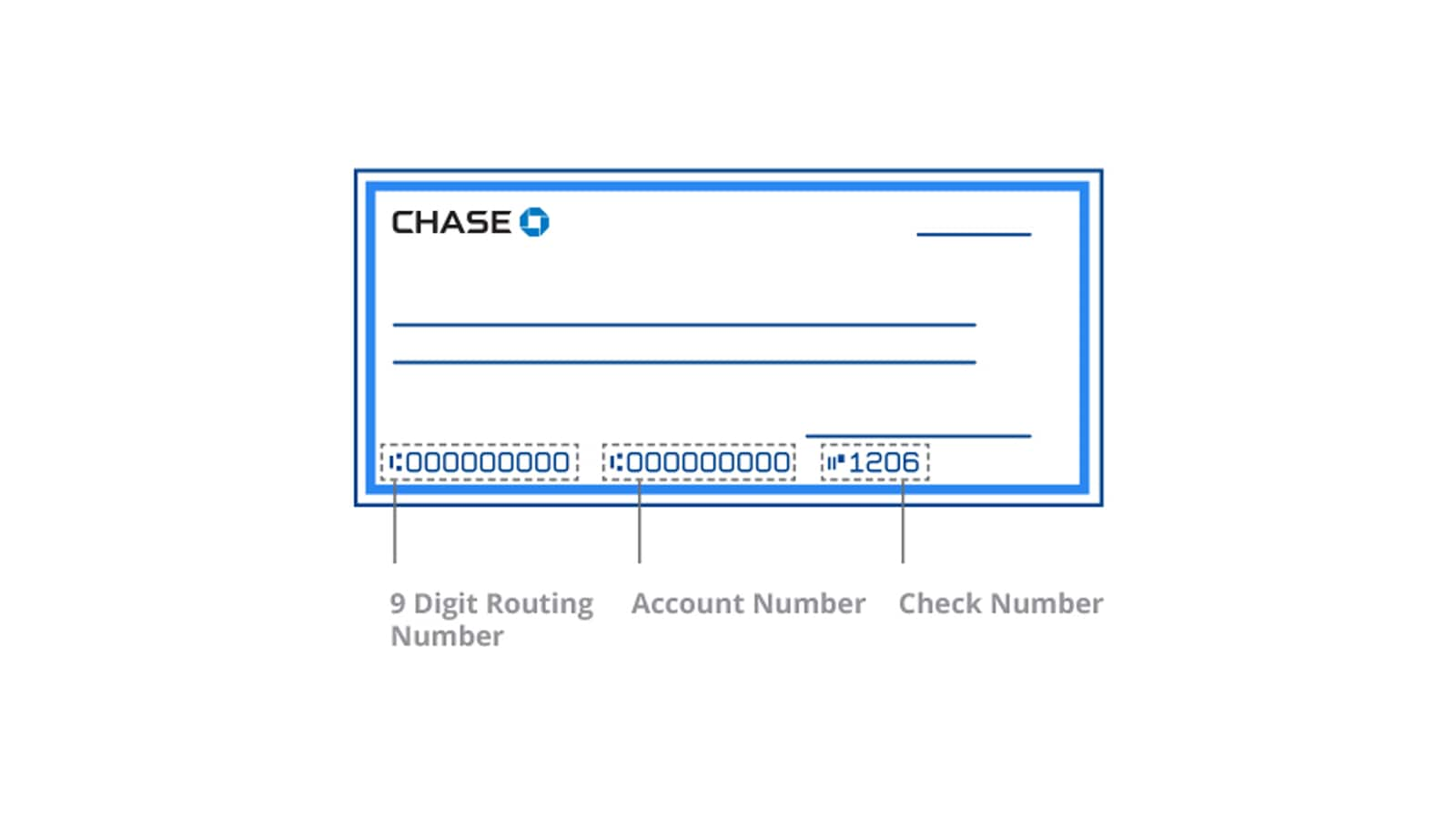
Once your identity is verified, you will be asked to fund your new account. You can do this by entering the routing and account number of an existing account at another bank. Most Chase accounts have a minimum initial deposit requirement, though it is often as low as $0 or $25 depending on current promotions. If you are taking advantage of a sign-up bonus—which Chase frequently offers to new customers—ensure that you have met the specific funding requirements outlined in the promotion’s fine print.
Maximizing the Value of Your New Digital Account
Opening the account is only the first step. To truly benefit from the Chase ecosystem, you must integrate their digital tools into your daily financial management.
Leveraging the Chase Mobile App
The Chase Mobile App is consistently ranked as one of the best in the industry. Once your online application is approved, you should immediately download the app and set up biometric login (FaceID or Fingerprint). The app allows for mobile check deposits, which eliminates the need to visit a branch. Furthermore, the “QuickPay with Zelle” feature integrated into the app allows for near-instant peer-to-peer transfers, making it easy to split bills or send money to friends.
Automating Your Financial Management
To ensure you never pay a monthly service fee, set up your direct deposit as soon as the account is active. You can find your new account and routing numbers in the “Account Details” section of the app. Additionally, Chase offers “Autosave” features that allow you to set rules for transferring money from your checking to a savings account. For example, you can set the app to transfer $20 every time you receive a paycheck or every time you make a purchase. This “set it and forget it” mentality is a cornerstone of modern wealth building.
Security and Best Practices for Online Finance
In an era of increasing cyber threats, maintaining the security of your online bank account is paramount. Chase provides several layers of protection, but the user must also be proactive.
Two-Factor Authentication and Alerts
Always enable two-factor authentication (2FA). Chase will send a code to your mobile device whenever a login attempt is made from an unrecognized browser or device. Furthermore, customize your account alerts. You can set the system to text or email you every time a transaction over a certain dollar amount is made, or if your balance drops below a specific threshold. These real-time notifications are the first line of defense against unauthorized activity.
Protecting Your Digital Footprint
When banking online, ensure you are using a private, secure Wi-Fi connection. Avoid accessing your Chase account via public Wi-Fi in cafes or airports, as these networks are often vulnerable to “man-in-the-middle” attacks. Lastly, be wary of phishing attempts. Chase will never call or text you asking for your password or your 2FA code. If you receive a suspicious communication, the safest course of action is to close the message and log in directly through the official app or website to check for any alerts.
By following these steps and utilizing the tools provided, opening a bank account online with Chase becomes more than just a task—it becomes the foundation for a more efficient, secure, and digitally-integrated financial life. The transition to online banking is not just about saving time; it is about taking full control of your capital in the digital age.
aViewFromTheCave is a participant in the Amazon Services LLC Associates Program, an affiliate advertising program designed to provide a means for sites to earn advertising fees by advertising and linking to Amazon.com. Amazon, the Amazon logo, AmazonSupply, and the AmazonSupply logo are trademarks of Amazon.com, Inc. or its affiliates. As an Amazon Associate we earn affiliate commissions from qualifying purchases.