
In the modern financial landscape, store-branded credit cards and affinity cards have become ubiquitous, offering tailored rewards and benefits for frequent shoppers. Among these, the Amazon cards hold a prominent position, tempting consumers with enticing cashback and special financing options for their extensive online marketplace purchases. However, the allure of rewards must be balanced with the critical responsibility of timely and strategic payments. Understanding how to effectively manage your Amazon card payments is not just about avoiding late fees; it’s a cornerstone of maintaining a healthy credit score, avoiding costly interest charges, and optimizing your personal financial well-being.

This comprehensive guide delves into the various methods available for paying your Amazon card, providing detailed instructions, strategic insights, and essential tips to ensure your financial health remains robust. Whether you’re a seasoned cardholder or new to the Amazon card ecosystem, mastering your payment strategy is crucial for leveraging its benefits without falling into the pitfalls of debt.
Understanding Your Amazon Card and Its Payment Obligations
Before diving into the mechanics of payment, it’s vital to distinguish between the types of Amazon cards available and to grasp the fundamental terms that govern their use. This foundational knowledge empowers you to make informed financial decisions.
Types of Amazon Cards and Their Issuers
Amazon offers several financial products, primarily falling into two categories, each with a different financial institution as its issuer:
-
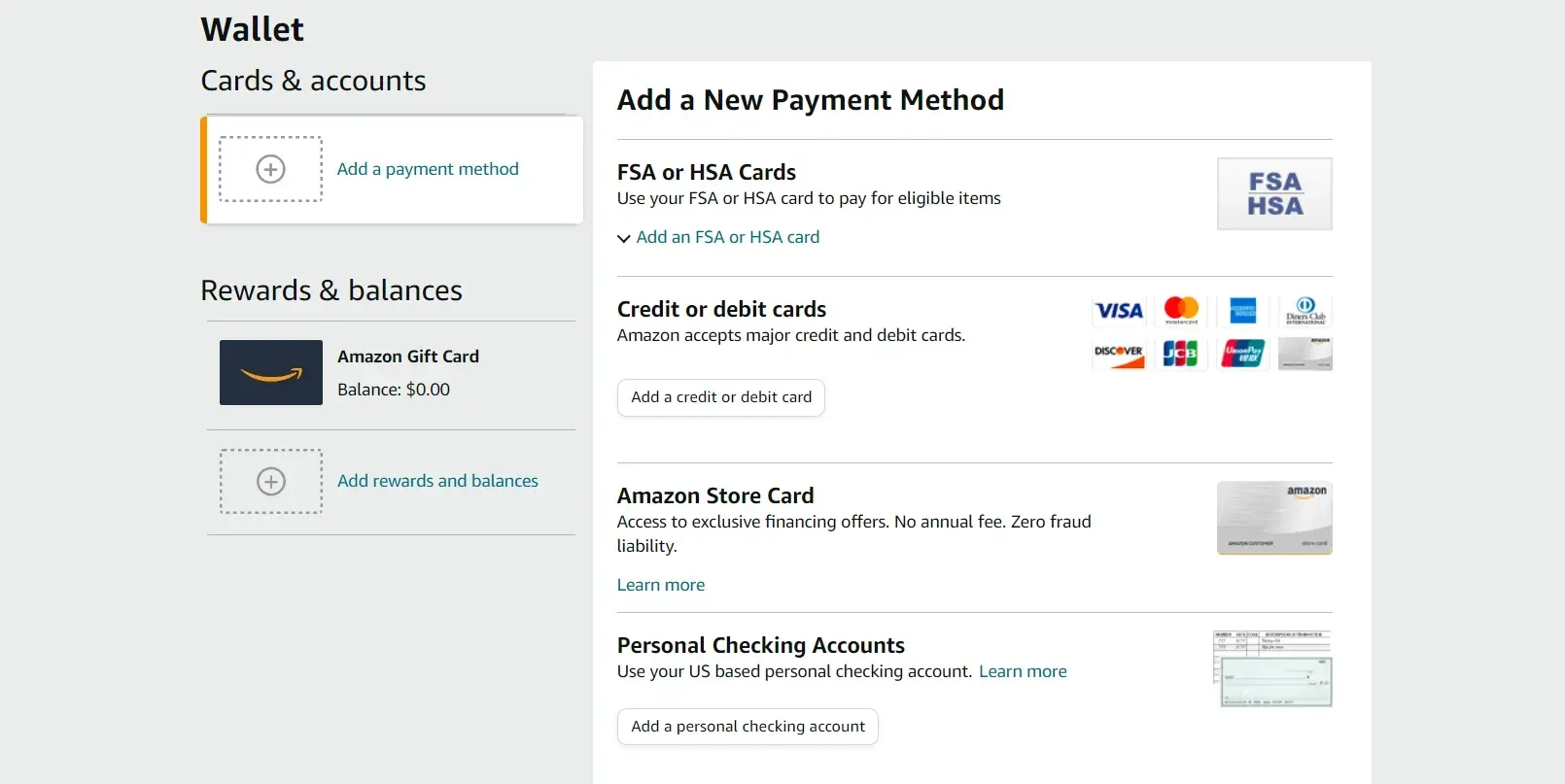
Amazon Store Card & Amazon Secured Card: These are generally issued by Synchrony Bank. The Amazon Store Card can typically only be used for purchases on Amazon.com and its affiliated sites. The Secured Card is a variant that requires a security deposit, making it accessible to those building or rebuilding credit.
-
Amazon Prime Rewards Visa Signature Card & Amazon Rewards Visa Signature Card: These are issued by Chase Bank and are full-fledged credit cards accepted wherever Visa is taken, not just on Amazon.com. They often come with higher rewards rates for Prime members.
Understanding which card you hold is critical because the payment portals and customer service channels will differ based on the issuing bank. Always verify your card’s issuer before attempting to make a payment or seeking assistance.
Key Dates and Terms: Due Date, Minimum Payment, and Interest
Every credit card statement, including those for your Amazon card, contains crucial information that dictates your payment obligations:
-
Due Date: This is the absolute deadline by which your payment must be received by the issuer. Missing this date, even by a day, can result in late fees and a potential negative impact on your credit score.
-
Minimum Payment Due: This is the smallest amount you must pay to keep your account in good standing. While paying the minimum might seem convenient, it’s rarely the most financially prudent option as it can prolong debt and incur significant interest charges.
-
Current Balance vs. Statement Balance: The current balance is what you owe right now, including recent purchases. The statement balance is what you owed at the end of your last billing cycle. To avoid interest on new purchases, you generally need to pay your statement balance in full by the due date.
-
Interest Rate (APR): This is the annual percentage rate charged on outstanding balances. If you don’t pay your statement balance in full by the due date, interest will be applied to the remaining balance, making your purchases more expensive.
The Paramount Importance of Timely Payments
Making timely payments is not merely about avoiding penalties; it’s a cornerstone of responsible financial management with far-reaching implications:
-
Credit Score Impact: Payment history is the single most significant factor in calculating your credit score (accounting for roughly 35% of your FICO score). Late payments can severely damage your credit, making it harder to secure loans, mortgages, or even rent apartments in the future.
-
Avoiding Late Fees: Issuers levy fees for payments received after the due date, which can quickly add up.
-
Preventing Interest Charges: By paying your statement balance in full each month, you can often avoid interest charges entirely, effectively making your purchases interest-free until the due date. This is known as the “grace period.”
-
Maintaining Card Privileges: Consistently missing payments can lead to your interest rate being increased, your credit limit being reduced, or even your account being closed by the issuer.
Navigating Payment Options for Your Amazon Card
Both Synchrony Bank (for Amazon Store Cards) and Chase Bank (for Amazon Visa cards) offer a variety of convenient payment methods designed to suit different preferences. Understanding these options allows you to choose the most efficient and reliable way to manage your payments.
Online Payment: The Most Common and Recommended Method
Online payment portals are the most popular and generally the quickest way to pay your Amazon card.
-
For Amazon Store Cards (Synchrony Bank):
-
Go to the Synchrony Bank Amazon Store Card login page (often accessible via “Manage Your Cards” within your Amazon account).
-
Log in with your username and password.
-
Navigate to the “Make a Payment” section.
-
Enter your bank account and routing number.
-
Specify the payment amount (minimum, statement balance, or custom amount) and the desired payment date.
-
Review and confirm your payment.
-
-
For Amazon Visa Cards (Chase Bank):
-
Log in to your Chase Online account at Chase.com.
-
Select your Amazon card from your account dashboard.
-
Click on “Pay Card.”
-
Choose your payment amount and the linked bank account.
-
Select the payment date.
-
Review and submit your payment.
-
Online payments offer immediate confirmation and allow you to schedule payments in advance, providing peace of mind.
Setting Up Autopay for Ultimate Convenience
Autopay is an excellent feature for ensuring you never miss a payment. Both Synchrony and Chase offer this option.
-
How it Works: You authorize the bank to automatically deduct a specified amount (e.g., minimum payment, statement balance, or a fixed amount) from your linked checking or savings account on or before your due date each month.
-
Benefits: Guarantees timely payments, avoids late fees, and simplifies your financial routine.
-
Recommendation: If you choose autopay, select to pay your statement balance in full to avoid interest charges. Always monitor your bank account to ensure sufficient funds are available for the autopay deduction.
Mobile App Payments
Both Synchrony Bank and Chase Bank offer robust mobile applications that allow you to manage your card and make payments on the go.
-
Synchrony Bank App: Download the MySynchrony app. Log in and follow the prompts to make a payment.
-
Chase Mobile App: Download the Chase Mobile app. Log in, select your Amazon Visa card, and tap the “Pay” option.
Mobile apps offer similar functionality to online portals but with the added convenience of smartphone accessibility.
Phone Payments and Customer Service
If you prefer to speak with a representative or need assistance, you can make a payment over the phone.
-
Synchrony Bank (Amazon Store Card): Call the customer service number provided on the back of your card or on your statement. Be prepared with your account number and bank account details.
-
Chase Bank (Amazon Visa Card): Call Chase customer service. You can often make payments through an automated system or by speaking to a representative.
While convenient for one-off situations or troubleshooting, phone payments might incur a fee if made with a representative, and they are generally slower than online methods.
Mail Payments (Checks or Money Orders)
For those who prefer traditional methods, you can still mail in a check or money order.
-
Instructions: Locate the payment address on your monthly statement. Write a check payable to the issuing bank (Synchrony Bank or Chase Bank) for the desired amount, ensuring your account number is clearly written on the memo line. Include the payment coupon from your statement.
-
Considerations: Mail payments are the slowest method. To avoid late fees, mail your payment at least 7-10 business days before your due date.
Optimizing Your Payment Strategy for Financial Health
Beyond simply making payments, a strategic approach can significantly enhance your financial standing and minimize the cost of using your Amazon card.

Paying in Full vs. Minimum Payments: The True Cost of Interest
This is perhaps the most critical distinction in credit card management.
-
Paying in Full: Always aim to pay your statement balance in full by the due date. This strategy ensures you avoid all interest charges and leverage the card’s grace period. It’s the most financially responsible approach and helps build excellent credit.
-
Minimum Payments: While paying the minimum keeps your account current, it’s a costly habit. The minimum payment is designed to be a small fraction of your balance, often just 1-3% plus interest. Paying only the minimum means you’ll carry a balance, accrue interest daily, and extend the repayment period, making your purchases significantly more expensive over time. A $1,000 balance paid only at minimum could take years and hundreds of dollars in interest to clear.
Making Multiple Payments During the Billing Cycle
You don’t have to wait for your statement to arrive to make a payment.
-
Benefits:
-
Reduces Average Daily Balance: If you carry a balance, making multiple payments can reduce your average daily balance, thereby lowering the total interest accrued.
-
Frees Up Credit Limit: Payments made mid-cycle can free up your available credit sooner, which is useful if you have a lower credit limit and plan additional purchases.
-
Helps Budgeting: If you get paid bi-weekly, making smaller payments each payday can be an effective budgeting strategy to stay on top of your debt.
-
Lower Credit Utilization: Keeping your reported balance low (even if you pay it off before the due date) can positively impact your credit utilization ratio, a key factor in your credit score.
-
Dealing with Payment Delays or Missed Payments
Life happens, and sometimes a payment might be late or missed.
-
Act Immediately: If you realize you’re going to miss or have just missed a payment, contact your card issuer immediately. They might waive the first late fee as a courtesy, especially if you have a good payment history.
-
Understand the Consequences: A payment reported 30 days or more past due will severely damage your credit score. Late fees will be applied, and your APR might increase (a penalty APR).
-
Prevention: Set up payment reminders on your phone or calendar, or utilize autopay.
Budgeting for Your Amazon Card Payments
Integrating your Amazon card payments into your monthly budget is essential for long-term financial health.
-
Track Spending: Monitor your Amazon card purchases closely. Use the issuer’s online portal or app to see your current balance frequently.
-
Allocate Funds: Before your due date, ensure you have sufficient funds in your bank account specifically allocated for your Amazon card payment.
-
Prioritize Debt: If you carry balances on multiple credit cards, prioritize paying down the card with the highest interest rate first, while still making minimum payments on all other cards.
Beyond Payments: Maximizing Your Amazon Card Benefits and Managing Debt
Effective management of your Amazon card extends beyond just making payments; it involves understanding its features, monitoring your usage, and proactively managing any accumulating debt.
Understanding Rewards and Cash Back Programs
Amazon cards are popular due to their rewards structures.
-
Amazon Prime Rewards Visa Signature Card: Typically offers 5% back at Amazon.com and Whole Foods Market (for Prime members), 2% back at restaurants, gas stations, and drugstores, and 1% back on all other purchases.
-
Amazon Rewards Visa Signature Card: Offers 3% back at Amazon.com and Whole Foods Market (or 5% for Prime members), 2% back at restaurants, gas stations, and drugstores, and 1% back on all other purchases.
-
Amazon Store Card: Often offers special financing options on larger Amazon purchases (e.g., 0% APR for 6, 12, or 24 months) or 5% back for Prime members. Be extremely careful with deferred interest promotions; if the balance isn’t paid in full by the end of the promotional period, interest can be retroactively applied to the original purchase amount.
Actively track your rewards and redeem them regularly, whether for Amazon credit or cashback, to gain tangible value from your spending.
Monitoring Your Statements and Transactions
Regularly review your monthly statements and transaction history.
-
Detect Errors: Catch any fraudulent charges, billing errors, or incorrect fees promptly. Report discrepancies to your issuer immediately.
-
Track Spending Habits: Understand where your money is going and identify areas where you might need to adjust your spending to stay within your budget.
-
Prevent Overspending: By staying aware of your current balance, you can avoid unknowingly exceeding your budget or credit limit.
Strategies for Reducing Card Debt
If you find yourself carrying a balance on your Amazon card, developing a debt reduction strategy is paramount.
-
The Debt Snowball Method: Pay off the smallest debt first while making minimum payments on others. The psychological wins can motivate you.
-
The Debt Avalanche Method: Prioritize paying off the debt with the highest interest rate first. This method saves you the most money on interest over time.
-
Balance Transfer: If you have an excellent credit score, you might qualify for a balance transfer card with a promotional 0% APR period. This can give you time to pay down the debt without accruing interest, but be mindful of balance transfer fees and the expiry of the promotional rate.
-
Budgeting and Cutting Expenses: Re-evaluate your budget to find areas where you can cut back, freeing up more money to put towards your card debt.
Impact on Credit Score and Financial Future
How you manage your Amazon card payments has a lasting impact on your overall credit profile. A history of timely payments, low credit utilization (keeping your balances well below your credit limit), and responsible debt management will lead to a strong credit score. A good credit score is a powerful asset, opening doors to better interest rates on future loans (mortgages, auto loans), lower insurance premiums, and easier approvals for other financial products. Conversely, poor payment habits can lead to financial distress, limiting future opportunities and increasing the cost of borrowing.
Troubleshooting Common Payment Issues and Seeking Support
Even with the best intentions, payment issues can arise. Knowing how to troubleshoot and where to find support is crucial.
What to Do if a Payment Fails
-
Insufficient Funds: The most common reason for a failed payment. Immediately transfer funds to your linked bank account and attempt to make the payment again. Be aware of potential returned payment fees from both your bank and the card issuer.
-
Incorrect Information: Double-check the bank account and routing numbers if you entered them manually.
-
Technical Glitch: Sometimes, online portals experience temporary issues. Try again later or use a different payment method (e.g., mobile app, phone).
-
Contact Your Bank: If the issue persists, contact your bank to ensure there are no blocks or issues on your end.
Contacting Customer Service for Payment Assistance
Don’t hesitate to reach out to the card issuer’s customer service if you encounter problems or have questions.
-
Synchrony Bank Customer Service: Find the number on the back of your Amazon Store Card or on your monthly statement.
-
Chase Bank Customer Service: The number for your Amazon Visa Card will also be on the back of your card and on Chase.com.
Be prepared with your account information and a clear explanation of your issue to facilitate a quicker resolution. They can help with payment arrangements, clarify charges, or assist with technical difficulties.
Recognizing and Avoiding Payment Scams
Be vigilant against phishing attempts and scams designed to steal your financial information.
-
Official Channels Only: Always use the official websites, mobile apps, or phone numbers provided on your card or statement when making payments or contacting customer service.
-
Email and SMS Scams: Be suspicious of unsolicited emails or text messages asking for personal financial information or instructing you to pay via unusual methods (e.g., gift cards, wire transfers).
-
Verify Senders: Legitimate communications from Amazon or its card issuers will typically come from recognizable domains or contact numbers. If in doubt, log in directly to your account or call the official customer service number.
Paying your Amazon card effectively is a critical part of managing your personal finances. By understanding the different card types, utilizing convenient payment methods, and adopting strategic financial habits, you can harness the benefits of your Amazon card while building a strong and secure financial future. Remember, consistent, timely payments are your best tool for financial success and maximizing the value of your credit.
aViewFromTheCave is a participant in the Amazon Services LLC Associates Program, an affiliate advertising program designed to provide a means for sites to earn advertising fees by advertising and linking to Amazon.com. Amazon, the Amazon logo, AmazonSupply, and the AmazonSupply logo are trademarks of Amazon.com, Inc. or its affiliates. As an Amazon Associate we earn affiliate commissions from qualifying purchases.