
The Amazon Store Card, much like any credit product, offers a convenient way to finance purchases and often comes with enticing benefits, from special financing offers to cashback rewards. However, the utility of such a card is intrinsically linked to responsible financial management, with the most fundamental aspect being timely and correct payments. For many cardholders, navigating the specifics of “how do I pay my Amazon Store Card” might not be immediately intuitive, especially given that Amazon itself isn’t the direct issuer. This guide aims to demystify the payment process, providing a comprehensive overview of your options and best practices for maintaining a healthy financial standing with your Amazon Store Card.

Understanding how to efficiently manage this financial tool is crucial for several reasons: it helps you avoid late fees, prevents interest from accruing (especially with deferred interest promotions), and most importantly, contributes positively to your credit score. By mastering the payment methods and understanding the terms, you can fully leverage the benefits of your Amazon Store Card without falling prey to common financial pitfalls.
Understanding Your Amazon Store Card: Key Details and Account Access
Before diving into the payment methods, it’s essential to grasp the nature of your Amazon Store Card and how its issuer operates. This foundational knowledge will streamline your payment process and prevent any confusion.
What is the Amazon Store Card?
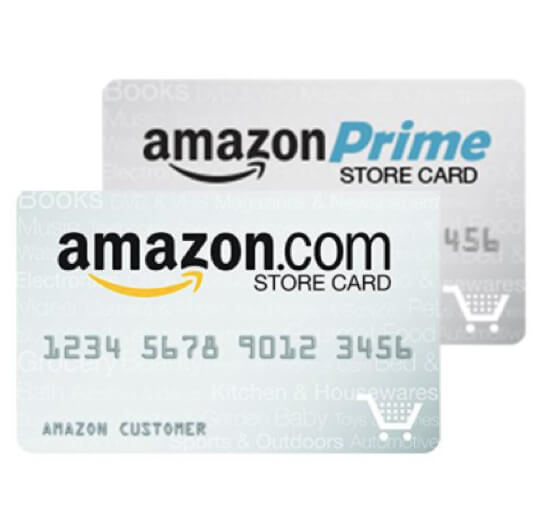
The Amazon Store Card is a private-label credit card designed exclusively for purchases made on Amazon.com and, in some cases, at Amazon’s physical stores or other affiliated merchants. It’s not a general-purpose credit card like a Visa or Mastercard that can be used anywhere. Instead, it’s a financial product primarily intended to foster customer loyalty and facilitate Amazon purchases. Often, it comes with specific perks such as 5% back on Amazon purchases for Prime members, or special promotional financing offers that allow you to pay no interest if the balance is paid in full within a set period.
Crucially, while it bears the Amazon name, the Amazon Store Card is issued and serviced by Synchrony Bank, a prominent financial institution specializing in private-label credit cards. This distinction is vital because all payment and account management activities will be conducted through Synchrony Bank’s platforms, not directly through Amazon.
Accessing Your Account Online
The primary hub for managing your Amazon Store Card, including making payments, is the Synchrony Bank website dedicated to Amazon accounts. To access your account, you will typically visit amazon.com/storecard which redirects you to the Synchrony Bank portal.
If you’re a first-time user, you’ll need to register your account. This process usually requires your Amazon Store Card account number (found on your physical card or statements), the last four digits of your Social Security Number, and your date of birth. Once registered, you’ll create a unique username and password.
Logging into your account provides a comprehensive dashboard where you can view your current balance, payment due date, minimum payment amount, transaction history, statement details, and manage various account settings, including payment methods.
Synchrony Bank: The Issuer Behind Your Card
Synchrony Bank’s role as the issuer means they are responsible for all aspects of your credit line, interest rates, fees, customer service, and, naturally, payment processing. Any questions regarding your balance, payment history, disputes, or account terms will be directed to Synchrony Bank, not Amazon’s general customer service. Understanding this relationship is key to efficiently resolving any payment-related inquiries and ensuring your payments are directed to the correct entity.
Multiple Avenues for Making Your Amazon Store Card Payment
Synchrony Bank offers several convenient methods to pay your Amazon Store Card, catering to different preferences and situations. Choosing the right method for you can help ensure timely payments and peace of mind.
Online Payments: The Most Convenient Method
Paying online through Synchrony Bank’s website is generally the quickest, easiest, and most recommended method. It provides instant confirmation and allows for flexible scheduling.
-
Log In: Go to amazon.com/storecard and log in to your account using your username and password.
-
Navigate to Payments: Once logged in, look for a “Make a Payment” or “Payments” section.
-
Select Payment Amount: You’ll typically have options to pay:
-
The minimum payment due.
-
Your current statement balance.
-
Your entire outstanding balance.
-
A custom amount.
Paying more than the minimum, or ideally the full balance, is always recommended to minimize interest charges.
-
-
Choose Payment Date: You can select to make a payment immediately (for the current day) or schedule it for a future date, as long as it’s on or before your due date.
-
Enter Bank Account Information: You will need to provide your bank account’s routing number and account number. If you’ve paid online before, this information might already be saved. Ensure the details are accurate to avoid returned payments and potential fees.
-
Review and Confirm: Double-check all the details – payment amount, date, and bank information – before submitting. You will typically receive an on-screen confirmation and often an email confirmation as well.
It’s important to note payment cut-off times. Payments submitted before a certain time (e.g., 5 PM ET) on a business day are often processed the same day. Payments submitted after the cut-off or on weekends/holidays will typically be processed on the next business day.
Paying by Phone: For Personalized Assistance
If you prefer to speak with someone or need assistance, paying by phone is a viable option.
-
Gather Information: Have your Amazon Store Card account number and your bank account’s routing and account numbers ready.
-
Call Customer Service: Dial Synchrony Bank’s customer service number for the Amazon Store Card. This number is usually found on the back of your card, on your monthly statement, or on the Synchrony Bank website (typically 1-866-634-8379 for the Amazon Store Card).
-
Automated System or Representative: You might first interact with an automated system that can guide you through a payment process. If you prefer to speak to a live agent, follow the prompts to connect with one.
-
Confirm Payment: The representative will confirm your payment details and provide a confirmation number. While phone payments are convenient, be aware that some banks or credit card issuers might charge a small fee for agent-assisted payments, though this is less common for self-service IVR payments. Always inquire about potential fees beforehand.
Payments by Mail: The Traditional Approach
For those who prefer traditional methods or cannot use online/phone options, paying by mail is still an option, though it requires foresight due to mail delivery times.
-
Obtain Mailing Address: The payment mailing address for Synchrony Bank will be printed on your monthly statement. It’s crucial to use the correct address to ensure your payment reaches its destination.
-
A common mailing address for Synchrony Bank payments (always verify on your statement):
Synchrony Bank
P.O. Box 960015
Orlando, FL 32896-0015
-
-
Write a Check or Money Order: Make your check or money order payable to “Synchrony Bank” or “Amazon Store Card.”
-
Include Account Information: Crucially, write your full Amazon Store Card account number clearly on the memo line of your check or money order. This ensures your payment is properly credited to your account.
-
Mail Early: Send your payment several business days (at least 7-10) before your due date to account for mail transit time and processing. Payments are considered received on the date Synchrony Bank physically gets them, not the postmark date. Late payments incur fees and can impact your credit.
Mobile App Payments: Managing on the Go
Synchrony Bank also offers a mobile app (often called “Synchrony Bank” or “MySynchrony”) that allows you to manage your Amazon Store Card and other Synchrony accounts directly from your smartphone or tablet.
-
Download the App: Search for “Synchrony Bank” or “MySynchrony” in your device’s app store and download it.
-
Log In: Use your existing Synchrony Bank online account credentials to log in.
-
Navigate to Payments: Within the app, find the option to make a payment for your Amazon Store Card.
-
Follow Prompts: The process is similar to online payments, allowing you to select the amount, date, and bank account for the payment. The app typically offers a streamlined, user-friendly experience.
Optimizing Your Payment Strategy and Avoiding Pitfalls
Beyond simply knowing how to pay, understanding how to pay smartly is paramount for effective personal finance management.
Setting Up AutoPay: The Ultimate Convenience
AutoPay is arguably the most effective tool to ensure you never miss a payment. It authorizes Synchrony Bank to automatically debit your chosen bank account for a specified amount on your due date each month.
-
Benefits:
-
Never Miss a Payment: Eliminates the risk of late fees and negative impacts on your credit score due to forgetfulness.
-
Saves Time: Once set up, it requires no recurring manual action.
-
Builds Credit: Consistent on-time payments are a cornerstone of a healthy credit history.
-
-
How to Set It Up: Log in to your Synchrony Bank Amazon Store Card account online. Look for “AutoPay,” “Automatic Payments,” or “Scheduled Payments” in the payment section. You can typically choose to pay the minimum, statement balance, or a fixed amount. You’ll need to link your bank account for this.
-
Warnings: Always ensure your linked bank account has sufficient funds to cover the AutoPay amount. Review your monthly statements even with AutoPay enabled to catch any errors or unexpected charges.
Understanding Your Statement and Due Dates
Your monthly statement is a critical financial document. It details your account activity and crucial dates.
-
Key Components:
-
Minimum Payment Due: The smallest amount you must pay to keep your account in good standing.
-
Total Balance Due: The full amount you owe.
-
Payment Due Date: The deadline by which your payment must be received.
-
Interest Rate (APR): The annual percentage rate applied to balances if not paid in full.
-
Promotional Period End Date: If you have special financing, this date is critical for avoiding deferred interest.
-
-
Paying More Than the Minimum: While paying the minimum keeps your account current, it significantly prolongs the repayment period and increases the total interest paid. Always strive to pay the full statement balance or as much as you can above the minimum.
-
Grace Period: Credit cards typically have a grace period (usually 21-25 days) between the statement closing date and the payment due date, during which no interest is charged on new purchases if you pay your entire previous balance in full. If you carry a balance, new purchases may start accruing interest immediately.
What Happens If You Miss a Payment?
Missing a payment has immediate and long-term financial consequences:
-
Late Fees: Synchrony Bank will assess a late fee, which can be substantial (often up to $41).
-
Penalty APR: Your interest rate might increase significantly (a penalty APR), making future balances more expensive.
-
Credit Score Impact: A payment reported 30 days or more past due to credit bureaus can severely damage your credit score, making it harder to obtain other loans or credit in the future.
-
Loss of Promotional Offers: You may lose any special financing offers you had, and deferred interest might be retroactively applied to your original purchase amount.
If you realize you might miss a payment, contact Synchrony Bank immediately. They may be willing to work with you, especially if it’s your first time or if you have a legitimate hardship.
Proactive Financial Management with Your Amazon Store Card
Managing your Amazon Store Card effectively goes beyond just making payments; it involves integrating it into a broader strategy for your personal finances.
Budgeting for Your Amazon Purchases
The convenience of an Amazon Store Card can sometimes lead to overspending. To avoid this, incorporate your Amazon purchases and subsequent payments into your monthly budget. Allocate a specific amount for discretionary spending on Amazon, and ensure that any purchases made with the store card fit within this budget. This proactive approach helps prevent debt accumulation and ensures you can comfortably meet your payment obligations.
Leveraging Promotional Financing Wisely
The Amazon Store Card frequently offers promotional financing, such as “no interest if paid in full within 6, 12, or 18 months.” These offers can be highly beneficial for larger purchases, but they come with a crucial condition: deferred interest.
-
Deferred Interest Explained: If you don’t pay the entire promotional balance by the end of the specified period, interest will be charged on the original purchase amount from the date of purchase, retroactively. This means you could end up paying a significant amount of interest even if you made payments along the way.
-
Strategic Use: To avoid deferred interest, create a payment plan that ensures the promotional balance is fully paid off several weeks before the promotional period expires. Set reminders and consider paying more than the required minimum each month.

Monitoring Your Credit Score
Your Amazon Store Card activity directly impacts your credit score. Timely payments, especially when paying off promotional balances, demonstrate financial responsibility and contribute positively to your payment history (the largest factor in your credit score). Conversely, missed payments or high utilization (carrying a large balance relative to your credit limit) can harm your score.
Regularly monitor your credit score through free services offered by credit bureaus or financial apps. This allows you to track the impact of your payment habits and identify any potential errors on your credit report.
In conclusion, paying your Amazon Store Card is a straightforward process once you understand that Synchrony Bank is the issuer and that multiple reliable payment channels are available. By choosing the method that best suits your lifestyle, ideally AutoPay, and by adopting a proactive approach to financial management, you can effectively leverage the benefits of your Amazon Store Card while maintaining a robust and healthy personal financial standing. Responsible card usage is not just about avoiding penalties; it’s about building a strong financial future.
aViewFromTheCave is a participant in the Amazon Services LLC Associates Program, an affiliate advertising program designed to provide a means for sites to earn advertising fees by advertising and linking to Amazon.com. Amazon, the Amazon logo, AmazonSupply, and the AmazonSupply logo are trademarks of Amazon.com, Inc. or its affiliates. As an Amazon Associate we earn affiliate commissions from qualifying purchases.