
In an increasingly digital financial landscape, tools like Cash App have revolutionized how individuals manage their money, send and receive funds, and even access banking-like services without a traditional bank account. At the heart of this convenience is the Cash App Card, a debit card directly linked to your Cash App balance. For many, understanding how to efficiently add cash to this card is the gateway to unlocking its full potential as a personal finance instrument. This guide will delve into the various methods for funding your Cash App Card, offering insights into each process and highlighting their implications for your financial management.
Understanding Your Cash App Card and Its Financial Utility
The Cash App Card is more than just a piece of plastic; it’s a financial instrument that bridges your digital Cash App balance with the physical world of transactions. Issued by Sutton Bank and powered by Visa, it functions like a standard debit card, allowing users to make purchases online, in stores, and withdraw cash from ATMs wherever Visa is accepted.
What is the Cash App Card?
Essentially, the Cash App Card is a free, customizable debit card that gives you direct access to the funds held within your Cash App account. Unlike traditional bank debit cards, it’s not directly linked to a checking account but rather to your Cash App balance, which acts as a digital wallet. This setup offers a streamlined way to manage spendable funds, separating them perhaps from a primary bank account for budgeting or security purposes. It’s an integral component of Cash App’s ecosystem, enabling users to seamlessly convert their digital balance into purchasing power.
Why Fund Your Cash App Card?
The motivations for funding a Cash App Card are diverse, ranging from practical convenience to strategic financial management. For many, it offers a simplified way to manage a spending budget, dedicating a specific amount of money for daily expenses without dipping into a larger savings or primary checking account. It’s particularly useful for online shopping, as it adds an extra layer of separation from your main financial institutions. Furthermore, for the unbanked or underbanked, the Cash App Card provides a crucial entry point into the digital economy, offering a mechanism to receive payments, make purchases, and access cash without the prerequisites of a traditional bank account. Its integration with peer-to-peer transfers also makes it an excellent tool for splitting bills, receiving money from friends and family, or managing small business transactions.
The Role of Digital Wallets in Modern Personal Finance
Digital wallets like Cash App represent a significant evolution in personal finance. They empower users with instant access to their funds, real-time transaction tracking, and often lower fees compared to traditional banking for certain services. In an era where contactless payments and online transactions are increasingly dominant, a digital wallet with an associated debit card simplifies financial interactions. They foster a sense of financial autonomy, allowing individuals greater control over their immediate funds and providing a platform for managing income and expenses with greater flexibility. However, understanding how to reliably fund these wallets is paramount to maximizing their utility and ensuring they remain a valuable part of one’s financial toolkit.
Primary Methods for Adding Funds to Your Cash App Card
To fully leverage the capabilities of your Cash App Card, it’s crucial to understand the various avenues available for adding funds. Each method offers distinct advantages and caters to different financial habits and needs.
Linking a Bank Account or Debit Card
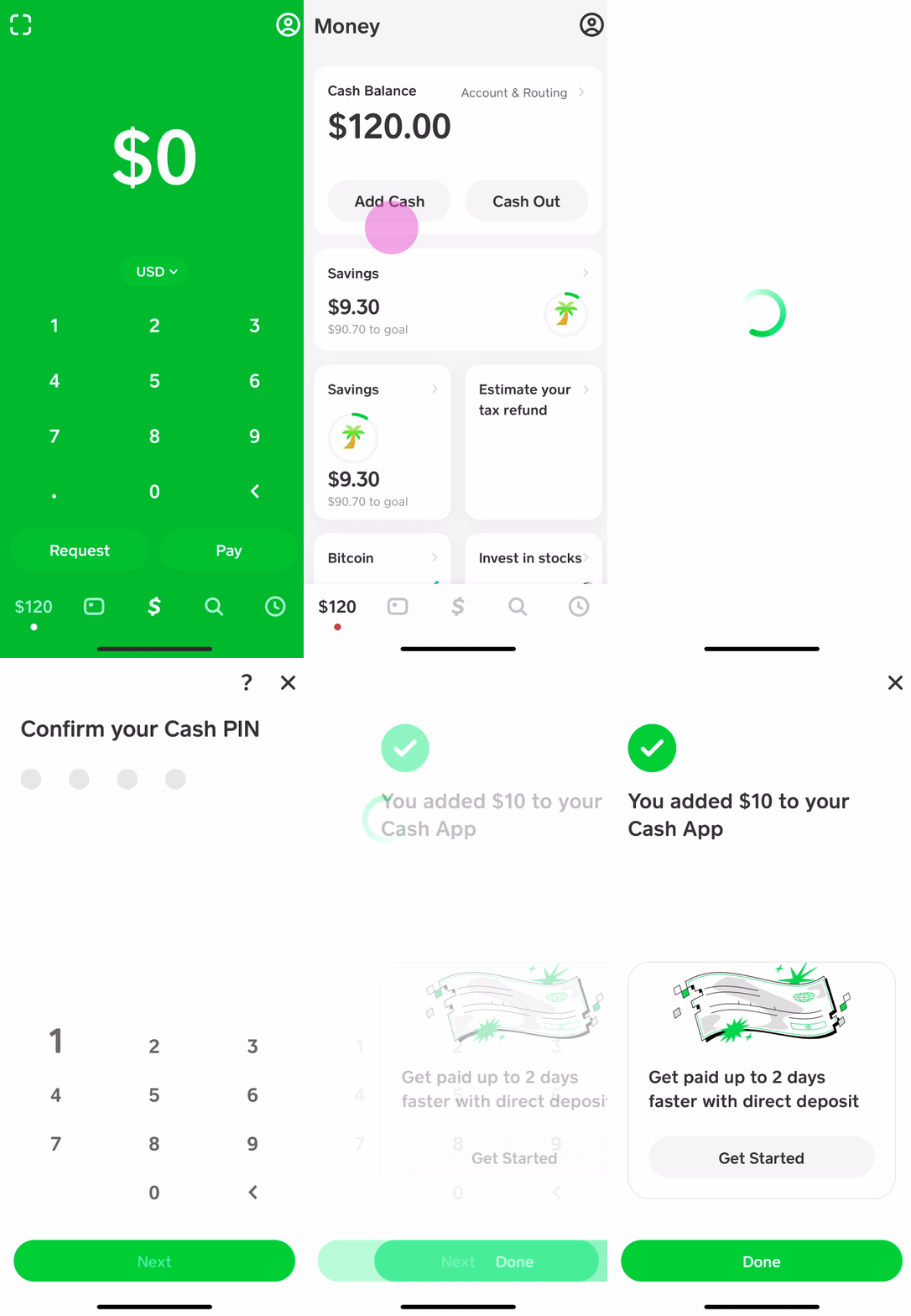
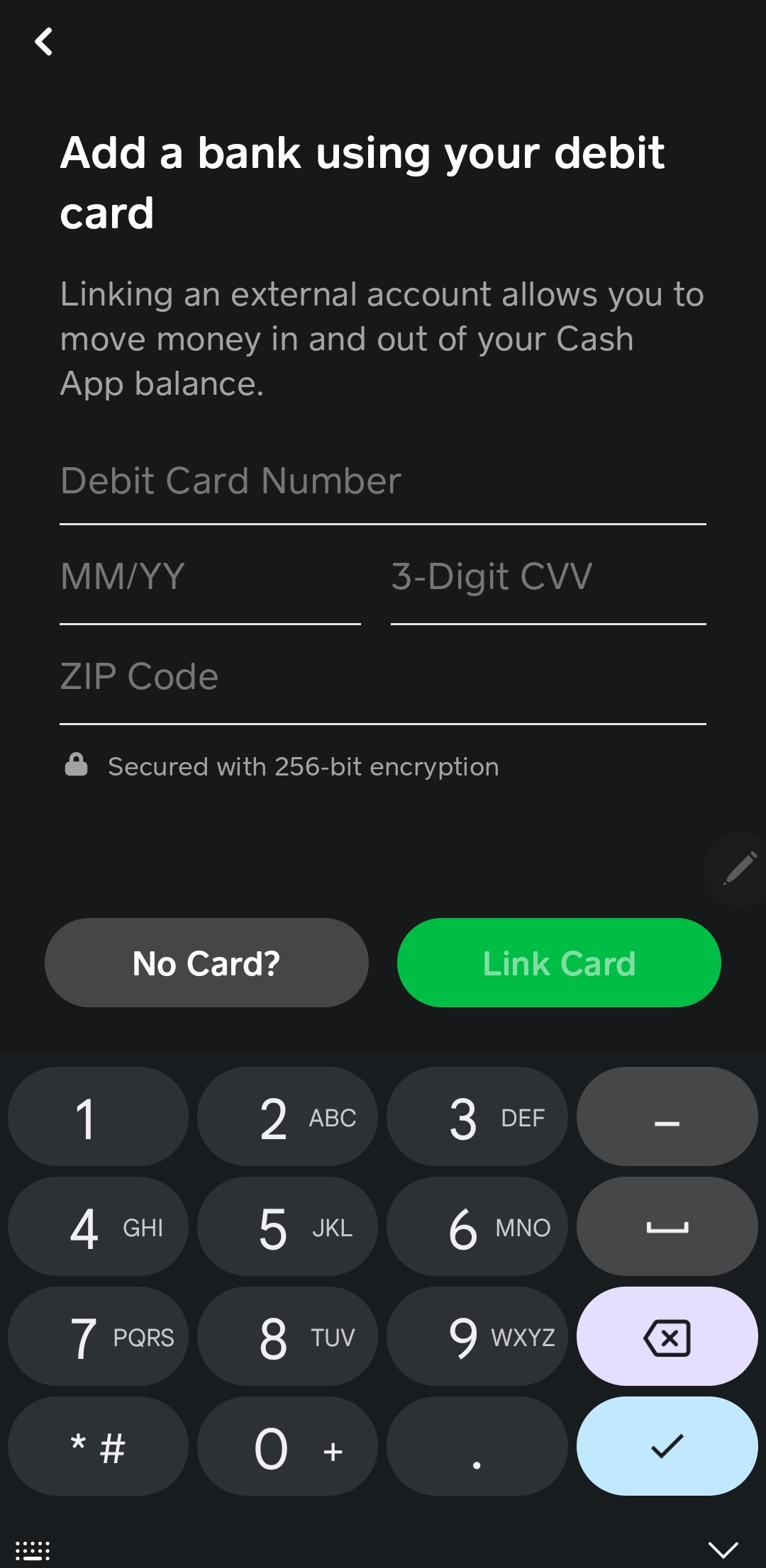
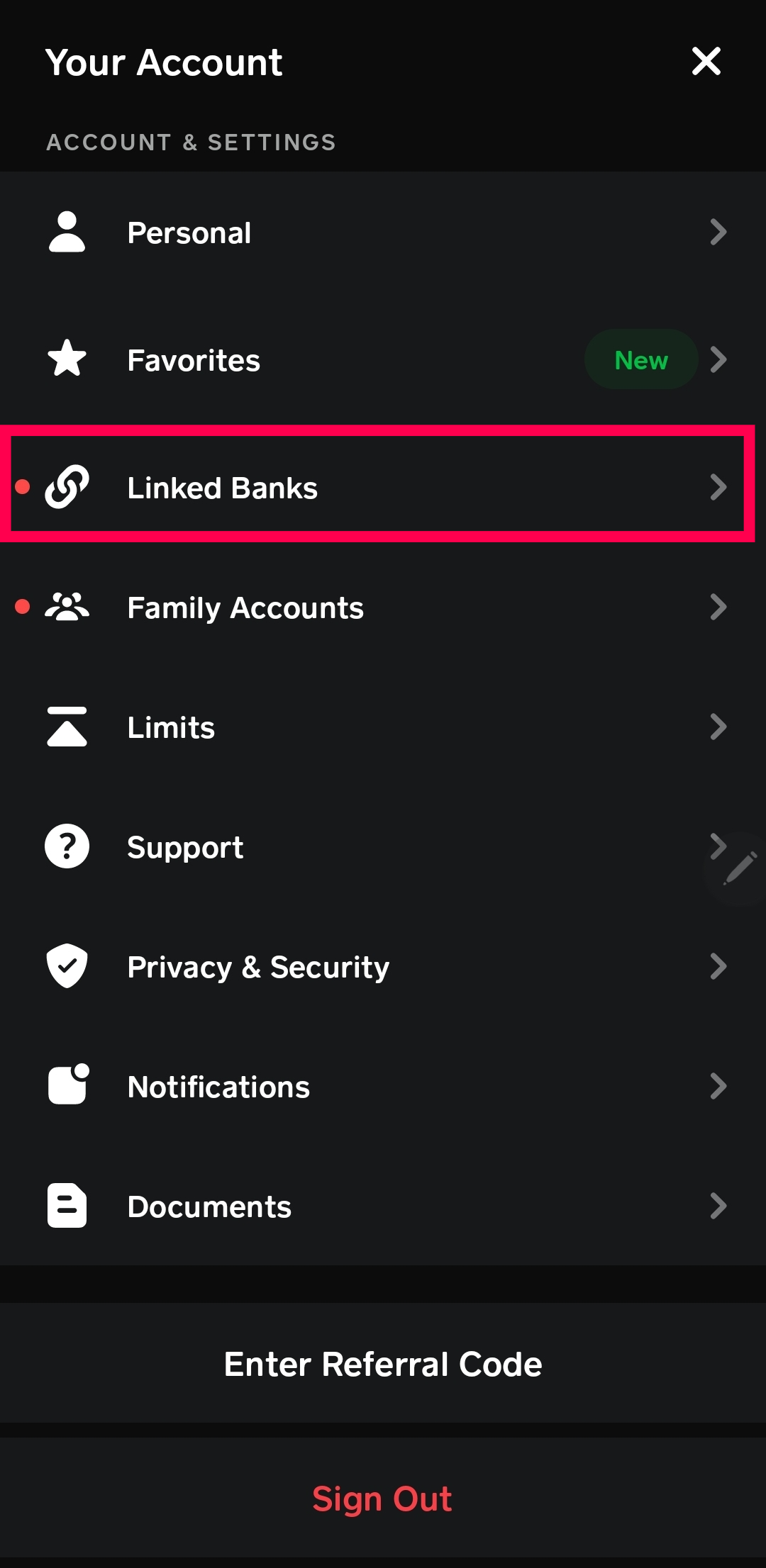
This is arguably the most common and straightforward method for funding your Cash App balance. By linking an existing bank account or a traditional debit card (Visa, MasterCard, American Express, Discover), you can initiate transfers directly from your bank to your Cash App. The process involves navigating to the “Banking” or “My Cash” tab within the app, selecting “Add Cash,” and choosing the desired amount. Funds transferred this way typically appear in your Cash App balance instantly or within a few business days, depending on your bank and the type of transfer initiated. This method provides immense convenience, allowing users to top up their Cash App Card from the comfort of their home, aligning perfectly with modern digital finance practices.
Direct Deposit
For those who use Cash App as a primary financial tool, setting up direct deposit is a highly efficient way to fund their account consistently. Cash App provides a unique routing and account number, similar to a traditional bank account, which can be provided to employers for payroll, or to government agencies for benefits. Once set up, paychecks or benefit payments are automatically deposited directly into your Cash App balance. This method not only ensures a regular inflow of funds but also makes Cash App a central hub for managing income, akin to a checking account. It streamlines personal finance by consolidating income streams into a single, accessible digital wallet.
Receiving Funds from Other Cash App Users
The peer-to-peer payment feature is a cornerstone of Cash App’s design. If friends, family, or customers also use Cash App, they can send money directly to your account. These transfers are typically instant and land immediately in your Cash App balance, making them available for use via your Cash App Card. This method is incredibly popular for splitting expenses, receiving payments for small gigs, or getting reimbursed quickly. From a financial perspective, it highlights the interconnectedness of modern digital payment platforms and their role in facilitating fast, informal financial transactions.
Adding Cash at Retail Stores
For individuals who prefer or need to handle physical cash, Cash App offers the ability to deposit cash directly into your account at participating retail locations. This method bridges the gap between the physical and digital, allowing users to convert tangible currency into a digital balance accessible via their Cash App Card. It’s particularly beneficial for those who receive income in cash, or simply prefer to manage physical currency, yet wish to leverage the convenience of a digital debit card for spending.
Step-by-Step Walkthrough: Adding Cash at a Retail Location
Depositing physical cash into your Cash App account at a retail store is a vital option for many users. It combines the tactile security of physical currency with the digital convenience of the Cash App Card.
Finding Participating Retailers
Before heading out, it’s essential to identify a retail location that supports Cash App deposits. Cash App has partnered with various major retailers across the U.S., including prominent drugstores, convenience stores, and big-box retailers. You can typically find a list of nearby participating locations by using the “Paper Money” or “Deposit” feature within the Cash App itself. This will often display a map or a list of stores like Walmart, Walgreens, 7-Eleven, CVS, and others that offer the service. It’s a good practice to confirm the service is available at your chosen location, as availability can sometimes vary.
The In-Store Process
Once you’re at a participating store, the process is usually straightforward:
-
Inform the Cashier: Approach the cashier and inform them you’d like to deposit cash into your Cash App account. They might be familiar with the process or may need a brief explanation that you’re making a “barcode deposit” or “Cash App deposit.”
-
Generate a Barcode/QR Code: Open your Cash App, navigate to the “Banking” tab (the house icon), select “Deposit and Transfer,” then “Deposit Paper Money.” The app will generate a unique barcode or QR code specific to your account for this transaction.
-
Scan the Barcode: Present this barcode to the cashier to scan. The cashier will then prompt you for the amount of cash you wish to deposit.
-
Hand Over Cash: Give the cashier the exact amount of cash you want to deposit. Ensure you hand over the correct bills.
-
Confirmation: The cashier will process the transaction. You should receive an instant notification within your Cash App confirming the deposit. It’s always wise to ask for a receipt from the cashier for your records, just in case there’s any discrepancy. The funds are typically available in your Cash App balance immediately after the transaction is complete.
Fees and Limits Associated with Retail Deposits
While highly convenient, adding cash at retail stores often comes with certain fees and limits. Cash App generally charges a small fee per deposit, usually a fixed amount like $1 or a small percentage of the transaction. These fees compensate the retailers for providing the service. Additionally, there are often daily, weekly, and monthly limits on the amount of cash you can deposit this way. For example, there might be a limit of $500 per transaction, $1,000 per week, or $4,000 per month. These limits are in place for security and regulatory compliance. It’s crucial to be aware of these fees and limits to manage your expectations and financial planning effectively, integrating them into your overall budgeting strategy.
Optimizing Your Cash App Card Usage for Personal Finance
Beyond simply adding funds, effective management of your Cash App Card can significantly contribute to a more streamlined and secure personal financial strategy. Integrating it thoughtfully into your money habits can yield considerable benefits.
Budgeting and Tracking Expenses with Cash App
Cash App, like many modern financial tools, offers features that can aid in budgeting and expense tracking. While it might not have the sophisticated categorization tools of dedicated budgeting apps, its simplicity can be a strength. By primarily using your Cash App Card for specific spending categories – such as entertainment, dining out, or online shopping – you can easily monitor these expenses directly within the app’s activity feed. The instantaneous transaction records provide a clear snapshot of your outgoing funds. For those who prefer envelope budgeting, treating your Cash App balance as a digital envelope for a particular spending area can be highly effective. This focused approach allows for tighter control over discretionary spending, helping you stay within your financial goals.
Managing Your Cash App Balance Effectively
Prudent management of your Cash App balance is key to avoiding financial pitfalls. It’s generally advisable to only keep the amount of money you intend to spend or use in the near future on your Cash App. While Cash App is secure, like any digital wallet, it’s not a substitute for a robust savings account or a fully insured primary bank account for large sums. Regularly review your balance and top it up only as needed, or schedule direct deposits for manageable amounts. This approach minimizes potential exposure in the unlikely event of account compromise and encourages a more disciplined approach to digital funds. Understanding the difference between your spendable Cash App balance and your emergency savings or investment funds is a crucial aspect of overall financial literacy.
Security Measures and Financial Prudence
Security is paramount when dealing with any financial tool. Cash App employs various security features, including PIN protection, Touch ID, and Face ID, to safeguard your account. It’s vital to enable these features and to use a strong, unique PIN. Be vigilant against phishing attempts and scams; Cash App will never ask for your PIN or full sign-in code via email or text. Always verify the sender before clicking links or providing personal information. From a financial prudence perspective, regularly reviewing your transaction history for any unauthorized activity and setting up notification alerts for all transactions are wise practices. Treat your Cash App Card like any other debit card: protect your card number, CVV, and PIN, and report any suspicious activity immediately.
Beyond Deposits: Maximizing the Value of Your Cash App Card
While the primary function of adding cash is to enable spending, the Cash App Card offers additional features that can enhance its financial utility and contribute to your broader financial strategy.
Understanding Cash Boosts and Rewards
One of Cash App Card’s unique selling points is its “Cash Boosts” feature. These are instant discounts or rewards applied at the point of sale when you use your Cash App Card at specific merchants. Boosts can range from a percentage off your purchase at a coffee shop to a fixed dollar amount off at a grocery store or online retailer. Users can select and change their active Boost within the app, choosing the one that best suits their immediate spending plans. From a financial perspective, these boosts act as immediate savings, reducing the cost of everyday expenses. By strategically activating boosts for merchants you frequently visit, you can effectively lower your expenditures, turning your Cash App Card into a tool for smart, everyday savings. Regularly checking available boosts and aligning them with your spending habits can contribute meaningfully to your personal finance goals.
Integrating Cash App into Your Overall Financial Strategy
For many, Cash App exists alongside traditional bank accounts, savings, and investment portfolios. The key to maximizing its value is to understand how it fits into this broader financial ecosystem. Cash App can serve as an excellent budgeting tool for discretionary spending, a reliable platform for peer-to-peer transactions, or a convenient way to receive gig economy income. It might not be suitable for holding your entire life savings, but it excels as a highly liquid and accessible fund for daily financial needs. Consider using it for specific purposes – perhaps as your “fun money” account, or for managing household expenses with a partner. By clearly defining its role, you prevent financial fragmentation and ensure that Cash App enhances, rather than complicates, your overall financial health.
Considerations for International Use
While the Cash App Card is primarily designed for use within the United States, its Visa branding does allow for international transactions wherever Visa is accepted. However, it’s crucial to be aware of potential foreign transaction fees that may apply, which can be a percentage of the purchase amount. Furthermore, currency exchange rates are determined by Visa at the time of transaction. For frequent international travelers or those dealing with international currencies, traditional travel credit cards or multi-currency accounts might offer more favorable rates and lower fees. Therefore, while convenient for occasional international use, it’s wise to evaluate the cost-effectiveness of using your Cash App Card versus other financial tools for significant international spending, ensuring you’re making financially sound decisions for global transactions.
In conclusion, the Cash App Card is a powerful financial tool that offers considerable flexibility and convenience in managing your personal funds. Whether you prefer digital transfers, direct deposits, or the traditional method of adding physical cash, Cash App provides multiple avenues to fund your card. By understanding these options, being mindful of associated fees and limits, and adopting prudent financial habits, you can effectively integrate your Cash App Card into a comprehensive and robust personal finance strategy, leveraging its features to streamline transactions, manage budgets, and even capture savings through features like Cash Boosts.
aViewFromTheCave is a participant in the Amazon Services LLC Associates Program, an affiliate advertising program designed to provide a means for sites to earn advertising fees by advertising and linking to Amazon.com. Amazon, the Amazon logo, AmazonSupply, and the AmazonSupply logo are trademarks of Amazon.com, Inc. or its affiliates. As an Amazon Associate we earn affiliate commissions from qualifying purchases.