
In an increasingly digitized world, peer-to-peer (P2P) payment applications have become indispensable tools for managing personal finances, streamlining transactions, and fostering digital connectivity. Among these innovations, Cash App stands out as a robust and widely adopted platform. More than just a simple money transfer service, Cash App has evolved into a versatile financial technology utility, integrating a range of features from direct deposits and investment opportunities to Bitcoin trading and a customizable debit card. For anyone looking to harness the power of this multifaceted application, understanding the technical intricacies of its setup and operation is paramount. This guide will meticulously walk through the process, focusing on the technical steps, security protocols, and operational nuances that define the Cash App experience.
Understanding Cash App: A Digital Finance Utility
At its core, Cash App is a mobile payment service developed by Block, Inc. (formerly Square, Inc.) that facilitates money transfers between users, offering a streamlined alternative to traditional banking methods for everyday transactions. Its appeal lies in its simplicity, speed, and the breadth of services it consolidates within a single, intuitive interface. For the tech-savvy individual, Cash App represents a prime example of how software development and robust infrastructure can democratize access to financial services, pushing the boundaries of what a mobile application can achieve.
The Rise of P2P Payment Applications
The proliferation of smartphones and the continuous evolution of secure online transaction protocols have fueled the meteoric rise of P2P payment applications. These platforms, including Cash App, Venmo, and PayPal, address a critical need for instant, digital money transfers among individuals. They leverage cloud computing, advanced encryption, and user-friendly interfaces to abstract away the complexities of financial backend systems. For users, this translates into the ability to split bills, pay friends, or receive funds with just a few taps, all without the traditional delays associated with bank transfers. Cash App distinguished itself early on with its focus on simplicity and later, its innovative expansion into investing and cryptocurrency.
Core Functionalities and Tech Stack Overview
Cash App’s comprehensive functionality extends beyond mere P2P transfers. Users can receive direct deposits, making it a viable alternative to traditional bank accounts for some. The platform also offers the “Cash Card,” a customizable Visa debit card linked directly to the user’s Cash App balance, allowing for physical and online purchases wherever Visa is accepted. Furthermore, Cash App integrates features for buying and selling stocks and Bitcoin, transforming it into a micro-investment platform.
From a technical perspective, Cash App’s infrastructure relies on a sophisticated tech stack designed for scalability, security, and real-time processing. This includes robust backend servers capable of handling millions of transactions daily, secure APIs for integrating with banking partners, and advanced database management systems to ensure data integrity and availability. The mobile application itself is developed using native frameworks (Swift/Objective-C for iOS, Java/Kotlin for Android) to deliver a fluid and responsive user experience, while adhering to strict compliance and regulatory standards governing financial technologies. Understanding these underlying components helps users appreciate the engineering marvel that enables their seamless digital transactions.
The Step-by-Step Technical Setup Process
Setting up Cash App is designed to be a straightforward process, but a clear understanding of each technical step ensures a smooth activation and full utilization of its features. This section breaks down the initial setup, emphasizing secure linking of financial instruments and identity verification.
Downloading and Initial Account Creation
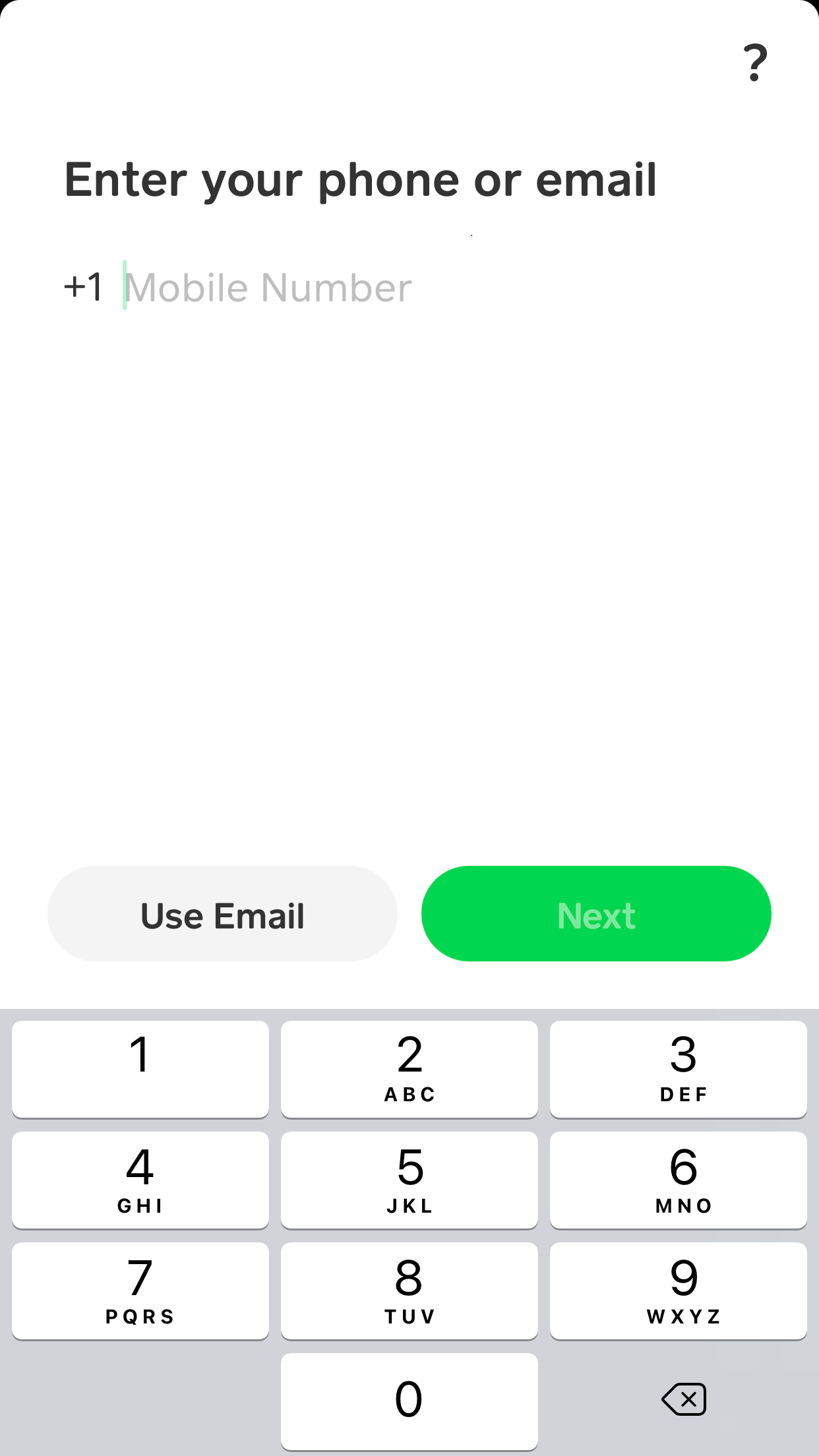
The journey begins by downloading the Cash App from your device’s official app store – the Apple App Store for iOS devices or the Google Play Store for Android. Always ensure you are downloading the legitimate application developed by “Block, Inc.” to avoid malicious imitators. Once installed, open the app, and you’ll be prompted to enter your phone number or email address. This initial piece of contact information serves as your primary identifier for the account. Cash App will then send a verification code to your chosen contact method. Entering this code into the app confirms your ownership of the contact detail and serves as the first layer of security for your new account. After this, you will be asked to choose a unique “Cashtag” – your personalized username (e.g., “$YourName”), which allows other users to easily find and send money to you without needing your phone number or email.
Linking Your Bank Account/Debit Card Securely
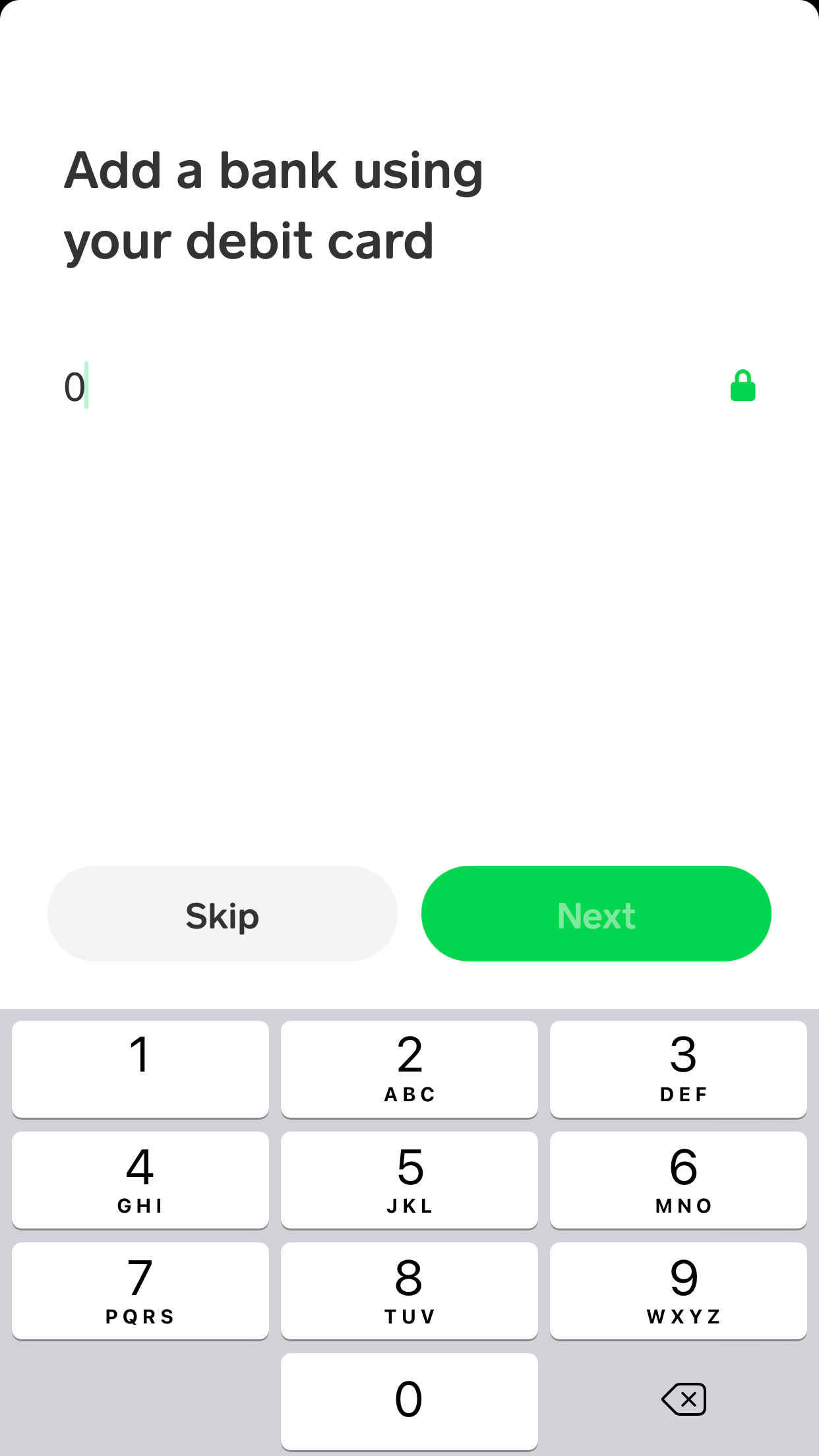
The next crucial step is linking an external financial source to fund your Cash App account and enable outgoing transactions. While you can receive money without linking a bank, to send money or cash out, a linked account is essential. The app primarily facilitates this by linking a debit card, which acts as the bridge to your existing bank account. You’ll be asked to enter your debit card number, expiration date, CVV, and zip code. This data is handled with industry-standard encryption protocols (e.g., TLS/SSL) to protect it during transmission. Cash App does not store your full card number unencrypted on its servers; instead, it uses tokenization or truncated card numbers for processing, a common security practice in FinTech. You also have the option to link your bank account directly using your bank login credentials, which utilizes secure third-party financial aggregation services (like Plaid) that maintain bank-level security. This direct link is typically required for larger transactions or specific features like direct deposit.
Verifying Your Identity for Enhanced Features
For basic sending and receiving, identity verification may not be immediately required. However, to unlock Cash App’s full potential – specifically, to increase transaction limits, use the Cash Card, or engage in stock and Bitcoin trading – you will need to verify your identity. This is a regulatory requirement (Know Your Customer or KYC) for financial services to prevent fraud and money laundering. The verification process typically involves providing your full legal name, date of birth, and the last four digits of your Social Security Number (SSN). In some cases, you might be asked to provide your full SSN or even upload a photo of a government-issued ID. Cash App’s systems cross-reference this information with public and private databases to confirm your identity. While providing sensitive information can be daunting, Cash App employs advanced data encryption and secure data storage practices to protect this personal data, ensuring compliance with privacy regulations.
Navigating Cash App’s Interface and Key Features
Once your account is set up and verified, understanding the intuitive interface and leveraging Cash App’s diverse features becomes the next step in optimizing your digital finance experience. The app’s design prioritizes user-friendliness while offering powerful functionalities.
Sending and Receiving Funds: Real-Time Transactions
The core utility of Cash App revolves around its ability to send and receive money instantly. On the main screen, you’ll find prominent buttons for both actions. To send money, simply enter the desired amount, tap “Pay,” and select the recipient from your contacts, by their $Cashtag, phone number, or email. The transaction processes in real-time, with funds typically appearing in the recipient’s Cash App balance immediately. Receiving money is equally straightforward; when someone sends you funds, they automatically appear in your balance. You can then choose to keep the money in your Cash App account for future transactions or “Cash Out” to your linked bank account. Standard cash outs are free but take 1-3 business days, while instant cash outs incur a small fee (usually 0.5-1.75%) but transfer funds to your bank almost immediately. This flexibility in transaction speed caters to various user needs.
The Cash Card: A Physical Extension of Your Digital Wallet
The Cash Card is a distinctive feature that bridges the gap between your digital Cash App balance and the physical world of commerce. This customizable, free-to-order Visa debit card allows you to spend your Cash App balance directly at any merchant that accepts Visa, both online and in brick-and-mortar stores. The card’s design flexibility, allowing users to draw or sign on it within the app, adds a unique personal touch. Technically, the Cash Card functions like any other debit card, processing transactions through the Visa network, with funds drawn directly from your Cash App balance. It also comes with “Boosts,” which are instant discounts at specific retailers or for certain types of purchases, applied directly at the point of sale. These boosts are dynamic and can be swapped in and out via the app, demonstrating Cash App’s continuous efforts to enhance user value through software-driven incentives.
Exploring Investing and Bitcoin on the Platform
Beyond its payment functionalities, Cash App has ventured into democratizing access to financial markets. Users can buy and sell fractional shares of stocks directly within the app, making investing accessible with as little as $1. The platform also allows for the purchase and sale of Bitcoin, positioning itself as an easy entry point into cryptocurrency for beginners. For both stocks and Bitcoin, Cash App provides a simplified interface for tracking investments, viewing price charts, and executing trades. While the range of investment options is more limited than dedicated brokerage platforms, its integration within a familiar payment app significantly lowers the barrier to entry. Technically, these features are backed by partnerships with regulated brokerage firms and cryptocurrency exchanges, ensuring compliance and secure transaction processing for digital assets. The app handles the complex backend operations, presenting users with a simplified front-end experience.
Ensuring Digital Security and Privacy on Cash App
Given the financial nature of Cash App, robust digital security and user privacy are not just features but fundamental pillars of its operation. Understanding and utilizing the security measures available is crucial for protecting your funds and personal information.
Leveraging PINs, Fingerprints, and Two-Factor Authentication
Cash App employs several layers of security to safeguard your account. Upon initial setup, you are prompted to create a PIN (Personal Identification Number) for transactions. This PIN acts as your primary authentication method for sending money or accessing sensitive account information. For enhanced convenience and security, Cash App also supports biometric authentication, allowing users to enable fingerprint or face ID recognition on compatible devices. This leverages your device’s native security features, offering a faster and often more secure way to authorize actions. Furthermore, Cash App strongly encourages the activation of Two-Factor Authentication (2FA) for logging in and sensitive transactions. This typically involves sending a temporary code to your registered phone number or email in addition to your password/PIN, adding an extra layer of verification that significantly mitigates the risk of unauthorized access, even if your primary login credentials are compromised.
Recognizing and Avoiding Common Scams
Despite Cash App’s inherent security features, users remain the first line of defense against social engineering attacks and scams. Common schemes include phishing attempts (fake emails or texts masquerading as Cash App support), lottery scams, fake job offers, and requests for money in exchange for non-existent goods or services. A crucial technical best practice is to always verify the sender of any communication. Genuine Cash App communications will typically originate from specific, official channels. Users should never share their PIN, login credentials, or verification codes with anyone, including individuals claiming to be Cash App support. The platform’s policy clearly states that support will never ask for your PIN. Recognizing these digital threats and exercising caution is paramount in maintaining account security.
Data Encryption and Platform Safeguards
From a platform perspective, Cash App implements advanced encryption techniques to protect user data. All data transmitted between your device and Cash App’s servers is encrypted using Transport Layer Security (TLS) and Secure Sockets Layer (SSL) protocols, preventing eavesdropping and tampering. Sensitive financial information, like bank account details and debit card numbers, are further protected through tokenization and encryption at rest, meaning they are encrypted when stored in databases. Cash App also maintains an in-house security team that continuously monitors for suspicious activity, employs fraud detection algorithms, and regularly audits its systems for vulnerabilities. These proactive measures, coupled with adherence to PCI DSS (Payment Card Industry Data Security Standard) compliance, provide a robust security framework designed to protect user assets and privacy.
Optimizing Your Cash App Experience: Tips and Troubleshooting
Beyond the initial setup and security protocols, maximizing your Cash App experience involves understanding how to manage its settings, troubleshoot common issues, and potentially integrate it with your broader digital ecosystem.
Managing Notifications and Account Settings
To tailor Cash App to your preferences, delve into the “Profile” or “Settings” section within the app. Here, you can manage notification preferences, choosing whether to receive alerts for transactions, promotional offers, or security updates via SMS, email, or push notifications. This customization allows you to stay informed without being overwhelmed. You can also update personal information, change your PIN, manage linked banks and cards, and even reset your Cashtag (though this is less common). Regularly reviewing these settings ensures your account information is current and that your notification preferences align with your digital habits, contributing to a smoother user experience.
Troubleshooting Common Setup Issues
Occasionally, users might encounter technical hurdles during setup or daily usage. Common issues include difficulties linking a bank account (often due to incorrect details or bank-side restrictions), verification delays (if submitted documents are unclear or information doesn’t match), or transaction failures (due to insufficient funds, network issues, or suspected fraud flags). For linking issues, double-checking all input details (card number, expiration, CVV, zip code) is the first step. If the problem persists, contacting your bank might reveal a block on third-party access or a security hold. For verification delays, ensure clear photos of IDs are provided and all details match exactly. Cash App’s in-app support or its official website’s FAQ section offers comprehensive guides for many common problems, providing step-by-step troubleshooting. When all else fails, reaching out to Cash App’s customer support through the app itself or their official website is the recommended course of action.

Integrating with Other Digital Ecosystems
While Cash App largely operates as a standalone financial utility, its integration points with your broader digital ecosystem enhance its functionality. For instance, linking your contacts allows for effortless P2P transfers to friends and family. Features like direct deposit integrate your Cash App account directly into your payroll system. Moreover, the Cash Card functions seamlessly within any online or physical retail environment that accepts Visa, making it a universal payment tool. Developers and advanced users might also appreciate the growing ecosystem of third-party applications and services that are beginning to offer direct integration or compatibility with Cash App, further solidifying its position as a central component in modern digital finance. Keeping an eye on these evolving integrations ensures you’re always leveraging Cash App to its fullest potential within your digital life.
Setting up Cash App is more than just downloading an application; it’s about configuring a powerful financial technology tool that, when used correctly, can significantly enhance your digital money management. By understanding the technical steps involved in creation, linking, verification, and security, users can confidently navigate its features and securely integrate it into their daily financial routines. As digital finance continues to evolve, platforms like Cash App will remain at the forefront, offering innovative solutions and demanding a continuous understanding of their underlying technological frameworks.
aViewFromTheCave is a participant in the Amazon Services LLC Associates Program, an affiliate advertising program designed to provide a means for sites to earn advertising fees by advertising and linking to Amazon.com. Amazon, the Amazon logo, AmazonSupply, and the AmazonSupply logo are trademarks of Amazon.com, Inc. or its affiliates. As an Amazon Associate we earn affiliate commissions from qualifying purchases.