
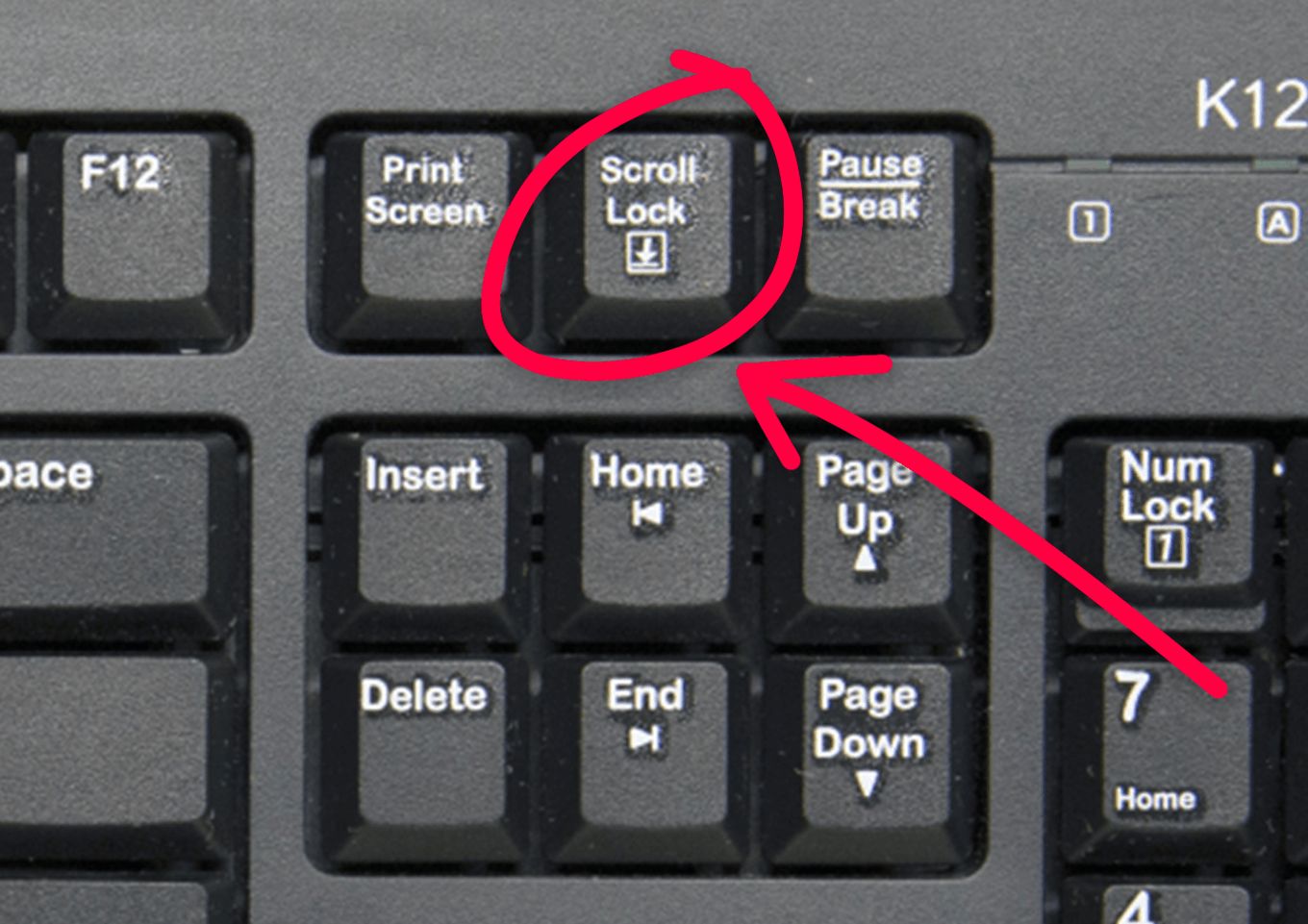
In the modern landscape of mechanical keyboards and sleek laptop interfaces, many keys have faded into obscurity, relegated to the dusty corners of hardware history. Among these, the “Scroll Lock” key (often labeled “ScrLk”) is perhaps the most enigmatic. For the vast majority of computer users, hitting this button seems to have absolutely no effect, leading many to wonder why it persists on almost every standard QWERTY layout. To understand Scroll Lock, one must journey back to the early days of personal computing, where the limitations of hardware dictated the evolution of software interaction.
The Origins of Scroll Lock in Early Computing
The Scroll Lock key was born out of necessity during the infancy of the IBM PC era. In the early 1980s, computer displays were fundamentally different from the high-resolution, pixel-dense monitors we use today. Most screens were character-based, capable of displaying only 24 to 25 lines of text at a time. Navigating large documents or expansive spreadsheets was a cumbersome process because there were no mice or trackpads to facilitate fluid scrolling.
Designing for Character-Based Environments
In these early systems, when a user pressed the arrow keys, the cursor would move character by character within the text. If a user wanted to scroll through the entire screen—moving the view upward or downward while keeping the cursor stationary—there needed to be a toggle to change the behavior of those arrow keys. This is where Scroll Lock originated. When engaged, the arrow keys would move the document viewport rather than the cursor. It was, in essence, a hardware-level modifier for directional navigation.
The Era of VisiCalc and Lotus 1-2-3
The true utility of Scroll Lock was cemented by early spreadsheet software like VisiCalc and, more famously, Lotus 1-2-3. In these programs, the arrow keys were used to select individual cells. When a user wanted to look at a different part of a massive spreadsheet without changing their currently selected cell, they would toggle Scroll Lock on. This allowed the user to pan across the grid using the arrow keys without losing their place in the data. For spreadsheet power users of the 1980s, the key was not an afterthought; it was a fundamental navigation tool.
Why Scroll Lock Remains on Modern Keyboards
If the software-based limitations of the 1980s have long since vanished, why does Scroll Lock remain on our keyboards four decades later? The answer lies in a combination of legacy compatibility, industrial standards, and specialized niche use cases.
The Persistence of Legacy Standards
The keyboard layout we use today is largely based on the 101-key IBM Enhanced Keyboard introduced in 1986. Because this layout became the de facto global standard, manufacturers have been hesitant to remove keys that might break compatibility with legacy systems or specialized industrial software. In many corporate, medical, or engineering environments, there are still mainframe-connected terminals or legacy software interfaces that rely on the original function of Scroll Lock. Removing the key would necessitate a massive software overhaul for these mission-critical systems.
Specialized Software and KVM Switches
Beyond legacy support, Scroll Lock has found a second life in hardware management. Many KVM (Keyboard, Video, Mouse) switches—devices that allow a single set of input peripherals to control multiple computers—utilize the Scroll Lock key as a trigger. For example, pressing “Scroll Lock” twice in rapid succession might signal the KVM switch to jump to the next computer in the rack. Because Scroll Lock is rarely used for primary input, it is the perfect “safe” key for these administrative triggers, ensuring that normal typing won’t accidentally trigger a switch between monitors or systems.

Niche Professional Applications
Some modern software applications still support the key to provide specific functionality. For instance, certain Excel users still find value in the original “pan” behavior. When Scroll Lock is enabled, Excel displays a small status indicator in the bottom bar, and the arrow keys will shift the entire worksheet window rather than selecting a new cell. Additionally, some audio recording software and legacy gaming clients utilize Scroll Lock as a toggle for specific overlay functions or debugging logs.
The Modern Functionality Gap: Why It Feels Useless
For the average user, the frustration surrounding the Scroll Lock key stems from the fact that modern operating systems—Windows, macOS, and Linux—have largely relegated the key to a passive state. In a graphical user interface (GUI) environment, scrolling is handled by the mouse wheel, the trackpad gesture, or the scroll bar on the side of the window. These methods are inherently more fluid and intuitive than a keyboard-based toggle.
Windows and the Disappearing Act
On modern versions of Windows, Scroll Lock does almost nothing by default. You can test this yourself: open a text editor or a web browser and press the Scroll Lock key. Nothing happens. Because modern software is designed to handle mouse input and keyboard shortcuts independently, the OS simply ignores the Scroll Lock signal unless an application specifically requests to listen for it. This has turned the key into a “ghost” feature, occupying physical space on the chassis while offering no perceptible output to the user.
The Apple Approach
Apple has taken a different route. Most modern Apple keyboards—including the ones integrated into MacBooks—do not have a Scroll Lock key at all. Instead, Apple has replaced it with functional media keys or secondary commands. By choosing to omit the key, Apple recognized that in a design-centric, trackpad-heavy ecosystem, the hardware constraints of the 1980s are entirely irrelevant. This proves that the continued existence of the key on Windows-based keyboards is more about tradition and compatibility than actual utility for the vast majority of consumers.
Is There a Practical Use for the Key Today?
While the native use of Scroll Lock is largely historical, power users can repurpose the key to add value to their current workflows. Since most applications do not use it, it serves as a blank canvas for custom software automation.
Using Software to Remap the Key
The most practical way to interact with an otherwise “useless” Scroll Lock key is through key-mapping software. Tools such as AutoHotkey (for Windows) or Karabiner-Elements (for macOS) allow users to intercept the signal from any key and replace it with a custom command. You could, for instance, remap Scroll Lock to launch your favorite browser, mute your microphone, take a screenshot, or toggle a dark mode theme. By reassigning the key, you transform a legacy relic into a highly functional macro button tailored to your specific needs.
The Future of Key Design
As keyboards move toward more compact, high-performance layouts—such as 60% mechanical keyboards—the Scroll Lock key is one of the first candidates for the chopping block. We are currently in a transition period where full-sized keyboards maintain the key for the sake of “completeness,” but custom and minimalist keyboard enthusiasts are leading the charge in removing it entirely. It is likely that in the coming decade, we will see the Scroll Lock key vanish from standard consumer keyboards, leaving behind only specialized industrial hardware.

Conclusion: The Final Scroll
The Scroll Lock key is a fascinating artifact of digital history. It represents a time when hardware was the primary bottleneck of productivity and when every key press had to be meticulously calculated to maximize the efficiency of character-based interfaces. While it has outlived its original purpose, its presence remains a reminder of the iterative nature of technology.
Whether you choose to remap it for a modern shortcut, use it for your KVM switch, or simply ignore its existence as you type away, the Scroll Lock key is a testament to the fact that in the tech world, legacy often lingers long after the reason for its birth has been forgotten. It is the final, quiet echo of a computing era that paved the way for the high-speed, intuitive interfaces we enjoy today. For now, it sits patiently on our keyboards—a silent, waiting sentinel of the past.
aViewFromTheCave is a participant in the Amazon Services LLC Associates Program, an affiliate advertising program designed to provide a means for sites to earn advertising fees by advertising and linking to Amazon.com. Amazon, the Amazon logo, AmazonSupply, and the AmazonSupply logo are trademarks of Amazon.com, Inc. or its affiliates. As an Amazon Associate we earn affiliate commissions from qualifying purchases.