
In an increasingly digital world, the humble printer might seem like a relic, yet its necessity remains undeniable for countless individuals and businesses. From critical documents and vibrant photographs to shipping labels and educational materials, the ability to produce a physical copy is often indispensable. However, asking “what is the best printer?” is akin to asking “what is the best car?”—the answer is nuanced and deeply personal, depending entirely on individual needs, budget, and specific use cases. This guide aims to demystify the modern printer landscape, offering insights to help you navigate the myriad options and identify the perfect printing solution for your unique requirements.
Defining “Best”: It’s Not One-Size-Fits-All
The concept of the “best” printer is highly subjective. What works perfectly for a student needing occasional essay printouts will be completely inadequate for a small business churning out hundreds of invoices daily, or a photographer requiring gallery-quality prints. Before even looking at specific models, the critical first step is a thorough self-assessment of your printing habits and expectations.
Understanding Your Printing Needs (Volume, Type, Quality)
The cornerstone of selecting the right printer lies in understanding how you intend to use it.
-
Print Volume: Are you a light user, printing a few pages a week? Or do you require high-volume output, printing hundreds or even thousands of pages monthly? This is perhaps the most crucial factor, influencing not just the printer type but also its long-term running costs.
-
Print Type: Will you primarily print text documents (monochrome or color), high-resolution photos, graphics, labels, or perhaps a mix of everything? Some printers excel at crisp text, while others are designed for stunning color fidelity.
-
Print Quality: What level of detail and color accuracy do you need? For casual school reports, standard quality is fine. For professional marketing materials or artistic photography, superior resolution and color depth are paramount.
-
Special Features: Do you need double-sided (duplex) printing, the ability to scan and copy documents, or a fax function? An All-in-One (AIO) or Multi-Function Printer (MFP) combines these capabilities into a single device.
Budgetary Considerations: Initial Cost vs. Running Costs
It’s a common pitfall: buying a cheap printer only to discover that replacement ink or toner cartridges cost a fortune. The “sticker price” of a printer is often just the beginning.
-
Initial Purchase Price: This is what you pay upfront for the hardware. Entry-level printers can be very affordable, while high-end professional models can run into thousands.
-
Consumables Cost: This refers to the ongoing expense of ink cartridges, toner, and sometimes paper. For high-volume users, this is where the real cost adds up. Printers with ink tank systems or high-yield toner cartridges often have a higher initial cost but significantly lower cost per page (CPP) in the long run.
-
Maintenance & Longevity: Consider the expected lifespan of the device and the availability/cost of replacement parts or service if needed. A robust business-grade printer, while more expensive initially, might prove more economical over several years compared to repeatedly replacing cheaper consumer models.
Connectivity and Workflow Integration
Modern printers offer a plethora of connectivity options that streamline your workflow.
-
USB: The traditional direct connection for single-computer setups.
-
Ethernet: For reliable, wired network connections, ideal for office environments.
-
Wi-Fi: Essential for wireless printing from multiple devices (laptops, smartphones, tablets) without physical cables.
-
Wi-Fi Direct/NFC: Allows direct connection to mobile devices without needing a router.
-
Cloud Printing: Services like Apple AirPrint, Google Cloud Print (though deprecated, similar services exist), and manufacturer-specific apps enable printing from anywhere with an internet connection.
-
Memory Card Slots/USB Host: For direct printing from digital cameras or USB drives without a computer.
The “best” printer is ultimately the one that perfectly aligns with your specific needs, budget, and desired level of convenience.
Exploring Printer Technologies: Inkjet vs. Laser
At the heart of printer selection lies the fundamental choice between inkjet and laser technologies. Each operates on a different principle and excels in different areas.
The Versatility of Inkjet Printers (Photo Quality, Initial Cost)
Inkjet printers work by propelling microscopic droplets of liquid ink onto paper. They are renowned for their versatility and are typically the go-to choice for home users and those prioritizing color fidelity.
-
Pros:
-
Excellent Color and Photo Quality: Inkjets can blend colors seamlessly, producing vibrant, detailed photos and graphics. They are often the only choice for professional photo printing.
-
Lower Initial Cost: Generally, inkjet printers have a lower upfront purchase price than comparable laser printers.
-
Versatile Media Handling: They can print on a wider variety of paper types, including glossy photo paper, cardstock, and specialty media.
-
-
Cons:
-
Slower Print Speeds: Especially for color and high-quality prints, inkjets are typically slower than laser printers.
-
Higher Cost Per Page (CPP) for Text: Traditional cartridge-based inkjets can be expensive to run, particularly if you print a lot of text. Ink can also dry out if not used regularly.
-
Smudging: Inkjet prints can sometimes be prone to smudging immediately after printing, although advancements have significantly reduced this issue.
-
The Efficiency of Laser Printers (Speed, Text Quality, Toner Costs)
Laser printers use a dry powder toner and a fuser to permanently bond the toner to paper. They are workhorses, favored for their speed, precision, and cost-effectiveness in high-volume text printing.
-
Pros:
-
Superior Text Quality and Sharpness: Laser printers produce incredibly crisp, smudge-proof text, making them ideal for documents, reports, and professional correspondence.
-
High Print Speeds: They are significantly faster than inkjets, especially for monochrome documents, making them perfect for busy offices.
-
Lower Cost Per Page (CPP) for Text: Toner cartridges, while more expensive upfront, yield many more pages than ink cartridges, resulting in a much lower CPP for black-and-white prints. Toner also doesn’t dry out.
-
Durability: Built to handle higher print volumes, laser printers tend to be more robust and durable.
-
-
Cons:
-
Higher Initial Cost: Color laser printers, in particular, can be significantly more expensive than their inkjet counterparts.
-
Less Suited for Photos: While color laser printers have improved, they generally cannot match the photo quality and color depth of dedicated photo inkjets.
-
Bulkier: Laser printers tend to be larger and heavier than inkjets.
-
The Rise of Ink Tank Systems (Cost-Effectiveness, Volume Printing)
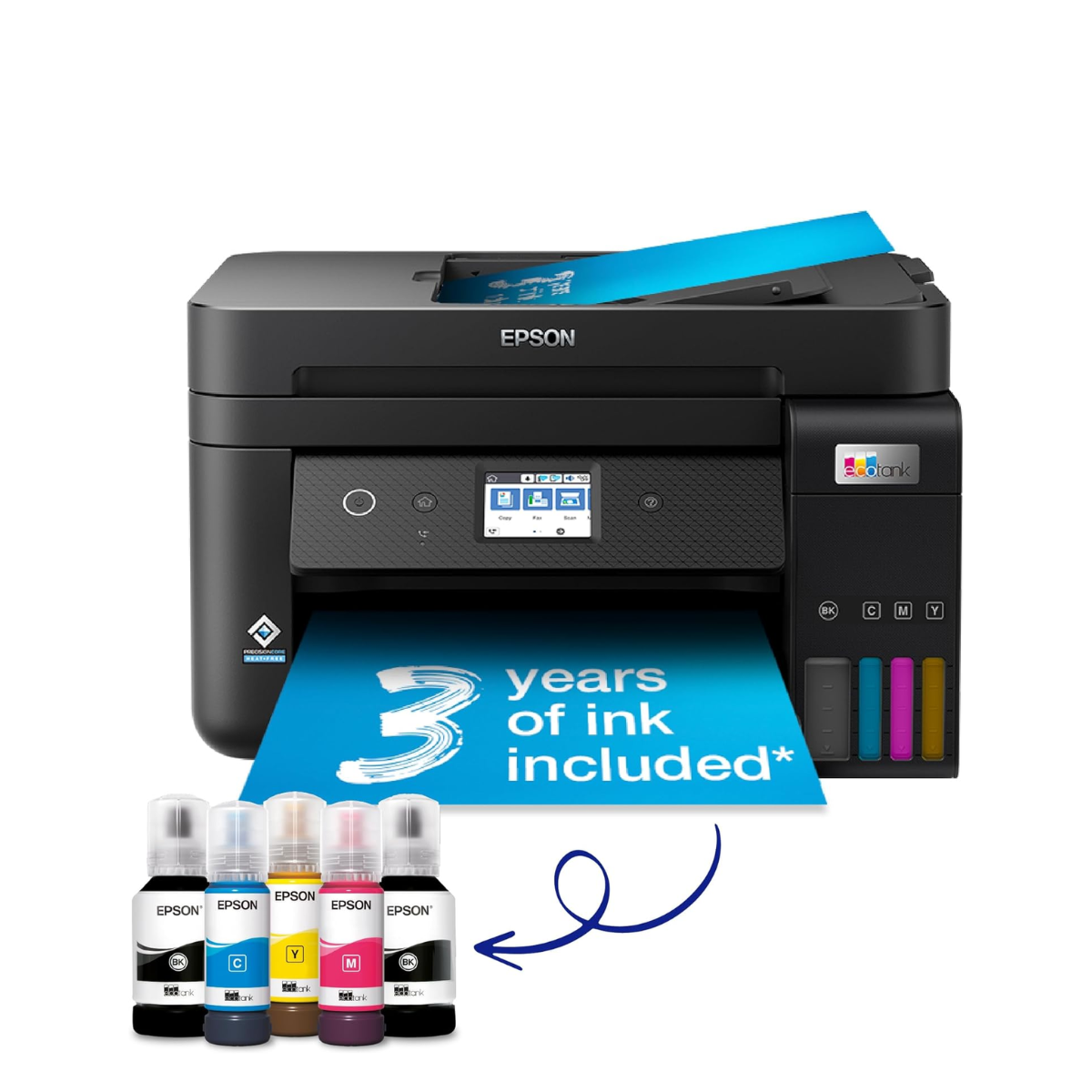
A revolutionary hybrid, ink tank (or “EcoTank” by Epson, “MegaTank” by Canon, “Smart Tank” by HP, “Refill Tank System” by Brother) printers address the high running costs of traditional inkjets. Instead of small, expensive cartridges, they feature large, refillable ink tanks that users replenish with bottled ink.
-
Pros:
-
Extremely Low Cost Per Page: The most significant advantage is the dramatically reduced CPP, making them incredibly economical for high-volume color printing.
-
High Page Yield: A single set of ink bottles can print thousands of pages, reducing the frequency of refills.
-
Good Color Quality: They retain the excellent color and photo capabilities of traditional inkjets.
-
-
Cons:
-
Higher Initial Purchase Price: The upfront cost is typically higher than standard cartridge-based inkjets.
-
Messier Refilling: While much improved, refilling tanks can still be slightly messier than swapping cartridges.
-
Specialized Printing Solutions (Thermal, Dye-Sublimation, 3D)
Beyond the mainstream, niche technologies cater to very specific needs:
-
Thermal Printers: Used for receipts, labels, and barcodes, these are fast and don’t require ink or toner, but prints can fade over time.
-
Dye-Sublimation Printers: Primarily for high-quality photo prints (often postcard size), these produce continuous tone, durable, water-resistant images.
-
3D Printers: A completely different category, these create three-dimensional objects from digital designs, utilizing materials like plastic filaments or resin.
For most users, the choice will boil down to inkjet, laser, or an ink tank system, guided by their primary printing needs and volume.
Key Features to Look For in a Modern Printer
Once you’ve narrowed down the technology, consider these essential features that enhance usability, efficiency, and security.
Print Quality and Resolution
Measured in dots per inch (dpi), resolution indicates the level of detail a printer can produce. Higher dpi generally means sharper text and more detailed images.
-
Text: Even lower dpi (e.g., 600×600 dpi) is sufficient for crisp text on laser printers.
-
Photos/Graphics: For high-quality photos, inkjets often boast resolutions of 4800×1200 dpi or higher. Look for printers that use multiple ink cartridges (e.g., separate black for text and photo black for images, or additional color inks like light cyan/magenta) for better color accuracy and smoother gradations.
Print Speed (Pages Per Minute – PPM)
PPM indicates how quickly a printer can output pages. This metric is crucial for high-volume environments.
-
Monochrome PPM: Always higher than color PPM, as black text is faster to print.
-
Color PPM: Significantly slower, especially on inkjets when printing complex graphics or photos.
-
First Page Out Time (FPOT): How quickly the first page prints, important for quick, short print jobs.
Connectivity Options (Wi-Fi, Ethernet, USB, Mobile Printing)
As discussed earlier, robust connectivity is key for modern workflows.
-
Wireless: A must-have for home and small office users, allowing flexible printer placement and multi-device access.
-
Mobile Apps: Look for manufacturer-specific apps that offer enhanced controls, monitoring ink levels, and direct printing from smartphones.
-
Cloud Integration: The ability to print directly from cloud storage services (Dropbox, Google Drive, OneDrive) is a significant convenience.
Duplex Printing and Automatic Document Feeders (ADF)
These features dramatically improve efficiency, especially in office settings.
-
Automatic Duplex Printing: The ability to print on both sides of a page automatically without manual intervention saves paper and time.
-
Automatic Document Feeder (ADF): For multifunction printers, an ADF allows you to place a stack of documents for automatic scanning, copying, or faxing, rather than feeding pages one by one. A Reversing Automatic Document Feeder (RADF) can scan both sides of a document automatically.
Security Features in Networked Printers
For business users, especially those with sensitive data, printer security is paramount.
-
Secure Print: Requires a PIN on the printer to release a print job, preventing unauthorized access to confidential documents.
-
User Authentication: Restricts printer access to authorized users.
-
Network Security Protocols: Support for WPA2/WPA3 for Wi-Fi, firewalls, and data encryption.
-
Firmware Updates: Regular updates to patch vulnerabilities.
Top Printer Recommendations by Use Case
To crystallize the concept of “best,” let’s consider common scenarios and the types of printers that excel in each.
Best Printers for Home Use (Casual, Photo-centric)
For the average household, an all-in-one inkjet printer usually strikes the right balance. It handles occasional document printing, school projects, and family photos.
-
Key Features: Wireless connectivity, decent photo quality, scanning/copying, compact size.
-
Consider: Entry-level color inkjets, or an ink tank inkjet for higher photo volume and lower running costs.
-
Examples (General Type): Epson EcoTank ET-2800 series, Canon PIXMA TS series, HP ENVY series.
Best Printers for Small Offices/Home Offices (SOHO)
SOHO users typically need a reliable workhorse for mixed-use: frequent document printing, scanning, and occasional color reports. Efficiency and low running costs are crucial.
-
Key Features: Fast print speeds (especially for text), automatic duplex printing, ADF for scanning/copying, strong wireless and Ethernet connectivity, low cost per page.
-
Consider: Monochrome laser MFPs for text-heavy offices, or color ink tank MFPs for a balance of color and low cost.
-
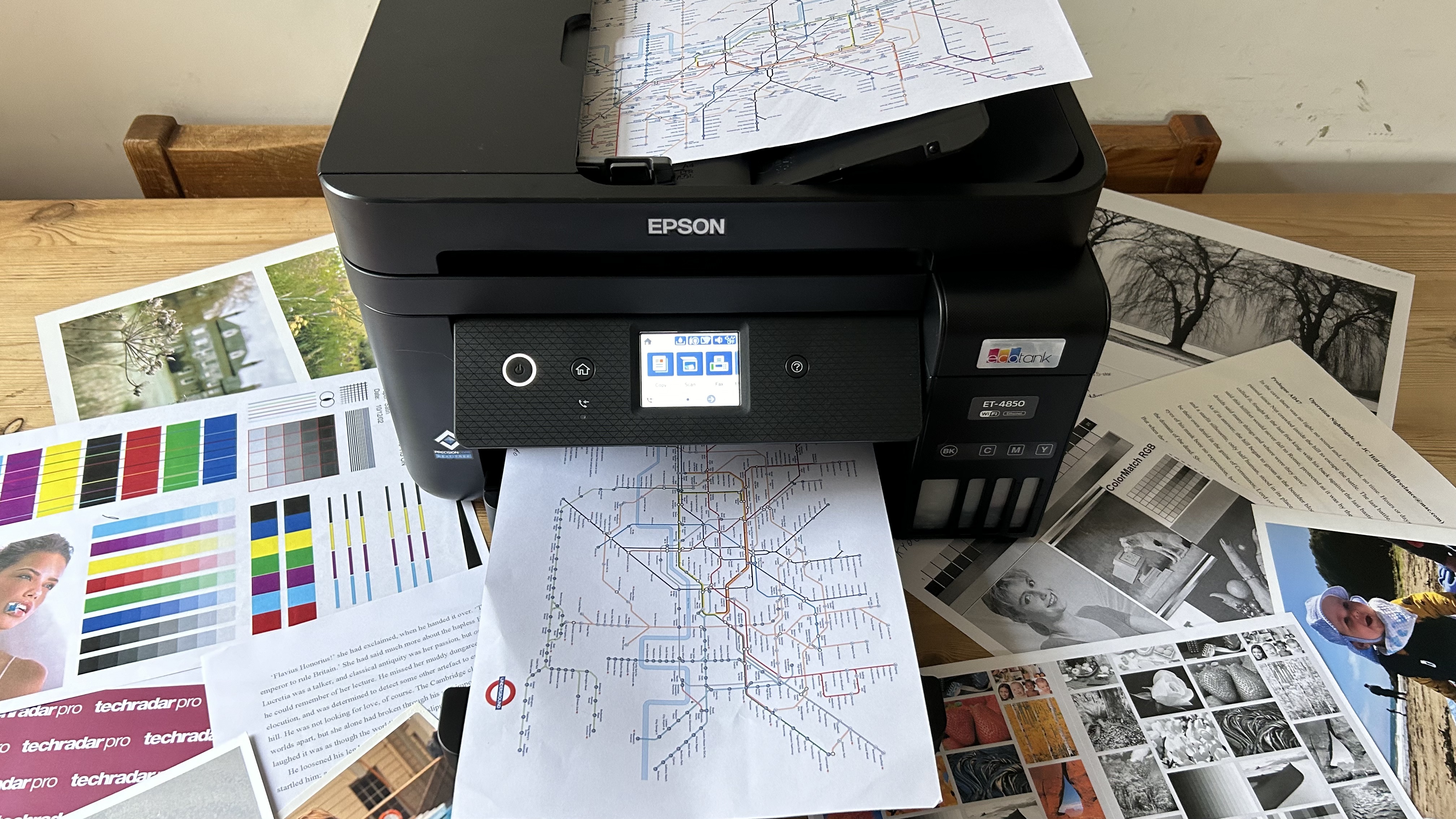
Examples (General Type): Brother MFC-L2710DW (mono laser), Epson EcoTank ET-4850 series, Canon MAXIFY GX series.
Best Printers for Creative Professionals (High-Quality Graphics, Photos)
Photographers, graphic designers, and artists require uncompromising print quality, precise color reproduction, and the ability to handle various media types.
-
Key Features: High-resolution output, wide color gamut (often achieved with multiple, specialized ink cartridges like photo black, grey, red, blue), large format printing capabilities, precise paper handling.
-
Consider: Dedicated professional photo inkjet printers (often A3+/13×19 inch capability), sometimes with pigment-based inks for archival quality.
-
Examples (General Type): Canon imagePROGRAF PRO series, Epson SureColor P series.
Best Printers for High-Volume Text Documents
For environments where hundreds or thousands of black-and-white documents are printed weekly or monthly, speed, reliability, and extremely low cost per page are paramount.
-
Key Features: Very high PPM, large paper capacity, robust duty cycle, toner efficiency, minimal maintenance.
-
Consider: Monochrome laser printers, especially enterprise-grade models with high-yield toner options.
-
Examples (General Type): HP LaserJet Pro series, Brother HL-L5000/6000 series, Lexmark MS/MX series.
Maintenance, Longevity, and Environmental Impact
Owning a printer extends beyond the purchase and initial setup. Proper care can significantly extend its lifespan, and mindful consumption can lessen its environmental footprint.
Regular Maintenance Tips for Optimal Performance
-
Clean Print Heads (Inkjet): If prints appear streaky or faded, run the printer’s built-in head cleaning utility.
-
Keep it Clean: Dust can be a printer’s enemy. Regularly wipe down the exterior and use compressed air to clear internal dust buildup, especially around vents.
-
Use Your Printer Regularly (Inkjet): For inkjets, printing at least once a week prevents ink from drying out in the nozzles.
-
Check for Driver Updates: Ensure your printer drivers and firmware are up to date for optimal performance and security.
-
Handle Paper Properly: Store paper in a dry place to prevent moisture absorption, which can lead to jams. Load paper correctly into trays.
Understanding Consumables: Ink, Toner, and Paper
-
Original vs. Third-Party: While third-party ink/toner can be cheaper, using genuine manufacturer consumables often ensures the best print quality, reliability, and can prevent potential damage or voiding warranties. For mission-critical or high-quality prints, genuine is often recommended.
-
High-Yield Options: Many manufacturers offer high-yield cartridges that contain more ink/toner, providing a lower CPP. Always check these options.
-
Paper Type: Using the correct paper for your printer and print job (e.g., photo paper for photos, bright white paper for documents) makes a significant difference in output quality.
Sustainable Printing Practices
Printers, like all electronics, have an environmental impact.
-
Recycle Cartridges: Many manufacturers and retailers offer recycling programs for used ink and toner cartridges.
-
Choose Energy-Efficient Models: Look for ENERGY STAR certified printers, which consume less power.
-
Print Responsibly: Utilize duplex printing to save paper, preview documents before printing to avoid errors, and only print what’s truly necessary.
-
Consider Longevity: Investing in a durable, repairable printer rather than frequently replacing cheaper models contributes to sustainability.
In conclusion, the quest for “the best printer” is a journey of self-assessment and informed decision-making. By carefully evaluating your print volume, type, quality requirements, budget constraints, and desired features, you can confidently navigate the vast array of available technologies and models. Whether you choose the vibrant versatility of an inkjet, the efficient power of a laser, or the economical ingenuity of an ink tank system, the best printer for you is the one that flawlessly integrates into your digital life, consistently delivering the physical output you need, when you need it.
aViewFromTheCave is a participant in the Amazon Services LLC Associates Program, an affiliate advertising program designed to provide a means for sites to earn advertising fees by advertising and linking to Amazon.com. Amazon, the Amazon logo, AmazonSupply, and the AmazonSupply logo are trademarks of Amazon.com, Inc. or its affiliates. As an Amazon Associate we earn affiliate commissions from qualifying purchases.