
In the world of information technology, the humble Ethernet cable is the literal lifeline of the digital age. While the world has pivoted toward wireless connectivity with the advent of Wi-Fi 6E and 5G, the physical infrastructure of a network remains the gold standard for stability, speed, and security. One of the most common questions asked by IT newcomers and home office enthusiasts alike is deceptively simple: “What colour is an Ethernet cable?”
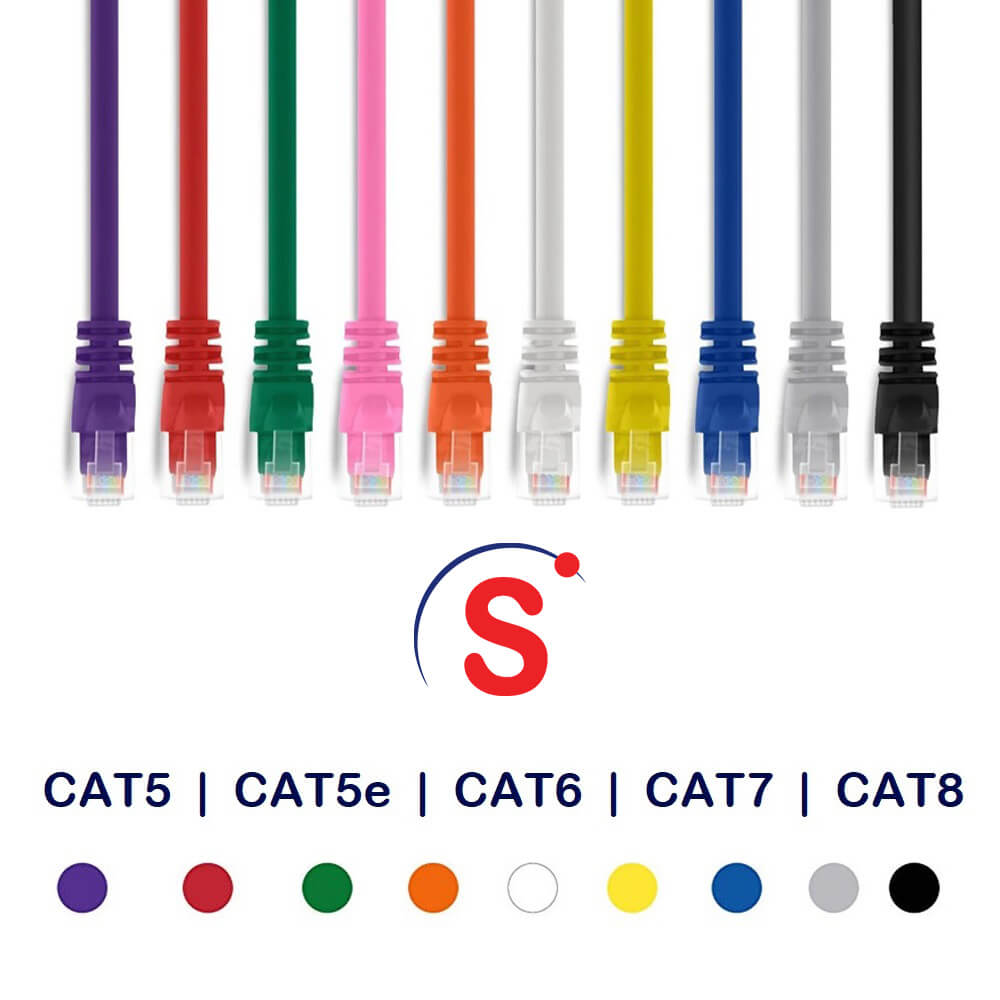
The short answer is that Ethernet cables can be almost any colour of the rainbow. However, the long answer involves a sophisticated intersection of industry standards, manufacturer preferences, and the practical demands of network administration. Understanding what these colours signify—and what they don’t—is essential for anyone looking to optimize their hardware environment.
The Spectrum of Connectivity: Is There a Standard Color?
When you walk into a data center or look behind a server rack, you are often met with a cascading waterfall of vibrant blues, greens, yellows, and reds. This isn’t just for visual flair. While there is no global law mandated by organizations like the IEEE (Institute of Electrical and Electronics Engineers) regarding the external jacket colour of a cable, the industry has developed a set of “de facto” standards.
The Myth of the Universal Blue Cable
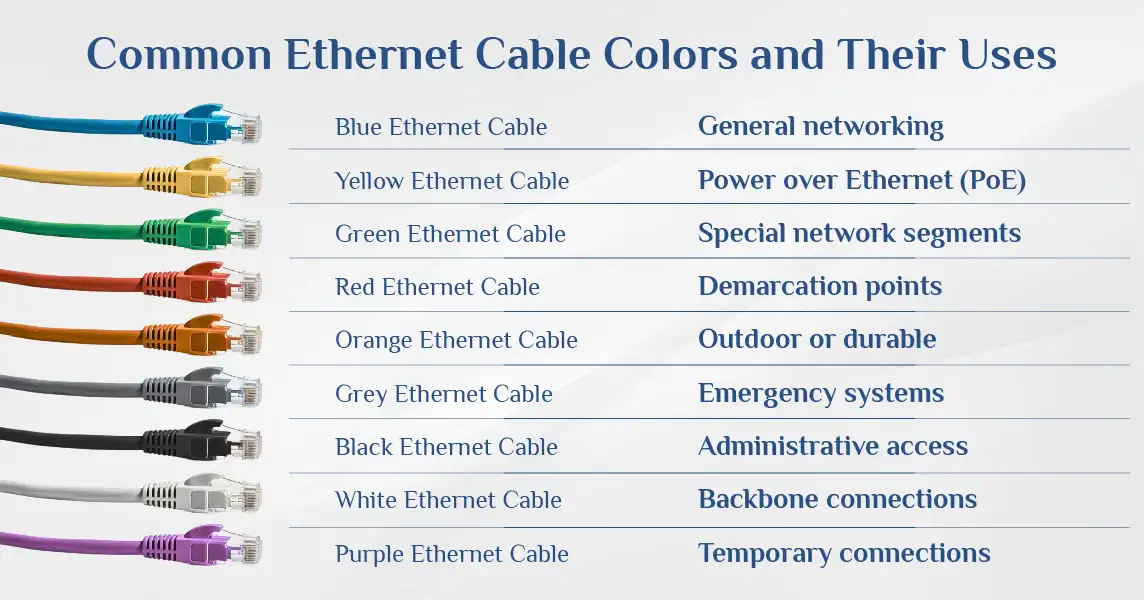
If you buy a standard router today, it likely comes with a short blue or grey Ethernet cable. Because of this, many people assume that “blue” is the official colour of the internet. In the early days of networking, blue became the most common jacket colour because it was distinct from the beige and grey of early telephone lines. Today, blue remains the standard for general-purpose patch cables used to connect workstations to wall jacks.
Industry Standards vs. Manufacturer Choice
While there isn’t a strict “rulebook,” many organizations follow the TIA/EIA-606 (Telecommunications Infrastructure Standard for Commercial Buildings). This standard suggests specific colours for specific types of connections to make troubleshooting easier. However, manufacturers are free to produce cables in any shade they desire. This means that a Cat6 cable from one brand might be bright orange, while the same category cable from another brand might be sleek black. The “standard” is often defined by the Network Administrator of a specific facility rather than a global governing body.
Decoding the Rainbow: What Different Ethernet Colors Signify
In professional environments, colour coding is a vital tool for organizational efficiency. Using a specific colour for a specific function allows IT professionals to identify a potential point of failure at a glance without having to trace a cable through a dense bundle.
Blue and Grey: The General Purpose Standard
As mentioned, blue is the most frequent choice for standard network connections. In a corporate environment, blue typically represents “data.” It connects your desktop computer or laptop docking station to the network switch. Grey is often used for similar purposes or specifically for “voice” (VoIP phones), though this distinction is fading as voice and data continue to converge on the same networks.
Green and Yellow: Crossover and Specific Functions
Green cables are frequently used to denote “crossover” connections—cables used to connect two similar devices, like two switches or two PCs, directly to one another without a hub. However, in modern networking, “Auto-MDIX” technology has made crossover cables largely obsolete, so green is often repurposed for management connections or “trusted” internal links.
Yellow is a high-visibility colour often reserved for “PoE” (Power over Ethernet) lines. Because these cables carry an electrical current to power devices like IP cameras or Wireless Access Points (WAPs), marking them in yellow alerts technicians to be cautious of the power load.
Red and Orange: Critical Connections and High Priority
Red is almost universally used to signify “Warning” or “Critical.” In a server room, red cables often indicate the “Uplink”—the main line that connects the local network to the wider internet (the ISP). It can also be used for emergency systems, fire alarms, or security systems. Touching a red cable usually means you are about to take the entire building offline, so the colour serves as a visual deterrent.
Orange is frequently used for high-speed fiber-optic patch cables, though in the copper Ethernet world, it may be used to identify non-standard or “guest” networks to keep them isolated from the main corporate data flow.

Technical Categories vs. Physical Appearance
A common misconception is that the colour of a cable indicates its performance category, such as Cat5e, Cat6, or Cat8. This is a dangerous assumption to make in the tech world.
Cat5e, Cat6, and Cat6a: Does Color Indicate Speed?
The performance of an Ethernet cable is determined by its internal construction—the gauge of the copper wire, the number of twists per inch, and the presence of shielding—not the plastic jacket on the outside. You can have a Cat5e cable (limited to 1 Gbps) and a Cat7 cable (capable of 10 Gbps) that are both the exact same shade of blue.
To determine the speed and capability of a cable, you must look at the text printed on the jacket. Look for keywords like “Category 6” or “UTP” (Unshielded Twisted Pair). Relying on colour to determine bandwidth is a recipe for network bottlenecks.
Shielding and Jacket Materials (PVC vs. LSZH)
While the colour tells you about the logic of the network, the material of the jacket tells you about the safety of the environment.
-
CM/CMG: Standard jackets used in most patch cables.
-
CMP (Plenum): Used in the air spaces of buildings; these are fire-resistant.
-
LSZH (Low Smoke Zero Halogen): Used in confined spaces like ships or airplanes where toxic smoke is a concern.
These materials can come in any colour, but they are far more critical to the “Tech” specifications than the hue of the plastic.
Best Practices for Cable Management and Color Coding
For those setting up a home office or managing a small business server, implementing a personal colour-coding system is one of the best “tech-hacks” for long-term maintenance.
Organizing Server Racks and Home Networks
If you are managing a home lab, consider a simple system:
-
White: For your primary internet feed from the modem.
-
Blue: For all hardwired computers.
-
Yellow: For smart home hubs and security bridges.
-
Black: For gaming consoles or streaming devices.
This organization eliminates the “spaghetti” mess that occurs behind entertainment centers. If your internet goes down, you immediately know to check the white cable, rather than unplugging everything in a fit of frustration.
Labeling vs. Color-Coding for Troubleshooting
While colour is a great first step, professional IT environments always supplement colour with physical labels. A blue cable tells you it’s a data line, but a label at both ends tells you which port on the switch it belongs to. In high-density environments, using “hook and loop” (Velcro) ties that match the cable colour can also help maintain the structural integrity and aesthetic of the rack without damaging the delicate copper strands inside.
The Future of Ethernet Cables in a Wireless World
As we look toward the future of technology, the role of the physical Ethernet cable is evolving. We are seeing a move toward higher frequencies and more robust shielding to handle the massive data loads of AI processing and 8K video streaming.
Why Physical Connectivity Still Matters
Despite the convenience of Wi-Fi, Ethernet remains the backbone of the tech world for three reasons: latency, interference, and reliability. Gamers, financial traders, and video editors rely on cables because they offer the lowest possible “ping.” In these high-performance niches, the “colour” of the cable is often chosen based on the branding of the setup—many gaming-focused Ethernet cables are marketed in black and red or with “glow-in-the-dark” jackets to match RGB lighting themes.
Innovation in Cable Design
We are also seeing the rise of “Flat” Ethernet cables and “Slim” Cat6 cables. These designs prioritize the physical footprint over traditional round shapes, making them easier to run under carpets or through tight conduits. Even in these innovative form factors, the industry continues to offer a variety of colours to help users manage their increasingly complex digital ecosystems.
In conclusion, an Ethernet cable is much more than a simple wire. While it can technically be any colour, the choices made by manufacturers and network engineers provide a visual language that helps us navigate the complex web of our modern infrastructure. Whether you choose blue for tradition, red for importance, or green for management, the colour is the interface between the human user and the silent, high-speed world of data transfer. When choosing your next cable, remember: look at the printed specifications for speed, but use the colour for your sanity.
aViewFromTheCave is a participant in the Amazon Services LLC Associates Program, an affiliate advertising program designed to provide a means for sites to earn advertising fees by advertising and linking to Amazon.com. Amazon, the Amazon logo, AmazonSupply, and the AmazonSupply logo are trademarks of Amazon.com, Inc. or its affiliates. As an Amazon Associate we earn affiliate commissions from qualifying purchases.