
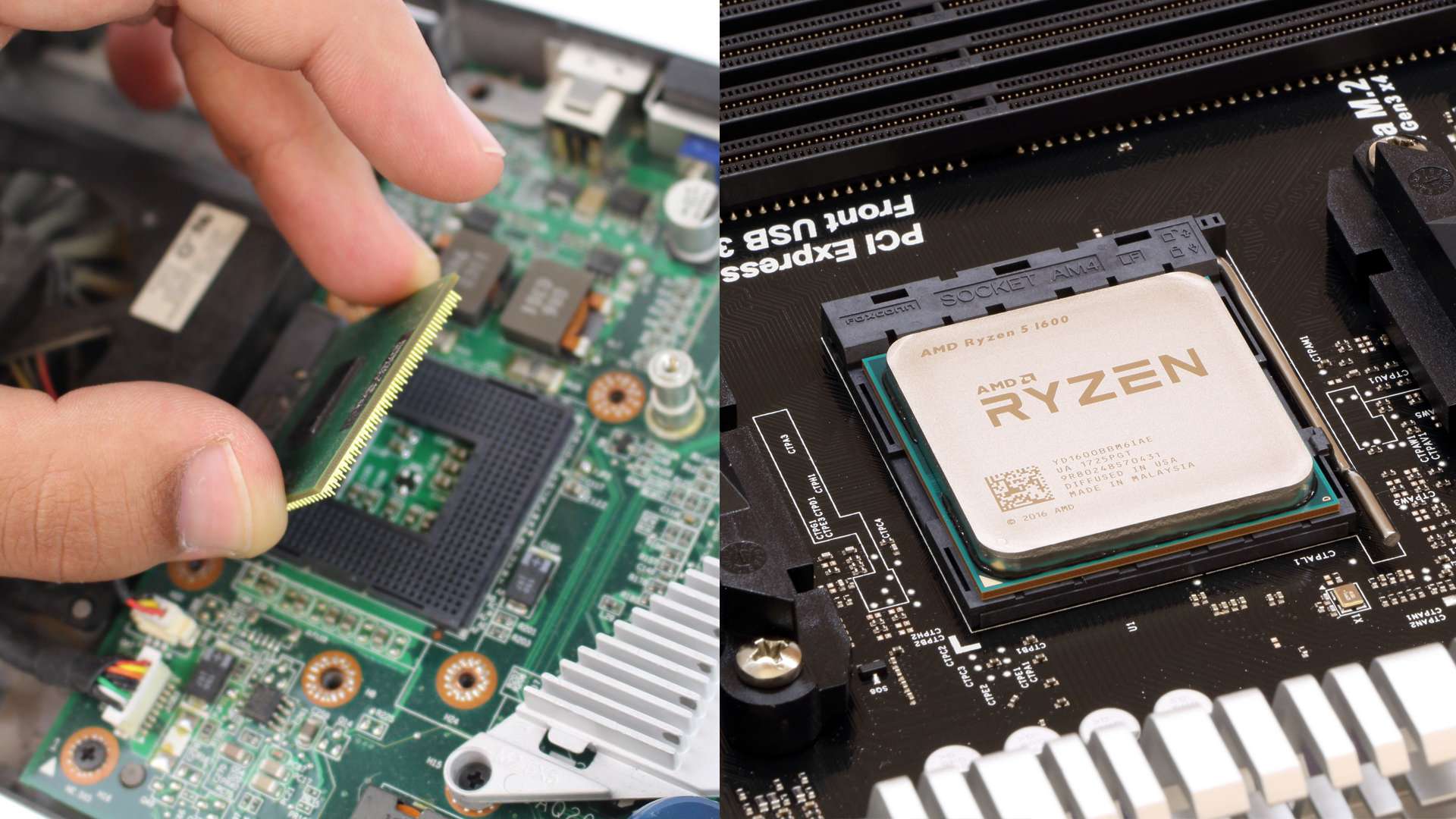
In the intricate symphony of components that power your laptop, one stands out as the undisputed maestro: the Central Processing Unit, or CPU. Often referred to as the “brain” of the computer, the CPU is an indispensable piece of hardware responsible for executing instructions, performing calculations, and managing the overall flow of data. Without a CPU, a laptop is merely an inert collection of circuits and plastics. Understanding what the CPU is, how it functions, and its various characteristics is fundamental for anyone looking to make informed decisions about their computing devices, optimize performance, or simply grasp the underlying technology that drives our digital lives. From basic web browsing to intensive gaming or complex data analysis, the CPU’s capabilities dictate the speed, responsiveness, and ultimate power of your laptop.
The Central Brain of Your Laptop
At its core, the CPU is a microchip, an incredibly complex integrated circuit containing billions of transistors. These tiny electronic switches work in concert to perform a staggering array of operations per second, effectively translating human commands into machine-understandable instructions and executing them with unparalleled speed. It’s the engine that drives every task, big or small, that your laptop undertakes.
Defining the CPU: More Than Just a Chip
While physically a small silicon chip, the CPU’s functional definition extends far beyond its material form. It is the primary component that interprets and executes instructions from a computer program. Think of it as the control center, receiving input from various sources – your keyboard, mouse, or network – processing that data according to the software’s demands, and then delivering output to your screen, speakers, or storage. Without a CPU, the operating system couldn’t load, applications couldn’t run, and data couldn’t be manipulated. It’s not just a processor; it’s the orchestrator of all computational activity.
How the CPU Processes Information
The process by which a CPU handles information is a continuous cycle of fetching, decoding, executing, and writing back data. When you click an icon, type a character, or open a document, the CPU fetches the relevant instruction from memory. It then decodes this instruction, translating it into a language it understands. Next, it executes the instruction, performing the necessary calculations or logic operations. Finally, it writes the result back to memory or sends it to another component. This cycle happens millions, even billions, of times per second, creating the illusion of instantaneous response that we experience when interacting with our laptops. Modern CPUs employ advanced techniques like pipelining and speculative execution to further accelerate this process, predicting future instructions and processing multiple tasks concurrently.
The CPU’s Core Functions in Daily Use
In your day-to-day interactions with a laptop, the CPU is constantly at work. When you open multiple browser tabs, stream high-definition video, edit photos, or even just move your mouse cursor, the CPU is managing these operations. It ensures that applications launch quickly, data loads smoothly, and multitasking doesn’t result in frustrating slowdowns. For demanding tasks such as video rendering, 3D modeling, or compiling code, the CPU’s power is even more critical, directly impacting the time it takes to complete these processes. Even background tasks, like antivirus scans or system updates, rely heavily on the CPU to operate efficiently without impacting your foreground activities.
Key Components and Characteristics of a Laptop CPU
Modern CPUs are incredibly sophisticated, incorporating a variety of specialized components and characteristics that define their performance and efficiency. Understanding these elements is crucial for evaluating and comparing different processors.
Cores and Threads: Multitasking Power
One of the most significant advancements in CPU design is the introduction of multiple “cores.” Historically, CPUs had a single core, meaning they could only handle one instruction stream at a time. Today, most laptop CPUs come with multiple cores (e.g., dual-core, quad-core, hexa-core, octa-core), allowing them to process several instruction streams simultaneously. Each core is essentially an independent processing unit. “Threads” are a virtual component, often implemented through technology like Intel’s Hyper-Threading or AMD’s Simultaneous Multithreading (SMT). A single physical core can often handle two threads, meaning it can process two instruction sets concurrently, further enhancing multitasking capabilities and efficiency for applications that can leverage multiple threads. More cores and threads generally translate to better performance in multi-threaded applications and smoother multitasking.
Clock Speed (GHz): The Pace Setter
Clock speed, measured in gigahertz (GHz), indicates how many cycles per second the CPU can execute. A 2.5 GHz CPU, for instance, can perform 2.5 billion cycles per second. Generally, a higher clock speed means the CPU can process instructions faster, leading to quicker task completion. However, clock speed isn’t the sole determinant of performance. A CPU with fewer, but more efficient, cores running at a lower clock speed might outperform an older CPU with higher clock speed but less efficient architecture. Turbo Boost (Intel) or Precision Boost (AMD) technologies allow CPUs to dynamically increase their clock speed above their base frequency for short periods when thermal and power conditions allow, providing a burst of performance for demanding tasks.
Cache Memory: Speedy Data Access
Cache memory is a small, ultra-fast memory located directly on the CPU chip. Its purpose is to store frequently accessed data and instructions, reducing the time the CPU spends waiting for data from the slower main system RAM. There are typically multiple levels of cache: L1 (smallest, fastest, closest to the core), L2 (larger, slightly slower), and L3 (largest, shared among cores, slowest but still much faster than RAM). The larger and faster the cache, the quicker the CPU can retrieve data, which significantly impacts overall performance, especially in data-intensive applications.
Integrated Graphics: Visual Processing Power
Many laptop CPUs include an Integrated Graphics Processing Unit (iGPU) directly on the same die. This iGPU handles all visual output, from displaying your desktop to playing videos and running less demanding games. While not as powerful as a dedicated (discrete) graphics card, integrated graphics are highly power-efficient and perfectly suitable for everyday tasks, office work, web browsing, and even some light gaming. High-end integrated graphics, such as Intel Iris Xe or AMD Radeon Graphics in Ryzen processors, have become quite capable, making them a viable option for many users who don’t require extreme graphical performance.
Thermal Design Power (TDP): Managing Heat and Power
TDP, measured in watts, represents the maximum amount of heat generated by the CPU that the cooling system needs to dissipate under a typical workload. It’s an indicator of both power consumption and the heat output of the processor. CPUs with higher TDPs typically offer more performance potential but require more robust cooling solutions, which can impact laptop size and battery life. Laptop CPUs are often designed with lower TDPs than their desktop counterparts to manage heat within the confines of a portable chassis and optimize battery longevity. Understanding TDP helps explain why thinner, lighter laptops often feature CPUs optimized for efficiency over raw power.
Understanding CPU Generations and Naming Conventions
The CPU market is dominated by two major players: Intel and AMD. Both companies employ distinct naming conventions that, once understood, provide valuable insight into a processor’s capabilities and its place in the product lineup.
Decoding Intel Processors (Core i3, i5, i7, i9)
Intel’s Core series is the most common for laptops, featuring i3, i5, i7, and i9 designations.
-
Core i3: Entry-level processors, ideal for basic tasks like web browsing, email, and word processing. They offer good efficiency but limited performance for demanding applications.
-
Core i5: Mid-range processors, a sweet spot for most users. They provide a good balance of performance and price, suitable for productivity, moderate multitasking, and light content creation.
-
Core i7: High-performance processors designed for more demanding tasks such as video editing, graphic design, and gaming. They offer more cores, higher clock speeds, and larger cache sizes.
-
Core i9: Top-tier consumer processors, delivering maximum performance for professionals and enthusiasts who require the absolute best for intensive tasks like 4K video editing, complex simulations, and high-refresh-rate gaming.

Beyond these tiers, Intel uses a four or five-digit number followed by letters. The first one or two digits usually denote the generation (e.g., 12th generation, 13th generation). The subsequent digits indicate performance within that generation. Suffix letters provide additional context: ‘U’ (ultra-low power for thin and light laptops), ‘H’ (high performance for gaming/workstation laptops), ‘P’ (performance optimized for thin and light designs), ‘K’ (unlocked for overclocking, less common in laptops), and ‘G’ (with improved integrated graphics).
Navigating AMD Processors (Ryzen 3, 5, 7, 9)
AMD’s Ryzen series mirrors Intel’s structure in many ways, with similar performance tiers.
-
Ryzen 3: Entry-level processors, competing with Intel’s Core i3, suitable for basic computing needs.
-
Ryzen 5: Mid-range processors, comparable to Intel Core i5, offering excellent value and performance for general use and productivity.
-
Ryzen 7: High-performance processors, rivalling Intel Core i7, targeted at power users and creators.
-
Ryzen 9: AMD’s flagship consumer processors, designed to compete with Intel Core i9, offering superior core counts and multi-threaded performance.
AMD’s naming convention for laptop CPUs typically starts with the series (Ryzen 3/5/7/9), followed by a four-digit model number. The first digit usually signifies the generation. The last digit often indicates performance within that tier. Suffixes include ‘U’ (ultra-low power), ‘H’ (high performance), ‘HS’ (more power-efficient high performance), and ‘HX’ (highest performance mobile chip, often with higher TDP).
The Importance of Generation Numbers
Regardless of the brand, the generation number is crucial. Newer generations generally bring architectural improvements that translate to better performance, higher efficiency, and often new features, even if the core count or clock speed appears similar to an older generation. A newer generation i5 might outperform an older generation i7 due to these architectural enhancements. Always prioritize a newer generation when comparing processors of similar tiers.
How CPU Performance Impacts Your Laptop Experience
The CPU is arguably the single most critical factor influencing your overall laptop experience. Its performance directly translates to how smooth, responsive, and capable your device feels.
Everyday Computing and Web Browsing
For routine tasks like browsing the web, checking emails, streaming videos, and working on documents, even a modest CPU (like an Intel Core i3 or AMD Ryzen 3) is usually sufficient. These tasks are generally not CPU-intensive and benefit more from fast storage (SSD) and ample RAM. However, a more powerful CPU will provide snappier performance, allow for more simultaneous browser tabs without slowdowns, and ensure that background tasks don’t impede your foreground activities.
Productivity and Creative Tasks
When it comes to productivity suites (like Microsoft Office or Google Workspace), data analysis, or light creative work (basic photo editing, graphic design), a mid-range CPU (Core i5, Ryzen 5) is highly recommended. For more demanding creative tasks such as video editing, 3D rendering, animation, or professional-grade graphic design, a high-performance CPU (Core i7/i9, Ryzen 7/9) becomes essential. These applications are often multi-threaded and heavily rely on CPU power to process complex computations quickly, significantly reducing rendering times and improving workflow efficiency.
Gaming and High-Demand Applications
For gaming, the CPU works in conjunction with the GPU. While the GPU is primarily responsible for rendering graphics, a powerful CPU is necessary to handle game logic, AI, physics, and feeding instructions to the GPU efficiently. A weak CPU can bottleneck even a powerful GPU, leading to lower frame rates and stuttering. High-end gaming, especially at high refresh rates, benefits immensely from powerful multi-core CPUs (Core i7/i9, Ryzen 7/9). Similarly, specialized high-demand applications like scientific simulations, virtual machine hosting, or software development environments will benefit from the highest-tier CPUs available, often valuing core count and multi-threaded performance above all else.
Battery Life and Portability Considerations
There’s an inherent trade-off between raw CPU performance and battery life/portability. High-performance CPUs consume more power and generate more heat, necessitating larger batteries and more robust cooling systems, which in turn leads to heavier and thicker laptops. Conversely, CPUs designed for ultra-low power consumption (like Intel’s ‘U’ series or AMD’s ‘U’ series) prioritize efficiency and longevity over peak performance. These processors allow for thinner, lighter laptop designs with extended battery life, making them ideal for users who prioritize portability and long unplugged usage. Choosing the right CPU therefore involves balancing your performance needs with your desired level of portability and battery endurance.
Choosing the Right CPU for Your Needs
Selecting the ideal CPU for your laptop is a critical decision that impacts not just initial cost but also long-term satisfaction and utility. It’s about matching the hardware to your personal or professional demands.
Assessing Your Usage Patterns
The first step in choosing a CPU is to honestly assess how you plan to use your laptop. Are you primarily browsing the internet, checking emails, and watching videos? A more modest Core i3 or Ryzen 3 might suffice. Do you frequently multitask, run multiple productivity applications, and perhaps do some light photo editing? A Core i5 or Ryzen 5 would be an excellent choice. Are you a content creator, gamer, programmer, or engineering student who demands top-tier performance for intensive tasks? Then a Core i7/i9 or Ryzen 7/9 is likely what you need. Over-specifying can lead to unnecessary expense, while under-specifying can lead to frustration and a short device lifespan.
Balancing Performance and Budget
CPU pricing scales significantly with performance. High-end processors can add hundreds of dollars to the cost of a laptop. It’s crucial to find a balance between the performance you need and your budget. Sometimes, opting for a slightly older generation of a higher-tier CPU (e.g., a last-gen Core i7) can offer better value than a current-gen Core i5, depending on specific performance benchmarks. Researching reviews and performance comparisons for specific CPU models within your budget range is always a wise approach. Remember that the CPU is typically not user-upgradable in laptops, so your choice is often permanent for the life of the device.
Future-Proofing Your Investment
While technology evolves rapidly, investing in a slightly more powerful CPU than your current needs dictate can offer a degree of future-proofing. Software tends to become more demanding over time, and a more capable CPU will ensure your laptop remains snappy and relevant for a longer period. This doesn’t mean buying the absolute most expensive chip, but rather considering the next step up from your baseline requirements if your budget allows. For instance, if a Core i3 meets your immediate needs, a Core i5 might offer better longevity without a prohibitive cost increase.

The Role of Other Components (RAM, SSD)
It’s vital to remember that the CPU doesn’t operate in isolation. Its performance is heavily influenced by other components, particularly RAM (Random Access Memory) and storage (SSD). A powerful CPU can be bottlenecked by insufficient RAM or a slow hard drive. Ensure you have at least 8GB of RAM for modern computing, with 16GB or more being ideal for power users. An SSD (Solid State Drive) is virtually mandatory for modern laptops, drastically improving boot times, application loading, and overall system responsiveness, regardless of your CPU’s power. A well-balanced system, where all components are matched to the CPU’s capabilities, will always deliver a superior user experience than one with an overpowered CPU hobbled by lesser components.
In conclusion, the CPU is the beating heart of your laptop, dictating its fundamental capabilities and responsiveness. By understanding its functions, key characteristics, and how different models perform, you can make an informed decision that perfectly aligns with your computational needs and ensures a smooth, productive, and enjoyable digital experience.
aViewFromTheCave is a participant in the Amazon Services LLC Associates Program, an affiliate advertising program designed to provide a means for sites to earn advertising fees by advertising and linking to Amazon.com. Amazon, the Amazon logo, AmazonSupply, and the AmazonSupply logo are trademarks of Amazon.com, Inc. or its affiliates. As an Amazon Associate we earn affiliate commissions from qualifying purchases.