
The release of iOS 18 marks one of the most significant pivots in the history of the iPhone’s operating system. While previous updates often focused on incremental UI refinements or singular tentpole features like widgets, iOS 18 represents a foundational shift. By integrating generative artificial intelligence deep into the system architecture and finally relinquishing strict control over the home screen layout, Apple is addressing the dual demands of modern tech: the need for smarter, context-aware software and the user’s desire for total aesthetic agency.
This article explores the core pillars of iOS 18, ranging from the transformative “Apple Intelligence” to the overhaul of privacy frameworks and the long-awaited modernization of the communication suite.
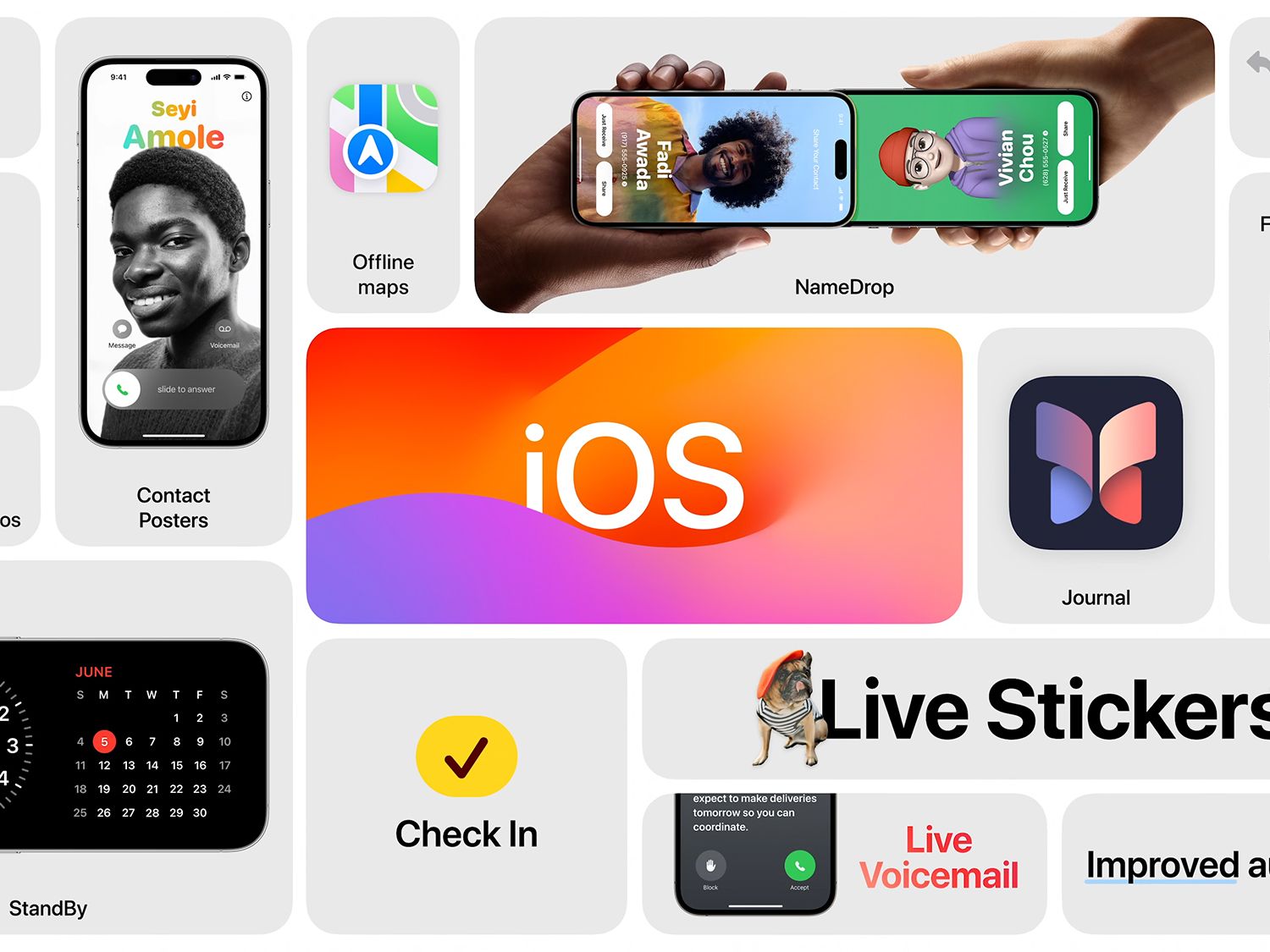
1. Apple Intelligence: The Generative AI Revolution
At the heart of iOS 18 lies “Apple Intelligence,” a personal intelligence system that weaves generative models into the fabric of the iPhone. Unlike cloud-reliant AI competitors, Apple’s approach emphasizes on-device processing to maintain speed and data security.
Siri’s Massive Evolution
For years, Siri functioned primarily as a voice-activated command trigger. In iOS 18, Siri has been rebuilt with large language model (LLM) capabilities. The most immediate change is the visual interface; instead of a floating bubble, the entire edge of the screen glows when Siri is active. More importantly, Siri now possesses “onscreen awareness.” If a friend texts you a new address, you can simply say, “Add this to his contact card,” and Siri will understand the context of the message currently displayed. It also features improved natural language processing, allowing it to follow along even if you stumble over your words or change your request mid-sentence.
System-Wide Writing Tools and Image Playground
iOS 18 introduces Writing Tools, available in nearly every app where text is entered—including Mail, Notes, and third-party applications. These tools allow users to rewrite, proofread, and summarize text instantly. Users can adjust the tone of an email to be more professional or more friendly with a single tap.
Complementing this is the “Image Playground,” a dedicated tool for generating images in three styles: Animation, Illustration, or Sketch. This is integrated into Messages, allowing for the creation of “Genmoji”—custom emojis generated on the fly based on text prompts. If a standard emoji doesn’t capture the mood, users can describe “a squirrel wearing a space helmet,” and the system will generate it within the keyboard interface.
The Innovation of Private Cloud Compute
One of the most technical achievements in iOS 18 is Private Cloud Compute. When a user request requires more processing power than the device can provide, Apple Intelligence draws on server-based models. However, unlike traditional cloud AI, these servers run on Apple Silicon and use a “stateless” verifiable code base. This ensures that user data is never stored or made accessible to Apple, bridging the gap between high-performance AI and rigorous digital security.
2. Unprecedented Customization and Interface Design
For the first time in the iPhone’s history, Apple has moved away from the rigid grid system that has defined the Home Screen since 2007. This shift signals a new era of software flexibility designed to compete with the high-customization environments of rival platforms.
Home Screen and Icon Flexibility
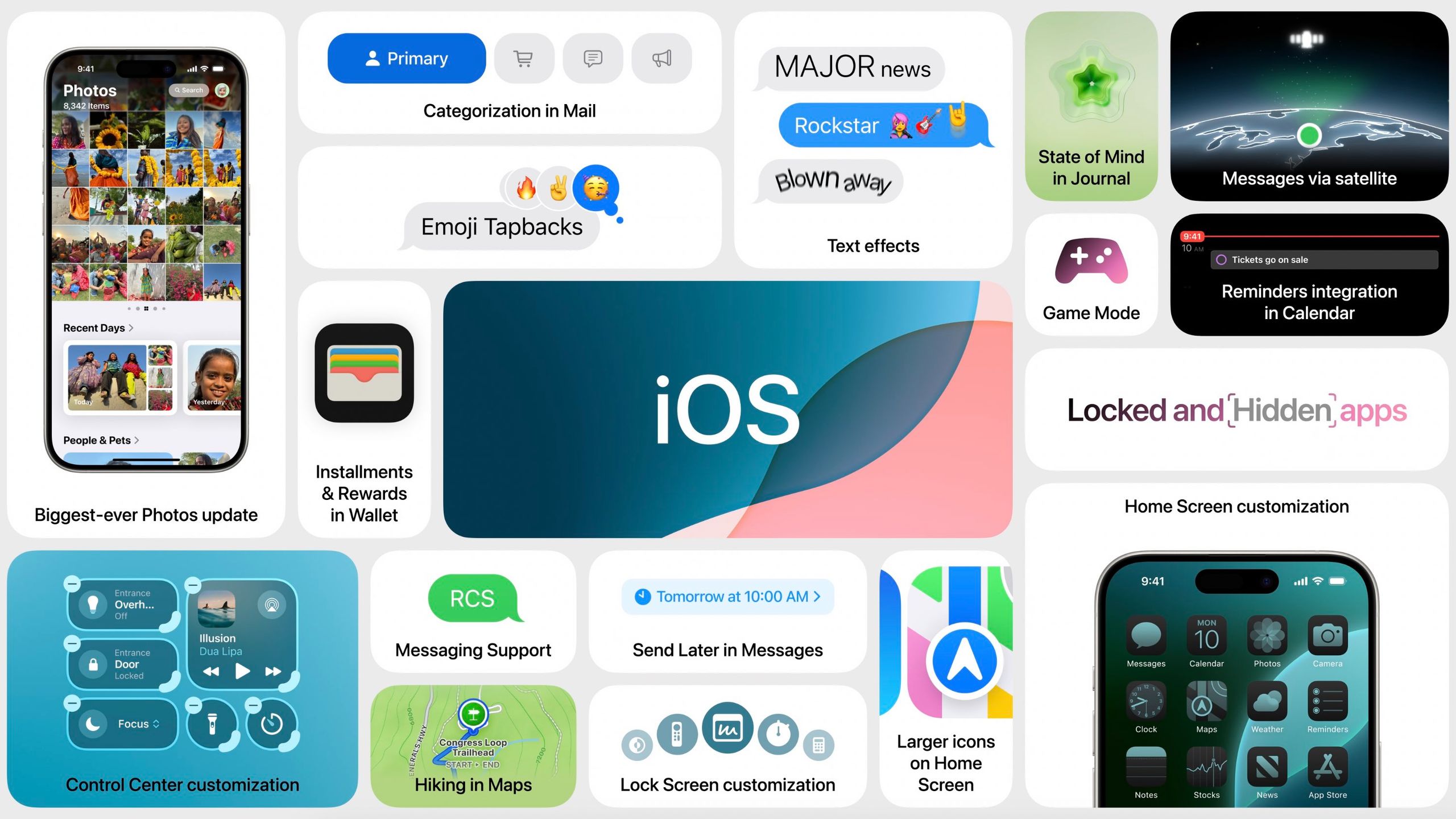
In iOS 18, users can finally place app icons and widgets anywhere on the grid, allowing for gaps and custom arrangements that don’t auto-fill from the top left. This is particularly useful for users who want to frame their wallpaper or reach specific apps more easily with one hand. Furthermore, Apple has introduced a new “Dark” look for app icons and a tinting engine. Users can now apply a uniform color wash to all icons to match their wallpaper or aesthetic preference, creating a cohesive, stylized look that was previously only possible through cumbersome shortcuts.
The Redesigned Control Center
The Control Center has been completely reimagined to be more modular and extensible. It now features multiple pages—one for favorites, one for media playback, and one for HomeKit connectivity—which users can swipe through vertically. For the first time, third-party developers can create their own toggles for the Control Center using the new Controls API. This means a user could potentially add a button to start their car or open a specific deep-linked function in a productivity app directly from the system overlay.
Lock Screen Transformation
The customization extends to the Lock Screen, where users are no longer tethered to the default Flashlight and Camera icons. iOS 18 allows these two slots to be swapped for any available control, or removed entirely. This level of granular control ensures that the most-used tools are exactly where the user expects them to be, reducing friction in daily tasks.
3. Privacy, Security, and the New Passwords App

Apple has long positioned privacy as a “fundamental human right,” and iOS 18 introduces several features that reinforce this stance by giving users more control over their sensitive information.
App Locking and Hiding
A major security update in iOS 18 is the ability to lock individual apps behind FaceID, TouchID, or a passcode. This is designed for situations where a user might hand their phone to someone else to show a photo but wants to ensure their banking or messaging apps remain inaccessible. For even greater privacy, users can “hide” an app, moving it to a locked, hidden folder and scrubbing its existence from search results, notifications, and system-wide suggestions.
The Standalone Passwords App
Building on the foundation of the iCloud Keychain, iOS 18 introduces a dedicated Passwords app. While password management previously lived deep within the Settings menu, this new app provides a centralized hub for passwords, passkeys, Wi-Fi passwords, and two-factor authentication codes. It also alerts users to security risks, such as leaked credentials or passwords that are too weak, bringing Apple’s security tools into direct competition with dedicated third-party password managers.
Enhanced Accessory Privacy
iOS 18 changes how apps interact with other devices on a local network. Previously, granting an app “Local Network” access was an all-or-nothing affair. Now, Apple has introduced a more secure way for apps to pair with Bluetooth and Wi-Fi accessories without seeing all other devices on the user’s network. This minimizes the data footprint of smart home gadgets and third-party peripherals.
4. Communication Overhaul: RCS and Beyond
Messaging is the most used feature on the iPhone, and iOS 18 introduces long-overdue standards and creative tools to the experience.
RCS Support
The most significant technical change in communication is the adoption of Rich Communication Services (RCS). While iMessage remains the gold standard for Apple-to-Apple communication, RCS improves the experience of texting with Android users. It brings support for high-resolution media, read receipts, typing indicators, and better group chat functionality to “green bubble” conversations, replacing the archaic SMS/MMS standards.
Messages via Satellite
Expanding on the emergency satellite features introduced with the iPhone 14, iOS 18 allows users to send and receive texts, emojis, and Tapbacks via satellite when cellular and Wi-Fi coverage are unavailable. This ensures that users in remote areas can stay in touch with friends and family for non-emergency purposes, provided they have a clear view of the sky.
Advanced Formatting and Scheduling
The Messages app now supports text effects, allowing users to animate individual words with styles like “Big,” “Small,” “Shake,” or “Explode.” Additionally, users can now format text with bold, italics, underline, and strikethrough. A highly requested “Send Later” feature has also been added, allowing users to schedule a message to be sent at a specific time—perfect for managing time zones or sending reminders without disturbing others late at night.
5. Productivity and System Utilities
Beyond the flashy AI and UI updates, iOS 18 includes several “quality of life” improvements that enhance the iPhone’s utility as a professional and creative tool.
The Massive Photos Redesign
The Photos app has received its largest-ever redesign. The traditional tab bar has been replaced by a single, unified view. The library is still at the top, but the rest of the app is organized into “Collections” like Recent Days, People & Pets, and Trips. This redesign uses on-device machine learning to categorize content intelligently, making it easier to find specific memories without endless scrolling.
Math Notes in Calculator
In one of the most impressive displays of software integration, the Calculator app now features “Math Notes.” This allows users to type or write (with a finger or on iPad) mathematical expressions and see them solved instantly in their own handwriting or font. It supports variables, so if you change a number in a complex equation, the result updates in real-time. This is a game-changer for students, engineers, and anyone performing quick financial calculations.
Game Mode
Borrowing a feature from macOS, iOS 18 introduces Game Mode. When active, it minimizes background activity to ensure the highest possible frame rates for demanding titles. It also significantly reduces audio latency for AirPods and input latency for wireless game controllers, making the iPhone a more formidable mobile gaming platform.
Conclusion
iOS 18 is a landmark update that balances the cutting-edge potential of generative AI with the practical needs of everyday users. By opening up the interface to customization and adopting industry standards like RCS, Apple is making the iPhone more flexible. Simultaneously, by anchoring its AI ambitions in the “Private Cloud Compute” framework, the company is proving that technological advancement does not have to come at the expense of digital security. Whether through the sheer utility of Math Notes or the sophisticated intelligence of the new Siri, iOS 18 redefines what a smartphone can be in the era of artificial intelligence.
aViewFromTheCave is a participant in the Amazon Services LLC Associates Program, an affiliate advertising program designed to provide a means for sites to earn advertising fees by advertising and linking to Amazon.com. Amazon, the Amazon logo, AmazonSupply, and the AmazonSupply logo are trademarks of Amazon.com, Inc. or its affiliates. As an Amazon Associate we earn affiliate commissions from qualifying purchases.