
In an age dominated by smartphones and advanced computing, the humble calculator might seem like an antiquated tool. Yet, for quick arithmetic, budgeting, or even complex scientific equations, a dedicated calculator remains an indispensable device. Among its myriad buttons and functions, one that often sparks confusion and curiosity is “MRC.” For many, it’s just another cryptic label on the keypad; for those in the know, it’s the gateway to unlocking the calculator’s powerful memory capabilities, significantly streamlining multi-step calculations. Understanding MRC isn’t just about pressing a button; it’s about appreciating a fundamental design principle that enhances efficiency and reduces errors in numerical computation. This article delves deep into what MRC stands for, how it works in conjunction with other memory keys, and how mastering these functions can transform your calculator experience from basic arithmetic to sophisticated problem-solving.

The Core Function: Demystifying MRC
At its heart, the MRC button is a clever abbreviation that serves a dual purpose, acting as both a recall and a clear mechanism for the calculator’s internal memory register. This elegant design choice allows for more flexible and efficient use of the calculator’s temporary storage.
Decoding the Acronym: Memory Recall/Clear
The acronym “MRC” stands for Memory Recall / Clear. This dual functionality is precisely what makes it so versatile. When you press MRC once, the calculator displays the value currently stored in its memory. This is the “Memory Recall” aspect. If you press MRC a second time (or sometimes in quick succession depending on the calculator model), it will clear the memory, resetting the stored value to zero. This “Memory Clear” function is crucial for starting fresh calculations without interference from previous data. Without a clear understanding of this dual role, users often find themselves frustrated, either unable to retrieve their stored numbers or inadvertently mixing old data with new calculations. This is a prime example of how a small design detail can have a significant impact on user experience and computational accuracy.
The Dual Role: Retrieval and Reset
The genius of combining Recall and Clear into one button lies in its simplicity and efficiency. Imagine you’re performing a series of calculations where you need to repeatedly refer to a subtotal or an intermediate result. Instead of writing it down or re-entering it, you store it in memory. When you need that number, a single press of MRC brings it back. Once you’re done with that number, and before starting a new series of memory-dependent calculations, a second press of MRC (or sometimes a dedicated “MC” button on more advanced calculators) ensures a clean slate. This prevents common errors where an old memory value might accidentally be added to a new sum, leading to incorrect final results. The design ethos here is to provide maximum utility with minimal button presses, a hallmark of good user interface design, even in the realm of simple gadgets.
Why Memory Functions Matter in Calculation
Memory functions fundamentally change how users interact with calculators, particularly for tasks involving multiple steps or recurring values. Without memory, complex calculations requiring intermediate sums or products would necessitate jotting down numbers on paper or laboriously re-entering them, significantly increasing the potential for human error and slowing down the process. Memory buttons liberate users from these manual steps, allowing the calculator to act as a more intelligent assistant. They transform the device from a simple one-step arithmetic machine into a powerful multi-step computation tool, making tasks like calculating invoices with multiple line items, managing budgets, or solving intricate scientific equations far more manageable and accurate. This capability highlights how even basic technological tools can be optimized for complex human needs through thoughtful feature integration.
A Trio of Memory Keys: M+, M-, and MRC
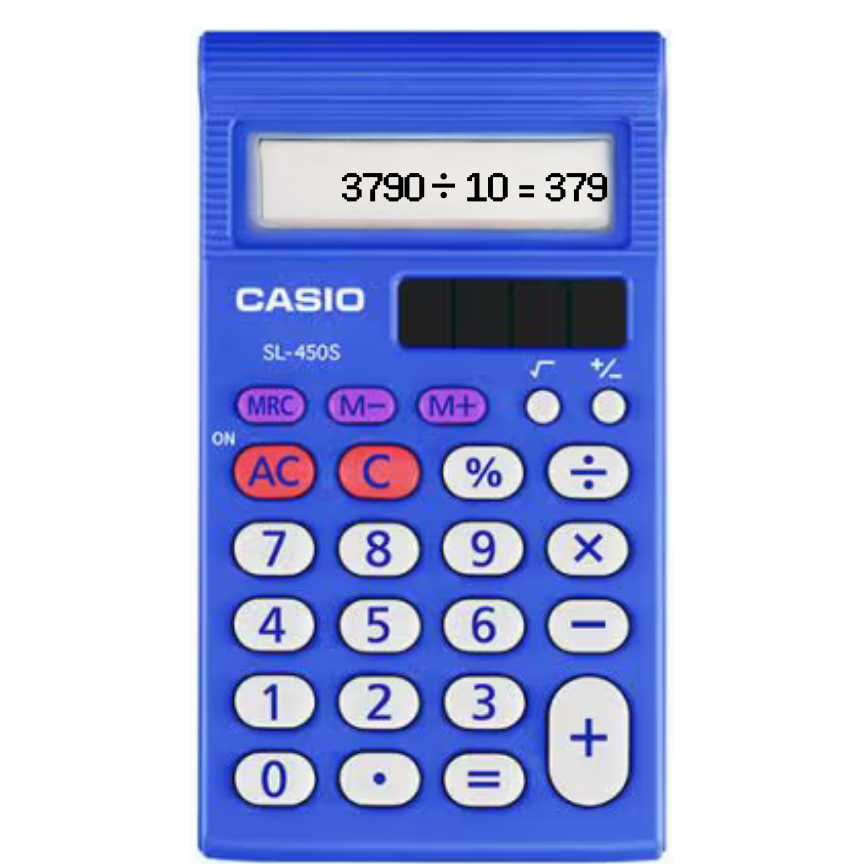
The MRC button rarely works in isolation. It is typically part of a trio of memory-related keys: M+, M-, and MRC (sometimes accompanied by an “MR” for Recall and “MC” for Clear as separate buttons). Understanding the interplay between these three is key to mastering your calculator’s memory functions.
M+: Adding to Memory
The “M+” button (Memory Plus) is used to add the number currently displayed on the screen to the value already stored in the calculator’s memory. If the memory is empty (i.e., stores zero), M+ will simply store the displayed number. If there’s already a value in memory, M+ will add the current display value to that stored number. This is incredibly useful for accumulating a running total. For instance, if you’re tallying expenses, you can enter each expense, press M+, and the calculator keeps a running sum in its memory. This saves you from having to continually re-enter previous totals or sum a long list of numbers manually. It’s a foundational tool for aggregation tasks.
M-: Subtracting from Memory
Conversely, the “M-” button (Memory Minus) subtracts the number currently displayed on the screen from the value stored in memory. This is particularly handy when you need to subtract certain items from an accumulated total. For example, if you’ve added a series of income figures to memory using M+, and then need to subtract a returned item or a specific deduction, you would enter that amount and press M-. The calculator automatically updates the memory, reducing the stored value. Together, M+ and M- provide a robust system for dynamically adjusting a stored total, mirroring how one might manage a ledger or a running balance.
MRC: The Gatekeeper of Memory
As established, MRC serves as the combined Memory Recall and Memory Clear button. After using M+ and M- to build up or adjust your memory total, you’ll press MRC once to retrieve that final sum onto the display. This allows you to use the accumulated value in further calculations or simply to view your result. Once you’re done with that specific set of memory operations, a second press of MRC clears the memory, ensuring it’s reset to zero for your next task. This sequential interaction — build up memory with M+/M-, recall with MRC, and then clear with a second MRC press — forms the complete cycle of utilizing a calculator’s memory functions effectively. Without MRC, the ability to access and then reset the internal storage would be fragmented or non-existent, making the M+ and M- buttons far less useful.
Practical Applications: When to Use MRC and Memory Functions
The true power of MRC and its companions lies in their practical application, transforming tedious multi-step problems into streamlined processes. These functions are not just for mathematicians; they are productivity boosters for students, professionals, and anyone dealing with numbers.
Calculating Sums of Products/Quotients
One of the most common applications is calculating the sum of several products or quotients. Imagine you’re an estimator calculating the total cost of materials. You have several items, each with a quantity and a unit price.
-
Item 1: 5 units @ $12.50 = $62.50 (Press 62.50, then M+)
-
Item 2: 3 units @ $20.00 = $60.00 (Press 60.00, then M+)
-
Item 3: 7 units @ $8.25 = $57.75 (Press 57.75, then M+)
After entering all product totals and adding them to memory, you simply press MRC to get the grand total ($62.50 + $60.00 + $57.75 = $180.25). This avoids the need to write down each product and then sum them up, reducing errors and saving time.
Tracking Running Totals
Whether balancing a checkbook, tracking daily sales, or monitoring expenses during a trip, memory functions excel at maintaining running totals. You can continuously add or subtract values from memory as transactions occur. This provides an immediate, up-to-date total without needing to manually re-add a long string of numbers every time a new entry is made. It’s an essential feature for dynamic financial tracking.
Handling Multi-Step Equations Efficiently
For more complex equations that involve several intermediate results that must be combined at the end, memory functions are invaluable. For example, calculating a weighted average where different components have different multipliers and you need to sum the weighted parts before dividing by the sum of the weights. Each weighted part can be calculated and added to memory with M+, and then the final sum recalled with MRC. This modular approach breaks down complex problems into manageable steps, with the calculator handling the accumulation.
Real-World Scenarios for Everyday Use
Beyond specific computations, MRC and memory functions find use in various daily scenarios:
-
Budgeting: Adding up all monthly expenses and then subtracting them from your income.
-
Shopping: Keeping a running total of items in your cart as you shop, allowing you to stay within a budget.
-
Recipe Scaling: If you need to scale a recipe up or down, you might calculate each ingredient’s new quantity and add it to memory for a combined total or to verify proportions.
-
Grade Calculation: Summing up points from various assignments and exams to get a course total.
These examples underscore how memory functions elevate the calculator from a basic arithmetic tool to a sophisticated personal assistant for numerical tasks, demonstrating a tangible enhancement in user productivity.
Mastering Calculator Memory: Tips and Best Practices
To fully leverage the power of MRC and its associated keys, a few best practices and insights can make a significant difference in accuracy and efficiency.
Understanding Different Calculator Types (Basic vs. Scientific)
While the core principles of M+, M-, and MRC remain consistent, there can be subtle variations across different calculator types. Basic calculators often have the combined MRC button. Scientific calculators sometimes separate “MR” (Memory Recall) and “MC” (Memory Clear) into distinct buttons, offering clearer separation of functions. Some advanced models might even feature multiple memory registers (e.g., M1, M2) for storing different values simultaneously. Always consult your calculator’s manual to understand its specific memory button configuration and behavior, as slight differences can impact usage.
Clearing Memory Properly to Avoid Errors
This is perhaps the most critical tip. Always ensure you clear the calculator’s memory before starting a new series of memory-dependent calculations. For calculators with a combined MRC button, this means pressing it twice. On models with separate MR/MC buttons, press MC. Failing to clear the memory is a common source of error, as residual values from previous calculations can inadvertently be added to your current sum, leading to incorrect results that can be difficult to trace. Make it a habit to start every new memory task with a memory clear.
Developing Memory Function Habits
The best way to master these functions is through consistent practice. Incorporate memory functions into your daily calculations, even for simple tasks initially. The more you use M+, M-, and MRC, the more intuitive they will become. Soon, you’ll find yourself automatically reaching for these keys to streamline your work, making complex calculations feel effortless. It’s akin to learning keyboard shortcuts for software; once ingrained, they significantly boost productivity.
Common Pitfalls and How to Avoid Them
-
Forgetting to Clear Memory: As mentioned, this is the most common mistake. Always double-check that your memory is clear before starting.
-
Pressing MRC Once Instead of Twice (or vice-versa): If your calculator has a dual MRC button, remember that the first press recalls and the second press clears. If you only intend to recall, don’t press it a second time. If you intend to clear, ensure you hit it twice.
-
Misunderstanding Display vs. Memory: The number on your display is not necessarily the number in memory. M+ and M- affect memory; MRC displays memory. Always be aware of which number you are currently working with.
-
Assuming Memory Clears on Power Off: Some calculators retain memory even after being turned off (especially solar-powered ones or those with specific memory backup). Always clear manually if you need a guaranteed clean slate.
Beyond MRC: The Broader Landscape of Calculator Features
While MRC and basic memory functions are incredibly useful, they represent just one facet of calculator technology. The evolution of these devices showcases a continuous drive to enhance computational power and user experience.
The Evolution of Digital Calculators
From early mechanical adding machines to the first electronic calculators, and then to advanced scientific and graphing models, calculators have undergone significant evolution. Each iteration has aimed to make calculations faster, more accurate, and more accessible. Memory functions were a crucial step in this evolution, moving beyond simple single-operation devices to multi-tasking computational tools. This technological progression paved the way for more sophisticated features like statistical functions, programming capabilities, and graphical displays, all designed to support increasingly complex mathematical and scientific endeavors.
Specialized Memory Functions (e.g., Independent Memory)
Some calculators offer more advanced memory types, such as “independent memory” or multiple memory registers. Independent memory might behave differently from the standard M+/M-/MRC system, sometimes allowing calculations to be performed on the memory content itself without recalling it to the main display first. Multiple registers (e.g., Memory A, Memory B) allow users to store several different intermediate values simultaneously, which is invaluable for highly complex problems requiring the manipulation of multiple variables. Understanding these specialized features further broadens a user’s computational toolkit within the Tech domain.

The Role of Calculators in Modern Tech
Despite the prevalence of powerful computing devices, dedicated calculators continue to hold a vital place. They offer simplicity, reliability, and often a longer battery life compared to smartphones for numerical tasks. In educational settings, they provide a focused environment free from distractions. In professional fields like engineering, finance, and accounting, their specialized functions and robust keypads offer efficiency unmatched by general-purpose software. The “MRC” button, though seemingly minor, is emblematic of how thoughtful design in dedicated gadgets can significantly enhance productivity and accuracy, proving that purpose-built technology still has a crucial role in our tech-driven world.
In conclusion, the “MRC” button on your calculator is far from a trivial detail. It is a powerful tool for memory management, enabling efficient, accurate, and streamlined computation. By understanding its dual function as Memory Recall/Clear and mastering its interplay with M+ and M-, users can unlock a new level of productivity and confidence in their numerical tasks, making the calculator an even more indispensable gadget in their technological arsenal.
aViewFromTheCave is a participant in the Amazon Services LLC Associates Program, an affiliate advertising program designed to provide a means for sites to earn advertising fees by advertising and linking to Amazon.com. Amazon, the Amazon logo, AmazonSupply, and the AmazonSupply logo are trademarks of Amazon.com, Inc. or its affiliates. As an Amazon Associate we earn affiliate commissions from qualifying purchases.