
In an increasingly data-driven world, the ability to quickly and accurately calculate percentages is not merely a mathematical nicety but a fundamental skill that underpins everything from personal finance to professional analysis. From understanding sales discounts and calculating tips to interpreting statistical data and figuring out interest rates, percentages are an omnipresent numerical language. While mental math can get you part of the way, the humble calculator, a marvel of everyday technology, offers a precise and efficient solution. Yet, for many, the dedicated percentage key (%) remains a mysterious button, often overlooked or misunderstood. This article aims to demystify the percentage function on your calculator, transforming it from an enigma into an indispensable tool that empowers you with greater numerical fluency and efficiency. We will delve into the underlying concepts, explore the mechanics across various calculator types, and provide step-by-step tutorials for common and complex calculations, ensuring you can harness this powerful feature with confidence.
Understanding the Basics: What is a Percentage?
Before we dive into the mechanics of your calculator, a solid grasp of what a percentage truly represents is crucial. This foundational understanding will not only make the calculator steps more intuitive but also help you interpret the results accurately in real-world contexts.
The Concept of a Fraction of a Whole
At its core, a percentage is simply a way of expressing a number as a fraction of 100. The term “percent” literally means “per hundred” or “out of one hundred.” When you say “50 percent,” you are essentially referring to 50 parts out of a possible 100, which mathematically translates to the fraction 50/100 or the decimal 0.50. This concept allows us to standardize comparisons of quantities, regardless of the original total. For instance, comparing 10 out of 20 apples to 20 out of 40 apples becomes straightforward when both are expressed as 50%. The whole, or 100%, represents the entirety of a quantity, whether it’s a sum of money, a group of people, or a total score. Understanding this fundamental relationship—that a percentage is just another way to express a proportion or a fraction out of a base of 100—is the first step towards mastering its application.
Real-World Applications of Percentages
The utility of percentages extends far beyond academic exercises; they are woven into the fabric of daily life and professional environments. In consumer contexts, percentages dictate discounts during sales events (“25% off!”) and help calculate added costs like sales tax or tips for service. Financially, understanding percentages is vital for budgeting, assessing interest rates on loans and savings, calculating investment returns, and evaluating inflation. In the professional sphere, businesses use percentages to track growth, analyze market share, report profits and losses, and understand demographic data. From a scientific perspective, percentages are used in statistics to express concentrations, probabilities, and changes in experimental data. Whether you’re a student, a shopper, an investor, or a professional, proficiency with percentages empowers you to make informed decisions and accurately interpret the world around you, making the calculator’s percentage function an indispensable technological aid.
Navigating Your Calculator’s Percentage Key
While the underlying mathematical principles of percentages remain constant, the way different calculators implement the percentage key can vary. Familiarizing yourself with these nuances is key to consistent and accurate results.
Identifying the Percentage Symbol (%)
Most calculators, from basic models to advanced scientific and graphing calculators, feature a dedicated percentage key, usually marked with the ‘%’ symbol. This symbol is universally recognized and indicates that the following or preceding number should be treated as a percentage. Its placement can vary; it might be a primary function, a shifted function (requiring you to press a “Shift” or “2nd F” key first), or integrated into specific financial functions on more advanced devices. Before attempting any calculations, locate this key on your specific calculator model. If you’re using a smartphone calculator app or an online calculator, the ‘%’ symbol is typically present within the numerical keypad layout. The key’s primary role is to convert a number into its decimal equivalent (e.g., 25 becomes 0.25) or to perform a specific percentage operation in conjunction with other arithmetic functions.
Different Calculator Types and Their Percentage Logic
The logic behind the percentage key isn’t always uniform across all calculator types, leading to common frustrations.
-
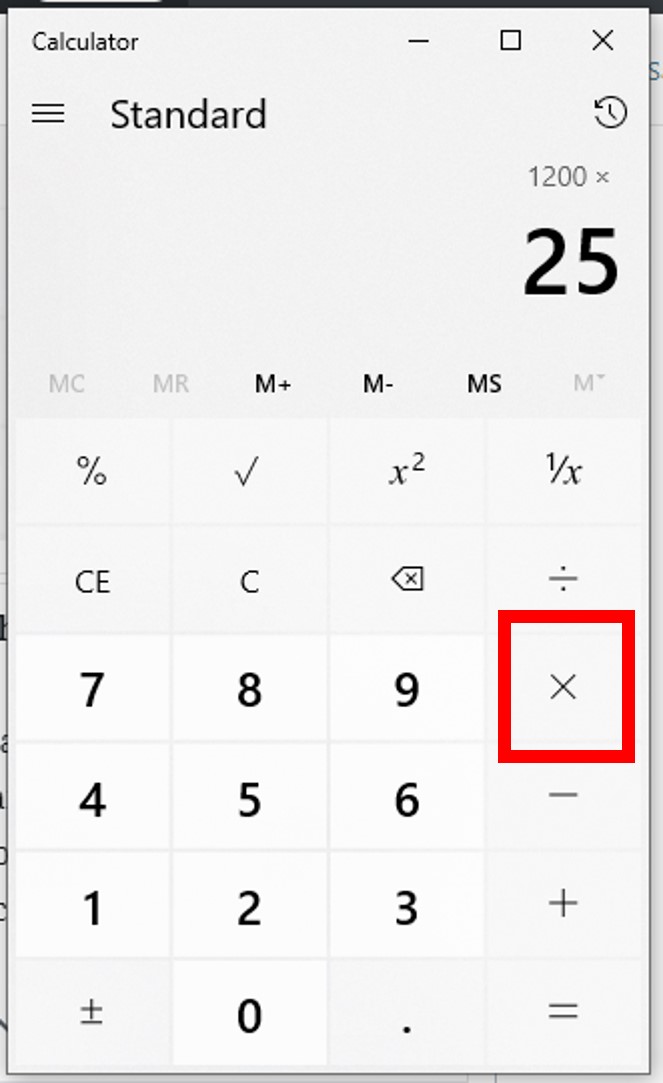
Standard Calculators: These are often the most intuitive. For example, to find 15% of 200, you might type
200 x 15 % =. Some standard calculators might require15 % x 200 =. The key often acts as a shortcut, automatically dividing the entered number by 100 and then applying it to the previous operation. For additions or subtractions (e.g., adding 10% to 50), you might type50 + 10 % =, and the calculator automatically calculates 10% of 50 and adds it. -
Scientific Calculators: While scientific calculators have a ‘%’ key, they often treat it primarily as a “divide by 100” operator. To find 15% of 200, you might type
200 x 15 / 100 =or200 x (15 %)where the percentage key explicitly converts 15 to 0.15. The+or-percentage operations (like50 + 10 % =) found on standard calculators are less common as direct one-step functions; you’d typically calculate the percentage amount first and then add or subtract it manually:50 + (50 x 10 %) =or50 + (50 x 0.10) =. This requires a slightly deeper understanding of the order of operations. -
Online/App Calculators: These vary widely. Many emulate standard calculator logic, offering direct percentage addition/subtraction. Others may function more like scientific calculators. It’s often best to test a simple calculation (e.g., 100 + 10%) to see how it behaves. Some sophisticated financial calculators might have specialized percentage keys for specific financial functions (e.g., mark-up, tax, interest) that perform multi-step calculations with a single press.
The key takeaway is to experiment with your specific device using simple, known examples (e.g., 10% of 100 should be 10) to understand its particular percentage logic.
Core Percentage Calculations: Step-by-Step Tutorials
Once you understand the basic concept and your calculator’s behavior, performing common percentage calculations becomes straightforward. Here are step-by-step guides for the most frequent operations.
Calculating a Percentage of a Number (e.g., 15% of 200)
This is perhaps the most fundamental percentage calculation, frequently used for determining taxes, commissions, or portions of a whole.
Objective: Find what 15% of 200 is.
Steps (Standard Calculator Logic):
-
Enter the base number:
200 -
Press the multiplication key:
x -
Enter the percentage value:
15 -
Press the percentage key:
% -
Press the equals key (if your calculator doesn’t auto-calculate):
=
Result: 30
(Explanation: The calculator interprets 200 x 15 % as 200 x (15/100), or 200 x 0.15)
Steps (Scientific Calculator Logic / Manual Conversion):
-
Enter the percentage value and convert it to a decimal:
15 / 100 =(Result:0.15) OR simply type0.15 -
Press the multiplication key:
x -
Enter the base number:
200 -
Press the equals key:
=
Result: 30
Adding a Percentage (e.g., price + VAT, tip calculation)
This is commonly used when adding taxes, markups, or tips to an original amount.
Objective: Add 10% to 50 (e.g., a $50 bill with a 10% tip).
Steps (Standard Calculator Logic):
-
Enter the original number:
50 -
Press the addition key:
+ -
Enter the percentage value:
10 -
Press the percentage key:
% -
Press the equals key (if your calculator doesn’t auto-calculate):
=
Result: 55
(Explanation: The calculator first calculates 10% of 50 (which is 5), then adds it to 50.)
Steps (Scientific Calculator Logic / Manual Calculation):
-
Calculate the percentage amount:
50 x 10 % =(Result:5) -
Add this amount to the original number:
50 + 5 =
Result: 55
Alternatively, using the distributive property: 50 x 1.10 = 55 (because 100% + 10% = 110% or 1.10)
Subtracting a Percentage (e.g., discount calculation)
Ideal for calculating final prices after a discount or deductions.
Objective: Subtract 20% from 150 (e.g., a $150 item with a 20% discount).
Steps (Standard Calculator Logic):
-
Enter the original number:
150 -
Press the subtraction key:
- -
Enter the percentage value:
20 -
Press the percentage key:
% -
Press the equals key (if your calculator doesn’t auto-calculate):
=
Result: 120
(Explanation: The calculator first calculates 20% of 150 (which is 30), then subtracts it from 150.)
Steps (Scientific Calculator Logic / Manual Calculation):
-
Calculate the percentage amount:
150 x 20 % =(Result:30) -
Subtract this amount from the original number:
150 - 30 =
Result: 120
Alternatively, using the distributive property: 150 x 0.80 = 120 (because 100% – 20% = 80% or 0.80)
Calculating Percentage Change (Increase or Decrease)
This calculation helps you understand the relative change between two values, often used in growth analysis, inflation rates, or performance metrics.
Objective: Find the percentage increase from 80 to 100.

Formula: ((New Value - Old Value) / Old Value) x 100
Steps:
-
Calculate the difference:
100 - 80 =(Result:20) -
Divide the difference by the original value:
20 / 80 =(Result:0.25) -
Multiply by 100 to get the percentage:
0.25 x 100 =
Result: 25% (a 25% increase)
Objective: Find the percentage decrease from 100 to 80.
Steps:
-
Calculate the difference:
100 - 80 =(Result:20) -
Divide the difference by the original value:
20 / 100 =(Result:0.20) -
Multiply by 100 to get the percentage:
0.20 x 100 =
Result: 20% (a 20% decrease)
Note: Some advanced calculators or spreadsheet software might have dedicated functions for percentage change, but the manual method is universally applicable.
Advanced Applications and Common Pitfalls
Beyond basic calculations, percentages appear in more complex scenarios. Understanding these, along with potential errors, enhances your numerical proficiency.
Finding the Original Number After a Percentage Change
This is a common task, particularly in retail when trying to find the original price of an item that was marked down by a certain percentage.
Objective: An item costs $80 after a 20% discount. What was its original price?
Logic: If the item was discounted by 20%, it means $80 represents 80% of the original price (100% – 20% = 80%).
Formula: Original Price = Current Price / (1 - Discount Percentage as a decimal)
Steps:
-
Convert the discount percentage to a decimal:
20 / 100 = 0.20 -
Subtract this from 1:
1 - 0.20 = 0.80 -
Divide the current price by this result:
80 / 0.80 =
Result: 100 (The original price was $100)
Objective: An item costs $120 after a 20% markup. What was its original price?
Logic: If the item was marked up by 20%, it means $120 represents 120% of the original price (100% + 20% = 120%).
Formula: Original Price = Current Price / (1 + Markup Percentage as a decimal)
Steps:
-
Convert the markup percentage to a decimal:
20 / 100 = 0.20 -
Add this to 1:
1 + 0.20 = 1.20 -
Divide the current price by this result:
120 / 1.20 =
Result: 100 (The original price was $100)
Working with Multiple Percentage Operations
Applying multiple percentage changes sequentially requires careful attention to the base value.
Objective: An item costs $100. It’s discounted by 10%, then an additional 5% is taken off the new price. What’s the final price?
Incorrect Approach (Adding percentages directly): 100 - (10% + 5%) = 100 - 15% = 85 (WRONG!)
Correct Approach (Sequential Calculation):
-
First discount:
100 - 10 % = 90 -
Second discount (on the new base of 90):
90 - 5 % = 85.50
Result: $85.50
This illustrates a crucial point: percentage changes are usually applied sequentially to the current value, not the original value, unless explicitly stated otherwise. Compounding interest, multiple discounts, or successive growth rates all follow this sequential logic.
Avoiding Common Errors and Misinterpretations
Misusing the percentage key or misinterpreting results can lead to significant errors.
-
Order of Operations: Be mindful of how your calculator handles percentage in conjunction with other operations. On some standard calculators,
200 x 10 % + 50might first calculate200 x 10 %(which is 20) then add 50, yielding 70. But on others, it might interpret the+first, leading to unexpected results. When in doubt, use parentheses or perform operations in logical steps. -
Base Value Confusion: Always be clear about what number you are taking a percentage of. When calculating a 20% tip on a $50 bill, it’s 20% of $50, not 20% of the total cost after tax.
-
Percentage Points vs. Percent Change: This is a common statistical error. If a value increases from 10% to 12%, that’s a 2 percentage point increase, but a
((12-10)/10)*100 = 20%increase in the value itself. Always specify whether you’re referring to percentage points or actual percent change. -
Rounding: Be aware of how your calculator handles rounding, especially in financial calculations where precision is critical. Often, it’s best to retain more decimal places during intermediate steps and round only the final answer.
The Ubiquity of Percentage Calculations in Modern Life
The ability to proficiently use the percentage function on your calculator transcends mere academic exercise; it’s a practical skill with extensive applications in nearly every facet of contemporary living.
Financial Planning and Budgeting
For personal finance, percentages are the bedrock of understanding. They allow you to quickly grasp the implications of interest rates on savings accounts and loans, helping you evaluate whether a credit card’s APR is manageable or if a mortgage offer is competitive. When budgeting, knowing what percentage of your income goes to housing, food, or entertainment provides critical insights into spending habits and identifies areas for adjustment. Calculating investment returns, understanding inflation’s impact on purchasing power, or determining tax deductions all rely heavily on precise percentage calculations. Mastering this tool means gaining greater control over your financial destiny, enabling more informed decision-making for long-term wealth building and daily money management.
Shopping and Sales
Few areas of daily life demonstrate the immediate utility of the percentage function more vividly than shopping. From “20% off” sales tags to “buy one get one 50% off” promotions, retailers constantly use percentages to entice customers. With your calculator, you can instantly verify advertised discounts, compare different offers to find the true best deal, and accurately calculate the final price of an item including sales tax. This empowers you as a consumer, preventing overspending due to miscalculations or misunderstanding complex promotional structures. It’s not just about saving money; it’s about being an educated and assertive shopper in a marketplace saturated with percentage-based incentives.
Statistics and Data Analysis
In the realm of data, percentages are the universal language for presenting proportions, comparisons, and trends. Whether you’re interpreting a news report about unemployment rates, analyzing survey results showing public opinion, or evaluating the performance metrics of a business project, percentages provide a concise way to summarize complex data. Researchers use them to report the incidence of diseases, educators to grade performance, and marketers to track customer engagement. The calculator’s percentage function becomes a crucial technological aid for anyone needing to condense raw numbers into meaningful, comparable metrics, allowing for clearer communication and deeper insights into various datasets and phenomena.

Conclusion: Mastering a Fundamental Tool for Everyday Efficiency
The journey from viewing the percentage key as an obscure symbol to recognizing it as a powerful, versatile tool is a significant step towards greater numerical literacy. The calculator, an unassuming piece of technology, acts as a gateway to understanding and manipulating a concept that permeates nearly every aspect of our modern lives. By internalizing the fundamental definition of a percentage, understanding the specific logic of your device, and practicing the step-by-step tutorials for various calculations, you unlock a new level of efficiency and accuracy in your daily endeavors.
Whether you’re making astute financial decisions, navigating the complexities of retail discounts, or making sense of statistical data, the ability to confidently wield the percentage function is invaluable. It’s more than just crunching numbers; it’s about empowering yourself with the technological fluency to interpret the world, make informed choices, and avoid common pitfalls. So, take a moment to rediscover that ‘%’ key on your calculator. It’s not just a button; it’s a fundamental utility waiting to enhance your productivity and deepen your understanding, transforming you into a more numerically agile individual in an increasingly percentage-driven world.
aViewFromTheCave is a participant in the Amazon Services LLC Associates Program, an affiliate advertising program designed to provide a means for sites to earn advertising fees by advertising and linking to Amazon.com. Amazon, the Amazon logo, AmazonSupply, and the AmazonSupply logo are trademarks of Amazon.com, Inc. or its affiliates. As an Amazon Associate we earn affiliate commissions from qualifying purchases.