
In the rapidly evolving landscape of digital commerce, establishing an online presence is no longer a luxury but a fundamental necessity for businesses of all sizes. Among the myriad platforms available, Shopify stands out as a leading e-commerce solution, renowned for its powerful technology, user-friendly interface, and extensive ecosystem. This guide delves into the technical intricacies and foundational steps of “how to Shopify,” offering a comprehensive roadmap for entrepreneurs and established businesses looking to leverage its capabilities. Our focus will be exclusively on Shopify as a technological platform – its software features, operational mechanics, and digital infrastructure – ensuring you can build, manage, and scale your online store with confidence.
Understanding the Shopify Ecosystem: Core Components for E-commerce Success
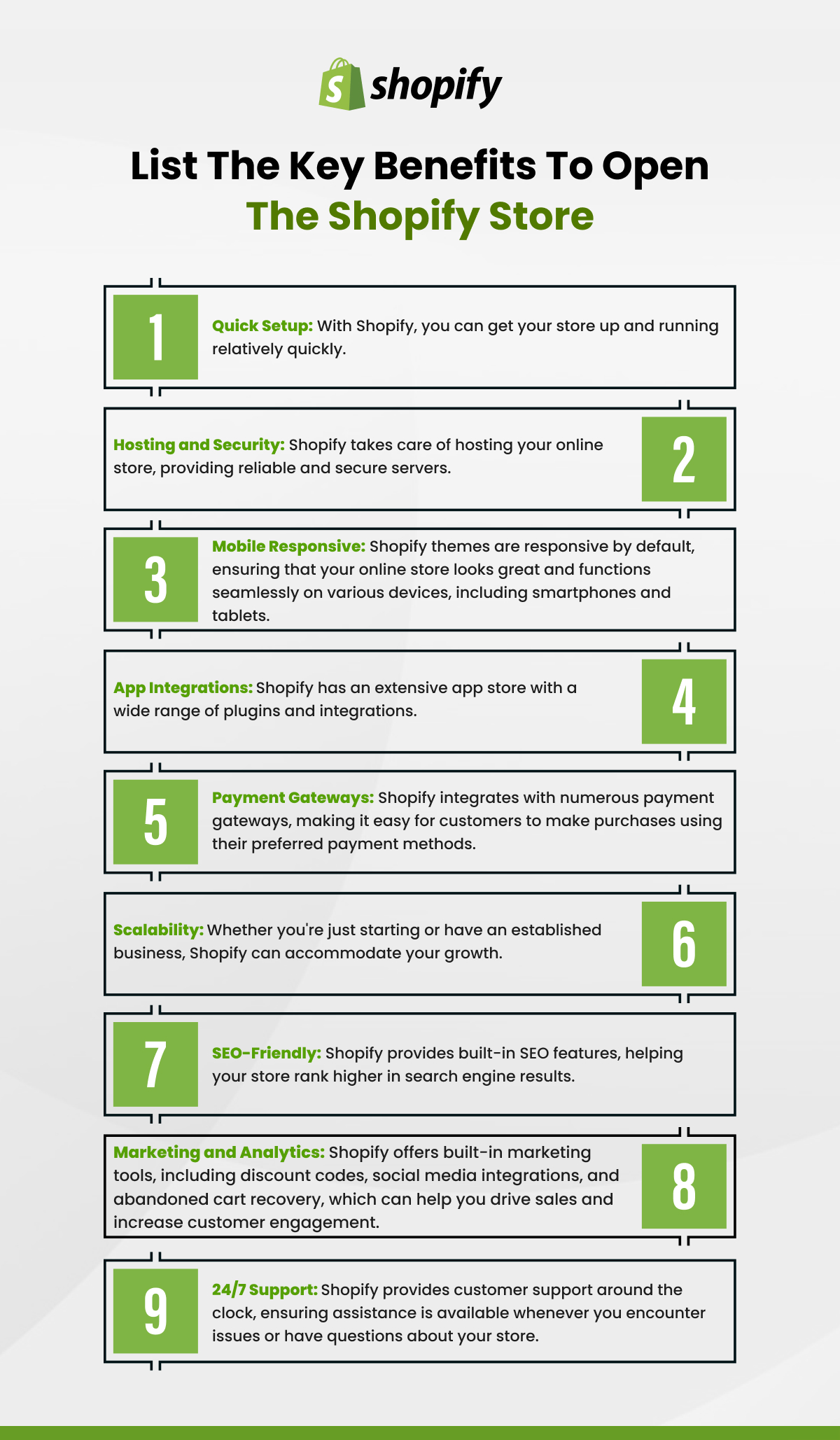
At its heart, Shopify is a robust, cloud-based software-as-a-service (SaaS) platform designed specifically for online retail. Its architecture provides a scalable and secure environment, abstracting away much of the complex server management and coding typically associated with e-commerce development. Understanding its core components is crucial for maximizing its technical potential.
Shopify Plans and Features: Choosing the Right Foundation
Shopify offers several subscription plans, each tailored to different business needs and offering a progressive set of features. The choice of plan dictates the technical capabilities and tools at your disposal, impacting everything from staffing access to advanced reporting and transaction fees.
-
Basic Shopify: Ideal for new online businesses, this plan provides the essential technical infrastructure: an online store with unlimited products, 2 staff accounts, basic reports, and integrated payment processing. It’s designed for simplicity and getting started quickly, offering core e-commerce functionality without overwhelming complexity.
-
Shopify: Stepping up, this plan includes all Basic features plus advanced reports, more staff accounts (5), and lower transaction fees if not using Shopify Payments. Technically, it offers greater depth in data analysis and team management, crucial for growing operations.
-
Advanced Shopify: Tailored for larger businesses requiring sophisticated scaling tools, this plan includes everything in the Shopify plan, along with 15 staff accounts, highly customizable reporting, and advanced shipping features like third-party calculated shipping rates. This plan provides the most extensive technical control and data insights, enabling complex logistics and detailed performance monitoring.
-
Shopify Plus: An enterprise-grade solution, Shopify Plus offers headless commerce capabilities, dedicated support, API access, and advanced automation tools for high-volume merchants. It’s a complete technological overhaul for major players, allowing for extreme customization and integration with existing enterprise systems.
All plans benefit from Shopify’s robust hosting infrastructure, automatic security updates, SSL certificates, and content delivery network (CDN) for fast global loading speeds – foundational technical elements that ensure reliability and performance.
The Admin Panel: Your Command Center
The Shopify admin panel is the central nervous system of your online store, a powerful web application designed for intuitive management. Its clean, hierarchical interface allows you to control every technical aspect of your store without needing to write a single line of code.
Upon logging in, you’re greeted by a dashboard offering a snapshot of your store’s performance. The left-hand navigation bar provides access to key sections:
-
Orders: Manage the fulfillment lifecycle, process refunds, and track order statuses. This section directly interacts with the platform’s database and inventory systems.
-
Products: Add, edit, organize, and manage your entire product catalog, including inventory levels, variants, and product descriptions, all stored and served by Shopify’s backend.
-
Customers: Access and manage customer profiles, order histories, and contact information, leveraging Shopify’s integrated customer relationship management (CRM) features.
-
Analytics: Dive into detailed reports on sales, traffic, customer behavior, and marketing effectiveness, powered by Shopify’s internal data processing engines.
-
Online Store: Customize your storefront’s appearance (themes), manage blog posts, create static pages (About Us, Contact), and organize navigation menus. This is where you configure the front-end user experience.
-
Apps: Extend your store’s functionality through the vast Shopify App Store.
-
Settings: Configure your store’s core technical parameters, including payments, shipping, taxes, notifications, user permissions, and billing.
The admin panel’s design emphasizes ease of use, making complex e-commerce operations accessible to users regardless of their technical proficiency. It’s a testament to good software engineering, providing a powerful interface to a sophisticated backend.
App Store and Integrations: Extending Functionality
One of Shopify’s most significant technological strengths lies in its extensive App Store and open API (Application Programming Interface), which allows for seamless integration with thousands of third-party applications and services. This extensibility transforms Shopify from a standalone e-commerce platform into a highly adaptable ecosystem capable of meeting almost any business requirement.
The App Store offers solutions across numerous categories, directly enhancing your store’s technical capabilities:
-
Marketing & Sales: Apps for SEO, email marketing, social media integration, product reviews, upselling, and cross-selling, leveraging APIs to interact with product data and customer segments.
-
Inventory & Shipping: Tools for dropshipping, inventory management, order fulfillment, shipping label generation, and integration with carriers or 3PL (third-party logistics) providers. These apps often connect directly to Shopify’s product and order APIs.
-
Customer Service: Apps for live chat, helpdesks, and customer feedback, streamlining communication and support.
-
Store Design: Advanced theme customization tools, page builders, and image optimization solutions that enhance the visual and functional aspects of your storefront.
-
Reporting & Analytics: Specialized dashboards and data analysis tools that offer deeper insights than Shopify’s native reports.
These integrations mean that instead of building custom features from scratch, you can simply install an app, often with minimal configuration. Shopify handles the underlying API connections and data exchange, ensuring compatibility and security. This modular approach significantly reduces development time and costs, allowing businesses to adapt quickly to changing needs and implement advanced functionalities with ease.
Setting Up Your Shopify Store: From Concept to Configuration
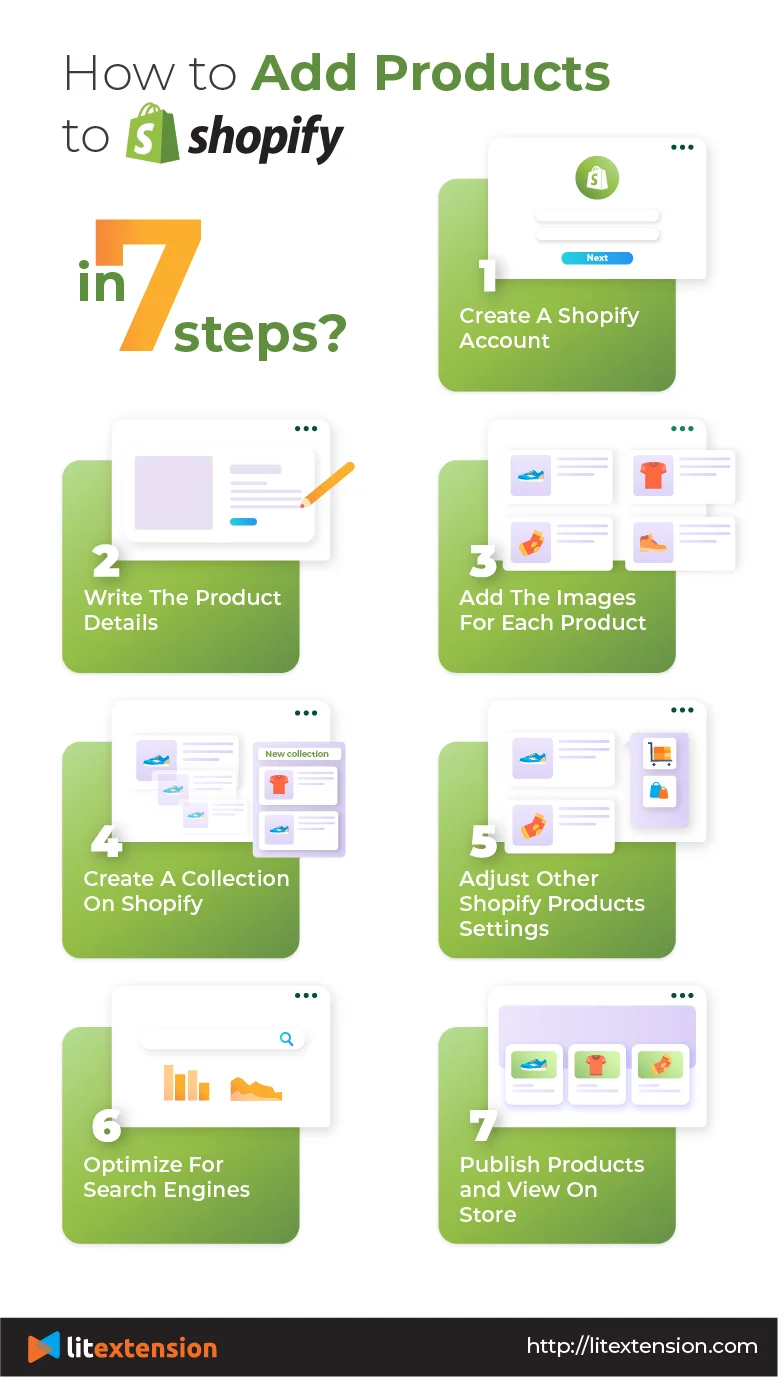
Launching a Shopify store involves a structured sequence of technical configurations, transforming your business idea into a fully functional online shop.
Initial Setup and Account Creation
The journey begins with signing up for a Shopify trial. This process typically involves:
-
Email and Password: Creating your primary administrative account.
-
Store Name: This becomes your initial
your-store-name.myshopify.comdomain, which can later be replaced with a custom domain. -
Business Details: Providing information about your business type, industry, and address. This data is crucial for platform configuration, especially for tax and shipping calculations.
Shopify guides you through a checklist in the admin panel, prompting you to add your first product, customize your theme, and set up your domain. This guided approach simplifies the initial technical hurdles.
Product Management: Digital Inventory
Effectively managing your products is central to any e-commerce operation. Shopify’s product management system is robust, allowing for detailed data entry and organization.
-
Adding Products: For each product, you’ll input vital data points:
-
Title and Description: Textual content describing the product.
-
Media: High-quality images and videos, crucial for visual merchandising. Shopify handles image optimization and serves them via its CDN.
-
Pricing: Retail price, compare-at price (for sales), and cost per item.
-
Inventory: SKU (Stock Keeping Unit), barcode (ISBN, UPC, GTIN), and inventory quantity. Shopify’s system tracks stock levels and can automatically stop selling when inventory runs out.
-
Variants: For products with multiple options (e.g., size, color), you can create variants, each with its own SKU, price, and inventory level. This ensures precise stock control.
-
Organization: Assign products to collections (manual or automated based on tags, vendor, price, etc.) and add tags for better filtering and internal organization.
-
SEO: Configure unique page titles and meta descriptions for each product, optimizing them for search engine discoverability.
-
This comprehensive data structure ensures that your product information is not only displayed correctly on your storefront but also properly indexed, tracked, and utilized by various backend processes.
Designing Your Storefront: Themes and Customization
Your storefront’s design is the public face of your brand, and Shopify provides powerful tools for creating a visually appealing and functional user experience.
-
Themes: Shopify’s Theme Store offers a vast selection of free and paid themes. These themes are pre-built templates, essentially code packages that dictate the layout, styling, and basic functionality of your store. They are developed using Liquid (Shopify’s templating language), HTML, CSS, and JavaScript, and are designed to be mobile-responsive out-of-the-box.
-
Theme Editor: This intuitive drag-and-drop interface allows you to customize your chosen theme without touching code. You can:
-
Add/Remove Sections: Pre-defined blocks of content (image banners, product grids, text sections) that can be arranged on pages.
-
Edit Content: Change text, upload images, adjust colors, and modify fonts.
-
Configure Settings: Adjust global theme settings for typography, colors, and layout.
-
-
Pages & Navigation: Create static content pages (e.g., “About Us,” “FAQ”) and configure your main navigation menus (header, footer) to guide customers through your site.
Shopify’s theme architecture prioritizes ease of customization while ensuring underlying technical stability and performance, delivering a consistent and fast experience across devices.
Domain and Legal Pages: Establishing Your Digital Identity
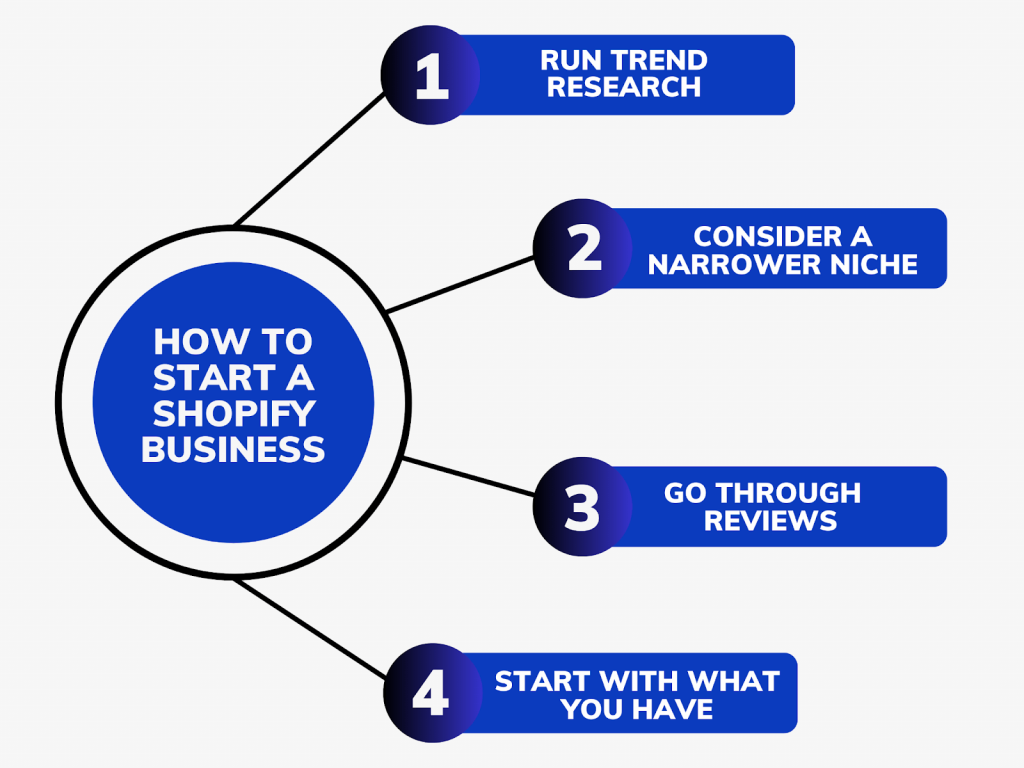
Establishing your store’s digital identity involves more than just design; it includes fundamental technical and legal configurations.
-
Connecting a Custom Domain: While your store starts with a
myshopify.comsubdomain, connecting a custom domain (e.g.,www.yourstore.com) is crucial for branding and SEO. Shopify simplifies this process, allowing you to either purchase a domain directly through them or connect an existing one by updating DNS records (A record and CNAME record) with your domain provider. Shopify automatically provisions an SSL certificate for your custom domain, ensuring secure HTTPS connections. -
Legal Pages: Setting up essential legal pages like a Privacy Policy, Refund Policy, and Terms of Service is not just a legal requirement but also builds trust. Shopify provides customizable templates for these pages, saving you time and ensuring you cover critical legal aspects related to data privacy, consumer rights, and business terms. These pages are standard content assets within your store’s structure.
Operational Technology: Powering Sales and Fulfillment
Beyond the storefront, Shopify’s operational technology handles the critical backend processes that facilitate transactions and get products to customers.
Payment Gateways: Secure Transactions
Processing payments securely and efficiently is paramount. Shopify provides robust solutions for managing financial transactions.
-
Shopify Payments: This is Shopify’s integrated payment gateway, offering a streamlined experience. It eliminates transaction fees charged by Shopify (though credit card processing fees still apply) and provides unified reporting within your admin. Shopify Payments is PCI DSS compliant, meaning it adheres to strict industry standards for securing cardholder data.
-
Third-Party Gateways: You can integrate with a multitude of external payment providers like PayPal, Stripe, Authorize.net, and various local payment methods. This flexibility allows you to cater to diverse customer preferences. Shopify’s platform ensures secure API communication between your store and these gateways, protecting sensitive financial data.
The system automatically handles transaction processing, payment authorization, and capturing funds, providing a seamless checkout experience for customers and a secure environment for merchants.
Shipping and Fulfillment Settings
Efficient logistics are a cornerstone of e-commerce. Shopify’s shipping configuration tools allow you to define how products are delivered to your customers.
-
Shipping Zones: Define geographical areas (countries, states, regions) to which you ship. This allows for differentiated shipping rates and methods based on location.
-
Shipping Rates: Set up various rate types within each zone:
-
Flat Rates: A fixed cost regardless of order size or weight.
-
Price-Based Rates: Different rates depending on the order total.
-
Weight-Based Rates: Rates based on the total weight of items in an order.
-
Calculated Rates: Integrate with carriers (like USPS, FedEx, UPS) to display real-time shipping costs based on package dimensions, weight, and destination. This requires a higher-tier plan or an app.
-
-
Fulfillment Workflow: Shopify tracks orders from “unfulfilled” to “fulfilled.” You can manually fulfill orders (marking them as shipped and adding tracking numbers) or integrate with dropshipping apps or 3PL services for automated fulfillment. Shopify’s API allows these external systems to receive order data and update fulfillment status directly in your admin.
These configurations ensure that your shipping costs are accurately presented to customers and that your fulfillment process is organized and scalable.
Tax Configuration: Automated Compliance
Navigating sales tax regulations can be complex, but Shopify’s tax engine simplifies compliance.
-
Automatic Tax Calculation: For many countries, Shopify can automatically calculate sales tax based on the store’s location, customer’s shipping address, and the tax rates applicable to specific products. This feature leverages geo-location data and predefined tax rules.
-
Manual Overrides: You can manually adjust tax rates or designate products as tax-exempt where applicable. The system provides tools to define tax settings for digital products, services, and physical goods.
This automated system reduces the administrative burden of tax compliance, ensuring accurate calculations in accordance with local regulations.
Optimizing Your Shopify Store for Performance and Scalability
Building a store is just the beginning. Ongoing optimization for performance, security, and data analysis is crucial for long-term success.
Analytics and Reporting: Data-Driven Decisions
Shopify’s built-in analytics and reporting tools provide a wealth of data to understand your store’s performance and customer behavior.
-
Built-in Reports: Access reports on sales (by product, channel, time), customer acquisition, traffic sources, conversion rates, and financial summaries. These reports are generated from your store’s transactional and visitor data.
-
Live View: A real-time dashboard showing current visitors, their locations, and actions.
-
Google Analytics Integration: For more advanced web analytics, you can easily integrate Google Analytics (GA4). This provides deeper insights into user journeys, bounce rates, session durations, and allows for custom event tracking, leveraging JavaScript code snippets embedded in your theme.
By regularly reviewing these technical data points, you can identify trends, troubleshoot issues (e.g., high cart abandonment), and make informed decisions to optimize your store’s configuration and marketing efforts.
Performance and Speed Optimization
Website speed is a critical factor for user experience, SEO, and conversion rates. Shopify’s infrastructure is inherently optimized, but merchants can take additional steps.
-
Image Optimization: Large, unoptimized images are a primary cause of slow load times. Shopify automatically serves images in optimized formats (like WebP) and leverages a CDN. However, ensuring you upload appropriately sized images (e.g., not a 5000px image for a 500px display) is key.
-
App Bloat Management: While apps extend functionality, too many or poorly coded apps can introduce unnecessary JavaScript and CSS, slowing down your site. Regularly review and uninstall unused apps.
-
Theme Choice: Some themes are inherently more lightweight and optimized than others. Choosing a performant theme is a foundational step.
-
Code Customizations: If you hire developers for custom Liquid, HTML, CSS, or JavaScript, ensure their code is clean, efficient, and avoids render-blocking scripts.
Shopify’s cloud infrastructure, global CDN, and automatic image optimization contribute significantly to performance, but mindful content and app management are vital for maintaining speed.
Security Best Practices and Maintenance
Security is non-negotiable in e-commerce. Shopify handles many core security aspects, but merchants also have responsibilities.
-
SSL Certificates: Shopify automatically provides and manages free SSL certificates for all stores, ensuring encrypted data transmission (HTTPS) between your store and visitors.
-
PCI DSS Compliance: Shopify is Level 1 PCI DSS compliant, meaning its platform meets the highest security standards for processing credit card information.
-
Two-Factor Authentication (2FA): Enable 2FA for all staff accounts to add an extra layer of security against unauthorized access to your admin panel.
-
Regular Updates: While Shopify updates its core platform automatically, ensure any third-party apps or custom theme code you use are kept up-to-date.
-
Backups: Regularly back up your theme files (by downloading them) and export your product, customer, and order data. While Shopify’s infrastructure is highly resilient, having local copies of your critical data offers an extra layer of peace of mind.
By understanding and adhering to these technical and security practices, you can ensure your Shopify store remains robust, reliable, and trustworthy for both you and your customers.
In conclusion, “how to Shopify” is fundamentally about mastering the technological tools and configurations that Shopify provides. From selecting the right plan and navigating the intuitive admin panel to setting up secure payments, optimizing for performance, and maintaining a robust online presence, Shopify offers a comprehensive, scalable, and secure platform. By diligently configuring and managing these technical aspects, you can unlock the full potential of this powerful e-commerce ecosystem, transforming your business vision into a thriving online reality.
aViewFromTheCave is a participant in the Amazon Services LLC Associates Program, an affiliate advertising program designed to provide a means for sites to earn advertising fees by advertising and linking to Amazon.com. Amazon, the Amazon logo, AmazonSupply, and the AmazonSupply logo are trademarks of Amazon.com, Inc. or its affiliates. As an Amazon Associate we earn affiliate commissions from qualifying purchases.