
In an increasingly digital world, the convenience of managing finances and conducting transactions from the palm of your hand has become a fundamental expectation. Among the myriad of digital payment solutions, Google Wallet stands out as a robust and integrated platform, designed to simplify not just purchases, but also the often-overlooked necessity of peer-to-peer money transfers. Far beyond a simple tap-to-pay feature, Google Wallet provides a sophisticated yet user-friendly interface for sending money directly to friends, family, or anyone with an email address or phone number, all within the Google ecosystem.
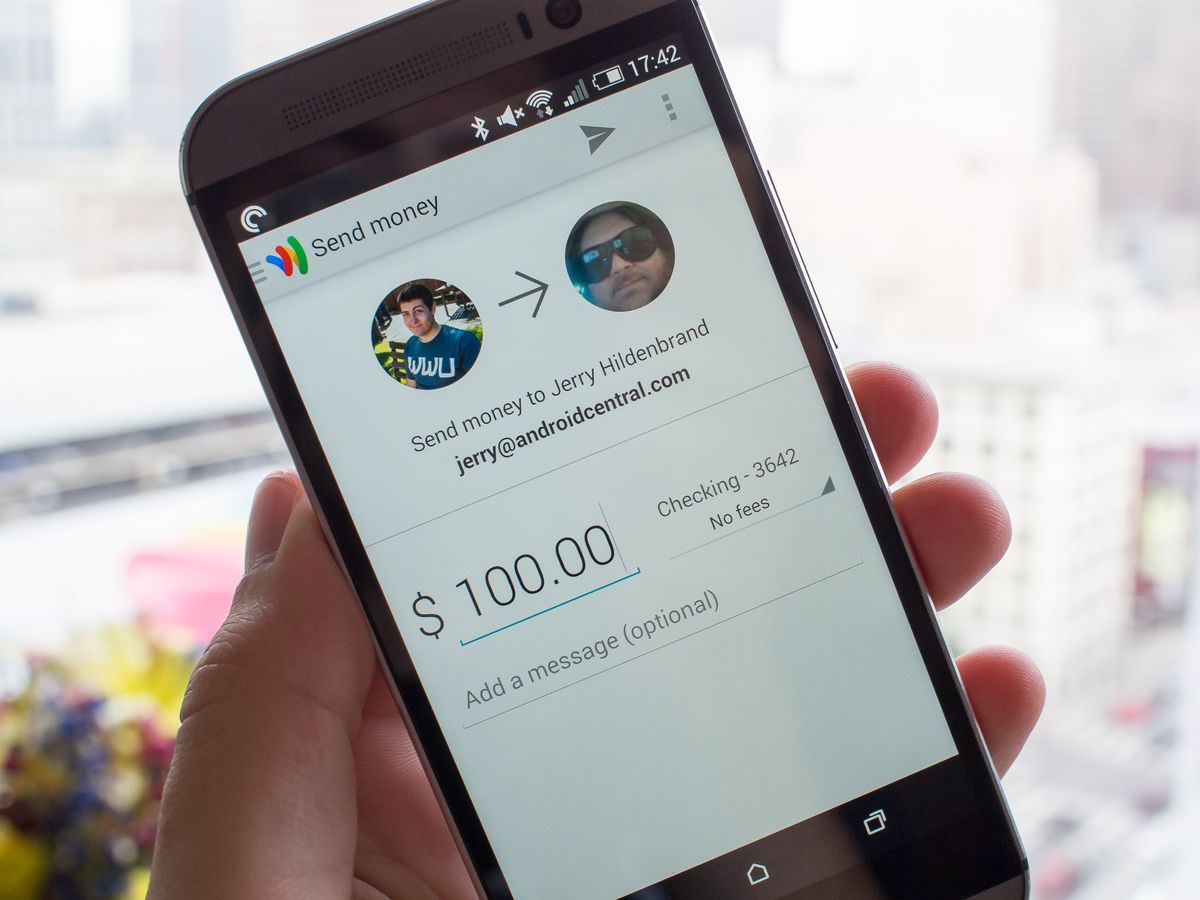
This article delves into the mechanics of leveraging Google Wallet for money transfers, offering a comprehensive guide for both new and experienced users. We’ll explore its evolution, detailed step-by-step instructions, advanced features, and the underlying security protocols that make it a trusted tool for digital financial interactions. By understanding the technology behind Google Wallet, users can unlock its full potential, transforming the way they handle personal finances in the digital age.
Understanding Google Wallet: More Than Just a Digital Wallet
Google Wallet has evolved significantly, merging with and drawing upon the strengths of previous Google payment offerings to create a unified and powerful digital tool. It’s not merely an app for storing payment cards; it’s a central hub for various digital transactions, including peer-to-peer money transfers, loyalty cards, tickets, and more. This broad utility positions it as a cornerstone of Google’s ambition to simplify daily digital interactions.
The Evolution of Google Pay to Google Wallet
The journey of Google Wallet is intertwined with the history of Google Pay. Initially, Google Wallet was the brand for Google’s mobile payment system, primarily for NFC-based tap-to-pay transactions and storing loyalty cards. Later, Google introduced Google Pay, which consolidated Google Wallet and Android Pay into a single, unified payment solution. This rebrand aimed to streamline the user experience, offering a comprehensive suite of features ranging from in-store and online payments to peer-to-peer transfers.
However, the landscape shifted again. In 2022, Google announced the re-launch of Google Wallet, moving Google Pay’s digital wallet functionalities (like storing cards, tickets, and IDs) back under the Google Wallet brand, while Google Pay continued to exist as the underlying payment processing platform for online and in-app transactions. This re-differentiation emphasizes Google Wallet as the user-facing interface for managing digital items, including the ability to send and receive money directly through the app, leveraging the Google Pay infrastructure. This evolution showcases Google’s commitment to refining its digital payment ecosystem, making it more intuitive and feature-rich for its global user base.
Core Features for Seamless Transactions
Beyond its primary function of storing payment methods, Google Wallet offers several core features that enhance the money sending experience:
-
Integrated Contact List: Easily send money to contacts directly from your phone’s address book, eliminating the need to manually input details.
-
Multiple Payment Options: Link various debit cards, bank accounts, and even use existing Google Pay balance as funding sources for transfers.
-
Transaction History: Maintain a clear record of all sent and received payments, aiding in personal financial tracking.
-
Cross-Platform Accessibility: Access Google Wallet and manage transactions across Android devices, and even through web browsers for some functionalities, ensuring flexibility regardless of the device.
These features, combined with Google’s robust technological backbone, make Google Wallet a versatile and reliable platform for digital money management.
Step-by-Step Guide: Sending Money with Google Wallet
Sending money through Google Wallet is designed to be straightforward, echoing the simplicity of sending a text message. The process is intuitive, guiding users through each step to ensure accuracy and security.
Prerequisites for a Smooth Transaction
Before you initiate a money transfer, ensure you have the following in place:
-
Google Wallet App: Download and install the Google Wallet app from the Google Play Store on your Android device. Ensure it’s updated to the latest version for optimal performance and security features.
-
Google Account: You need an active Google account to use Google Wallet.
-
Payment Method Linked: At least one debit card or bank account must be linked to your Google Wallet. This will be the source of funds for your transfers. Navigate to the “Payment methods” section within the app to add or verify your details.
-
Recipient’s Information: You’ll need the recipient’s phone number or email address. They don’t necessarily need to have Google Wallet installed initially, but they will need a Google account to claim the money.
Initiating a Money Transfer
Once your setup is complete, sending money is a matter of a few taps:
-
Open Google Wallet: Launch the Google Wallet app on your smartphone.
-
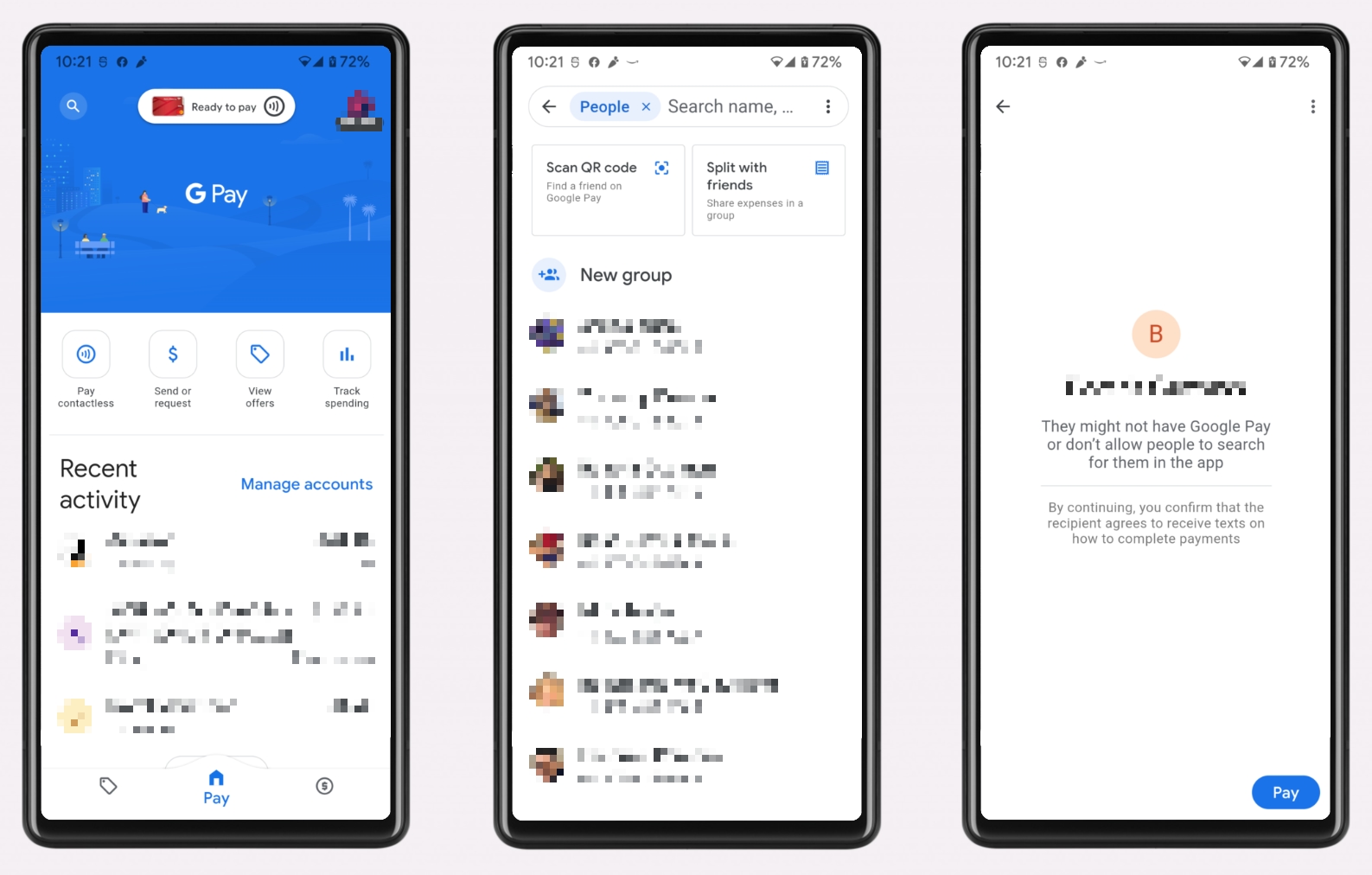
Locate the “Send or Request” Option: On the main screen or dashboard, look for an option that typically says “Send” or “Send or request money.” This icon might be represented by a plus sign (+) or a specific money transfer icon, depending on the app version.
-
Choose “Send”: Select the option to send money.
-
Select Recipient: You can search for a recipient by typing their name, email address, or phone number. If they are in your contacts and associated with a Google account, they will appear.
-
Enter Amount: Input the exact amount of money you wish to send. The app will usually display any applicable fees (though peer-to-peer transfers within the US using a debit card or bank account are typically free).
-
Add a Note (Optional): You can add a memo or note to the transaction, which is useful for remembering the purpose of the payment (e.g., “Dinner last night,” “Share of rent”).
Confirming and Completing the Transaction
After entering the details, the app will guide you to the final confirmation steps:
-
Review Details: A summary screen will display the recipient, amount, and funding source. Double-check all information to ensure accuracy. This is a critical step, as reversing erroneous transfers can be complex.
-
Select Funding Source: Choose which linked debit card or bank account you wish to use for the transfer. If you have an existing Google Pay balance, that might be an option as well.
-
Confirm Transfer: Once you are satisfied with all the details, tap the “Send” or “Confirm” button. You may be prompted to enter your phone’s PIN, fingerprint, or facial recognition for security authentication.
-
Notification: Both you and the recipient will receive a notification (via email or app notification) that the money has been sent. If the recipient doesn’t have Google Wallet or a Google Pay setup, they’ll receive an email or text with instructions on how to claim the money by linking their bank account.
The funds are typically transferred almost instantly, although processing times can vary slightly depending on the banks involved and the amount.
Enhancing Your Experience: Advanced Features and Tips
Google Wallet isn’t just for one-off payments; it offers several features to streamline group finances and provide better control over your money.
Requesting Money and Splitting Bills
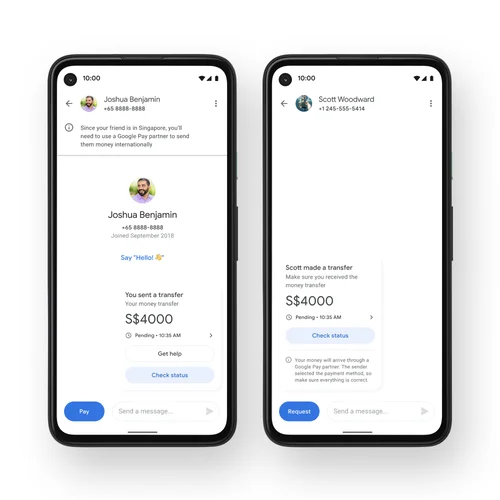
Just as easily as you can send money, Google Wallet allows you to request it from others. This is incredibly useful for splitting restaurant bills, sharing household expenses, or collecting contributions for a group gift.
-
Select “Request” Instead of “Send”: From the main “Send or request” option, choose “Request money.”
-
Select Sender(s) and Amount: Choose the person or people you are requesting money from and the total amount.
-
Specify Individual Amounts (for bill splitting): If you’re splitting a bill, the app can often help you divide the amount evenly among multiple contacts.
-
Add a Note: Include a clear note detailing what the request is for.
-
Send Request: The selected contacts will receive a notification, allowing them to easily pay you through Google Wallet.
Managing Payment Methods and Transaction History
Maintaining accurate payment methods and reviewing your transaction history are crucial for effective financial management within Google Wallet:
-
Adding/Removing Payment Methods: You can easily add new debit cards or bank accounts, or remove old ones, ensuring you always have preferred funding sources available. This is done within the “Payment methods” section of the app settings.
-
Detailed Transaction Records: The app keeps a detailed log of all your transactions—both sent and received. This history can be filtered and reviewed, making it simple to track spending, reconcile accounts, or retrieve details for tax purposes. Each transaction displays the date, recipient/sender, amount, and the funding source used.
Cross-Platform Compatibility and Integration
Google Wallet’s strength also lies in its integration across the Google ecosystem. While the mobile app is the primary interface for P2P transfers, your payment information is seamlessly integrated:
-
Google Account Linkage: All your payment methods linked to Google Wallet are tied to your Google account, allowing for consistent use across Google services like Google Play Store purchases, Google Shopping, and other online merchants that accept Google Pay.
-
Web Interface (Limited): For certain functionalities, especially managing payment methods or reviewing older transactions, Google Pay (the underlying payment service) can sometimes be accessed via a web interface, offering flexibility beyond just the mobile app.
Security and Privacy: Trusting Your Digital Transactions
The security of financial transactions is paramount. Google Wallet incorporates multiple layers of security to protect users’ data and money, leveraging Google’s extensive security infrastructure.
Google’s Robust Security Measures
-
Encryption: All sensitive payment information is encrypted and stored on secure servers. When you make a payment, your actual card number is not shared with the merchant or recipient; instead, a virtual account number or token is used, significantly reducing the risk of fraud.
-
Authentication: Transactions often require strong authentication, such as your device’s PIN, fingerprint, or facial recognition, ensuring that only you can authorize payments.
-
Fraud Monitoring: Google employs sophisticated fraud detection systems that continuously monitor transactions for suspicious activity. If unusual patterns are detected, Google may flag the transaction or temporarily suspend your account to prevent unauthorized use.
-
Privacy Controls: Google provides clear privacy controls, allowing users to manage how their data is used and shared. While transaction data is used to improve services, it’s handled with strict privacy protocols.
Best Practices for Users
While Google provides robust security, users also play a crucial role in protecting their finances:
-
Strong Device Security: Always use a strong PIN, password, fingerprint, or facial recognition to lock your phone.
-
Keep Software Updated: Ensure your Google Wallet app and phone’s operating system are always updated to the latest versions to benefit from the newest security patches.
-
Be Wary of Phishing: Google will never ask for your password or sensitive financial details via unsolicited emails or texts. Be suspicious of any communication requesting such information.
-
Monitor Transactions: Regularly review your Google Wallet transaction history and bank statements for any unauthorized activity. Report any discrepancies immediately.
The Future of Digital Payments: Google Wallet’s Role
Google Wallet is not just a tool for today; it’s a platform evolving with the future of digital payments. Its continuous development reflects Google’s strategic vision for a more interconnected and seamless financial experience.
Expanding Beyond Peer-to-Peer Transfers
While peer-to-peer transfers are a core functionality, Google Wallet’s future lies in its expansion into a comprehensive digital identity and utility hub:
-
Digital IDs: Integration of digital driver’s licenses and state IDs, reducing the need for physical cards.
-
Loyalty and Transit: Enhanced capabilities for storing and using loyalty cards, public transport passes, and event tickets, consolidating daily essentials into one app.
-
International Payments: Potential expansion of cross-border money transfer capabilities, making international remittances easier and more affordable.
Integration with Emerging Technologies
As technology advances, Google Wallet is poised to integrate with new innovations:
-
Wearable Technology: Further integration with smartwatches and other wearables for quick, on-the-go payments and identity verification.
-
Voice Commands: Enhanced voice control functionalities for initiating transfers and managing accounts, aligning with the growth of AI assistants.
-
Blockchain and Crypto (Potential): While not explicitly stated, the broader digital payment landscape is exploring blockchain. Google Wallet could potentially integrate or facilitate access to digital assets in the future, if deemed beneficial and secure.
Conclusion
Google Wallet stands as a prime example of technology simplifying a fundamental aspect of daily life: sending money. From its intuitive interface to its robust security framework, the platform offers a reliable and efficient way to manage peer-to-peer transfers. By understanding its evolution, mastering its features, and adhering to best security practices, users can fully harness the power of Google Wallet to streamline their digital financial interactions. As the digital payment landscape continues to evolve, Google Wallet remains at the forefront, promising an even more integrated and secure future for how we interact with our money and each other.
aViewFromTheCave is a participant in the Amazon Services LLC Associates Program, an affiliate advertising program designed to provide a means for sites to earn advertising fees by advertising and linking to Amazon.com. Amazon, the Amazon logo, AmazonSupply, and the AmazonSupply logo are trademarks of Amazon.com, Inc. or its affiliates. As an Amazon Associate we earn affiliate commissions from qualifying purchases.