
The evolution of automotive infotainment has transformed the driving experience from a simple utility into a sophisticated multimedia environment. At the center of this transformation is SiriusXM, a service that bridges the gap between traditional satellite communication and modern digital streaming. Setting up SiriusXM in your vehicle is no longer just about mounting an antenna; it involves a sophisticated integration of hardware, software, and cloud-based account management. Whether you are driving a brand-new vehicle with a factory-installed system or retrofitting an older model with the latest digital adapters, understanding the technical landscape of satellite radio is essential for a seamless setup.
Determining Your Connection Architecture
Before initiating the setup process, it is critical to identify the specific hardware architecture of your vehicle. SiriusXM delivery methods have diverged into two primary paths: native satellite reception via dedicated tuners and software-based streaming via mobile integration.
Factory-Installed Satellite Tuners
Most vehicles manufactured within the last decade come equipped with a “SiriusXM Ready” head unit. This means the car contains a dedicated satellite tuner and a specialized shark-fin or puck antenna designed to capture high-frequency signals from the Sirius and XM satellite constellations. In this architecture, the hardware is already integrated into the vehicle’s Controller Area Network (CAN bus), allowing for direct control through steering wheel buttons and the dashboard interface.
To confirm if your vehicle has this hardware, toggle through the “Source” or “Media” menu on your infotainment screen. If “SiriusXM” or “SAT” appears as an option, the physical installation is complete, and you only need to proceed with software activation.
Aftermarket Hardware and Modular Add-ons
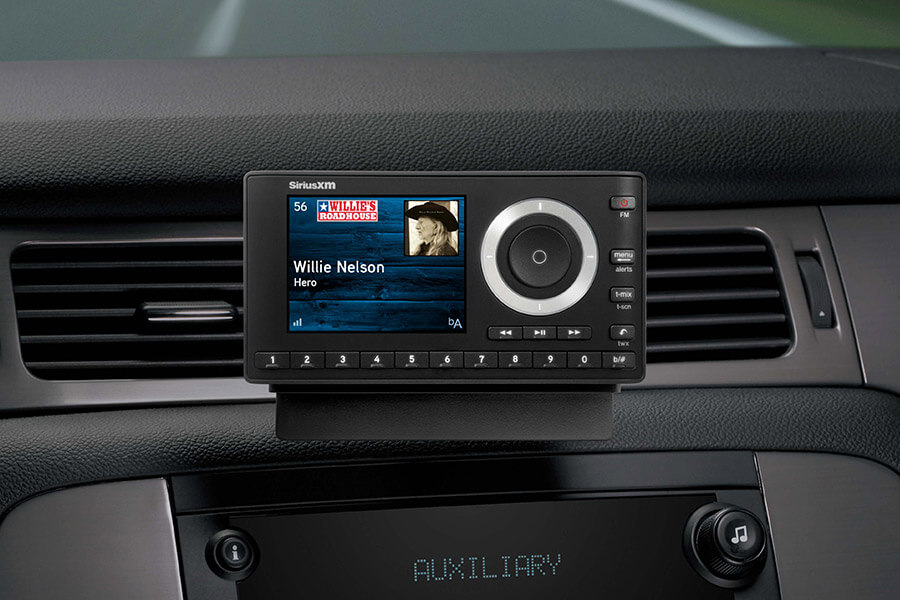
For enthusiasts driving classic cars or vehicles without native support, setup requires an aftermarket hardware solution. This typically involves a standalone “Dock & Play” radio, such as the SiriusXM Onyx series. These devices require a three-point connection: power via a 12V adapter, an external satellite antenna mounted on the vehicle’s roof, and an audio output.
The technical challenge in aftermarket setups is the audio interface. You can achieve this via a 3.5mm auxiliary cable (the most reliable analog method), an FM transmitter (which converts the signal into a low-power FM broadcast), or a modern Bluetooth bridge. For the highest fidelity, using a Direct FM Relay or an auxiliary input is recommended to avoid the signal degradation and interference common with wireless FM transmitters.
The Activation Protocol: From Radio ID to Signal Refresh
Once the hardware is confirmed or installed, the next phase is the logical activation of the service. This involves a handshake between your vehicle’s tuner and the SiriusXM satellite network.
Locating the Electronic Serial Number (ESN)
Every SiriusXM tuner has a unique 8-digit alphanumeric identifier known as the Radio ID or ESN (Electronic Serial Number). This ID is the “address” to which the satellite sends the encrypted decryption keys.
To find this ID, tune your radio to Channel 0. In almost all factory and aftermarket systems, this channel is hard-coded to display the Radio ID on the screen. If the radio is not yet activated, it may also default to Channel 1 (the Preview Channel), which provides a snippet of content to confirm that the hardware is successfully receiving a signal from the sky.
Initiating the Over-the-Air (OTA) Activation
With the Radio ID in hand, the activation can be triggered through the SiriusXM web portal or via a technical support line. This process registers your hardware ID with an active subscription plan. Once the transaction is processed, the SiriusXM ground stations beam an activation command to their fleet of geostationary and highly elliptical orbit satellites.
For this “handshake” to succeed, the vehicle must have an unobstructed view of the sky. Satellite signals operate on the S-band (2.3 GHz), which is a line-of-sight technology. Large structures, parking garages, or heavy tree canopies can block the signal. During the activation window—which usually lasts about 20 minutes—ensure the vehicle is parked outside. Once the “Subscription Updated” message appears on the display, the tuner has successfully decrypted the signal.
Software-Based Integration: App-Based Listening and Infotainment Sync
In the modern tech ecosystem, setting up SiriusXM does not always require a satellite tuner. The rise of the SiriusXM app has shifted the focus toward data-driven streaming, which offers higher bitrates and more personalized features than traditional satellite broadcasts.
Leveraging Apple CarPlay and Android Auto
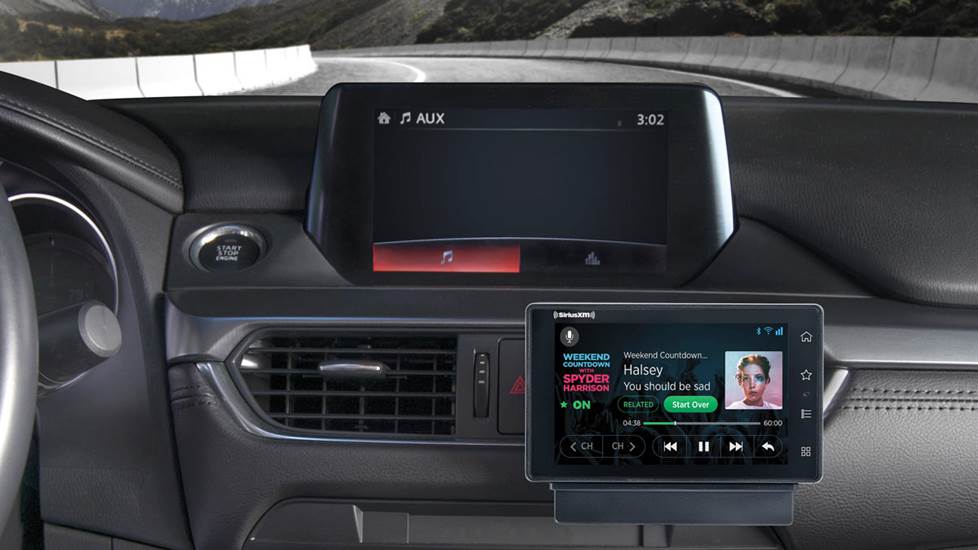
If your car supports Apple CarPlay or Android Auto, the setup process is entirely software-dependent. By installing the SiriusXM app on your smartphone and logging in with your credentials, the app becomes a native extension of your car’s dashboard.
Connecting via USB or wireless CarPlay/Android Auto allows the vehicle’s head unit to act as a controller for the app. The technical advantage here is the “hybrid” experience: the app can stream “Xtra” channels that are not available via satellite and provides features like “Restart,” which allows you to jump to the beginning of a live segment. This setup also bypasses the “line-of-sight” limitations of satellites, as it relies on cellular LTE or 5G networks, making it ideal for urban environments with high-rise buildings.
Managing Data Consumption and Audio Fidelity
When using the app-based setup, users must be conscious of technical settings regarding audio quality. Within the app’s settings menu, you can select between “Normal,” “High,” and “Maximum” audio quality. “Maximum” quality utilizes a higher bitrate (up to 320kbps), providing a richer soundstage that is noticeable in vehicles with premium sound systems. However, this increases data consumption significantly. For drivers with limited data plans, the “Normal” setting utilizes advanced HE-AAC (High-Efficiency Advanced Audio Coding) to maintain acceptable sound quality while minimizing bandwidth usage.
Optimization and Technical Troubleshooting
Even with a successful setup, technical hurdles can arise due to the complexity of satellite communication and software synchronization.
Solving Signal Acquisition Failures
If the screen displays “No Signal” or “Acquiring Signal” consistently, the issue is likely physical. In factory systems, this often points to a degraded antenna cable or a loose connection behind the head unit. For aftermarket setups, the placement of the magnetic antenna is paramount. It should be placed on the highest point of the vehicle’s roof, at least six inches away from the window molding, to use the metal roof as a “ground plane” that enhances signal reception.
If the signal is strong but the channels are “Locked” or “Invalid,” a signal refresh is often required. SiriusXM provides an online “Refresh” tool where users can input their Radio ID to trigger a re-send of the activation signal. This is a common requirement if a vehicle has been stored in a garage for several weeks without power, causing the tuner to miss its periodic security token updates.
Firmware Updates and Infotainment Compatibility
Sometimes, the friction in the setup process comes from the vehicle’s own operating system. Automotive manufacturers frequently release firmware updates for their infotainment systems to fix bugs related to SiriusXM integration, such as slow channel switching or metadata (artist/song name) not displaying correctly.
Owners should check their manufacturer’s owner portal for “Over-the-Air” (OTA) update availability. If the car supports Wi-Fi, connecting it to a home network while parked in the driveway can allow the system to download the latest software patches, ensuring that the SiriusXM module communicates efficiently with the rest of the vehicle’s hardware.
The Future of In-Car Audio: 360L and Hybrid Connectivity
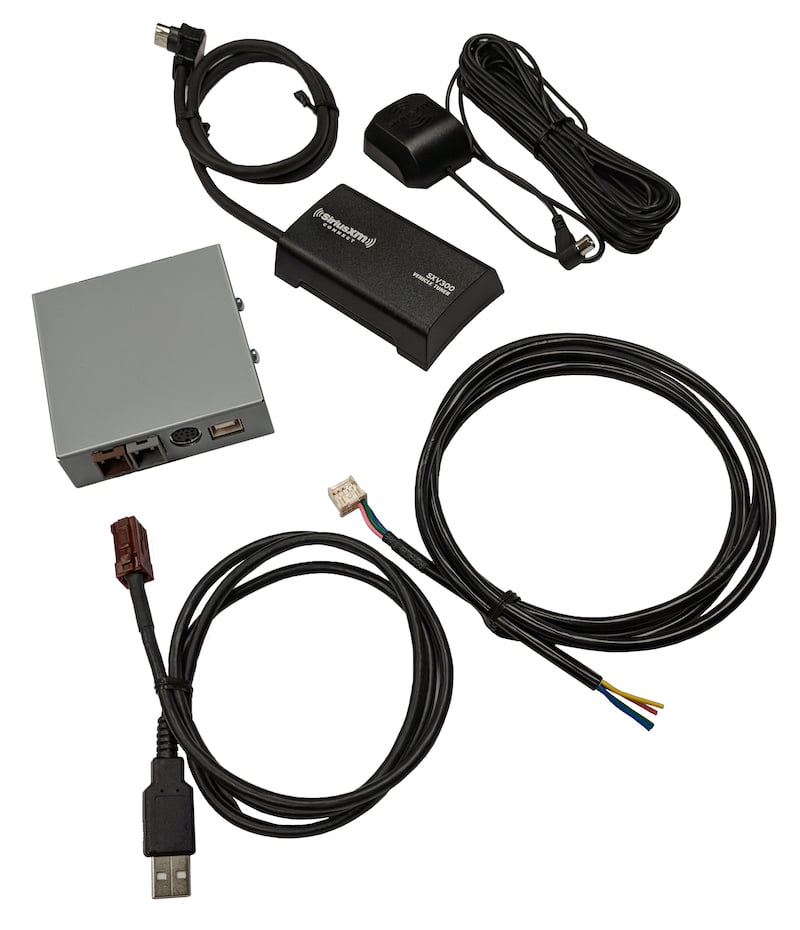
The pinnacle of the SiriusXM setup is the new 360L platform. This is a hybrid technology that combines satellite delivery with an integrated 4G LTE modem built into the car. Setting up a 360L system is the most automated experience available: the car uses its own data connection to authenticate the subscription and then intelligently switches between satellite and cellular signals depending on which provides the best quality at any given moment.
The 360L system also introduces personalized “For You” recommendations and “Related” content directly into the tuner interface, mirroring the experience of high-end streaming apps. For users with this hardware, setup is often as simple as logging into a user profile within the vehicle’s settings menu, effectively syncing the car with the driver’s digital identity.
By understanding these technical layers—from the physics of S-band satellite reception to the nuances of mobile app bitrates—drivers can ensure that their SiriusXM setup is optimized for both reliability and audio performance. Whether through a dedicated satellite link or a sophisticated software bridge, the goal remains a consistent, high-fidelity auditory experience on the open road.
aViewFromTheCave is a participant in the Amazon Services LLC Associates Program, an affiliate advertising program designed to provide a means for sites to earn advertising fees by advertising and linking to Amazon.com. Amazon, the Amazon logo, AmazonSupply, and the AmazonSupply logo are trademarks of Amazon.com, Inc. or its affiliates. As an Amazon Associate we earn affiliate commissions from qualifying purchases.