
The evolution of in-car entertainment has transitioned from simple AM/FM analog broadcasts to sophisticated digital ecosystems. At the forefront of this shift is SiriusXM, a service that utilizes a robust network of satellites and terrestrial repeaters to deliver high-fidelity audio across vast geographical areas. Whether you are driving a brand-new vehicle with an integrated infotainment system or retrofitting an older model with modern hardware, understanding the technical nuances of setting up SiriusXM is essential for an optimal auditory experience.
Hardware Compatibility: Determining Your Vehicle’s Technical Foundation
Before initiating the setup process, it is critical to identify the specific hardware architecture of your vehicle. Generally, in-car SiriusXM setups fall into three technical categories: factory-integrated systems, aftermarket head units, and standalone dock-and-play kits.
Factory-Integrated Tuners
Most vehicles manufactured in the last decade come equipped with a factory-installed satellite radio tuner. In these systems, the hardware is embedded within the vehicle’s “head unit” or infotainment module. The antenna is typically a “shark fin” or a small puck-style mount located on the roof, pre-wired during the assembly process. To verify if your car has this hardware, look for a “SAT” or “SiriusXM” source option on your dashboard display.
Aftermarket Head Units
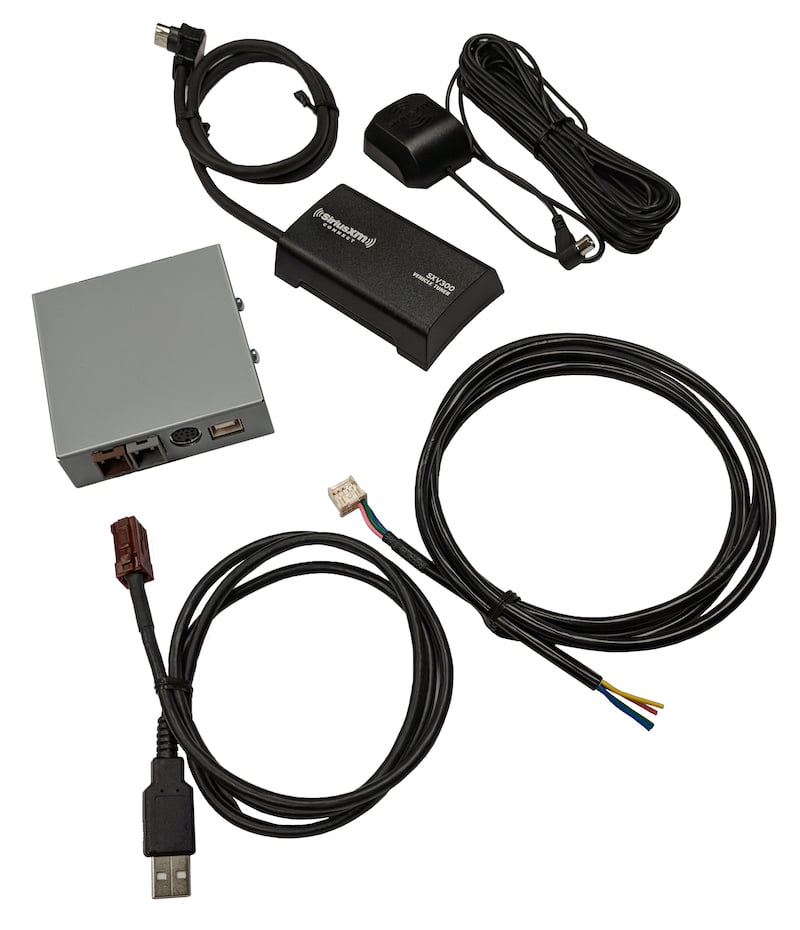
If your vehicle did not come with satellite radio, you might have installed an aftermarket stereo from brands like Alpine, Kenwood, or Sony. Many of these units are labeled as “SiriusXM Ready.” This means the head unit contains the software and interface to control satellite radio, but it requires an external tuner—specifically the SiriusXM SXV300V1 Connect Vehicle Tuner Kit. This compact module plugs into a dedicated port on the back of the stereo, effectively bridging the gap between the satellite signal and your car’s audio processing unit.
Standalone Dock-and-Play Units
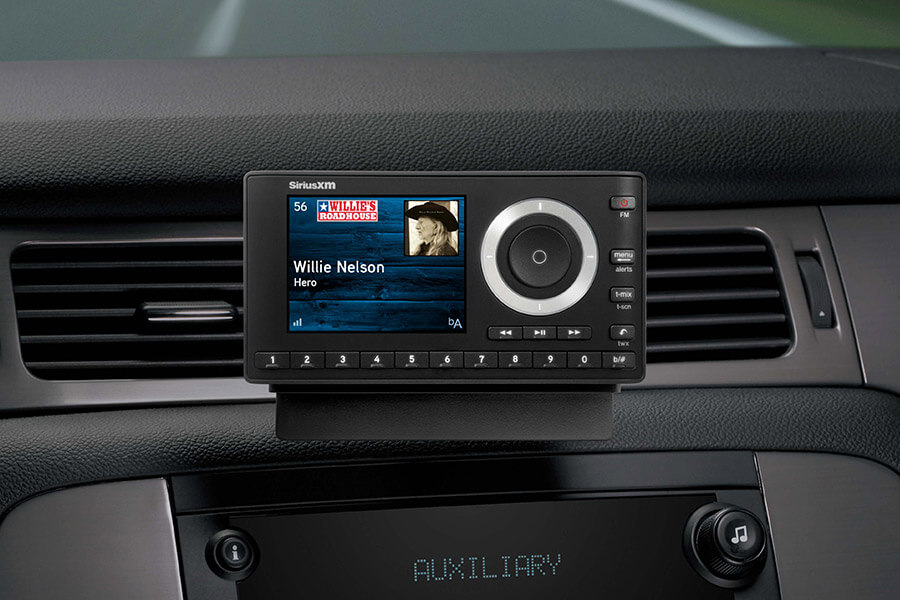
For older vehicles or those where the owner prefers not to modify the dashboard, standalone units like the SiriusXM Onyx or Tour series are the go-to solution. These devices contain the tuner and the user interface in a single portable chassis. They require a power connection (usually via the 12V DC outlet), a magnetic antenna placed on the vehicle’s exterior, and an audio output method—either an auxiliary cable or an FM transmitter.
Activating the Satellite Tuner: A Step-by-Step Technical Protocol
Once the hardware is confirmed or installed, the next phase is the digital handshake between your tuner and the SiriusXM satellite constellation. This process involves identifying your unique hardware address and sending an over-the-air (OTA) activation command.
Identifying the Radio ID (ESN or SID)
Every SiriusXM tuner has a unique Electronic Serial Number (ESN) or System Identifier (SID), commonly referred to as the Radio ID. This eight-character alphanumeric code is the “address” the satellites use to target your specific device. To find this ID:
-
Turn on your radio and set the source to SiriusXM.
-
Tune to Channel 0. In almost all hardware configurations, the Radio ID will immediately populate on the screen.
-
If Channel 0 does not work, check the “System Settings” or “About” menu within the infotainment interface, or look for a physical sticker on the back of a standalone tuner.
The Activation Signal Path
With your Radio ID in hand, you must initiate the service. This can be done via the SiriusXM website or their automated phone system. From a technical standpoint, what happens next is fascinating: SiriusXM’s ground stations beam a data packet to their satellites in geostationary orbit. Those satellites then broadcast a “refresh” signal across North America.
To receive this signal:
-
Ensure your vehicle has a clear, unobstructed view of the sky. Parking inside a garage, under a dense tree canopy, or in a high-rise “urban canyon” will block the S-band frequencies used by the satellites.
-
Keep the radio powered on and tuned to the SiriusXM source.
-
Once the activation command is sent, the tuner will typically display an “Updating” or “Subscription Updated” message. This process usually takes between 2 and 10 minutes but can occasionally take longer depending on signal strength.
Verifying the Channel Lineup
After activation, the tuner needs to download the latest channel map. This is a background data process where the tuner organizes the frequencies into the familiar numbered categories (e.g., Pop, Rock, News). If you notice channels are missing, a “Signal Refresh” can be re-triggered via the SiriusXM app or website to force the hardware to re-sync with the current broadcast manifest.
Digital Integration: Setting Up SiriusXM via Smartphone and Infotainment
In the modern era of “connected cars,” physical satellite tuners are no longer the only way to access SiriusXM. The rise of high-speed LTE and 5G mobile networks has made streaming an equally viable—and sometimes technically superior—option.
Apple CarPlay and Android Auto Integration
If your vehicle supports Apple CarPlay or Android Auto, you can bypass the satellite tuner entirely by using the SiriusXM mobile app.
-
Physical Connection: Connect your smartphone to the vehicle via a certified USB cable or a wireless connection if supported.
-
App Interface: Launch the SiriusXM app on your phone’s interface. The vehicle’s screen will mirror a simplified, driver-safe version of the app.
-
Data Utilization: Streaming via the app uses cellular data. While this offers higher bitrates (better audio quality) than the standard satellite compression, it is subject to the limitations of your mobile carrier’s coverage.
Bluetooth and Auxiliary Methods
For vehicles that lack modern smartphone integration but have Bluetooth or a 3.5mm auxiliary input, you can still stream. By pairing your phone with the car’s Bluetooth stack, the audio is transmitted wirelessly using the A2DP (Advanced Audio Distribution Profile). While convenient, Bluetooth can sometimes introduce minor latency or compression artifacts compared to a direct USB or satellite connection.
The SiriusXM 360L Platform
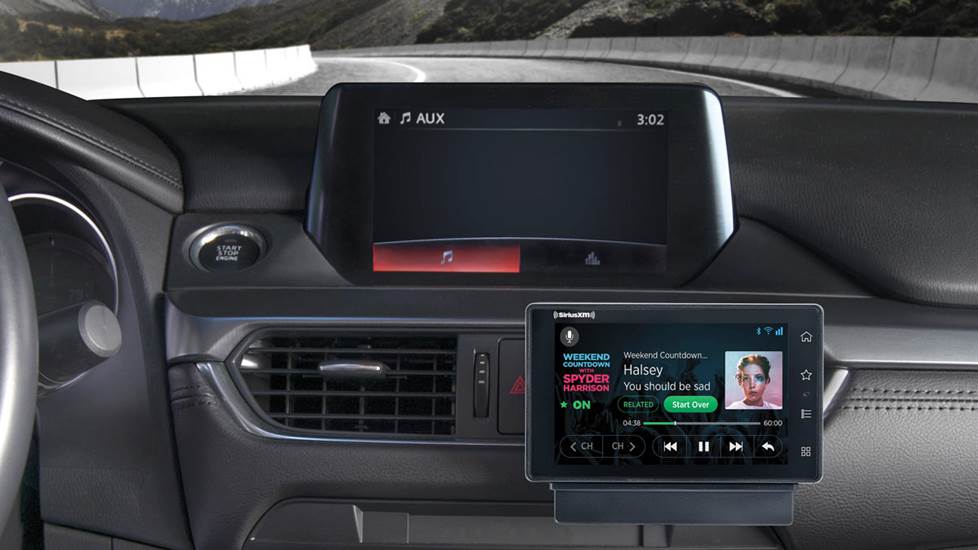
The newest technical frontier in car audio is the SiriusXM 360L platform. This is a hybrid system found in newer models from manufacturers like Ford, GM, and BMW. 360L combines satellite delivery with a built-in 4G LTE modem. If the car loses satellite line-of-sight (like in a tunnel), it seamlessly switches to the data stream. Furthermore, it provides personalized “For You” recommendations and on-demand content that traditional “satellite-only” tuners cannot access.
Technical Troubleshooting: Resolving Common Connectivity and Signal Issues
Even with a professional setup, users may encounter technical hurdles. Understanding the root cause of these issues allows for quicker resolution.
“Check Antenna” or “Antenna Disconnected”
This is a hardware-level error. It indicates that the tuner is not detecting a closed circuit with the antenna.
-
For Aftermarket/Standalone Units: Check the SMB connector on the back of the tuner. These are delicate gold-plated pins that can easily bend. Ensure the cable hasn’t been pinched by a car door or trunk lid, which can sever the internal coaxial shielding.
-
For Factory Units: This often points to a failure in the antenna base (common in older shark fin designs where water ingress might occur) or a loose connection in the wiring harness behind the dash.
“Acquiring Signal” or “No Signal”
This is a software/environmental error. If you are in an open area and see this, the tuner is struggling to lock onto the S-band frequency.
-
Interference: High-power terrestrial transmitters or certain aftermarket dash cams can occasionally create electromagnetic interference (EMI) that disrupts the satellite signal.
-
Buffer Failures: Sometimes the tuner’s internal buffer hangs. Performing a “Hard Reset” on your car’s infotainment system (usually by holding the power button for 10 seconds) can clear the cache and restore signal acquisition.
Audio Dropouts and Latency
If you are streaming via the app, dropouts are almost always related to cellular handoffs between towers. If you are using the satellite tuner, dropouts are caused by physical obstructions. SiriusXM uses “Time Diversity” and “Space Diversity” (using two satellites and terrestrial repeaters) to minimize this, but in deep valleys or heavy forests, the 2.3 GHz signal simply cannot penetrate solid mass.
Advanced Features and Future-Proofing Your Audio Setup
Setting up SiriusXM is not just about the initial activation; it is about optimizing the tech for a premium experience. Modern tuners offer several advanced features that require specific configurations.
TuneStart and SmartFavorites
Many “SiriusXM Ready” head units include a feature called TuneStart. When you switch to a preset channel, the tuner automatically plays the current song from the beginning. This works by the tuner constantly buffering the first several minutes of all your favorite channels in its internal flash memory. To enable this, you must designate specific channels as “SmartFavorites” in your radio’s settings.
Voice Control Integration
With the integration of Amazon Alexa and Google Assistant into modern vehicle head units, you can now control your SiriusXM setup using voice commands. This requires linking your SiriusXM account credentials within the respective voice assistant app on your smartphone. Once linked, you can say, “Alexa, play ’70s on 7,” and the system will route the stream through the car’s audio system, providing a hands-free, tech-forward driving experience.
Firmware Updates
Just like a computer, modern satellite tuners and infotainment systems require firmware updates to remain compatible with new satellite parameters or app features. When servicing your vehicle, ensure the dealership checks for “Telematics” or “Infotainment” updates. For aftermarket users, check the manufacturer’s website for downloadable firmware files that can be loaded via a USB drive to improve stability and add new features.
By mastering these technical aspects—from the physical installation of tuners and antennas to the digital configuration of 360L hybrid systems—you ensure that your vehicle remains a high-performance hub for global communication and entertainment. Setting up SiriusXM is a blend of traditional radio frequency engineering and modern cloud-based data management, representing the pinnacle of mobile audio technology.
aViewFromTheCave is a participant in the Amazon Services LLC Associates Program, an affiliate advertising program designed to provide a means for sites to earn advertising fees by advertising and linking to Amazon.com. Amazon, the Amazon logo, AmazonSupply, and the AmazonSupply logo are trademarks of Amazon.com, Inc. or its affiliates. As an Amazon Associate we earn affiliate commissions from qualifying purchases.