
In an era defined by digital convenience and efficiency, navigating air travel has become increasingly streamlined, thanks in large part to advancements in technology. For American Airlines passengers, obtaining a boarding pass is no longer solely a manual process; it’s a sophisticated interplay of mobile apps, web platforms, and automated kiosks designed to get you from check-in to your gate with minimal friction. This guide delves into the technological pathways available for securing your American Airlines boarding pass, offering insights into each method’s mechanics, benefits, and best practices.

The Digital Gateway: Understanding Your Boarding Pass Options
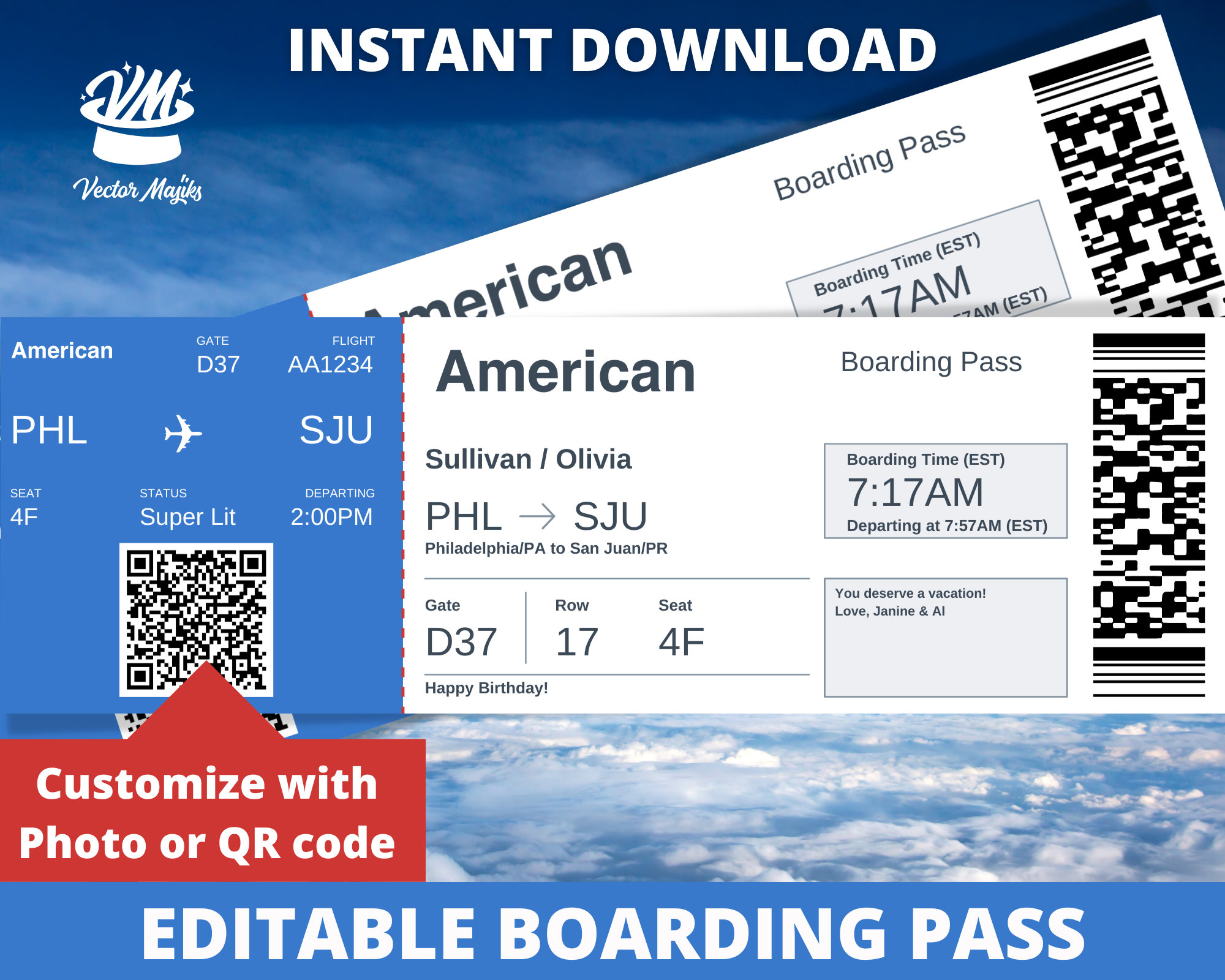
The modern boarding pass is a marvel of information technology, encapsulating your flight details, personal identification, and security clearances in a scannable format. American Airlines, like most major carriers, offers multiple tech-driven avenues to obtain this crucial document, each catering to different preferences and situations. Understanding these options is the first step towards a seamless travel experience.
Mobile Boarding Pass: Convenience at Your Fingertips
The American Airlines mobile app stands as the pinnacle of digital convenience for contemporary travelers. Designed for both iOS and Android platforms, the app transforms your smartphone into a comprehensive travel companion, and its mobile boarding pass feature is a cornerstone of this utility. After checking in via the app (typically available 24 hours before your flight), your boarding pass is generated directly on your device. This digital pass often integrates seamlessly with mobile wallet applications like Apple Wallet or Google Pay, allowing for quick access without needing to open the main airline app. The benefits are manifold: it’s paperless, reduces queues, provides real-time updates on gate changes or delays, and ensures your boarding pass is always accessible as long as your phone is charged. The app’s interface is intuitively designed, guiding users through the check-in process, seat selection, and finally, the display and storage of their digital pass.
Web Check-in: The Online Portal
For those who prefer a larger screen or who may not have immediate access to their mobile device, American Airlines’ official website (aa.com) offers a robust web check-in option. This method allows passengers to complete the check-in process from any internet-enabled computer or tablet, typically starting 24 hours prior to departure. Upon successful check-in, the website provides several options for obtaining your boarding pass. You can print it directly from your browser, email it to yourself or a travel companion, or even have it sent as a mobile boarding pass to your smartphone. This flexibility ensures that even if you’re without your phone or prefer a physical copy, you have a reliable digital pathway to secure your pass. The web interface is designed for clarity, presenting flight details, baggage information, and check-in prompts in an easy-to-follow sequence.
Airport Kiosks: Self-Service Technology
Despite the rise of mobile and web check-in, airport kiosks remain a vital technological asset, especially for travelers with specific needs or those who prefer a physical boarding pass. These self-service machines, strategically placed throughout airport terminals, leverage touch-screen technology to provide a quick and efficient check-in experience. Passengers can retrieve their reservation using various identifiers, such as a confirmation code, e-ticket number, loyalty program number, or by scanning their passport. The kiosks then guide you through seat selection, baggage declaration, and finally, print your physical boarding pass and baggage tags on the spot. These machines are particularly useful for last-minute check-ins, for passengers traveling internationally who may require passport verification, or simply as a reliable backup when digital methods face technical glitches.
A Step-by-Step Tech Journey: Obtaining Your Boarding Pass
Securing your boarding pass, irrespective of the method, hinges on a series of tech-enabled steps that ensure accuracy and compliance with airline regulations. Understanding this sequence is key to a smooth departure.
Pre-Flight Preparations and Eligibility
Before diving into the digital check-in process, a few technological prerequisites come into play. American Airlines’ check-in window typically opens 24 hours before your scheduled departure and closes approximately 45 minutes to an hour prior for domestic flights, and longer for international journeys. To initiate check-in, you’ll need essential information such as your Passenger Name Record (PNR) or confirmation code, your e-ticket number, or your American Airlines AAdvantage number. For international flights, ensuring your passport details are correctly entered into your reservation electronically is critical, as many systems perform preliminary checks against international travel databases. The underlying technology verifies these details against your booking to confirm eligibility for check-in and to identify any potential issues that might require agent assistance.
Navigating the American Airlines Mobile App
The American Airlines app is designed for intuitive user interaction. Once downloaded and opened, you’ll typically log in with your AAdvantage credentials or access your trip by entering your PNR and last name. Within the app, your upcoming trips are prominently displayed. Selecting your flight initiates the check-in process. The app guides you through confirming your identity, verifying baggage, and often offers opportunities for seat upgrades or changes. Once these steps are completed, the app generates your mobile boarding pass. A crucial feature here is the option to add this pass to your phone’s native wallet application (like Apple Wallet or Google Pay). This integration not only makes the pass easily accessible from your phone’s lock screen but also provides a degree of redundancy, ensuring you can access it even if the AA app experiences a temporary glitch or you lose internet connectivity.
Utilizing the American Airlines Website
For web-based check-in, the process is equally user-friendly. Navigate to aa.com and locate the “Check-in” tab or section, usually prominent on the homepage. You’ll then input your reservation details – typically your last name and confirmation code. The website’s secure servers retrieve your booking, and similar to the app, you’ll be prompted to confirm passenger details, review flight information, and declare any baggage. After confirming, the website presents your boarding pass. Here, the technological options expand: you can print the pass directly if you have a printer connected, or opt to have a mobile boarding pass sent to your phone via text or email. The email option is particularly useful, as it provides a digital backup that can be accessed and printed later if needed, or simply stored for reference.
Troubleshooting Common Tech Glitches and Enhancing Your Experience
Even the most advanced technology can encounter hiccups. Being prepared for common issues and knowing how to leverage additional tech features can significantly enhance your travel experience.
Internet Connectivity and App Issues
A primary challenge with digital boarding passes is reliance on internet connectivity. A weak Wi-Fi signal or depleted data plan can prevent you from downloading or displaying your mobile boarding pass. To mitigate this, always check in as soon as the window opens and save your mobile boarding pass to your device’s native wallet application, which stores it offline. If the American Airlines app itself is acting up – perhaps freezing or failing to load – basic tech troubleshooting steps often resolve the issue: ensure your app is updated to the latest version, try closing and reopening it, or as a last resort, reinstalling the app. Clearing your phone’s cache for the app can also sometimes resolve performance issues.
Scanner Problems at the Gate
While increasingly rare, physical issues like a cracked phone screen or a screen protector that interferes with light reflection can sometimes cause problems when scanning your mobile boarding pass at security checkpoints or the gate. Ensuring your screen brightness is set high helps. As a fallback, having a printed boarding pass or knowing you can quickly access one via airport kiosks offers a reassuring backup. Gate agents also typically have the ability to look up your reservation manually if technology completely fails.
Lost or Undelivered Digital Passes
If you’ve checked in online or via the app but can’t locate your digital boarding pass, don’t panic. You can almost always re-access it through the American Airlines app or website by logging back into your trip details. If you opted for an emailed pass, check your spam or junk folders. In the worst-case scenario, American Airlines customer service or an airport agent can assist you in retrieving or re-issuing your boarding pass.
Leveraging Technology for a Smoother Journey
Beyond just the boarding pass, the American Airlines app and website provide a wealth of technology-driven features designed to improve your journey. These include real-time flight status updates, push notifications for gate changes or delays, and access to airport maps. Connecting to airport Wi-Fi (often free, sometimes premium) allows you to stay updated without consuming your data, ensuring you’re always connected to the latest information from the airline’s systems.
Digital Security and Best Practices for Your Boarding Pass
In the digital age, securing your personal information is paramount. Your boarding pass, whether physical or digital, contains sensitive data that warrants careful handling.
Protecting Your Personal Information
A boarding pass is more than just a ticket; it’s a repository of personal data including your full name, flight details, booking reference (PNR), and often, a barcode that links to even more sensitive information. Carelessly sharing photos of your boarding pass on social media can expose you to identity theft, as malicious actors can use this information to access your booking, change details, or even gather enough data for more sophisticated scams. For printed passes, ensure secure disposal by shredding them, rather than simply tossing them into public bins. Digitally, ensure your mobile device is password-protected and that you log out of airline apps on shared devices.
Safe Use of Public Wi-Fi for Travel Apps
While convenient, public Wi-Fi networks at airports, cafes, or hotels are often unsecured, making them potential targets for data interception. When accessing the American Airlines app or website to check in or retrieve sensitive information, be mindful of the network you’re using. If possible, stick to your mobile data or a trusted, secure Wi-Fi network. For enhanced security, consider using a Virtual Private Network (VPN), which encrypts your internet traffic, adding a layer of protection against snoopers.
American Airlines’ Commitment to Digital Security
American Airlines invests significantly in cybersecurity to protect passenger data. Their website and app utilize encryption technologies (like SSL/TLS) to secure data transmission, and their internal systems are designed with robust security protocols. However, individual vigilance remains crucial. Using strong, unique passwords for your AAdvantage account and being wary of phishing attempts (emails or messages pretending to be from the airline asking for personal information) are essential best practices.
The Future of Boarding: Emerging Tech and Biometrics
The evolution of boarding pass technology is far from over. Future innovations promise even more seamless and secure travel experiences, driven by advancements in biometrics, wearable technology, and artificial intelligence.
Biometric Boarding: A Glimpse into the Future
Biometric boarding, primarily using facial recognition technology, is already being trialed and implemented at various airports by American Airlines. This system allows passengers to board international flights simply by looking at a camera, eliminating the need to present a physical boarding pass or passport. The technology works by securely matching the passenger’s live facial scan to a pre-submitted photo or to government-provided passport images. While offering unparalleled speed and convenience, it also sparks discussions around data privacy and the secure storage of biometric information, which airlines and regulatory bodies are actively addressing.
Wearable Technology Integration
The proliferation of smartwatches and other wearable devices opens new possibilities for boarding. Imagine receiving flight updates directly on your wrist and then simply tapping your smartwatch to board the aircraft. While currently limited, the potential for deeply integrated wearable technology to act as a boarding pass, combining real-time information with hands-free access, is a clear direction for future travel tech.

AI-Powered Travel Assistants
Artificial intelligence is poised to further personalize and streamline the entire travel journey. AI-powered virtual assistants could proactively send you your boarding pass at the optimal time, alert you to potential delays before the airline officially announces them, or even suggest alternative routes or services based on real-time airport conditions. This predictive and personalized assistance, driven by complex algorithms analyzing vast datasets, promises an even smoother, more intuitive experience for the American Airlines traveler of tomorrow.
In conclusion, obtaining a boarding pass from American Airlines is a testament to how technology has transformed air travel. From the convenience of a mobile app to the reliability of an airport kiosk, and looking ahead to biometric scanning, each method is designed to provide efficiency, flexibility, and security. By understanding and utilizing these tech tools effectively, passengers can ensure their journey begins and continues as smoothly as possible.
aViewFromTheCave is a participant in the Amazon Services LLC Associates Program, an affiliate advertising program designed to provide a means for sites to earn advertising fees by advertising and linking to Amazon.com. Amazon, the Amazon logo, AmazonSupply, and the AmazonSupply logo are trademarks of Amazon.com, Inc. or its affiliates. As an Amazon Associate we earn affiliate commissions from qualifying purchases.