
In an increasingly digital world, the security of our financial instruments is paramount. Your debit card Personal Identification Number (PIN) is the frontline defense against unauthorized access to your funds, a crucial element of your overall digital security posture. While seemingly a simple four-digit code, its integrity is fundamental to protecting your personal finances. This comprehensive guide will walk you through the various technological avenues Bank of America provides for changing your debit card PIN, emphasizing the digital security implications and best practices for managing this vital piece of information.

Understanding how and when to update your PIN is not just about convenience; it’s a critical component of proactive financial safeguarding. Whether you’ve forgotten your current PIN, suspect it might have been compromised, or simply wish to enhance your security by regularly rotating it, Bank of America offers several user-friendly, technology-driven solutions to empower you. We’ll delve into each method, providing step-by-step instructions, highlighting their respective advantages, and reinforcing the overarching principles of digital security that underpin these processes.
The Imperative of Digital Security: Why PIN Management Matters
In the realm of personal finance, a debit card PIN serves as a digital key, unlocking access to your bank account. Its significance extends far beyond merely authorizing transactions at point-of-sale terminals or ATMs. It is a critical layer of authentication in the digital ecosystem, and its management is a core responsibility for every cardholder. Ignoring best practices for PIN management can expose you to various forms of financial fraud and identity theft, underscoring why understanding and utilizing the available tools for change is essential.
Beyond the Basics: Understanding PIN Vulnerabilities
While seemingly robust, a PIN can be vulnerable through various vectors. Common weaknesses include using easily guessable sequences (e.g., birthdates, sequential numbers like 1234), writing down the PIN where it can be found, or inadvertently revealing it through “shoulder surfing” at an ATM or checkout. In more sophisticated attacks, malware on compromised devices or phishing attempts can try to elicit PINs. Moreover, data breaches, though rare for PINs directly, can sometimes expose other personal information that could aid in guessing a PIN if it’s based on readily available data. Recognizing these vulnerabilities is the first step in appreciating the importance of strong PIN practices and regular changes.
Proactive Security: Regular PIN Changes and Best Practices
Just as you might update passwords for online accounts, regularly changing your debit card PIN is a proactive security measure. This practice significantly reduces the window of opportunity for fraudsters if your current PIN has been covertly compromised. Experts recommend changing your PIN every 3 to 6 months, or immediately if you suspect any unusual activity on your account or if your card has been exposed in a suspicious environment. Beyond frequency, best practices include avoiding repetitive patterns, personal information, or commonly used number sequences. The goal is to create a unique, unpredictable code that is easy for you to remember but difficult for anyone else to guess or deduce.
The Role of Financial Institutions in Digital Security
Bank of America, like other major financial institutions, invests heavily in sophisticated digital security infrastructure to protect its customers. This includes encrypted communication channels for online and mobile banking, multi-factor authentication (MFA) to verify user identity, fraud detection systems, and secure protocols for PIN changes. However, these technological safeguards are most effective when complemented by diligent user behavior. The tools provided for PIN changes are integral to this ecosystem, offering secure pathways for cardholders to maintain their personal financial security. By making these processes accessible and secure, Bank of America empowers its customers to be active participants in their own digital defense.
Navigating the Options: Methods to Update Your Bank of America Debit PIN
Bank of America provides several convenient, technology-driven methods for changing your debit card PIN, catering to different preferences and situations. Each method leverages specific technological platforms – from physical ATMs to sophisticated mobile apps and secure online portals – ensuring accessibility and security throughout the process.
In-Person: The ATM Route
Changing your PIN at a Bank of America ATM is a straightforward and secure method, particularly for those who prefer an in-person, physical interaction with a bank-owned device. This method leverages the ATM’s dedicated secure network and physical card reader for authentication.
-
Step-by-step ATM process:
-
Insert your Bank of America debit card into the ATM.
-
Enter your current PIN when prompted.
-
From the main menu, select “Change PIN” or “PIN Services.” The exact wording may vary slightly.
-
You will be prompted to enter your new desired PIN twice for verification.
-
Confirm the change. The ATM will typically display a message confirming the successful update.
-
-
Advantages/Considerations: This method offers immediate confirmation and is ideal if you have physical access to a Bank of America ATM. It requires your physical card and current PIN, adding a layer of security. However, it’s essential to be aware of your surroundings to prevent shoulder surfing and to ensure the ATM itself has not been tampered with (e.g., look for skimmers).
From Anywhere: The Bank of America Mobile App
The Bank of America mobile app offers perhaps the most convenient and widely accessible method for changing your PIN, leveraging the power and security features of your smartphone. This app is designed with robust encryption and multi-factor authentication (MFA) to protect your financial data.
-
Step-by-step app process:
-
Open the Bank of America mobile app on your smartphone or tablet.
-
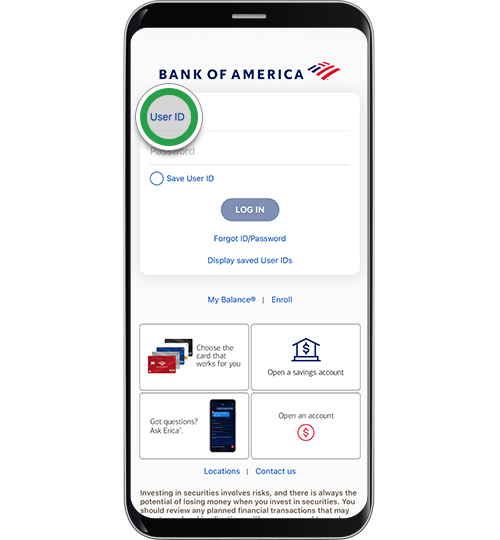
Log in securely using your username and password, potentially with fingerprint, face ID, or a one-time passcode for MFA.
-
Navigate to the “Menu” (often represented by three horizontal lines).
-
Select “Manage Debit/ATM Card” or “Card Services.”
-
Choose the specific debit card for which you wish to change the PIN.
-
Look for an option like “Change PIN” or “Update PIN.”
-
You will be asked to enter your new desired PIN twice. For security, you may also be asked to confirm your identity again, possibly by verifying a code sent to your registered phone number or email.
-
Confirm the changes.
-
-
Advantages/Considerations: This method offers unparalleled convenience, allowing you to change your PIN from almost anywhere at any time. The app’s built-in security features, including biometric login and end-to-end encryption, make it a highly secure option. Ensure your app is always updated to the latest version to benefit from the newest security patches and features.
Online Access: Bank of America Online Banking Portal
For those who prefer a desktop or laptop interface, the Bank of America online banking portal provides a secure web-based platform for managing your debit card PIN. This method relies on secure browser connections (HTTPS) and often incorporates strong authentication measures.
-
Step-by-step online process:
-
Go to the official Bank of America website (bankofamerica.com) and log in to your online banking account.
-
Enter your username and password, completing any multi-factor authentication prompts (e.g., security code sent to your phone).
-
Once logged in, look for a “Manage Cards” or “Customer Service” section.
-
Select the debit card you wish to manage.
-
Find the option to “Change PIN” or “Update PIN.”
-
Follow the on-screen instructions, which will likely involve entering your new PIN twice and potentially re-authenticating your identity.
-
Confirm the PIN change.
-
-
Advantages/Considerations: Similar to the mobile app, online banking offers great convenience. It’s accessible from any computer with internet access. Always ensure you are on the legitimate Bank of America website (check the URL and look for HTTPS) to avoid phishing scams. Using a secure, private network (not public Wi-Fi) and having up-to-date antivirus software on your device are additional layers of protection.
Direct Assistance: Phone Banking
If you encounter issues with the digital methods or prefer speaking to a representative, Bank of America’s phone banking service allows you to change your PIN over the phone. This method utilizes secure voice authentication protocols.
-
When to use this method: This is a good option if you’ve forgotten your current PIN entirely (as the digital methods typically require it), if you’re experiencing technical difficulties with the app or online portal, or if you simply prefer guided assistance.
-
Security protocols over the phone: When you call Bank of America, be prepared to answer several security questions to verify your identity. These might include parts of your Social Security number, mother’s maiden name, recent transaction details, or other personal identifiers. The representative will then guide you through the process of selecting a new PIN. This method ensures that only the authorized cardholder can make changes.
Optimizing Your Security Posture: Best Practices for PIN Creation and Management
Changing your PIN is a significant step, but the true strength of your digital security lies in the choices you make during the creation and ongoing management of that PIN. These best practices are rooted in fundamental cybersecurity principles, directly impacting your financial safety.
Crafting a Strong PIN: Beyond Obvious Choices
A strong PIN is one that is difficult to guess by anyone other than yourself. Avoid using:
-
Sequential numbers: 1234, 4321
-
Repeated numbers: 1111, 2222
-
Dates of birth: Your own, family members, or other easily accessible dates.
-
Parts of your address or phone number.
-
Your debit card number (last four digits).
Instead, consider using numbers that are memorable to you but have no obvious connection to your personal life. For example, a random sequence that you associate with a specific memory, or a pattern on a keypad that you can visualize. The goal is unpredictability.
The Dangers of Repetition: Unique PINs for Unique Accounts
Resist the urge to use the same PIN for multiple debit cards, credit cards, or other accounts. If one account is compromised, using the same PIN elsewhere creates a domino effect, exposing all linked accounts. Just as you should have unique passwords for different online services, apply the same principle to your PINs. Each financial tool deserves its own distinct, strong PIN.
Secure Storage and Recall: Memory Over Notes
The cardinal rule of PIN security is: do not write it down. Physical notes can be lost or discovered by unauthorized individuals. Instead, rely on memory. If you struggle to remember complex PINs, consider using mnemonic devices or associating the numbers with a mental image or story that only you understand. Modern secure password managers often have a place for secure notes, but direct entry of a PIN into such a system might negate some of its security benefits if the manager itself is compromised. The most secure place for your PIN is your mind.
Monitoring Your Accounts: An Integral Part of Digital Security
Even with the strongest PIN and diligent management, vigilance remains key. Regularly review your bank statements and transaction history through the Bank of America app or online banking portal. Look for any unauthorized transactions, no matter how small. Enable transaction alerts via SMS or email, which will notify you instantly of any activity on your debit card. Rapid detection of suspicious activity allows you to quickly report fraud and minimize potential losses, reinforcing the overall effectiveness of your PIN and other security measures.
Troubleshooting and Support: When Things Don’t Go as Planned
While Bank of America’s digital platforms are designed for ease of use, technical hiccups or unforeseen circumstances can sometimes complicate the PIN change process. Knowing how to troubleshoot common issues and when to seek direct assistance is crucial for maintaining your financial security.
Common Technical Glitches and Their Solutions
-
App or Website Errors: If the mobile app or online portal isn’t loading correctly or displaying error messages, try clearing your browser’s cache and cookies, or reinstalling the mobile app. Ensure your internet connection is stable. Sometimes, a temporary server issue at Bank of America might be the cause, so waiting a short period and trying again can resolve it.
-
Authentication Issues: If you’re not receiving one-time passcodes for MFA, check your phone’s signal or email spam folder. Ensure your contact information registered with Bank of America is up to date.
-
Card Not Recognized: If the system doesn’t recognize your card, double-check that you’re entering the correct card details if prompted, or that you’ve selected the correct card within the app/online portal. If you recently received a new card, it might need to be activated first before a PIN change can be initiated.
-
Forgotten Current PIN: As mentioned, most digital methods require your current PIN. If you’ve forgotten it, your best course of action is to use the phone banking option or visit a branch, where a representative can verify your identity through alternative means.
When to Contact Bank of America Support
Don’t hesitate to reach out to Bank of America customer support if:
-
You cannot complete the PIN change using any of the online, app, or ATM methods.
-
You’ve forgotten your current PIN and cannot proceed.
-
You suspect your debit card or PIN has been compromised.
-
You notice any suspicious activity on your account after attempting a PIN change.
-
You receive error messages that you cannot resolve independently.
Bank of America’s customer service lines are equipped to handle these issues securely, providing personalized assistance and guiding you through the necessary steps.

Recognizing and Avoiding Phishing Attempts
Be extremely wary of any unsolicited emails, text messages, or phone calls asking for your PIN or other sensitive financial information. Bank of America will never ask for your full PIN via email, text, or an unsolicited phone call. Phishing attempts often mimic legitimate communications to trick you into revealing your details. Always initiate contact with Bank of America yourself using their official phone numbers or by logging directly into their verified website or app. If you receive a suspicious communication, do not click on any links; instead, delete it and report it to Bank of America if possible.
By staying informed about your options, adhering to best practices in digital security, and knowing when and how to seek help, you can confidently manage your Bank of America debit card PIN and ensure the ongoing protection of your financial assets. Proactive engagement with these technological tools is your most effective defense in the dynamic landscape of digital finance.
aViewFromTheCave is a participant in the Amazon Services LLC Associates Program, an affiliate advertising program designed to provide a means for sites to earn advertising fees by advertising and linking to Amazon.com. Amazon, the Amazon logo, AmazonSupply, and the AmazonSupply logo are trademarks of Amazon.com, Inc. or its affiliates. As an Amazon Associate we earn affiliate commissions from qualifying purchases.