
The landscape of sports broadcasting has undergone a seismic shift, moving away from traditional satellite dishes and toward the scalable, data-driven world of Internet Protocol (IP) delivery. For decades, the NFL Sunday Ticket was synonymous with a specific hardware requirement—a satellite dish pointed toward the southern sky. Today, that paradigm has been dismantled. Now hosted exclusively by Google via YouTube and YouTube TV, the process of signing up for NFL Sunday Ticket is as much about navigating a sophisticated digital ecosystem as it is about choosing a subscription tier.
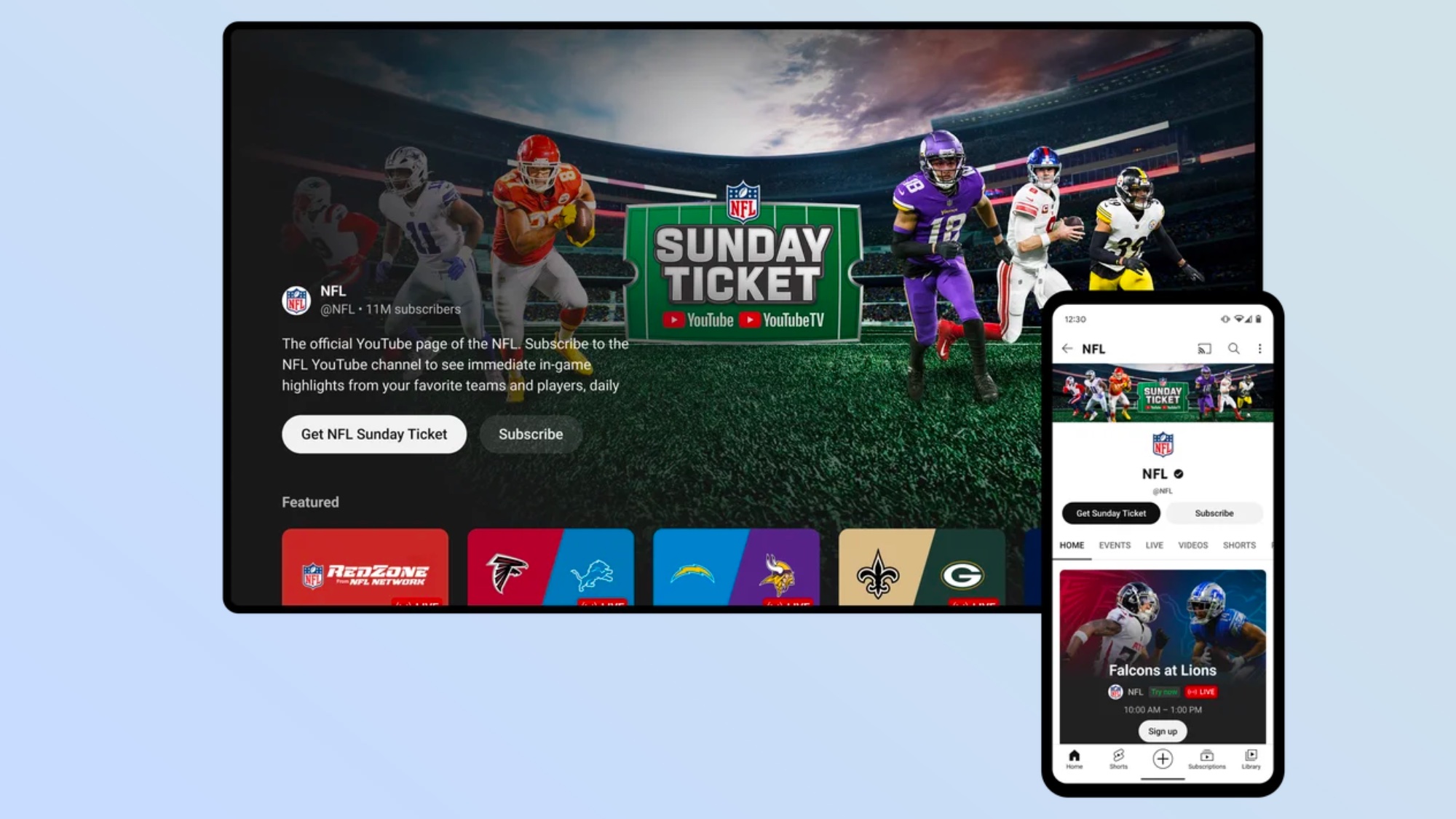
For the modern tech enthusiast, the transition to YouTube marks a significant upgrade in user interface (UI), streaming stability, and device interoperability. Whether you are a cord-cutter who has long abandoned cable or a digital native looking for the most efficient way to manage your sports content, understanding the technological nuances of the sign-up process is essential for an optimized viewing experience.
The Technological Shift: Navigating the YouTube Ecosystem
The migration of NFL Sunday Ticket to the YouTube platform represents one of the largest infrastructure shifts in the history of live sports streaming. Unlike the legacy systems of the past, Google utilizes its massive Content Delivery Network (CDN) to ensure that millions of simultaneous viewers can access high-definition feeds with minimal latency. When you prepare to sign up, you must first decide which “vessel” within the Google ecosystem will house your subscription.
Choosing Between YouTube TV and YouTube Primetime Channels
There are two primary technical pathways to acquiring NFL Sunday Ticket, and the choice depends largely on your existing digital footprint and hardware setup:
-
YouTube TV (The Integrated Experience): If you are looking for a comprehensive replacement for traditional cable, YouTube TV is the primary vehicle. Signing up through this service integrates the NFL Sunday Ticket directly into your Live Guide. This path requires a base plan subscription to YouTube TV, which offers over 100 channels of live television alongside the premium sports package.
-
YouTube Primetime Channels (The Standalone Experience): For those who do not want a full live TV bundle, Google introduced the “Primetime Channels” feature. This allows users to subscribe to NFL Sunday Ticket as a standalone digital add-on through the main YouTube app or website. This is a significant tech milestone, as it uncouples the premium sports content from the traditional “bundle” model, treating the NFL season like a digital movie or an app subscription.
From a technical standpoint, the choice here affects your user interface. YouTube TV offers a more traditional DVR-like experience, whereas the Primetime Channels route treats the games as individual live streams within the standard YouTube feed.
The Authentication and Account Framework
To begin the sign-up process, you must have a Google Account. This is the bedrock of the authentication system. Because your subscription is tied to your Google Identity, it enables cross-platform synchronization. If you sign up on your desktop, the entitlement is instantly pushed to your smart TV, mobile device, and gaming console. For users with multiple Google accounts, it is critical to ensure that the account used for the purchase is the same one logged into your primary streaming devices to avoid “not authorized” errors.
Step-by-Step Integration: The Sign-Up Workflow
The actual process of signing up has been streamlined to minimize friction, utilizing Google’s “One-Tap” purchase technology. Here is the technical breakdown of the workflow for both primary methods.
Signing Up via YouTube TV
-
Access the Interface: Navigate to the YouTube TV website or open the app on a compatible device.
-
Membership Settings: Navigate to your profile icon and select “Settings,” then “Membership.”
-
Add-on Selection: Locate “NFL Sunday Ticket” in the list of available add-ons. The system will detect if you are a current base plan subscriber and offer the appropriate pricing tier.
-
Payment Processing: The system uses the payment method linked to your Google Pay profile. Once confirmed, the entitlement is added to your account instantly. The software backend then updates your Live Guide to include the “NFL Sunday Ticket” category, which will populate with game tiles on Sundays.
Signing Up via YouTube Primetime Channels
-
Navigation: Open the standard YouTube app or website.
-
The “Movies & TV” Hub: Go to the “Movies & TV” or “Programs” sidebar. Alternatively, you can search for “NFL Sunday Ticket” directly in the search bar.
-
Tier Selection: You will be presented with options for the Ticket with or without NFL RedZone.
-
Digital Entitlement: Upon purchase, the Ticket becomes a “Channel” in your YouTube subscriptions. The tech here is similar to how you might subscribe to a YouTube Premium creator, but with the added bandwidth priority given to live sports broadcasts.
Hardware Requirements and Device Compatibility
One of the most robust aspects of the new NFL Sunday Ticket is its device-agnostic nature. However, to maximize the 1080p/60fps (and potential 4K) delivery, certain hardware specifications are recommended.

Smart TVs and Streaming Sticks
The YouTube app is ubiquitous, but not all versions of the app are created equal. For the best performance, users should utilize devices with high-performance processors capable of handling high-bitrate video decoding.
-
Android TV/Google TV: These devices offer the most native integration, often allowing for “Live” tiles directly on the home screen.
-
Apple TV 4K: Known for its superior frame rate matching, the Apple TV is often cited by tech enthusiasts as the best hardware for sports, as it handles the 60fps motion of football more smoothly than low-cost streaming sticks.
-
Roku and Fire TV: While fully supported, users should ensure they are using the 4K versions of these sticks to ensure they have the RAM necessary to handle the “Multiview” feature without crashing.
Mobile and Tablet Optimization
The sign-up process often happens on mobile for convenience. Both iOS and Android apps support the purchase, but users should be aware of “App Store Taxes.” Often, signing up directly through a web browser on a desktop can bypass the additional fees sometimes associated with in-app purchases on mobile platforms. Technically, the app uses a web-view for the transaction, ensuring that your payment data remains encrypted and separate from the app’s general data cache.
Console Integration
For gamers, both PlayStation (PS4/PS5) and Xbox (Series X/S) support the YouTube and YouTube TV apps. The advantage here is the wired Ethernet connection common in gaming setups, which provides the most stable throughput for high-definition live sports.
Optimizing the Digital Setup for Gameday
Signing up is only the first step. To ensure that your digital infrastructure can handle the load of a full Sunday of games, a few technical optimizations are recommended.
Bandwidth and Network Management
NFL Sunday Ticket streams can consume significant bandwidth, especially when using the Multiview feature. A single high-definition stream typically requires 7–10 Mbps. However, if you are running four games at once via Multiview, the demand on your network increases.
-
The Wired Advantage: Whenever possible, connect your streaming device via Cat6 Ethernet. While Wi-Fi 6 is capable of handling the speeds, wired connections eliminate the jitter and interference common in residential wireless environments.
-
Quality of Service (QoS): For users with advanced routers, setting a QoS rule to prioritize traffic from your streaming device can prevent buffering if other members of the household are downloading large files or gaming simultaneously.
Understanding Multiview Technology
One of the most impressive tech features available after you sign up is “Multiview.” Traditionally, rendering four live feeds at once was a hardware-intensive task that many smart TVs couldn’t handle. Google solved this by moving the processing to the server side. When you select a Multiview feed, Google’s servers stitch the four streams into a single video feed and send it to your device as one stream. This is a brilliant piece of engineering that allows even lower-end hardware to display four games at once without lag.
Security, Privacy, and Account Management
When you sign up for a high-value digital service like NFL Sunday Ticket, securing your account is paramount. Your subscription is a digital asset.
Implementing Two-Factor Authentication (2FA)
Since your NFL Sunday Ticket is tied to your Google Account, which likely contains your emails, photos, and payment methods, you must ensure that 2FA is active. This prevents unauthorized users from accessing your stream or making changes to your subscription. Use a hardware key or a dedicated authenticator app for the highest level of security.
Managing Concurrent Streams
The tech backend of YouTube allows for specific “stream limits.” Generally, NFL Sunday Ticket allows for unlimited concurrent streams at home (on your primary network) and a limited number of “away” streams. The system uses your IP address and device’s geolocation to determine your “Home Area.” If you are a traveler or have a multi-home setup, understanding how the YouTube app handles “Check-ins” is vital. Every few weeks, the app may require you to log in from your home network to verify your primary location, a digital geofencing technique used to comply with NFL broadcasting rights.

The Future of Sports Tech
Signing up for NFL Sunday Ticket today is a glimpse into the future of all media consumption. We have moved from a world of “ownership” of physical signals to a world of “access” via cloud-based entitlements. The ease of the sign-up process—integrated into the apps we already use daily—shows the power of platform consolidation. As high-speed fiber internet becomes more accessible, the barriers to entry for high-end sports viewing will continue to vanish, replaced by a seamless, purely digital onboarding process that prioritizes the user’s technical ecosystem over their physical location.
aViewFromTheCave is a participant in the Amazon Services LLC Associates Program, an affiliate advertising program designed to provide a means for sites to earn advertising fees by advertising and linking to Amazon.com. Amazon, the Amazon logo, AmazonSupply, and the AmazonSupply logo are trademarks of Amazon.com, Inc. or its affiliates. As an Amazon Associate we earn affiliate commissions from qualifying purchases.