
In the modern financial landscape, the ability to access account information instantaneously is no longer a luxury—it is a necessity. Whether you are attempting to make an urgent online purchase before a physical card arrives in the mail or you simply do not have your wallet within reach, knowing how to see your Chase card number online is a vital skill for digital-first consumers. Chase, as one of the largest financial institutions in the world, has developed a robust digital infrastructure to support these needs, balancing user convenience with the stringent security protocols required to protect sensitive financial data.

Navigating the Chase Digital Ecosystem for Account Information
Accessing your credit card details digitally requires navigating Chase’s secure portals. While many banks historically restricted the viewing of full card numbers to prevent fraud, the shift toward e-commerce has prompted institutions like Chase to provide controlled access to this information through their mobile and desktop platforms.
Using the Chase Mobile App
The Chase Mobile app is arguably the most efficient tool for managing your personal finances on the go. To view your card details, the process is designed to be intuitive yet secure.
-
Authentication: Begin by logging into the app using your biometric data (Face ID or Fingerprint) or your secure password.
-
Account Selection: From the main dashboard, tap on the specific credit card account you wish to view.
-
Digital Wallet Integration: Often, the easiest way to “see” and use your card number without the physical plastic is through the “Manage Account” section. Under “Pay & Transfer,” you will find options to add the card to digital wallets like Apple Pay or Google Pay.
-
Stored Card Details: While Chase frequently masks the full 16-digit number for security, you can often find the “Digital Version” of your card within the app’s settings. This allows you to utilize the card for online transactions even if the physical card is currently unavailable or has not yet arrived.
Accessing Details via Chase Online Banking (Desktop)
For those who prefer a larger interface, the Chase desktop portal offers a comprehensive overview of your financial portfolio. The desktop site is particularly useful for deep-dives into spending habits and managing account security.
-
Secure Login: Navigate to the official Chase website and log in. Ensure you are on a private connection to protect your financial credentials.
-
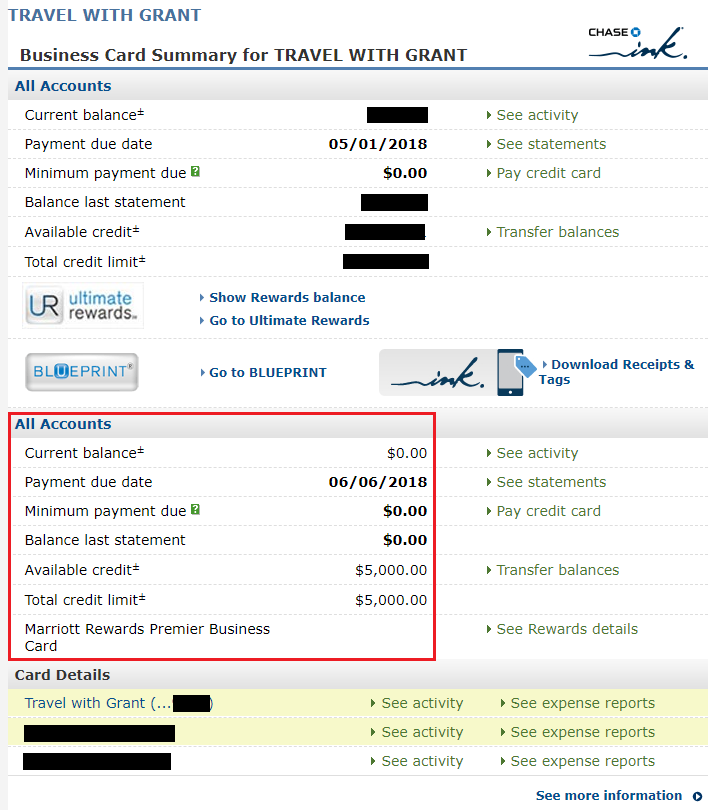
Card Dashboard: Click on the specific credit card tile. This will open the transaction history and account summary.
-
Account Services: Look for the “More…” or “Account Services” tab. Here, you can find options related to card replacement, digital wallets, and account statements.
-
Viewing Statements: One of the most reliable ways to find your account information—though often only the last four digits are visible on the summary—is through your monthly statements. To view your full history and confirm account details, navigating to the “Statements & Documents” section provides a PDF archive of your financial activity.
The Security Architecture Behind Digital Card Visibility
When you attempt to view sensitive data like a credit card number online, you are interacting with a complex layer of security architecture. Chase employs several tiers of protection to ensure that your financial identity remains shielded from unauthorized actors.
Multi-Factor Authentication (MFA)
Multi-factor authentication is the cornerstone of modern digital banking. When you log in to see your card number or make changes to your account, Chase typically requires a second form of verification. This might be a one-time passcode (OTP) sent via SMS or email, or a push notification to a trusted device. This step ensures that even if a malicious actor obtains your password, they cannot access your full financial profile without physical access to your secondary device.
Tokenization and Virtual Account Numbers
A significant advancement in financial tool security is tokenization. When you access your Chase card number to add it to a digital wallet, the system often creates a “token”—a unique digital identifier that replaces your actual card number during transactions. This means that even if a merchant’s database is compromised, your actual 16-digit card number remains hidden. Understanding how these virtual numbers work can help you manage your online income and expenses with greater peace of mind, as it adds a layer of insulation between your primary account and the digital marketplace.
Encryption Standards
Chase utilizes industry-leading 128-bit encryption to protect the data transmitted between your device and their servers. This ensures that when you are viewing your account details, the information is garbled into a format that is unreadable to anyone attempting to intercept the signal. For users, this highlights the importance of only accessing financial tools through official apps and verified websites.

Maximizing Financial Utility with Instant Card Access
The ability to access your card information digitally is about more than just convenience; it is a strategic advantage in managing your personal cash flow and maximizing financial rewards.
Instant Use for New Accounts
One of the most valuable features of the Chase ecosystem is “Spend Instantly.” When a customer is approved for a new Chase credit card, they often do not have to wait the 7-to-10 business days for the physical card to arrive. By accessing the Chase Mobile app, users can immediately add their new card to a digital wallet. This allows for immediate participation in sign-up bonus categories and ensures that large, planned purchases can be made the moment the credit line is established.
Managing Online Subscriptions and Recurring Payments
In the world of online income and digital business finance, recurring subscriptions can quickly become difficult to track. By accessing your card details online, you can efficiently update payment methods across various platforms. The Chase portal provides a “Saved Coupons” and “Merchant Offers” section that often links directly to your digital card usage, allowing you to optimize your spending by ensuring your card is the default payment method for high-reward categories.
Real-Time Transaction Monitoring
Viewing your card details online is often the first step in a broader strategy of real-time financial oversight. Chase’s digital tools allow users to set up alerts for every transaction. If you see a charge that doesn’t look right, having immediate access to your account allows you to lock the card instantly through the “Lock/Unlock” feature in the app. This proactive approach to business and personal finance prevents small errors from turning into significant losses.
Strategic Credit Management and the Future of Cardless Banking
The shift toward viewing and using card numbers online is part of a larger trend in the financial industry: the move toward cardless banking. As personal finance becomes increasingly digitized, the physical credit card is becoming a backup rather than the primary tool.
The Role of Chase Credit Journey
Beyond just seeing your card number, Chase offers the “Credit Journey” tool, which is integrated into the online dashboard. This tool provides a free credit score and a breakdown of the factors influencing your financial standing. By regularly logging in to view your card details and transactions, you are encouraged to engage with your credit health. This holistic view of finance helps users understand how their utilization of the Chase card affects their long-term borrowing power.
Digital-First Financial Tools
We are entering an era where financial tools are designed for the screen first and the wallet second. Chase’s investment in “QuickPay with Zelle” and integrated investment platforms like “J.P. Morgan Self-Directed Investing” means that your credit card number is just one piece of a much larger financial puzzle. The ability to toggle between your credit card rewards, your savings account, and your brokerage account—all within the same secure environment—streamlines the process of building wealth and managing debt.
Troubleshooting and Best Practices
If you find yourself unable to view your card number or if the app is restricting access, it is usually a safeguard.
-
Update the App: Ensure you are running the latest version of the Chase Mobile app, as security patches are frequently released.
-
Clear Cache: On desktop browsers, clearing your cache or using an incognito window can resolve display issues with the secure portal.
-
Verify Identity: If you have recently moved or changed your phone number, Chase may restrict access to sensitive details until your identity is re-verified through a branch visit or a verified phone call.
The ability to manage your Chase card number online represents the intersection of technology and personal finance. By utilizing these digital tools responsibly, consumers can ensure their financial life is both agile and secure. As the financial sector continues to evolve, staying informed about these digital capabilities will remain an essential component of effective money management.
aViewFromTheCave is a participant in the Amazon Services LLC Associates Program, an affiliate advertising program designed to provide a means for sites to earn advertising fees by advertising and linking to Amazon.com. Amazon, the Amazon logo, AmazonSupply, and the AmazonSupply logo are trademarks of Amazon.com, Inc. or its affiliates. As an Amazon Associate we earn affiliate commissions from qualifying purchases.