
Managing your credit card payments effectively is a cornerstone of sound personal finance. For holders of the Home Depot Consumer Credit Card, understanding the various payment methods and associated financial best practices is essential for maintaining a healthy credit score and avoiding unnecessary fees. While the card bears the Home Depot brand, it is issued and managed by Citibank, meaning all payments are directed to Citibank, not directly to Home Depot stores. This guide will walk you through the options available and provide insights into optimizing your payment strategy.
Navigating Your Home Depot Credit Card Payment Landscape
Paying your Home Depot credit card on time and through the correct channels is crucial for several reasons. Timely payments prevent late fees, avoid negative impacts on your credit score, and help you steer clear of accumulating high-interest debt. Citibank, as the issuer, provides multiple avenues for cardholders to fulfill their payment obligations, ranging from convenient online portals to more traditional methods.

Distinguishing Between Home Depot Credit Card Types
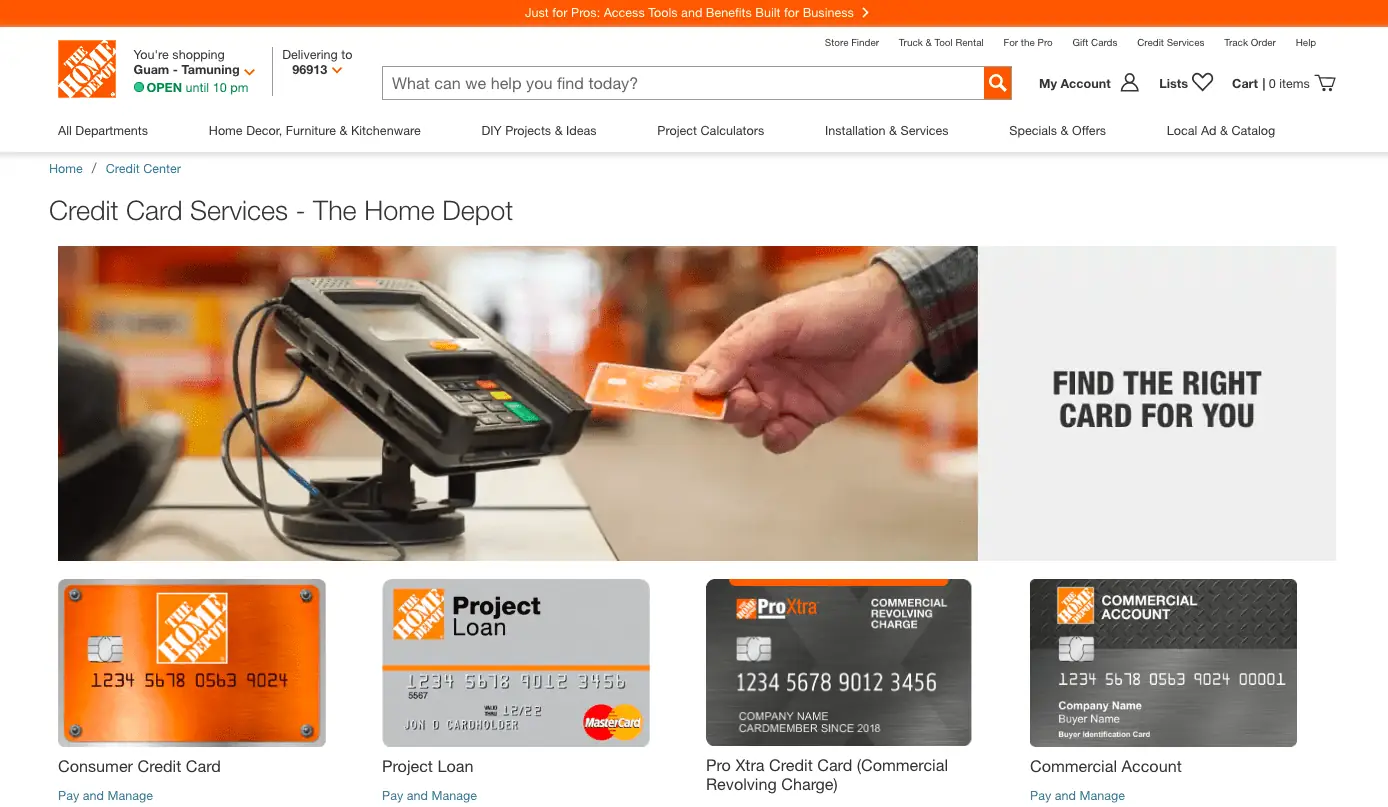
It’s important to clarify which Home Depot credit product you hold, as payment processes can slightly differ. The most common is the Home Depot Consumer Credit Card, designed for individual shoppers and issued by Citibank. There are also Home Depot Commercial Accounts and Pro Xtra Cards, which cater to businesses and professionals, also managed by Citibank. This article primarily focuses on the payment methods for the Home Depot Consumer Credit Card, but many principles apply broadly across all Home Depot branded credit products issued by Citibank. Always refer to your specific cardholder agreement or statement for precise details pertaining to your account.
The Digital Gateway: Online Payment Methods
For many cardholders, online payment represents the most convenient, efficient, and secure method for managing their Home Depot credit card account. Citibank offers a comprehensive online portal designed to facilitate easy payments and account oversight.
Setting Up Your Online Account
Before you can make an online payment, you’ll need to register your Home Depot credit card account on Citibank’s dedicated portal. This is a one-time process that typically requires the following steps:
-
Access the Official Website: Navigate to the Home Depot credit card section on Citibank’s website (often found by searching “Home Depot credit card Citibank” or looking for the URL on the back of your card or statement).
-
Locate Registration: Look for options like “Register Your Card” or “Enroll in Online Access.”
-
Provide Account Information: You will typically be prompted to enter your Home Depot credit card number, your Social Security Number (SSN) or Tax Identification Number (TIN), and possibly your date of birth or other identifying information for verification purposes.
-
Create Login Credentials: Establish a unique username and a strong, secure password for future access.
-
Set Up Security Questions: These questions provide an additional layer of security for account recovery.
Once registered, you’ll have full access to your account details, including current balance, payment history, statements, and payment options.
Making a One-Time Payment
If you prefer to make payments manually each billing cycle, a one-time online payment is straightforward:
-
Log In: Access your Citibank online account using your established username and password.
-
Navigate to Payments: Locate the “Payments” or “Make a Payment” section within your account dashboard.
-
Select Payment Amount: You’ll typically have options to pay the minimum amount due, the full statement balance, your current balance, or a custom amount. Paying the full statement balance is always advisable to avoid interest charges.
-
Choose Payment Date: Select the date you wish the payment to be processed. Ensure this date is on or before your payment due date.
-
Enter Bank Account Details: Provide the routing number and account number of the checking or savings account from which you wish to draw funds. You may be able to save these details for future payments.
-
Review and Confirm: Carefully review all details before submitting. An incorrect routing or account number can lead to a failed payment and potential fees. You will typically receive an email confirmation after a successful submission.
Embracing Autopay for Financial Discipline
For ultimate convenience and to ensure you never miss a payment, setting up autopay is an excellent financial strategy. Autopay automatically deducts your chosen payment amount from your linked bank account on a recurring basis.
-
Access Autopay Settings: Within the “Payments” section of your online account, look for “Set Up Autopay” or “Recurring Payments.”
-
Define Payment Amount: You can usually choose to pay the minimum amount due, the full statement balance, or a fixed amount each month. Paying the full statement balance via autopay is ideal for avoiding interest entirely.
-
Select Payment Date: Specify when you want the payment to be processed each month, typically a few days before your due date to account for processing times.
-
Link Bank Account: Confirm or add the bank account you wish to use for autopay.
-
Confirm Settings: Review the terms and confirm your autopay setup.
While autopay offers peace of mind, it’s crucial to ensure your linked bank account always has sufficient funds to cover the payment. Insufficient funds can lead to returned payment fees from both Citibank and your bank. Regularly review your statements, even with autopay, to catch any discrepancies or unusual activity.
Traditional Avenues: Phone, Mail, and In-Store Payments
While online payments are increasingly popular, Citibank also provides traditional methods for paying your Home Depot credit card.
Paying by Phone
If you prefer to speak with a representative or don’t have internet access, paying by phone is a viable option:
-
Locate Customer Service Number: The dedicated customer service number for your Home Depot credit card is typically found on the back of your physical card, on your monthly statement, or on Citibank’s official Home Depot credit card website.
-
Prepare Information: Have your Home Depot credit card number, your bank account routing number, and your bank account number ready before you call.
-
Follow Prompts: Navigate the automated system or speak with a representative to initiate your payment. Be aware that some credit card issuers may charge a small fee for payments made over the phone with a live agent, so inquire about any potential charges.
Sending a Payment by Mail

For those who prefer paper transactions, mailing a check or money order is another option:
-
Find the Mailing Address: The correct payment mailing address will always be listed on your monthly Home Depot credit card statement. This is critical, as mailing to the wrong address can cause significant delays.
-
Prepare Your Payment: Write a check or obtain a money order payable to “Citibank” or “Home Depot Credit Card” (refer to your statement for the exact payee).
-
Include Payment Stub: Always include the payment stub from your monthly statement. If you don’t have a stub, write your full Home Depot credit card account number clearly on the memo line of your check or money order.
-
Mail Early: Mail your payment several business days before your due date to allow ample time for postal delivery and processing. Standard mail can take 5-7 business days to reach its destination and be processed.
In-Store Payments (with caveats)
A common misconception is that you can pay your Home Depot Consumer Credit Card bill directly at a Home Depot store. For the Home Depot Consumer Credit Card (issued by Citibank), this is generally not the case. Unlike some store-branded cards that accept payments at the retailer’s cash registers, payments for your Home Depot consumer credit card must be directed to Citibank. Home Depot stores typically do not have the facility to process payments for the credit card balances managed by Citibank.
However, there may be specific scenarios for other Home Depot financial products, such as Project Loans or Commercial Accounts, where in-store payments might be an option. For the standard Home Depot Consumer Credit Card, rely on the online, phone, or mail methods outlined above. Always verify payment acceptance with Home Depot or Citibank customer service if you are unsure.
Proactive Credit Card Management: Beyond Just Paying
Simply paying your bill is just one aspect of responsible credit card management. To truly optimize your financial health, consider these additional strategies:
Understanding Your Statement
Your monthly statement is a treasure trove of information. Beyond the payment due date and minimum payment, it details all your transactions, interest charges, fees, and promotional offers. Reviewing it regularly helps you track spending, identify unauthorized charges, and understand how interest is calculated. Key figures include:
-
Statement Balance: The total amount owed at the end of the billing cycle.
-
Minimum Payment Due: The smallest amount you can pay to keep your account in good standing.
-
Payment Due Date: The deadline to make your payment without incurring late fees.
-
Annual Percentage Rate (APR): The interest rate applied to outstanding balances.
Strategic Payment Decisions
While paying the minimum amount due prevents late fees, it often means carrying a balance and accruing interest, increasing your overall cost of borrowing. Whenever possible, pay your full statement balance to avoid interest charges entirely. If paying in full isn’t feasible, pay as much as you can above the minimum to reduce your principal faster and minimize interest. Consistent, on-time payments, combined with keeping your credit utilization (the amount of credit you’re using compared to your total available credit) low, are fundamental to building and maintaining a strong credit score.
Avoiding Fees and Penalties
Late payment fees and returned payment fees can quickly add up, diminishing your financial progress. Be diligent about knowing your due date, setting up reminders, and ensuring adequate funds in your bank account for automatic payments. If you anticipate difficulty making a payment, contact Citibank customer service before the due date to explore potential options.
Leveraging Account Features
Citibank’s online portal for your Home Depot credit card offers more than just payment options. Utilize features like:
-
Payment Alerts: Get notifications for upcoming due dates.
-
Statement Availability Alerts: Know when your new statement is ready.
-
Transaction History: Monitor your spending patterns and quickly spot errors.
-
Paperless Statements: Reduce clutter and receive statements faster.
Troubleshooting and Support for Payment Challenges
Even with careful planning, issues can arise. Knowing how to troubleshoot common payment problems and where to seek support is vital.
What If Your Payment Fails or Is Late?
If a payment fails (e.g., due to insufficient funds) or you realize you’ve missed a due date, act immediately:
-
Contact Citibank: Call customer service as soon as possible to explain the situation. They may be able to waive a first-time late fee or work out a payment arrangement.
-
Make a Payment Immediately: Even if it’s late, making the payment promptly can limit further penalties and interest accrual.
-
Understand Consequences: A late payment can incur a late fee, cause interest to accrue on your outstanding balance, and, if significantly overdue (typically 30 days or more), negatively impact your credit report.
Contacting Customer Service
For any payment-related questions, issues, or assistance, Citibank’s customer service for your Home Depot credit card is your primary point of contact.
-
Phone: Find the number on the back of your card or on your statement.
-
Online Message Center: Many online accounts have a secure message center for non-urgent inquiries.
-
Mail: You can also write to them, but this is best for non-urgent matters due to postal delays.
When contacting support, have your account number and details of your query readily available to expedite the process.
Security Best Practices
When making online payments, always ensure you are on a secure connection (look for “https://” in the URL and a padlock symbol). Never share your login credentials or sensitive financial information via unsolicited emails or texts. Regularly monitor your credit card statements for any suspicious activity and report it immediately. Protecting your account information is paramount to safeguarding your financial well-being.
aViewFromTheCave is a participant in the Amazon Services LLC Associates Program, an affiliate advertising program designed to provide a means for sites to earn advertising fees by advertising and linking to Amazon.com. Amazon, the Amazon logo, AmazonSupply, and the AmazonSupply logo are trademarks of Amazon.com, Inc. or its affiliates. As an Amazon Associate we earn affiliate commissions from qualifying purchases.