
Cash App has become a ubiquitous financial tool for millions, simplifying everything from peer-to-peer payments to direct deposits. However, a common inquiry for many users revolves around the crucial step of moving funds from their Cash App balance into a traditional bank account. This process, known as “cashing out,” is fundamental to managing personal finance effectively when using digital platforms. Understanding the mechanics, timelines, and associated costs is key to making informed financial decisions.
Understanding Cash App Transfers: Standard vs. Instant
When you decide to move money from your Cash App balance to your linked bank account, you typically have two primary options: a standard transfer or an instant transfer. Each comes with its own set of advantages and financial implications, making the choice dependent on your urgency and willingness to incur fees.
Standard Transfers: The Free Option
A standard transfer is the default and most cost-effective method for moving funds out of your Cash App account. This option allows you to transfer any amount from your Cash App balance to your linked bank account without incurring any service fees from Cash App.
The primary characteristic of a standard transfer is its processing time. Typically, funds transferred via the standard method will arrive in your bank account within 1 to 3 business days. It’s important to note that “business days” exclude weekends and public holidays. If you initiate a standard transfer on a Friday, for instance, you might not see the funds in your bank account until the following Tuesday or Wednesday, depending on your bank’s processing times. This delay is a minor trade-off for the benefit of avoiding transfer fees, making it an ideal choice for non-urgent financial planning and regular savings transfers.
From a personal finance perspective, utilizing standard transfers judiciously can help you avoid unnecessary expenses. For funds that are part of your regular budget or long-term savings that don’t require immediate access, the standard transfer is the financially prudent choice. It encourages patience in financial management and ensures that the full value of your money is retained.
Instant Transfers: When Speed Comes at a Cost
For those moments when immediate access to your funds is critical, Cash App offers an instant transfer option. As the name suggests, this method aims to deposit your money into your linked bank account almost instantaneously, often within minutes, regardless of the day or time.
The convenience of speed, however, comes with a fee. Cash App charges a 0.5% to 1.75% fee for instant transfers, with the exact percentage varying based on the transfer amount and potentially other factors determined by Cash App. This fee is deducted from the amount you are transferring, meaning you will receive slightly less than your initial transfer amount in your bank account. For example, if you transfer $100 instantly with a 1.75% fee, you would receive $98.25.
While instant transfers provide unparalleled convenience for urgent financial needs—such as unexpected expenses, bill payments with tight deadlines, or emergency funds—it’s crucial to weigh the cost against the benefit. Consistently opting for instant transfers can incrementally eat into your funds over time, impacting your overall personal finance strategy. Savvy users consider the instant transfer as a tool for specific, time-sensitive situations rather than a routine practice, thereby minimizing avoidable expenditures.
Step-by-Step Guide to Linking Your Bank Account
Before you can transfer any money from Cash App to your bank, you must first link a valid bank account to your Cash App profile. This is a one-time setup process that establishes a secure connection between your digital wallet and your traditional financial institution.
The Importance of a Verified Bank Account
Linking and verifying your bank account is a critical security measure and a foundational step for all financial transactions on Cash App. It ensures that funds are transferred to an account owned by you, mitigating fraud and protecting your assets. Cash App employs secure protocols to protect your financial information during this process. A successfully linked and verified account is essential not just for cashing out but also for adding funds to your Cash App balance.
Navigating Cash App’s Settings
The process for linking your bank account is straightforward:
-
Open Cash App: Launch the Cash App on your mobile device.
-
Navigate to the Profile Icon: Tap the profile icon (it looks like a person or a circle with your profile picture) in the top right corner of the home screen.
-
Select “Linked Banks”: Scroll down the profile menu until you find the “Linked Banks” or “Link Bank” option under the “Funds” section.
-
Initiate Linking: Tap on “Link Bank” or “Add Bank.”
-
Enter Bank Details: Cash App will typically prompt you to use Plaid, a secure third-party service, to connect your bank account. You will need to select your bank from a list and then enter your online banking credentials (username and password). This allows Plaid to securely verify your account details and link it to Cash App without Cash App itself storing your bank login information.
-
Confirm and Verify: Follow any additional prompts from your bank or Plaid to complete the linking process. This might include a multi-factor authentication step, such as a code sent to your phone or email.
Once your bank account is successfully linked, it will appear under the “Linked Banks” section of your Cash App profile, signifying that you are ready to initiate transfers.
Executing a Standard Cash Out
Once your bank account is linked, you can proceed with transferring your funds. The standard cash out process is the most common method due to its cost-free nature.
Initiating the Transfer
-
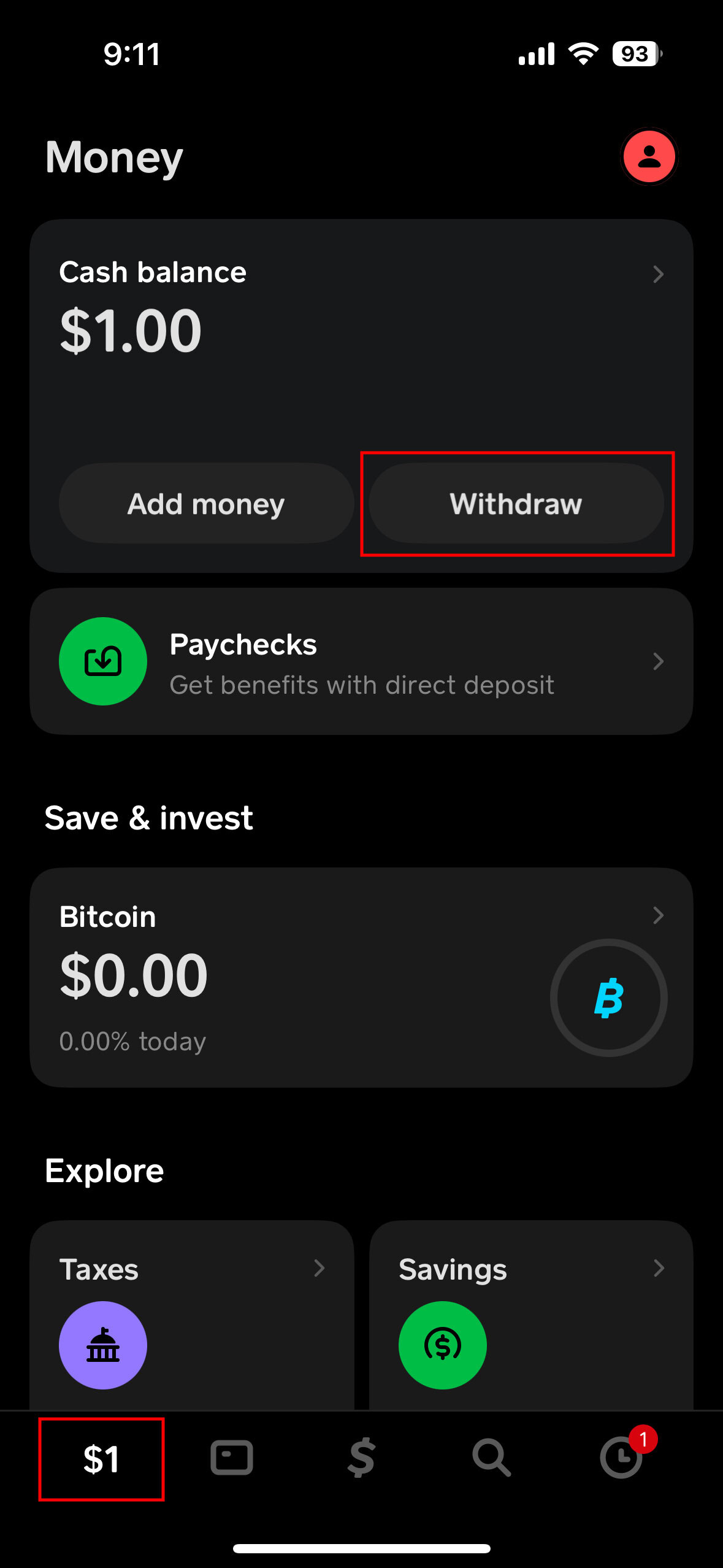
Access Your Cash App Balance: From the Cash App home screen, tap the “Banking” tab (the house icon) or the dollar amount shown on your screen, which represents your Cash App balance.
-
Select “Cash Out”: Below your Cash App balance, you will see a “Cash Out” button. Tap this button to begin the transfer process.
-
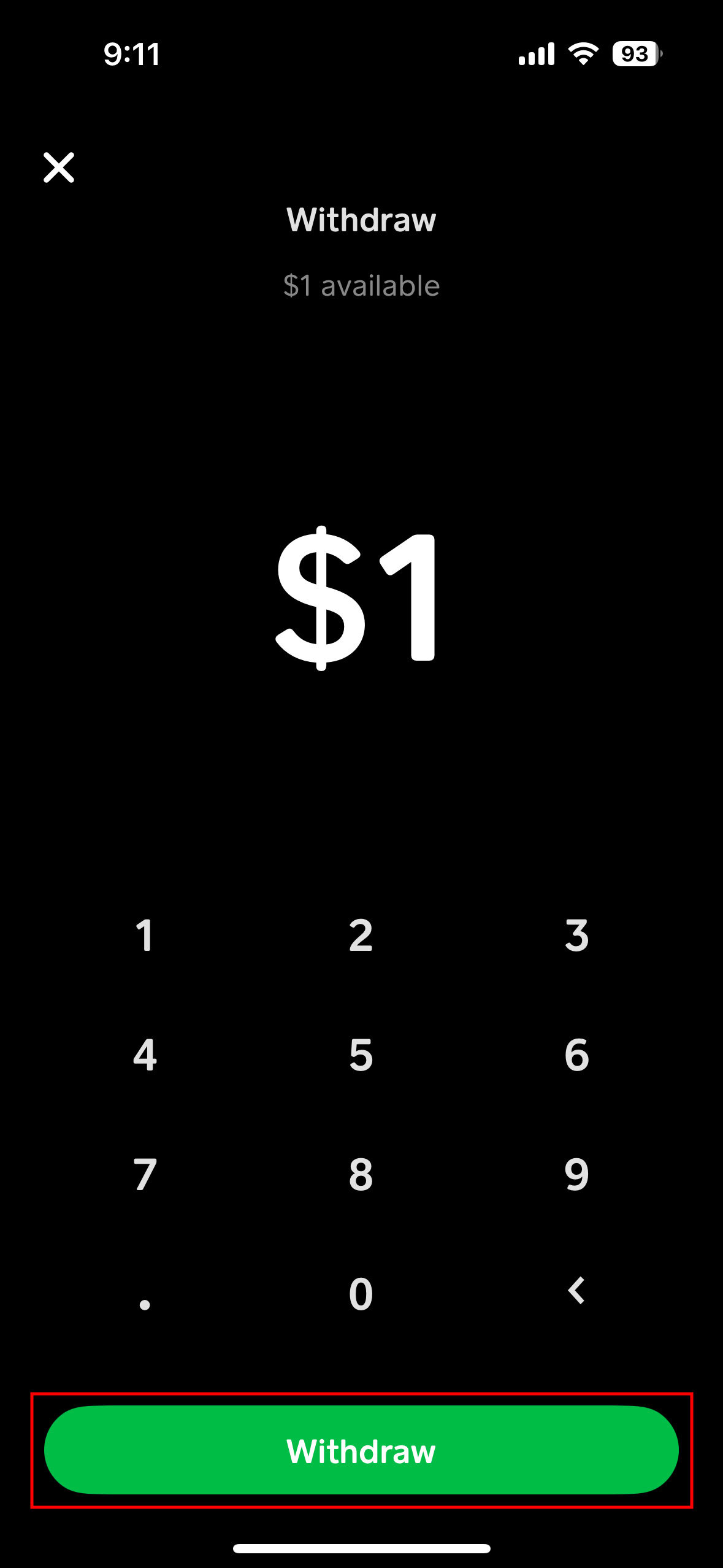
Enter the Amount: A numerical keypad will appear, allowing you to enter the specific amount of money you wish to transfer to your bank account. Ensure the amount is within your available Cash App balance.
-
Choose Transfer Speed: After entering the amount, you will be presented with the option to choose between “Standard” (1-3 business days, free) and “Instant” (instant, fee applies). Select “Standard.”
-
Confirm Transaction: Review the details of your transfer, including the amount and the selected transfer speed. Tap the “Cash Out” button again to confirm. You might be asked to enter your PIN or use your fingerprint/Face ID for security verification.
What to Expect: Timelines and Confirmation
After confirming a standard cash out, Cash App will display a confirmation message indicating that your transfer is in progress. You will also typically receive an email confirmation.
As mentioned, standard transfers usually take 1 to 3 business days to appear in your linked bank account. This timeline can be influenced by factors such as:
-
Bank Processing Times: Different banks have different processing schedules. Some might clear funds faster than others.
-
Time of Transfer: Transfers initiated late in the day or on weekends/holidays might not begin processing until the next business day.
-
Public Holidays: Bank holidays can extend the transfer duration.
It’s advisable to check your bank account statement after the expected processing time to confirm the arrival of funds. If the funds haven’t appeared after 3 full business days, it would be appropriate to contact Cash App support or your bank for assistance.
Opting for an Instant Cash Out
When time is of the essence, the instant cash out provides a rapid solution, albeit at a minor cost.
The Instant Transfer Process
The initial steps for an instant transfer are identical to a standard transfer:
-
Access Your Cash App Balance: Tap the “Banking” tab or your dollar amount on the home screen.
-
Select “Cash Out”: Tap the “Cash Out” button.
-
Enter the Amount: Input the amount you wish to transfer.
-
Choose Transfer Speed: Crucially, select “Instant” as your transfer speed. Cash App will then display the exact fee associated with your chosen amount, along with the net amount you will receive in your bank account. This transparency allows you to see the financial impact of the instant transfer before confirming.
-
Confirm Transaction: Review the details, including the fee, and tap “Cash Out.” Authenticate with your PIN, fingerprint, or Face ID.
Understanding the Fees
The fee for instant transfers typically ranges from 0.5% to 1.75% of the transferred amount. This fee is automatically deducted from the total amount you are cashing out. For instance, if you transfer $200 instantly with a 1.5% fee, the fee would be $3, and you would receive $197 in your bank account.
While these fees may seem small individually, they can accumulate. For individuals frequently moving money between Cash App and their bank, careful consideration of these costs is paramount for effective financial management. Regularly assess whether the immediacy of an instant transfer genuinely outweighs the financial expense. For example, if you’re transferring money to cover an immediate expense, the fee might be justified. However, for non-urgent transfers, the standard option remains the more financially sound choice.
Troubleshooting Common Transfer Issues
Even with a smooth process, users may occasionally encounter issues when transferring money. Knowing how to troubleshoot these can save time and prevent financial frustration.
Delayed or Missing Transfers
If your standard transfer takes longer than the expected 1-3 business days or an instant transfer isn’t immediate:
-
Check Bank Statements: First, meticulously review your linked bank account statement. Sometimes, the funds arrive, but you might have missed the notification or statement update.
-
Verify Transaction Status in Cash App: Open Cash App, go to the “Activity” tab (the clock icon), and check the status of your cash out transaction. It might show “Pending,” “Completed,” or “Failed.”
-
Confirm Bank Account Details: Ensure the correct bank account is linked. If you recently changed banks or updated account information, verify that the active account is correct.
-
Contact Your Bank: If a standard transfer is significantly delayed, your bank might have specific processing hold times. Contact their customer service for clarification.
-
Contact Cash App Support: If all else fails, reach out to Cash App support through the app. They can provide specific details about your transaction status and help resolve the issue.
Account Verification Challenges
Issues with linking or verifying your bank account can prevent transfers. If you encounter error messages during the linking process:
-
Double-Check Credentials: Ensure you are entering the correct online banking username and password.
-
Bank Maintenance: Your bank might be undergoing maintenance, temporarily preventing third-party connections. Try again later.
-
Account Type: Confirm your linked account is a checking or savings account. Certain types of accounts (e.g., credit cards) cannot be linked for transfers.
-
Contact Plaid/Bank: If the issue persists with Plaid, you might need to contact your bank to ensure there are no restrictions on connecting third-party apps to your account.
Transfer Limits and How They Affect You
Cash App imposes daily and weekly transfer limits, which can vary based on whether your account is fully verified.
-
Unverified Accounts: Typically have lower limits for sending, receiving, and cashing out.
-
Verified Accounts: By providing your full legal name, date of birth, and the last four digits of your SSN, you can increase these limits significantly.
If you are attempting to transfer a large sum and encounter an error, it’s likely due to hitting a limit. Verify your account if you haven’t already done so to expand your financial flexibility. Understanding these limits is crucial for planning larger financial movements and avoiding unexpected hurdles.
Security Best Practices for Your Funds
Protecting your financial assets on Cash App is paramount:
-
Strong, Unique Password: Use a strong, unique password for your Cash App account and avoid reusing it across other platforms.
-
Enable PIN/Biometrics: Always enable a PIN, fingerprint, or Face ID for all transactions within Cash App.
-
Monitor Activity: Regularly check your Cash App activity feed and bank statements for any suspicious or unauthorized transactions.
-
Beware of Scams: Be vigilant against phishing attempts and scams that try to trick you into revealing your login credentials or sending money. Cash App will never ask for your PIN or sign-in code outside of the app.
By understanding the transfer options, knowing the step-by-step process, and being aware of potential issues and security measures, you can effectively manage your money between Cash App and your bank, integrating this digital tool seamlessly into your personal financial strategy.
aViewFromTheCave is a participant in the Amazon Services LLC Associates Program, an affiliate advertising program designed to provide a means for sites to earn advertising fees by advertising and linking to Amazon.com. Amazon, the Amazon logo, AmazonSupply, and the AmazonSupply logo are trademarks of Amazon.com, Inc. or its affiliates. As an Amazon Associate we earn affiliate commissions from qualifying purchases.