
Fractions, those elegant expressions of parts of a whole, have been a cornerstone of mathematics for millennia. From ancient Egyptian calculations of land areas to modern engineering and financial models, they are indispensable. Yet, for many, the mere sight of denominators and numerators can induce a degree of apprehension. Thankfully, the advent and evolution of the humble calculator have dramatically simplified fraction arithmetic, transforming a potentially arduous task into a straightforward one.
In an increasingly technologically driven world, understanding how to leverage digital tools for foundational mathematical operations is a crucial skill. This guide delves deep into mastering fractions using various types of calculators, exploring not just the “how-to” but also the underlying mechanics and advanced applications that make these gadgets invaluable. Whether you’re a student grappling with algebra, a professional needing quick conversions, or simply looking to brush up on your math skills, mastering your calculator’s fraction capabilities will unlock efficiency and accuracy.
Understanding Your Calculator’s Fraction Capabilities
Before diving into operations, it’s essential to familiarize yourself with the specific features of your calculator. Different models offer varying levels of fraction support, from dedicated buttons to more manual input methods. Identifying these functionalities is the first step toward seamless fraction computation.
The Dedicated Fraction Button (a b/c or S⇔D)
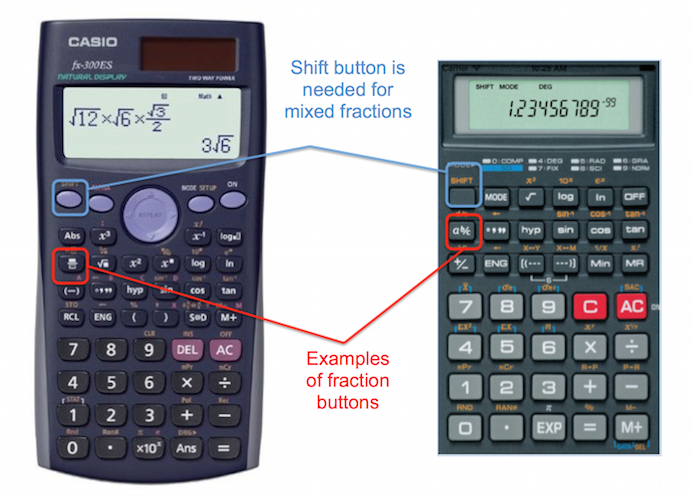
The most common and user-friendly feature for fractions on scientific and graphing calculators is the dedicated fraction button. This button is often labeled “a b/c,” “d/c,” or sometimes depicted as a symbol like “▢/▢” or “÷”. Its primary purpose is to allow you to input fractions directly and display results in fractional form.
-
Inputting Proper and Improper Fractions: To enter a proper fraction (e.g., 3/4) or an improper fraction (e.g., 7/3), you typically enter the numerator, press the fraction button, then enter the denominator. For example, to enter 3/4, you’d press
3 [a b/c] 4. -
Inputting Mixed Numbers: For mixed numbers (e.g., 2 1/2), the “a b/c” button often serves as a separator between the whole number and the fractional part. You would enter the whole number, press
[a b/c], then the numerator, press[a b/c]again, and finally the denominator. So, 2 1/2 would be2 [a b/c] 1 [a b/c] 2. Some calculators might useSHIFTor2ndfunction for the seconda b/cto denote a mixed number. -
The S⇔D Button: Many calculators also feature an “S⇔D” (Standard to Decimal) or similar button. This toggles the display of a result between its fractional form, mixed number form, and its decimal equivalent. This is incredibly useful for comparing values or for situations where a decimal is preferred.
Scientific vs. Graphing vs. Basic Calculators
The type of calculator you possess significantly impacts how fractions are handled:
-
Basic Calculators: These typically lack a dedicated fraction button. To perform fraction operations, you’ll need to convert fractions to decimals manually (by dividing the numerator by the denominator) or use parentheses extensively for order of operations. For example, to add 1/2 + 1/4, you’d calculate (1 ÷ 2) + (1 ÷ 4). This method demands a strong understanding of decimal equivalents and manual simplification.
-
Scientific Calculators: These are the workhorses for students and professionals alike, almost always equipped with the “a b/c” button and the “S⇔D” toggle. They can perform all basic and many advanced fraction operations, automatically simplifying results and converting between mixed and improper fractions. Their displays usually show fractions in a single line (e.g.,
3┘4or3_4), which requires familiarity to interpret. -
Graphing Calculators: As the most advanced consumer calculators, graphing calculators offer superior fraction capabilities. They often have multi-line displays that can render fractions vertically, making them easier to read and understand (e.g.,
3/4). They support complex fraction expressions, can perform operations on variables containing fractions, and often include functions for finding common denominators or converting to different bases, all while maintaining fractional precision.
Interpreting Fraction Displays
Calculator displays for fractions can vary, and understanding them is key to correctly interpreting your results:
-
Single-Line Displays: On many scientific calculators, fractions are displayed using a specific character to separate parts.
3┘4often means three-quarters.2┘1┘2means two and one-half (a mixed number). Be mindful of how your specific model indicates mixed numbers versus improper fractions; sometimes, an underscore_or a space might be used. -
Multi-Line “Natural” Displays: Graphing calculators and some newer scientific models feature “natural textbook display” or “MathPrint” technology. These screens present fractions as they would appear in a textbook, with the numerator stacked above the denominator. This significantly enhances readability and reduces ambiguity, especially for complex expressions involving multiple fractions.
-
Decimal Conversion: Remember the “S⇔D” button. It’s your bridge between exact fractional answers and their decimal approximations. While decimals are often easier to work with in real-world measurements, fractions maintain mathematical precision, especially when dealing with repeating decimals.
Performing Basic Fraction Operations
Once you’re familiar with your calculator’s interface, performing fundamental fraction arithmetic becomes remarkably straightforward. The beauty of modern calculators lies in their ability to handle common denominators and simplification automatically, allowing you to focus on the problem at hand rather than the mechanics of calculation.
Adding and Subtracting Fractions
Adding and subtracting fractions manually requires finding a common denominator, converting the fractions, performing the operation, and then simplifying. Your calculator automates this entire process.
-
Input the first fraction: Using the
[a b/c]button, enter your first fraction. For example, for 1/2, type1 [a b/c] 2. -
Input the operation: Press the
+or-button. -
Input the second fraction: Enter your second fraction. For example, for 1/4, type
1 [a b/c] 4. -
Get the result: Press
=. The calculator will display the answer, often in its simplest fractional form or as a mixed number.-
Example:
1 [a b/c] 2 + 1 [a b/c] 4 = 3┘4(or 3/4). -
Example:
3 [a b/c] 4 - 1 [a b/c] 8 = 5┘8(or 5/8). -
For mixed numbers, remember to use the
a b/cbutton for the whole number part as well.2 [a b/c] 1 [a b/c] 2 + 1 [a b/c] 1 [a b/c] 4 = 3 [a b/c] 3 [a b/c] 4(or 3 3/4).
-
Multiplying and Dividing Fractions
Multiplication and division of fractions are arguably simpler than addition/subtraction, even manually. Calculators make them virtually effortless.
-
Input the first fraction: Enter your first fraction using the
[a b/c]button. -
Input the operation: Press the
×(multiplication) or÷(division) button. -
Input the second fraction: Enter your second fraction.
-
Get the result: Press
=. The calculator will provide the simplified fractional answer.-
Example:
1 [a b/c] 2 × 3 [a b/c] 4 = 3┘8(or 3/8). -
Example:
2 [a b/c] 3 ÷ 1 [a b/c] 6 = 4. (The answer is 4, as 2/3 divided by 1/6 is 2/3 * 6/1 = 12/3 = 4).
-
Simplifying Fractions and Mixed Numbers
One of the most valuable features of scientific and graphing calculators is their automatic simplification of fractions. When you perform an operation, the result is almost always presented in its lowest terms.
-
Automatic Simplification: If you input
2 [a b/c] 4, your calculator will likely display1┘2as soon as you press[a b/c]for the denominator or after pressing=. -
Converting Between Improper and Mixed Numbers: Many calculators offer a dedicated function to convert between improper fractions (e.g., 7/3) and mixed numbers (e.g., 2 1/3). This is often a
SHIFTor2ndfunction layered over thea b/cbutton, labeled something likea b/c ⇔ d/c. If you have an improper fraction result (e.g.,7┘3), pressing this button will convert it to2┘1┘3. This flexibility is crucial for aligning answers with specific problem requirements or for better conceptual understanding.
Advanced Fraction Operations and Troubleshooting
While basic operations cover most daily needs, fractions frequently appear in more complex mathematical contexts. Understanding how to manage them within equations and troubleshoot common issues ensures accuracy and confidence.
Fractions in Complex Equations
When fractions are part of larger expressions, the order of operations (PEMDAS/BODMAS) becomes paramount. Your calculator, particularly scientific and graphing models, is designed to respect this order, but correct input is essential.
-
Using Parentheses Effectively: Just as with whole numbers, parentheses dictate the order of operations. Always enclose fractional expressions or parts of expressions that need to be evaluated first. For example, to calculate (1/2 + 1/3) ÷ 1/4, you’d input
( 1 [a b/c] 2 + 1 [a b/c] 3 ) ÷ 1 [a b/c] 4. Without the parentheses, the calculator would perform the division1/3 ÷ 1/4first, leading to an incorrect result. -
Fractions within Exponents or Roots: Modern calculators can handle fractions in exponents (e.g.,
2^(1/2)) or under radical signs (e.g.,√(1/4)). Input2 ^ (1 [a b/c] 2)for two to the power of one-half. For square roots, press the square root button, then( 1 [a b/c] 4 ). Ensure the fraction itself is enclosed in parentheses when it’s part of an exponent or a root argument.
Converting Fractions to Decimals and Percentages
The ability to seamlessly convert between fractions, decimals, and percentages is a vital skill, frequently required in finance, science, and everyday problem-solving.
-
The S⇔D Button (or Equivalent): As mentioned, this toggle is your primary tool for converting a fractional result into its decimal equivalent. After performing a calculation and getting a fraction, simply press
S⇔Dto see the decimal. Pressing it again usually reverts to the fraction. -
Manual Division for Basic Calculators: On basic calculators or for conceptual understanding, converting a fraction to a decimal simply involves dividing the numerator by the denominator. For 3/4, you’d input
3 ÷ 4 = 0.75. -
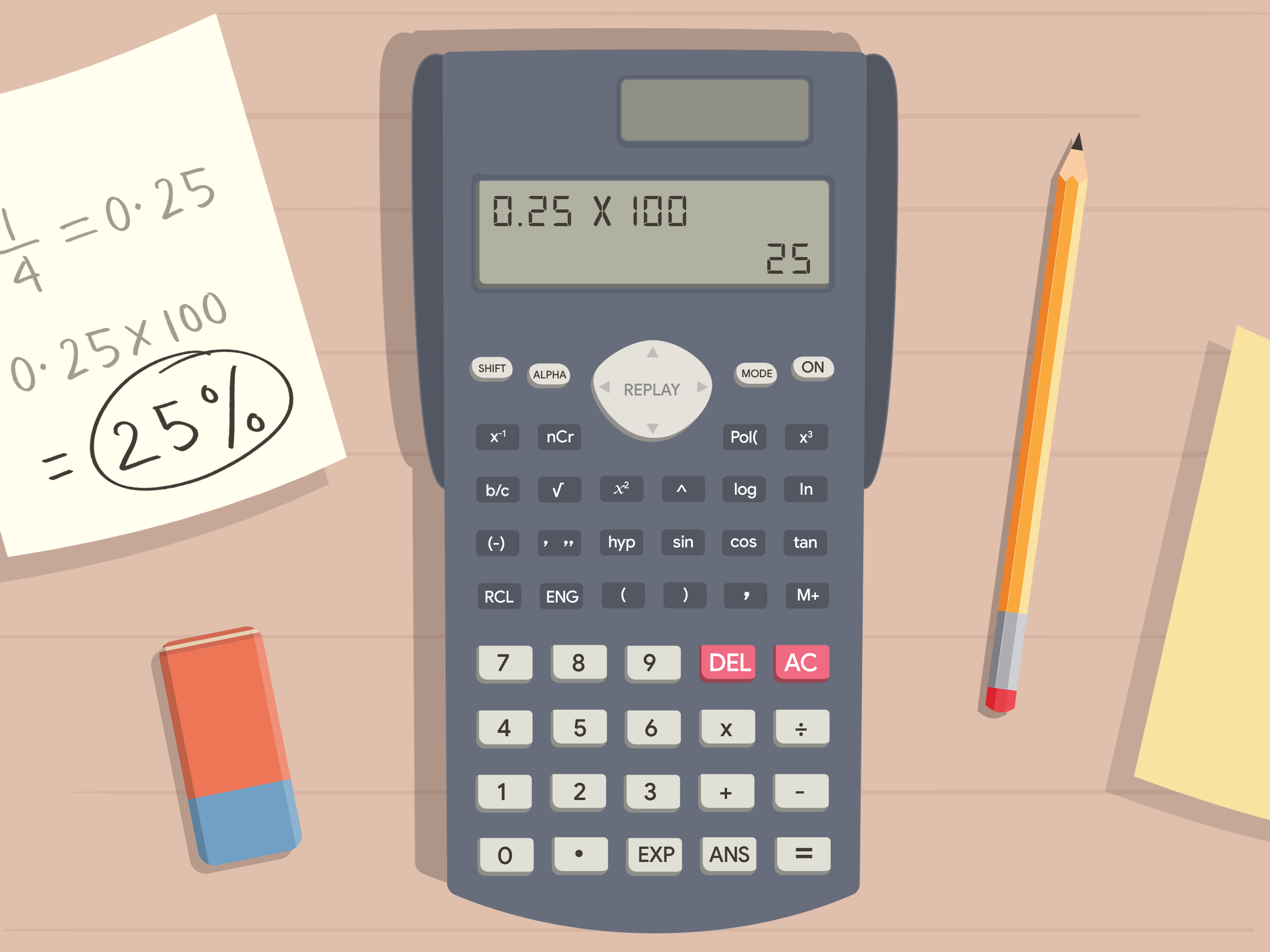
Converting to Percentages: To convert a decimal to a percentage, multiply by 100. So, 0.75 becomes 75%. Many calculators have a
%button which, when pressed after a number, typically divides it by 100 (useful for calculating percentages of a number) or converts a decimal to a percentage. For example,0.75 [ % ]might display75.
Common Pitfalls and How to Avoid Them
Even with advanced tools, user error remains a possibility. Being aware of common mistakes can save time and ensure accuracy.
-
Incorrect Input of Mixed Numbers: A common mistake is entering
2 [a b/c] 1 [a b/c] 2as2 + 1 [a b/c] 2. The latter means 2 plus one-half, not two and one-half. Always use the specific mixed number input method if your calculator supports it, or convert mixed numbers to improper fractions manually before inputting (e.g., 2 1/2 becomes 5/2). -
Misinterpreting Display Formats: Be sure you understand whether
3┘4means three-quarters or something else on your specific calculator. Similarly, know how your calculator distinguishes between improper fractions and mixed numbers in single-line displays. -
Over-reliance on Decimal Conversions: While useful, converting to decimals too early in a multi-step calculation can introduce rounding errors. It’s generally best to keep numbers in fractional form for as long as possible to maintain precision, then convert to a decimal only for the final answer if required.
-
Forgetting Parentheses: This is perhaps the most frequent cause of incorrect answers in complex equations involving fractions. Always group operations correctly.
Leveraging Digital Tools and Apps for Fractions
Beyond physical calculators, the digital landscape offers a plethora of tools that can assist with fraction operations, often providing enhanced visualization and step-by-step solutions.
Online Calculators and Web Tools
The internet is brimming with free online fraction calculators, many of which offer more than just basic computation.
-
Benefits: Online tools often feature user-friendly interfaces, “natural” display of fractions, and can provide step-by-step explanations for how a solution was reached. This educational aspect is invaluable for understanding the underlying math. They are also accessible from any device with an internet connection.
-
Examples: Websites like Wolfram Alpha provide incredibly powerful computational capabilities for fractions and virtually any mathematical problem. Dedicated fraction calculators on sites like Symbolab or Mathway offer focused tools with detailed solution steps. These can be particularly helpful for checking homework or understanding complex methods.
Smartphone Apps for Fraction Math
For on-the-go calculation, smartphone and tablet apps offer convenience and often powerful features rivaling physical calculators.
-
Convenience and Portability: Your phone is almost always with you, making it a readily available calculator. Many apps offer scientific calculator functionalities with fraction support.
-
Advanced Features and Interfaces: Apps often leverage touchscreen interfaces for easier input and clearer display of fractions. Some even offer camera-based problem recognition, allowing you to photograph a fraction problem and receive an instant solution with steps.
-
Examples: Apps like “Photomath,” “MyScript Calculator,” and various scientific calculator emulators (e.g., “RealCalc Scientific Calculator” for Android, “PCalc Lite” for iOS) provide robust fraction capabilities.
Integrating Fractions with Spreadsheets
While not a direct calculator, spreadsheet software like Microsoft Excel or Google Sheets can also handle fractions, particularly useful for data analysis, financial modeling, or tracking quantities.
-
Fraction Display in Excel/Sheets: You can format cells to display numbers as fractions (e.g.,
Format Cells > Number > Fraction). This allows you to input1/2directly, and it will be stored as the decimal0.5but displayed as1/2. -
Performing Operations: You can perform arithmetic operations on cells containing fractional values just as you would with decimals. For example, if cell A1 contains
1/2and B1 contains1/4, then=A1+B1would correctly compute0.75, which could then be displayed as3/4if the cell format is set to fraction. -
Limitations: Spreadsheets are more geared towards data manipulation than direct, immediate arithmetic computation of complex fraction expressions. However, for maintaining fractional precision in reports or budgets, they are quite capable.
The Future of Fraction Calculation and Math Tech
The trajectory of technological innovation suggests an exciting future for how we interact with mathematical concepts, including fractions. As calculators evolve, so too does their potential to enhance learning and problem-solving.
AI and Advanced Calculators
Artificial intelligence is steadily integrating into educational and computational tools, promising even more intuitive ways to handle fractions.
-
Natural Language Input: Future calculators and apps may allow users to input fraction problems using natural language, understanding phrases like “what is one-half plus one-third” and providing not just the answer but also a detailed, human-readable explanation of the steps.
-
Adaptive Learning: AI-powered platforms could identify common fraction errors made by a user and provide tailored feedback or practice problems, transforming calculators from passive tools into active learning companions.
-
Enhanced Visualization: AI and advanced computing power could generate dynamic visual representations of fractions, making abstract concepts more concrete and easier to grasp, especially for learners with different cognitive styles.
Educational Implications
The increasing sophistication of calculators and math tech raises important questions about their role in education. While some worry that technology might diminish fundamental math skills, a more optimistic view sees these tools as powerful enablers.
-
Focus on Conceptual Understanding: By offloading the mechanical burden of fraction arithmetic, calculators free up mental energy for students to focus on why they are performing certain operations, the meaning of the results, and the application of fractions in real-world contexts.
-
Problem-Solving at Higher Levels: With complex fraction computations simplified, students can tackle more challenging and realistic problems sooner, accelerating their progression through mathematical concepts.
-
Bridging Learning Gaps: For students who struggle with the procedural aspects of fractions, calculators can act as a crucial crutch, allowing them to participate in higher-level math while they gradually build foundational fluency. The goal is always to use technology to enhance learning, not to replace the need for conceptual understanding.

Conclusion
Fractions, often seen as a stumbling block in mathematics, are fundamentally elegant and powerful. The modern calculator, in its various forms—from the basic scientific model to advanced graphing devices and pervasive digital apps—has democratized the process of working with them. By understanding your calculator’s specific features, mastering input methods, and knowing how to interpret results, you can confidently navigate even the most complex fraction problems.
These technological tools are more than just answer machines; they are powerful aids that foster precision, accelerate computation, and allow for a deeper engagement with mathematical concepts. Whether you’re simplifying expressions, solving equations, or converting between formats, leveraging your calculator effectively transforms the challenge of fractions into an accessible and even enjoyable task. Embrace these tools, practice regularly, and unlock a new level of mathematical proficiency that is both efficient and insightful.
aViewFromTheCave is a participant in the Amazon Services LLC Associates Program, an affiliate advertising program designed to provide a means for sites to earn advertising fees by advertising and linking to Amazon.com. Amazon, the Amazon logo, AmazonSupply, and the AmazonSupply logo are trademarks of Amazon.com, Inc. or its affiliates. As an Amazon Associate we earn affiliate commissions from qualifying purchases.