
In an increasingly digital world, the ability to rapidly convert numerical formats is not just a convenience but often a necessity. While the manual process of transforming decimals into fractions involves understanding place values and simplification, modern technology, specifically calculators, has streamlined this operation, making it accessible and efficient. From scientific gadgets used in classrooms to powerful software applications on smartphones and computers, these tools empower users to navigate complex mathematical landscapes with precision and ease. Understanding how to leverage these technological aids for decimal-to-fraction conversion is a fundamental skill for anyone interacting with numbers, whether for academic pursuits, professional applications, or general numerical literacy.
The Fundamental Role of Calculators in Mathematical Conversions
Calculators stand as indispensable instruments in the modern technological toolkit, simplifying a myriad of mathematical operations that would otherwise be cumbersome or prone to human error. Their evolution, from rudimentary mechanical devices to sophisticated scientific and graphing models, and now into ubiquitous software applications, mirrors humanity’s constant quest for efficiency and accuracy in computation. The conversion of decimals to fractions, a seemingly straightforward task, often presents challenges when dealing with repeating decimals or numbers that require extensive simplification. This is where calculators truly shine, providing instantaneous and precise transformations that maintain the integrity of numerical relationships.
The importance of converting decimals to fractions extends beyond mere academic exercises. In fields ranging from engineering and physics to finance and carpentry, exact fractional values are often preferred over decimal approximations to ensure accuracy and facilitate clearer communication of measurements and ratios. For instance, a measurement of 0.3333 inches might be less precise and harder to work with than 1/3 inch. Calculators bridge this gap, allowing users to effortlessly switch between these representations, thereby fostering a deeper understanding of number properties and facilitating problem-solving where exact rational numbers are critical. This technological assistance not only saves time but also reduces the cognitive load, allowing individuals to focus on the broader problem rather than getting bogged down in arithmetic minutiae.
Mastering the Conversion: Step-by-Step Guides for Different Calculator Types
The methodology for converting decimals to fractions varies depending on the type and model of calculator being used. While the underlying mathematical principle remains constant, the interface and specific button sequences differ. Familiarity with these nuances is key to efficiently utilizing your chosen device.
Standard Scientific Calculators (e.g., Casio, Texas Instruments)
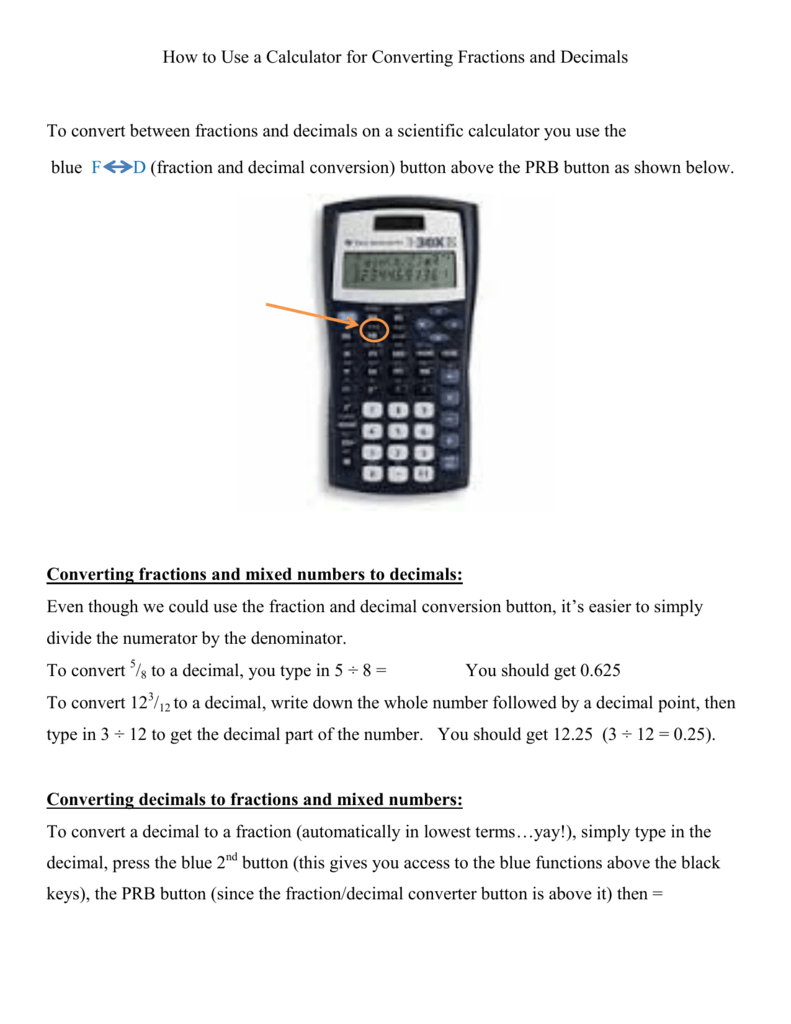
Most scientific calculators are equipped with a dedicated function for decimal-to-fraction conversion. These devices are staples in educational and professional settings due to their balance of functionality and portability.
-
Input the Decimal: Start by entering the decimal number you wish to convert. For example, enter
0.75. -
Locate the Conversion Button: Look for a button typically labeled
F<>D(Fraction to Decimal and vice-versa),a b/c(for mixed numbers/fractions), orS<>D(Standard to Decimal and vice-versa). Sometimes, this function might be a secondary operation accessed viaSHIFTor2ndkey. -
Execute the Conversion: Press the conversion button. The calculator should display the fractional equivalent. For
0.75, the display will likely show3/4. -
Mixed Numbers/Improper Fractions: If the decimal results in a mixed number (e.g., 2.5), some calculators will directly show
2 1/2. To convert this to an improper fraction (e.g.,5/2), you might need to press theSHIFTor2ndkey followed by thea b/cbutton again, or a dedicatedd/cbutton. -
Repeating Decimals: For simple repeating decimals (e.g.,
0.33333...), if entered with sufficient precision, some calculators can approximate the fraction (e.g.,1/3). However, their ability to represent truly infinite repeating decimals accurately is limited by their display and internal precision.
Graphing Calculators (e.g., TI-83/84/Nspire)
Graphing calculators offer more advanced capabilities, often embedding the conversion function within a menu system.
-
Input the Decimal: Enter your decimal number onto the main screen. For instance, input
0.625. -
Access the MATH Menu: Press the
MATHbutton. This will open a menu with various mathematical operations. -
Select the Fraction Conversion Option: Use the arrow keys to navigate to the
Fracor->Fracoption (usually option 1 or 2 in theMATHmenu). -
Execute the Conversion: Press
ENTERto select the option, then pressENTERagain to apply it to your decimal. For0.625, the display will show5/8. -
Approximation Considerations: Graphing calculators are generally more adept at handling complex numbers, but they too have limits with infinite repeating decimals. The
->Fracfunction will attempt to find the simplest fraction for the displayed decimal value, which might be an approximation if the original decimal was rounded. -
TI-Nspire Specifics: On TI-Nspire models, you can often type the decimal followed by
ctrlthen(to get the fraction template, or use themenu->Number->Convert to Fractionoption.
Online Calculators and Smartphone Apps
The proliferation of smartphones and internet connectivity has brought powerful calculators to everyone’s fingertips. Many online tools and dedicated apps replicate or even surpass the functionality of physical calculators.
-
Locate the Input Field: Most online calculators or apps feature a prominent input field. Enter your decimal.
-
Identify the Conversion Function: Look for buttons or menu options labeled “Convert to Fraction,” “Decimal to Fraction,”
F->D, ora b/c. Some advanced apps might automatically display the fractional equivalent as you type the decimal. -
Utilize Specialized Tools: Websites like Desmos, WolframAlpha, or dedicated fraction converter apps often provide intuitive interfaces. WolframAlpha, for example, not only converts but also explains the steps involved, offering a rich educational experience.
-
Advantages: These digital tools often boast higher precision, can handle larger numbers, and sometimes provide visual representations or alternative forms (mixed numbers, continued fractions), making them highly versatile.

Understanding Calculator Output and Potential Challenges
While calculators are powerful, interpreting their output correctly and understanding their limitations is crucial for accurate mathematical work.
Interpreting Mixed Numbers and Improper Fractions
Calculators frequently display fractions in either a mixed number format (e.g., 2 1/2) or an improper fraction format (e.g., 5/2). It is important to know how to switch between these, as different contexts may demand one over the other. Most scientific and graphing calculators have a dedicated button or a SHIFT/2nd function (often labeled d/c or similar, or a secondary function of the a b/c button) to toggle between mixed and improper fraction displays. Learning this toggle allows for flexibility in presenting results according to specific requirements.
Dealing with Repeating Decimals and Approximation
One of the most common challenges arises with repeating decimals. A calculator’s display is finite, meaning it can only show a certain number of digits. When you input a decimal like 0.33333333 (an approximation of 1/3), the calculator will attempt to find the simplest fraction for that displayed decimal. If the decimal has been truncated or rounded before input, the calculator might produce a fraction that is very close but not mathematically exact. For instance, 0.33333 might convert to 33333/100000 rather than 1/3 if the calculator cannot infer the repeating pattern. Advanced calculators or symbolic computation software are better equipped to handle true repeating decimals, often by allowing explicit input of repeating patterns or having higher internal precision to recognize them.
Irrational numbers, such as Pi ($pi$) or the square root of 2, cannot be expressed as simple fractions. When you input their decimal approximations into a calculator’s fraction converter, the calculator will return a very large, complex fraction that is merely an approximation, not an exact representation. This highlights a fundamental limitation: calculators convert decimal representations to fractions, and if the decimal is an approximation of an irrational number or a truncated repeating decimal, the resulting fraction will reflect that approximation.
Troubleshooting Common Issues
Encountering issues during conversion is common. Incorrect button presses are a primary culprit; always double-check the sequence for your specific calculator model. Mode settings, while less impactful for simple decimal-to-fraction conversions, can affect how results are displayed in other mathematical contexts, so it’s good practice to be aware of your calculator’s current mode. Finally, the display size of some calculators can limit the readability of very large fractions, prompting a need to potentially simplify manually or use a digital tool with a larger display.
Beyond Basic Conversion: Advanced Calculator Functions and Best Practices
While converting a single decimal to a fraction is a basic function, modern calculators offer capabilities that integrate this conversion into more complex workflows, enhancing their utility as advanced technological tools.
Integrating Conversions into Complex Calculations
The true power of a calculator comes alive when its conversion features are used within multi-step problems. For example, if you need to add 0.125 to 3/8, you could convert 0.125 to 1/8 first, then perform 1/8 + 3/8 = 4/8 = 1/2. Many calculators allow you to perform the conversion mid-calculation, retaining the exact fractional value for subsequent operations. This prevents rounding errors that might accumulate if one were to convert all numbers to decimals, perform the calculation, and then convert the final decimal result back to a fraction. Understanding the order of operations and how your calculator handles mixed inputs (decimals and fractions) is key to leveraging this effectively.
Choosing the Right Tool for the Job
The choice of calculator technology depends heavily on the specific task. For quick, straightforward conversions, a basic scientific calculator is often sufficient and highly convenient. When dealing with functions, graphing, or more advanced mathematical explorations, a graphing calculator offers unparalleled insight, allowing you to visualize how fractional coefficients impact curves or surfaces. For educational purposes, symbolic calculators or online platforms like WolframAlpha not only perform the conversion but often provide step-by-step solutions and explanations, serving as powerful learning aids. The accessibility and constant updates of smartphone apps also make them excellent on-the-go alternatives, often replicating the features of physical calculators with added user interface benefits.

The Importance of Understanding the Underlying Math
Despite the impressive capabilities of calculators, it is paramount to understand the mathematical principles behind decimal-to-fraction conversion. Technology serves as an augmentative tool, not a replacement for fundamental comprehension. Knowing why 0.5 is 1/2 (because it’s 5 tenths, or 5/10, which simplifies to 1/2) reinforces mathematical literacy. Calculators excel at performing computations, but the insight into how and why numbers behave the way they do comes from human understanding. By combining technological efficiency with conceptual knowledge, users can not only accurately convert decimals to fractions but also apply this skill meaningfully in diverse contexts, truly mastering the interplay between numerical forms. This holistic approach ensures that technology enhances, rather than diminishes, mathematical acumen.
aViewFromTheCave is a participant in the Amazon Services LLC Associates Program, an affiliate advertising program designed to provide a means for sites to earn advertising fees by advertising and linking to Amazon.com. Amazon, the Amazon logo, AmazonSupply, and the AmazonSupply logo are trademarks of Amazon.com, Inc. or its affiliates. As an Amazon Associate we earn affiliate commissions from qualifying purchases.