
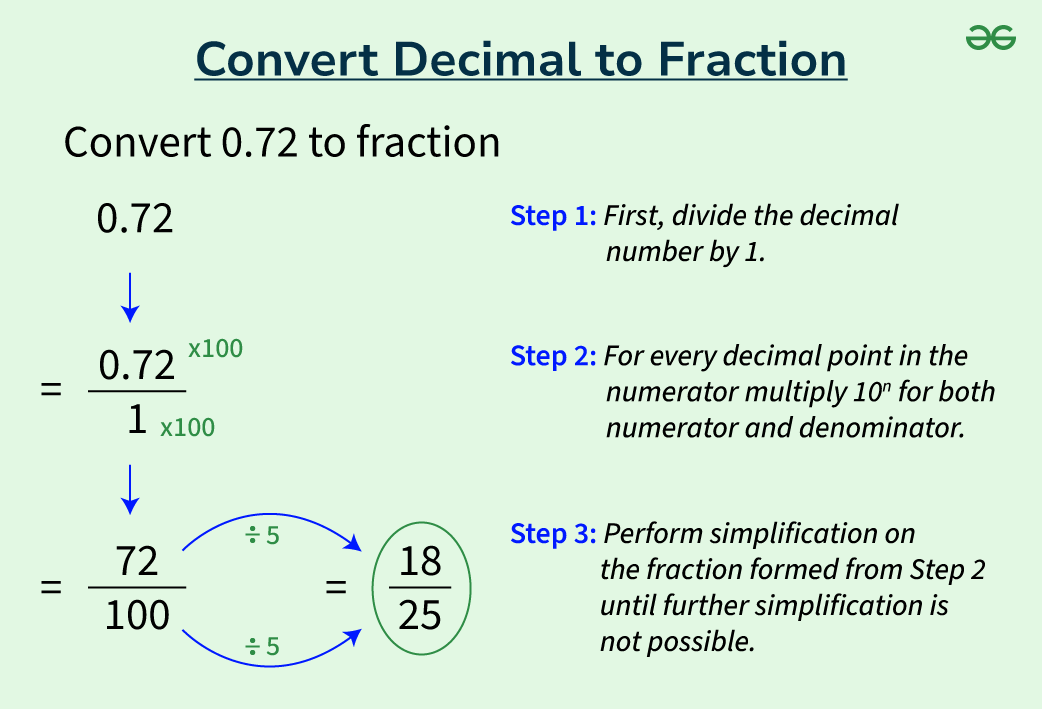
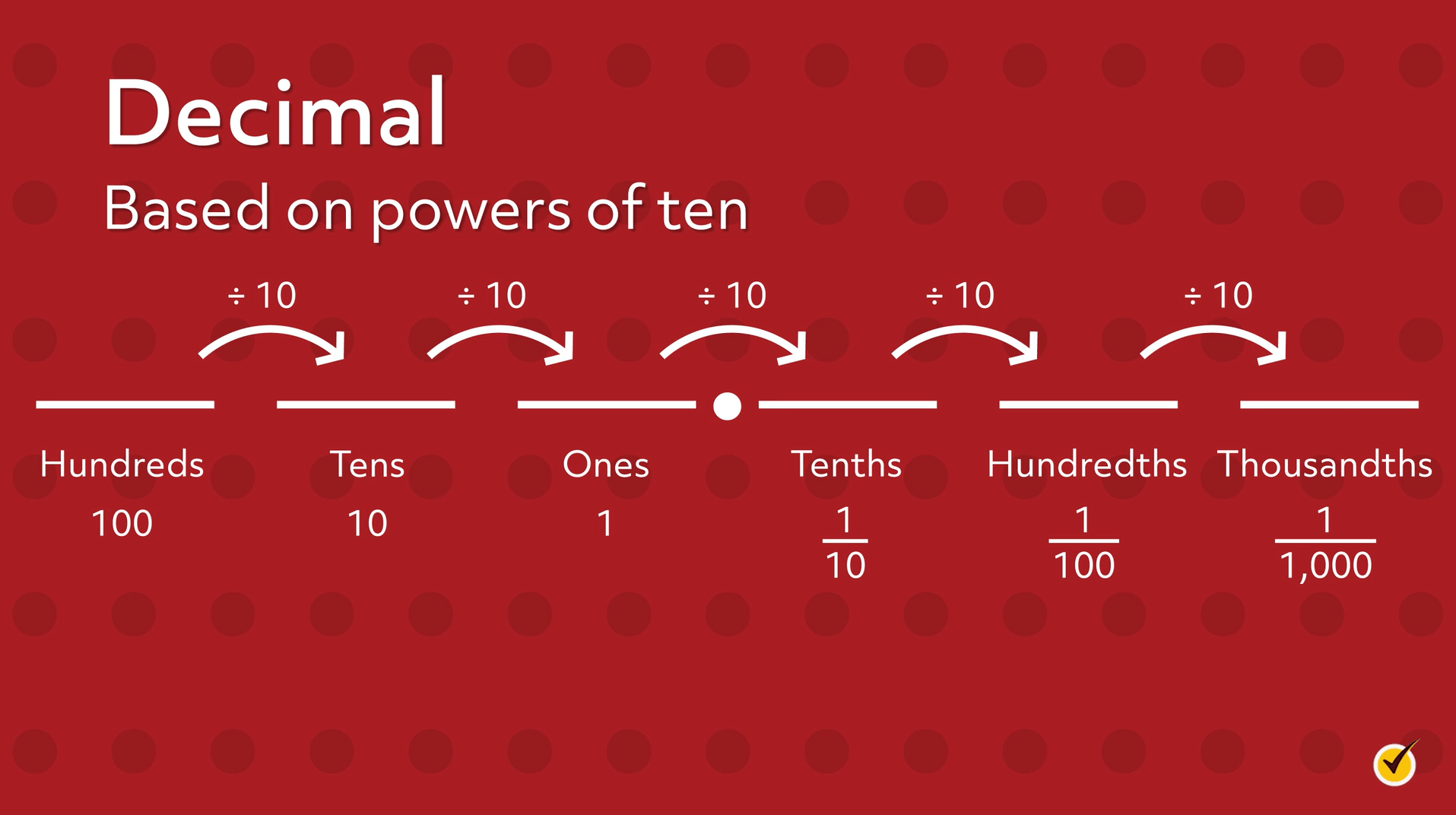
Decimals, in the context of our everyday numerical system, represent quantities using a base-10 system. This means that each digit’s value is determined by its position relative to the decimal point, based on powers of ten. While intuitive for human comprehension and calculation, the digital world operates on different principles. Understanding how to convert decimals, particularly into other number bases crucial for technology, is a foundational skill for anyone engaging with computing, data representation, and software development. This article delves into the methodologies and practical applications of decimal conversion within the tech landscape.
Understanding Number Systems in Technology
The ability to represent and manipulate numbers is at the heart of all computational processes. While humans rely on the decimal system, computers primarily use binary, and developers often utilize hexadecimal for efficiency. Grasping these distinct number systems is the first step in mastering decimal conversion in a technological context.
The Decimal Foundation (Base-10)
The decimal system is characterized by its ten unique digits (0-9) and positional notation where each digit’s value is multiplied by an appropriate power of 10. For instance, the number 123 is interpreted as (1 * 10^2) + (2 * 10^1) + (3 * 10^0). This system is naturally aligned with human counting and mental arithmetic, making it our primary interface for numerical data input and output. In computing, decimal values are often the human-readable representations of underlying binary or hexadecimal data.
Binary: The Language of Computers (Base-2)
At its core, a computer is an electronic device that processes information using electrical signals that are either ‘on’ or ‘off’. This duality perfectly maps to the binary number system, which uses only two digits: 0 and 1. Each binary digit is known as a bit. A bit’s position in a binary number determines its value as a power of 2. For example, the binary number 1011 is (1 * 2^3) + (0 * 2^2) + (1 * 2^1) + (1 * 2^0), which equals 8 + 0 + 2 + 1 = 11 in decimal. Every piece of data, every instruction executed by a processor, is ultimately represented and manipulated in binary form.
Hexadecimal: A Shorthand for Developers (Base-16)
While binary is fundamental to computers, sequences of 0s and 1s can become excessively long and difficult for humans to read and write. This is where hexadecimal comes into play. Hexadecimal uses sixteen distinct symbols: 0-9 and A-F (where A represents 10, B represents 11, and so on, up to F representing 15). Each hexadecimal digit corresponds to exactly four binary digits (a nibble). For instance, the hexadecimal digit ‘A’ is equivalent to binary ‘1010’ (decimal 10). This makes hexadecimal a concise and human-friendly way to represent large binary numbers, widely used in memory addresses, color codes, MAC addresses, and cryptographic keys.
Converting Decimals to Binary
Converting a decimal number into its binary equivalent is a fundamental operation in computer science. There are several methods, but the most common for integers is the division-by-2 method.
The Division-by-2 Method
To convert a whole decimal number to binary:
-
Divide the decimal number by 2.
-
Record the remainder. This remainder will be a 0 or a 1.
-
Use the quotient from the division as the new number and repeat steps 1 and 2.
-
Continue until the quotient becomes 0.
-
Write the remainders in reverse order (from the last remainder to the first) to get the binary equivalent.
Example: Convert decimal 13 to binary.
-
13 ÷ 2 = 6 remainder 1
-
6 ÷ 2 = 3 remainder 0
-
3 ÷ 2 = 1 remainder 1
-
1 ÷ 2 = 0 remainder 1
Reading the remainders from bottom to top: 1101. So, decimal 13 is binary 1101.
Practical Applications in Digital Systems
Binary conversion is not merely an academic exercise; it underpins various critical aspects of digital technology:
-
Data Representation: Every character, image pixel, sound sample, and video frame is encoded into binary data before being processed or stored by a computer. Understanding this conversion helps in debugging data corruption or understanding storage limits.
-
Digital Logic and Circuitry: Electronic circuits operate based on voltage levels representing binary 0s and 1s. Converting decimal numbers to binary is essential for designing and analyzing digital logic gates and microprocessors.
-
Networking: IP addresses, subnet masks, and network protocols often involve binary arithmetic and conversions to interpret network configurations correctly.
-
Programming: Low-level programming, embedded systems, and assembly language often require direct manipulation of binary data, making conversion skills invaluable for developers.
Converting Decimals to Hexadecimal
Converting decimals to hexadecimal is similar in principle to binary conversion but uses a base of 16. This conversion is vital for debugging, memory management, and working with hardware interfaces in tech.
The Division-by-16 Method
To convert a whole decimal number to hexadecimal:
-
Divide the decimal number by 16.
-
Record the remainder.
-
Convert any remainder greater than 9 to its hexadecimal equivalent (10=A, 11=B, …, 15=F).
-
Use the quotient from the division as the new number and repeat steps 1-3.
-
Continue until the quotient becomes 0.
-
Write the remainders in reverse order to get the hexadecimal equivalent.
Example: Convert decimal 255 to hexadecimal.
-
255 ÷ 16 = 15 remainder 15 (F)
-
15 ÷ 16 = 0 remainder 15 (F)
Reading the remainders from bottom to top: FF. So, decimal 255 is hexadecimal FF.
Hexadecimal in Memory and Color Codes
Hexadecimal conversions are frequently encountered in:
-
Memory Addresses: Computer memory locations are often represented in hexadecimal. This compact notation allows developers to easily specify or refer to specific bytes in memory, crucial for debugging and system-level programming.
-
Color Codes: In web development and graphic design, colors are often defined using hexadecimal RGB (Red, Green, Blue) values. For example,
#FFFFFFrepresents white, where eachFF(decimal 255) indicates the maximum intensity for red, green, and blue components. Converting decimal color values (0-255) to hex is a routine task. -
Data Dumping: When examining the raw contents of files or memory, data is typically displayed in hexadecimal format. This provides a clear, concise view of the underlying binary data.
-
Cryptographic Hashes: Hash values, often used for data integrity and security, are typically represented as long hexadecimal strings, making them manageable despite their underlying binary complexity.
Handling Floating-Point Decimals in Software
While the methods above apply to whole numbers, converting and representing fractional decimal numbers (floating-point numbers) in binary presents a different challenge. Computers use specific standards to handle these, primarily the IEEE 754 standard.
IEEE 754 Standard
The IEEE 754 standard defines a common way for computers to represent and perform arithmetic with floating-point numbers. It uses a sign bit, an exponent, and a mantissa (or significand) to approximate real numbers. This standard allows for both single-precision (32-bit) and double-precision (64-bit) representations, offering varying levels of accuracy. The conversion from a decimal fraction to its binary floating-point representation involves converting the integer part and the fractional part separately and then normalizing the number to fit the standard’s format.
Precision and Potential Pitfalls
A significant challenge with floating-point decimal conversion is the issue of precision. Just as 1/3 cannot be perfectly represented in decimal as a finite string of digits (0.333…), many decimal fractions cannot be perfectly represented in binary using a finite number of bits. This can lead to small rounding errors or “floating-point inaccuracies,” where, for example, 0.1 + 0.2 might not exactly equal 0.3 in binary floating-point arithmetic.
Developers must be aware of these limitations, especially when dealing with financial calculations, scientific simulations, or comparisons of floating-point numbers. Techniques like using fixed-point arithmetic or specialized decimal types (e.g., Python’s Decimal module, Java’s BigDecimal) are often employed in applications where absolute precision is paramount, mitigating the inherent imprecision of standard binary floating-point representations.
Practical Software Implementations
Most high-level programming languages abstract away the direct conversion details, allowing developers to work with decimal numbers directly. However, understanding the underlying mechanisms is crucial for:
-
Debugging: Tracing unexpected calculation results or precision issues in numerical algorithms.
-
Performance Optimization: Choosing the right data type (e.g.,
float,double,decimal) can significantly impact performance and memory usage, depending on the required precision. -
Interoperability: Ensuring data transferred between different systems or languages maintains its integrity, especially when dealing with various floating-point representations.
The Role of Decimal Conversions in Modern Computing
Beyond the foundational aspects, understanding decimal conversions is increasingly relevant in advanced computing fields.
Data Representation and Storage
From databases to file systems, all information is ultimately stored as binary. Optimizing data storage and retrieval often involves understanding how decimal values are converted and packed into binary structures. This knowledge is crucial for efficient serialization, compression, and network transmission of data.
Network Protocols and Addressing
Network engineers and developers regularly encounter hexadecimal and binary representations when configuring network devices, analyzing packet headers, or troubleshooting connectivity issues. Converting between decimal IP addresses and their binary or hexadecimal equivalents is a routine task for deep network analysis.
AI and Machine Learning Considerations
In artificial intelligence and machine learning, numerical precision is vital. While models are often trained using floating-point numbers, the choice between single, double, or even half-precision (for performance in GPUs) can impact model accuracy and training time. Furthermore, techniques like quantization, which involves converting floating-point numbers to lower-precision integers (effectively a form of decimal conversion to a more constrained numerical space), are used to optimize models for deployment on edge devices with limited computational resources.
In conclusion, while the decimal system remains our primary means of human interaction with numbers, its conversion into binary, hexadecimal, and understanding floating-point representations are cornerstones of technological literacy. Mastering these conversions unlocks a deeper understanding of how computers process information, enabling more effective programming, debugging, and system design in the ever-evolving digital landscape.
aViewFromTheCave is a participant in the Amazon Services LLC Associates Program, an affiliate advertising program designed to provide a means for sites to earn advertising fees by advertising and linking to Amazon.com. Amazon, the Amazon logo, AmazonSupply, and the AmazonSupply logo are trademarks of Amazon.com, Inc. or its affiliates. As an Amazon Associate we earn affiliate commissions from qualifying purchases.