
In a world driven by data, discounts, and detailed financial reports, understanding percentages is an indispensable skill. From calculating sales tax on a new purchase to dissecting complex financial statements or understanding statistical reports, percentages offer a standardized way to express proportions and changes. While the concept might seem straightforward, accurately and efficiently calculating percentages, especially from complex numbers, often requires the assistance of a trusty tool: the calculator.
Far from being a mere number-crunching device, a calculator, whether it’s a dedicated scientific model, a basic desk unit, or an app on your smartphone, is a powerful instrument that simplifies these calculations, ensuring accuracy and saving precious time. This guide will demystify the process, transforming you from someone who knows what a percentage is into someone who can confidently calculate it using any calculator at your disposal. We’ll delve into the foundational concepts, explore various calculator types, tackle practical scenarios, and offer tips to enhance your accuracy and efficiency.
Understanding the Fundamentals of Percentages
Before we jump into button-mashing, a solid grasp of what percentages represent is crucial. This foundational knowledge empowers you not just to follow steps but to truly understand the logic behind the calculator’s operations.
What is a Percentage?
At its core, “percent” means “per hundred” or “out of every hundred.” It’s a way of expressing a number as a fraction of 100. So, 25% literally means 25 out of 100, or 25/100. It’s a dimensionless number, often used to express proportions, fractions, or ratios in a more comprehensible format. For instance, saying “50% of the students passed” is often clearer than “half of the students passed” or “25 out of 50 students passed,” especially when dealing with larger, less intuitive numbers. The percentage sign (%) is merely a shorthand notation for “/100”.
The Basic Formulas for Calculation
There are two primary ways we typically think about calculating percentages:
-
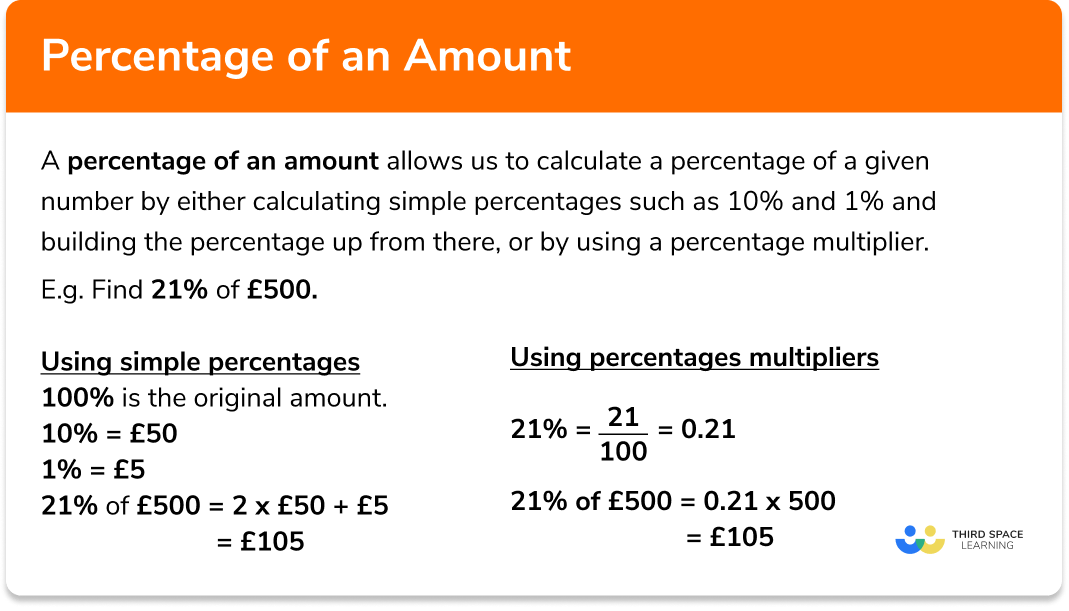
Finding a percentage of a number: This is perhaps the most common scenario. You want to know what 20% of 150 is. The formula here is:
Percentage Value = (Percentage / 100) * Whole NumberSo, 20% of 150 would be
(20 / 100) * 150 = 0.20 * 150 = 30. -
Finding what percentage one number is of another: Here, you have a part and a whole, and you want to express the part as a percentage of the whole. For example, if 30 out of 150 students passed, what percentage is that? The formula is:
Percentage = (Part / Whole) * 100So, (30 / 150) * 100 = 0.20 * 100 = 20%.
Understanding these two core formulas will serve as your bedrock for all percentage calculations on any device.
Common Applications of Percentages
Percentages are ubiquitous in daily life and professional contexts:
-
Discounts and Sales Tax: “25% off!” or “7% sales tax added.”
-
Interest Rates: Loans, savings accounts, credit cards all use percentages to express interest accrued or paid.
-
Statistics and Data Analysis: Expressing survey results, growth rates, or demographic proportions.
-
Grades and Performance: “You scored 85% on the test.”
-
Financial Ratios: Profit margins, debt-to-equity ratios, and return on investment are all percentage-based.
Mastering Your Calculator: Different Types and Approaches
The way you interact with a calculator can vary slightly depending on its type and features. However, the underlying mathematical principles remain constant. Let’s explore the methods for common calculator types.
Standard Scientific/Basic Calculators
These are the physical devices you might have on your desk or tucked away in a drawer. They typically have a basic set of arithmetic functions, and some include a dedicated percentage button.
Method 1: The Decimal Conversion Approach (Universal)
This method works on any calculator, regardless of whether it has a ‘%’ key. It relies on converting the percentage to its decimal equivalent first.
To find X% of Y:
-
Divide the percentage (X) by 100. (e.g., for 25%, type
25 / 100 =) -
Multiply the result by the whole number (Y). (e.g.,
0.25 * Y =)
Example: Find 15% of 200
-
15 / 100 = 0.15 -
0.15 * 200 = 30So, 15% of 200 is 30.
To find what percentage X is of Y:
-
Divide the part (X) by the whole (Y). (e.g.,
X / Y =) -
Multiply the result by 100. (e.g.,
Result * 100 =)
Example: What percentage is 45 of 300?
-
45 / 300 = 0.15 -
0.15 * 100 = 15So, 45 is 15% of 300.
Method 2: Using the Dedicated ‘%’ Button (If Available)
Many basic and scientific calculators feature a ‘%’ key, which can simplify some operations. However, its behavior can sometimes vary between brands, making it occasionally less intuitive than the decimal conversion.
To find X% of Y:
-
Type the whole number (Y). (e.g.,
200) -
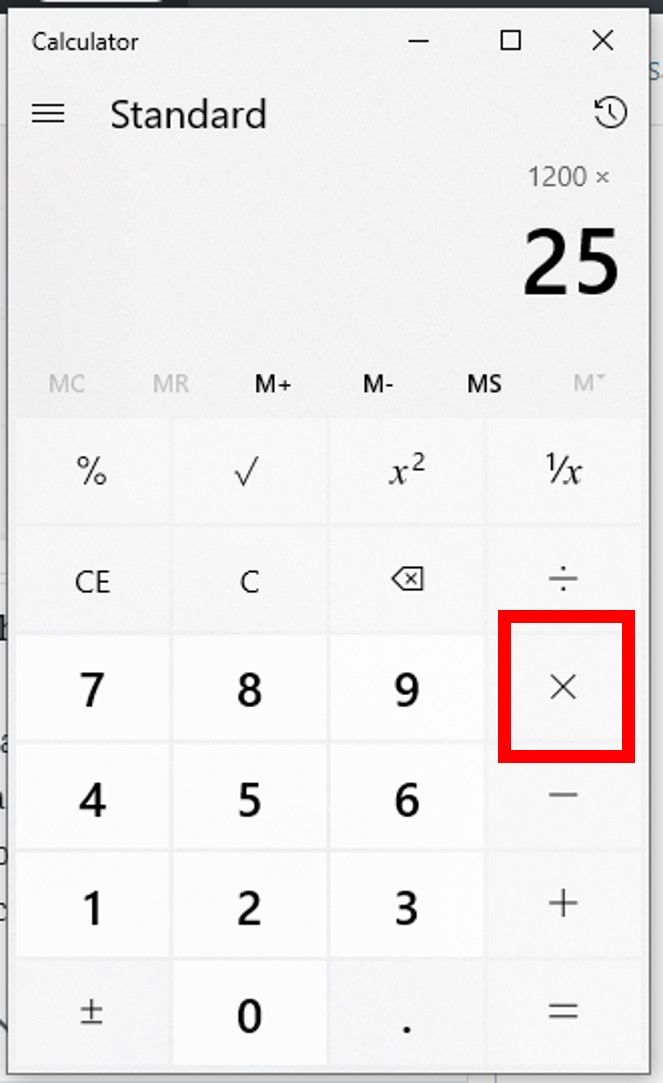
Press the multiplication key (
*). -
Type the percentage (X). (e.g.,
15) -
Press the percentage key (
%). -
The result should appear automatically or after pressing the equals key (
=). (e.g.,30)
Note: On some calculators, after pressing %, it directly shows the percentage value. If you want to add or subtract that percentage, you might then press + or - followed by Y. For example, 200 + 15% might directly calculate 200 + 30 = 230. Experiment with your specific calculator model to understand its percentage key’s exact behavior.
Smartphone Calculators (iOS, Android)
Smartphone calculators are essentially digital versions of basic or scientific calculators, often with a cleaner interface. The methods described above (decimal conversion and using the ‘%’ button) generally apply.
-
iOS Calculator: The built-in iOS calculator usually operates similarly to a standard calculator with a ‘%’ key. For example, to find 20% of 150: Type
150 * 20 % =. This sequence will first calculate 20% of 150 (which is 30), and then if you continue, say150 - 20% =, it will give you 120. -
Android Calculator: Android’s default calculator also typically supports the ‘%’ function. The sequence might be
150 * 20 %or150 - 20 %to calculate percentage of or off the number respectively.
Due to variations in mobile OS versions and third-party calculator apps, it’s always good practice to perform a simple calculation (e.g., 50% of 100) to confirm the specific behavior of your app’s percentage function.

Online Calculators and Web Tools
For more specialized or quick percentage calculations, online tools are incredibly handy. Websites often provide dedicated percentage calculators that:
-
Find X% of Y: You input X and Y, and it gives you the result.
-
Find percentage increase/decrease: Input original and new values.
-
Reverse percentage calculations: Input a final value after a percentage change and the percentage, to find the original value.
These tools are great for specific, complex scenarios where you want to minimize manual input and potential errors, or when you need a visual representation of the calculation. Simply searching “percentage calculator online” will yield numerous options.
Practical Scenarios and Advanced Percentage Calculations
Beyond the basic “X% of Y,” percentages are used in more complex, real-world situations. Your calculator remains an invaluable partner in these scenarios.
Calculating Discounts and Sales Tax
This is a classic application. Let’s say an item costs $80, and there’s a 20% discount, plus a 5% sales tax.
-
Calculate the discount:
-
80 * 20%(using the % key if available) or80 * (20 / 100) = 80 * 0.20 = 16 -
Discount amount is $16.
-
-
Calculate the price after discount:
-
80 - 16 = 64 -
Or, using the calculator’s % key:
80 - 20% = 64 -
Price after discount is $64.
-
-
Calculate sales tax on the discounted price:
-
64 * 5%or64 * (5 / 100) = 64 * 0.05 = 3.20 -
Sales tax is $3.20.
-
-
Calculate the final price:
-
64 + 3.20 = 67.20 -
Final price is $67.20.
-
Finding Percentage Increase or Decrease
This is essential for tracking growth, losses, or changes over time (e.g., population growth, stock market changes).
Formula: ((New Value - Original Value) / Original Value) * 100
Example: A stock price rose from $50 to $60.
-
(60 - 50) = 10 -
10 / 50 = 0.2 -
0.2 * 100 = 20%The stock price increased by 20%.
Example: A stock price fell from $60 to $50.
-
(50 - 60) = -10 -
-10 / 60 = -0.1666... -
-0.1666... * 100 = -16.67%The stock price decreased by approximately 16.67%. (The negative sign indicates a decrease).
Reverse Percentage Problems
Sometimes you know the final value after a percentage change and want to find the original value.
Example: After a 20% discount, a shirt costs $40. What was the original price?
Here, $40 represents 100% – 20% = 80% of the original price.
-
Let the original price be ‘X’.
-
0.80 * X = 40 -
X = 40 / 0.80 = 50The original price was $50.
Example: After a 10% tax, a product costs $55. What was the price before tax?
Here, $55 represents 100% + 10% = 110% of the original price.
-
Let the original price be ‘X’.
-
1.10 * X = 55 -
X = 55 / 1.10 = 50The price before tax was $50.
Tips for Accuracy and Efficiency
While calculators are powerful, they are only as good as the input they receive and your understanding of their functions.
Double-Checking Your Work
Especially with complex multi-step calculations, it’s easy to make a small error.
-
Estimate: Before you calculate, try to estimate the answer. If you’re calculating 10% of $200, you know it should be around $20. If your calculator gives you $2000, you know something went wrong.
-
Recalculate: Perform the calculation a second time, perhaps using a different method (e.g., decimal conversion instead of the % key) or a different calculator.
Understanding Order of Operations
Remember PEMDAS/BODMAS (Parentheses/Brackets, Exponents/Orders, Multiplication and Division, Addition and Subtraction). While most calculators handle this internally, especially scientific ones, being aware helps with constructing your calculations. For instance, (A + B) * C% might require (A + B) to be calculated first before applying the percentage to the sum.
Utilizing Memory Functions
Many calculators have memory functions (M+, M-, MR/MC). These can be invaluable for multi-step calculations, allowing you to store intermediate results without having to write them down or re-enter them. This reduces the chance of transcription errors.
When to Use a Calculator vs. Mental Math
Not every percentage calculation requires a calculator. For simple percentages like 10%, 25%, or 50%, mental math can be faster and reinforce your number sense.
-
10%: Move the decimal one place to the left (e.g., 10% of 150 is 15.0).
-
25%: Divide by 4 (e.g., 25% of 200 is 50).
-
50%: Divide by 2 (e.g., 50% of 300 is 150).
Knowing when to reach for the calculator and when to rely on your brain boosts overall efficiency.
Conclusion
Percentages are an indispensable tool for interpreting the world around us, from personal finance to professional analytics. While the underlying concepts are simple, the ability to perform these calculations accurately and quickly is a skill refined through practice and the effective use of technology. Your calculator, whether it’s a dedicated device or an app on your smartphone, is not just a tool for students but a powerful assistant for anyone navigating the numeric landscape of modern life.
By understanding the fundamental formulas, familiarizing yourself with your specific calculator’s functions, and practicing with real-world scenarios, you can confidently tackle any percentage challenge. Embrace your calculator as an extension of your mathematical capabilities, and you’ll find yourself making more informed decisions, managing finances with greater precision, and interpreting data with newfound clarity. The days of percentage perplexity are over; the era of calculated confidence has begun.
aViewFromTheCave is a participant in the Amazon Services LLC Associates Program, an affiliate advertising program designed to provide a means for sites to earn advertising fees by advertising and linking to Amazon.com. Amazon, the Amazon logo, AmazonSupply, and the AmazonSupply logo are trademarks of Amazon.com, Inc. or its affiliates. As an Amazon Associate we earn affiliate commissions from qualifying purchases.