
In an age saturated with digital entertainment, managing one’s media budget has become an intricate dance between desire and fiscal prudence. The question “How much is Max on Prime?” is more than a simple query about a price point; it’s a gateway to understanding the financial implications of modern media consumption, the perceived value of premium content, and strategic budgeting for a growing array of subscription services. For many, accessing Max (formerly HBO Max) through Amazon Prime Video Channels offers a tempting blend of convenience, but it’s crucial to dissect the underlying costs and evaluate whether this particular bundling strategy aligns with your personal finance goals.

Understanding Max: The Premium Entertainment Offering
Before diving into the dollar figures, it’s essential to understand what Max represents in the streaming landscape. Max is a premium subscription service from Warner Bros. Discovery, renowned for its deep catalog of iconic films, critically acclaimed original series, documentaries, and children’s programming. Its content library boasts HBO originals, Warner Bros. movies, DC Comics content, Cartoon Network, Looney Tunes, and programming from the Discovery family of networks (Discovery, HGTV, Food Network, TLC, ID, etc.). This breadth of content often positions Max as a “must-have” for many households, but its financial integration into a larger streaming ecosystem, particularly via Amazon Prime, warrants careful examination.
The Evolving Landscape of Streaming Content
The streaming market has matured from a few dominant players to a fragmented, competitive arena. Each service vies for subscriber attention and, more importantly, subscriber dollars. Max differentiates itself through quality and exclusivity, often commanding a higher price point than some general entertainment services. This premium positioning means that adding it to your portfolio requires a deliberate financial decision, especially when considering alternative ways to access its content. The ease of adding a channel through an existing platform like Amazon Prime Video can sometimes mask the true, cumulative cost, making it feel less like an additional bill and more like a convenient upgrade.
What Max Brings to the Table (From a Value Perspective)
From a financial perspective, the “value” of Max is subjective but generally tied to its exclusive, high-quality programming. For avid fans of HBO dramas, DC Universe, or specific Discovery content, the subscription may be a non-negotiable expense. However, for the financially savvy consumer, the value isn’t just in the availability of content, but in the frequency of its consumption relative to its cost. If you’re only tuning in for one show periodically, the monthly expense might represent a lower return on investment compared to someone who leverages the entire library regularly. Understanding your consumption habits is the first step in determining Max’s financial value to you.
Accessing Max Through Amazon Prime Video Channels: A Financial Breakdown
The primary question – “how much is Max on Prime?” – revolves around the additional cost of adding Max as a channel within your Amazon Prime Video subscription. This mechanism offers seamless billing and a unified viewing experience within the Prime Video app, but it’s crucial not to confuse this with Max being “included” in your Prime membership. It is an add-on with its own distinct monthly fee.
The Base Cost: Max Standalone vs. Prime Channel Add-on
As of early 2024, the standard ad-free Max subscription typically costs around $15.99 per month when subscribed to directly. Max also offers an ad-supported tier for approximately $9.99 per month. When you subscribe to Max through Amazon Prime Video Channels, the pricing usually mirrors these direct subscription costs. So, you would typically pay $15.99/month for the ad-free version or $9.99/month for the ad-supported version on top of your existing Amazon Prime membership fee.
This direct parity in pricing means there isn’t usually a “discount” for subscribing to Max via Prime Video Channels in terms of the Max component itself. The perceived benefit is primarily convenience: a single bill (from Amazon), a single app interface (Prime Video), and potentially simpler management of your streaming subscriptions. However, this convenience comes with an underlying financial layer that must not be overlooked.
Why Subscribe via Prime? Convenience vs. Cost-Effectiveness
The decision to subscribe to Max via Prime Video Channels often boils down to a trade-off between convenience and what might, in some niche scenarios, be perceived as more direct financial control.
-
Convenience: Many users appreciate having all their content, or at least a significant portion of it, aggregated within one app. It simplifies navigation, billing, and subscription management. For those already deeply embedded in the Amazon ecosystem, adding Max as a channel is frictionless.
-
Cost-Effectiveness: While the monthly fee for Max itself remains the same, subscribing directly to Max allows for easier “churning”—the practice of subscribing for a month or two to watch specific content and then canceling, only to resubscribe later. When Max is an add-on to Prime, the inertia of an existing Prime membership might make it less likely for users to pause and restart just the Max component. From a purely financial standpoint, if you’re not fully utilizing the Prime membership itself, paying an additional premium for an add-on channel might dilute its overall value.
Decoding Prime Membership: An Underlying Expense
It’s critical to remember that the cost of Max through Prime Video Channels is in addition to your Amazon Prime membership fee. Amazon Prime itself typically costs around $14.99 per month or $139 per year. Therefore, your total monthly outlay for Max through Prime would be:
-
Max Ad-Free via Prime: $15.99 (Max) + $14.99 (Prime) = $30.98 per month (or $15.99 + annual Prime fee converted to monthly)
-
Max Ad-Supported via Prime: $9.99 (Max) + $14.99 (Prime) = $24.98 per month (or $9.99 + annual Prime fee converted to monthly)
This combined cost is a significant figure for many household budgets. While the Prime membership offers numerous benefits beyond video streaming (expedited shipping, music, e-books, etc.), it’s an expense that must be factored in when evaluating the true cost of accessing Max via this method. If you don’t fully utilize other Prime benefits, then a portion of that $14.99/month could be considered an indirect cost of merely accessing Max through that portal.
Strategic Budgeting for Your Streaming Portfolio
In an era of “subscription fatigue,” managing your streaming portfolio requires strategic budgeting to ensure you’re getting maximum entertainment value without overspending. Each new service or add-on represents a recurring expense that, while seemingly small individually, can accumulate into a substantial monthly drain on your finances.
Assessing Your Entertainment ROI
Return on Investment (ROI) isn’t just for business; it applies to your entertainment budget too. To calculate your streaming ROI, consider:
-
Total Monthly Cost: Sum up all your streaming subscriptions, including add-ons like Max on Prime.
-
Hours of Consumption: Estimate how many hours you actively watch content across all these services.
-
Per-Hour Cost: Divide your total monthly cost by your estimated hours of consumption.
A high per-hour cost might indicate that you’re paying for services you don’t fully utilize. For Max, specifically, if you’re paying $15.99/month (plus Prime) and only watching one new show for a few hours, your per-hour cost for that specific service could be disproportionately high. Regularly assessing this can highlight areas for trimming the fat from your budget.
Subscription Fatigue and Financial Pruning
The phenomenon of “subscription fatigue” describes the frustration consumers feel when managing numerous recurring payments, leading to a desire to simplify and consolidate. This often translates into financial pruning:
-
Audit Regularly: Periodically review your bank or credit card statements for all recurring charges. You might be surprised by services you forgot you subscribed to.
-
Prioritize Content: Identify the 2-3 services that offer your absolute must-have content. Everything else should be critically evaluated.
-
Look for Overlap: Are you paying for multiple services that offer similar content types or older movies you could access elsewhere?
For services like Max, which often have a concentrated release schedule of highly anticipated shows, a “subscribe-then-cancel” strategy (churning) can be financially advantageous, especially if you’re not interested in the broader library year-round.
The Bundle Benefit: Are You Really Saving?
Bundling services, such as adding Max to Prime Video Channels, often presents a façade of savings or simplicity. While it consolidates billing, it rarely offers a direct price reduction for Max itself. True financial savings from bundling typically occur when a service provider (e.g., a telecom company) offers a package deal that genuinely reduces the combined cost of multiple, distinct services (internet, phone, TV, and streaming). With Prime Channels, the “bundle benefit” is more about convenience within Amazon’s ecosystem than a direct financial discount on the Max subscription itself. Always scrutinize promotional bundles to confirm actual savings versus perceived value.
Maximizing Value: Tips for Cost-Effective Streaming
Smart consumers employ various strategies to enjoy their favorite content without breaking the bank. These methods focus on conscious consumption and strategic financial management of streaming services.
The Cycle of Subscribe-and-Unsubscribe
This is perhaps the most powerful tool in a savvy streamer’s arsenal. Instead of maintaining year-round subscriptions to all services, consider:
-
Seasonal Subscribing: Max often releases its tentpole series over specific periods. Subscribe for 1-2 months when a show you want to watch is fully available or nearing its finale, binge it, and then cancel.
-
Content Calendar: Keep a personal calendar of release dates for shows you’re following across different platforms. This helps you plan your subscriptions strategically.
-
Easy Cancellation: Ensure you understand the cancellation process for each service. Prime Channels typically makes this straightforward within your Amazon account settings.
This method requires a bit more active management but can save hundreds of dollars annually by avoiding paying for months you don’t actively consume content.
Utilizing Free Trials Wisely
Most streaming services, including Max (directly or sometimes through Prime Channels), offer free trial periods.
-
Plan Your Binge: Sign up for a free trial when you have ample time to watch a significant amount of content.
-
Set a Reminder: Immediately set a calendar reminder to cancel before the trial period ends if you don’t intend to continue the subscription.
-
Avoid Stacking Trials: Don’t start multiple free trials simultaneously, as it can make it harder to evaluate which services are truly worth the ongoing cost.
Sharing Accounts (Ethical and Permissible Sharing for Cost Savings)
Many streaming services permit limited account sharing among household members or close family. While the specifics vary by platform (and have recently become stricter with Netflix), checking Max’s terms of service regarding simultaneous streams and authorized users can allow you to ethically split costs with others, significantly reducing your individual financial outlay. Ensure you adhere to the service’s terms to avoid account issues.
Future Trends and Your Streaming Budget
The streaming landscape is dynamic, and future changes will continue to impact how consumers budget for digital entertainment. Staying informed about these trends can help you make proactive financial decisions.
The Rise of Ad-Supported Tiers: A Cheaper Alternative?
Many premium services, including Max, have introduced cheaper, ad-supported tiers. For consumers willing to tolerate commercials, these options present a direct path to savings. The $9.99/month ad-supported Max tier is a clear example. From a financial perspective, if the content is your priority and occasional ads are a minor inconvenience, opting for these tiers can be a smart budgeting move, saving you $60-$70 per year compared to the ad-free version.
Dynamic Pricing and Promotional Offers
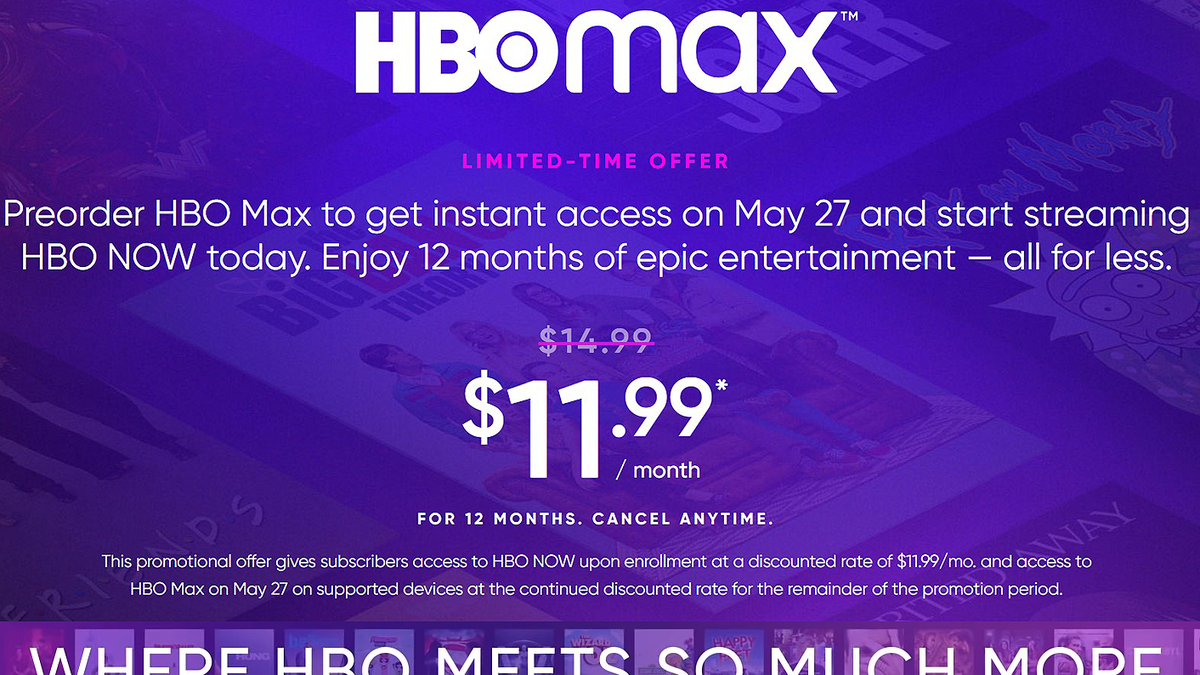
Expect to see more dynamic pricing and aggressive promotional offers as streaming competition intensifies. Seasonal discounts, bundled offers with internet providers, or temporary price reductions for new subscribers are becoming common. Keep an eye out for these opportunities, especially if you’re considering resubscribing to a service like Max. However, always read the fine print to understand the duration of the promotion and the price after it expires.
The Long-Term Financial Impact of Digital Entertainment
As streaming becomes an indispensable part of modern life, its long-term financial impact merits consideration. A seemingly small monthly expense can add up significantly over years. Regularly assessing your streaming habits against your financial goals—whether it’s saving for a down payment, retirement, or simply building an emergency fund—is crucial. Treat your entertainment budget as a conscious decision within your broader financial plan, rather than an automatic, unchecked expense. The answer to “How much is Max on Prime?” is not just a number, but a prompt for a deeper financial dialogue about value, necessity, and smart spending in the digital age.
aViewFromTheCave is a participant in the Amazon Services LLC Associates Program, an affiliate advertising program designed to provide a means for sites to earn advertising fees by advertising and linking to Amazon.com. Amazon, the Amazon logo, AmazonSupply, and the AmazonSupply logo are trademarks of Amazon.com, Inc. or its affiliates. As an Amazon Associate we earn affiliate commissions from qualifying purchases.