
In an increasingly digital world, access to essential services and entertainment platforms can significantly enhance a student’s academic and personal life. Amazon Prime Student stands out as a prime example, offering a comprehensive suite of digital benefits tailored specifically for higher education students. Far more than just a discount program, it represents a strategic integration of technology into the student experience, providing tools and access that facilitate learning, entertainment, and convenience in the digital age. This guide will walk you through the technical process of signing up, elucidating the digital requirements and how to maximize the tech-centric advantages of your membership.

Understanding Amazon Prime Student: A Tech-Forward Program
Amazon Prime Student is not merely a membership; it’s an ecosystem designed to support students through their academic journey with a strong emphasis on digital utility and convenience. Its foundation is built upon leveraging Amazon’s vast technological infrastructure to deliver unparalleled value.
The Digital Edge: What Prime Student Offers Tech-Savvy Learners
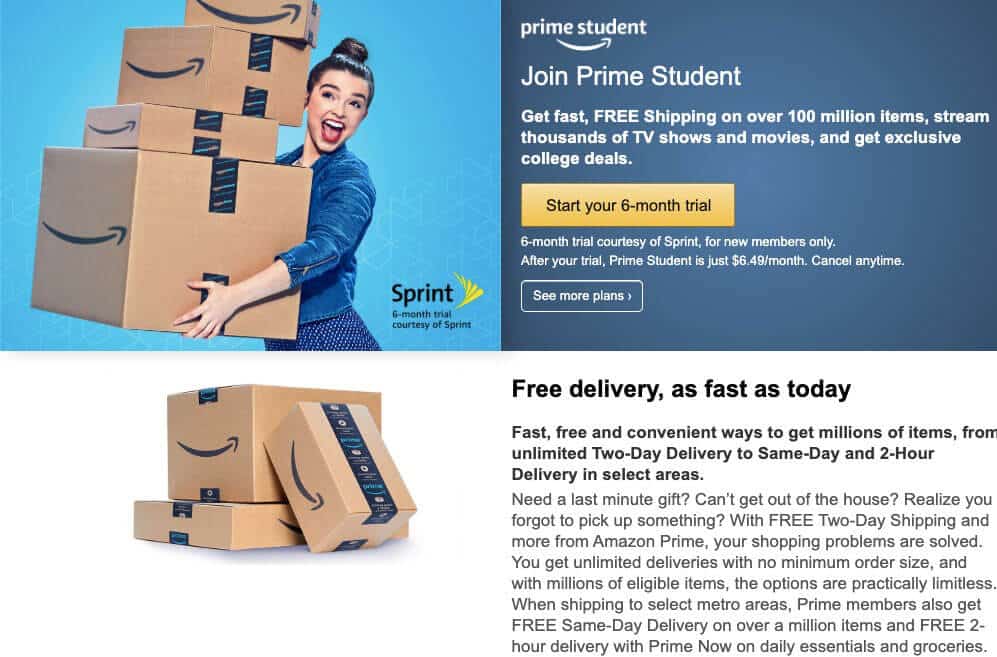
At its core, Prime Student provides a powerful digital toolkit. For six months, students can enjoy a complimentary trial period, which then transitions into a discounted monthly or annual membership—currently half the price of a standard Prime membership. This digital access unlocks a plethora of services:
-
Expedited Digital Commerce: Unlimited free two-day shipping on millions of eligible items, free same-day, and one-day delivery in select areas. This isn’t just about physical goods; it’s about the sophisticated logistics and order fulfillment technology that makes rapid digital shopping possible.
-
Expansive Digital Entertainment: Access to Prime Video, Amazon Music Prime, Prime Gaming, and Amazon Photos. These are robust streaming and cloud-based services powered by advanced data centers and content delivery networks, offering on-demand entertainment and secure digital storage.
-
Academic & Lifestyle Tech Discounts: Exclusive student-only deals on textbooks, electronics, and other tech gadgets, often facilitated through digital coupons or platform-specific promotions.
-
Digital Reading: Free access to a rotating selection of eBooks and magazines through Prime Reading, leveraging Amazon’s Kindle ecosystem and digital publishing platforms.
These features underscore Amazon Prime Student as a tech gateway, connecting students to a world of digital resources that save time, provide entertainment, and support their academic endeavors.
Eligibility Requirements: Digital Verification and Academic Status
The gateway to these tech perks is strict eligibility, primarily revolving around verifiable student status. Amazon utilizes digital verification processes to confirm you are currently enrolled in a degree-granting college or university.
To qualify, you must:
-
Be actively enrolled in at least one course at a two-year or four-year college or university.
-
Have a valid .edu email address. This is the primary digital identifier Amazon uses for initial verification, acting as a direct link to your academic institution.
-
Be able to provide proof of enrollment, such as a student ID card with an expiration date, an enrollment letter, or a transcript, often requiring secure digital upload or email submission.
-
Be located in one of the 50 United States, the District of Columbia, or Puerto Rico.
The verification process is a testament to secure digital identity management. Amazon’s systems are designed to process and confirm these details efficiently, ensuring that the benefits are reserved for genuine students while maintaining privacy and data security.
Leveraging the Ecosystem: Beyond Free Shipping
While free shipping is often the headline benefit, the true power of Prime Student lies in its integration into the broader Amazon tech ecosystem. For students, this means:
-
Seamless Device Integration: Prime content (video, music, reading) can be accessed across a multitude of devices, from smartphones and tablets to smart TVs and Amazon’s own Echo devices. This cross-platform compatibility is a cornerstone of modern tech convenience.
-
Cloud Storage Solutions: Amazon Photos offers unlimited full-resolution photo storage, a critical tool for students managing extensive digital libraries, research photos, or personal memories without taxing local device storage.
-
Voice Assistant Integration: With Alexa-enabled devices, students can manage their Prime Music playlists, check delivery statuses, or even reorder study supplies with simple voice commands, showcasing advanced natural language processing and IoT integration.
This holistic approach transforms Amazon Prime Student from a mere discount service into a comprehensive digital utility, enhancing various facets of a student’s digitally-driven life.
The Step-by-Step Digital Registration Process
Registering for Amazon Prime Student is a straightforward digital process, primarily conducted through Amazon’s website or mobile app. Understanding each step ensures a smooth activation of your benefits.
Initiating Your Prime Student Journey: Account Creation or Login
The first technical hurdle is establishing your Amazon identity.
-
Navigate to the Prime Student Page: Open your web browser or Amazon app and go directly to the Amazon Prime Student signup page. This specialized landing page is optimized for student registrations.
-
Existing Amazon Account Holders: If you already have an Amazon account, simply sign in with your existing credentials. The system will prompt you to link your student status to this account.
-
New Amazon Account Creation: If you don’t have an Amazon account, you’ll need to create one. This involves providing your name, a valid email address (preferably your .edu address for seamless verification), and a secure password. Amazon’s platform uses standard encryption protocols to protect your login information.
This initial phase sets up your digital profile, a necessary precursor to accessing the student-specific features.
Verifying Your Student Status: Secure Digital Document Uploads
This is the most critical technical step, involving the secure transmission and verification of your academic credentials.
-
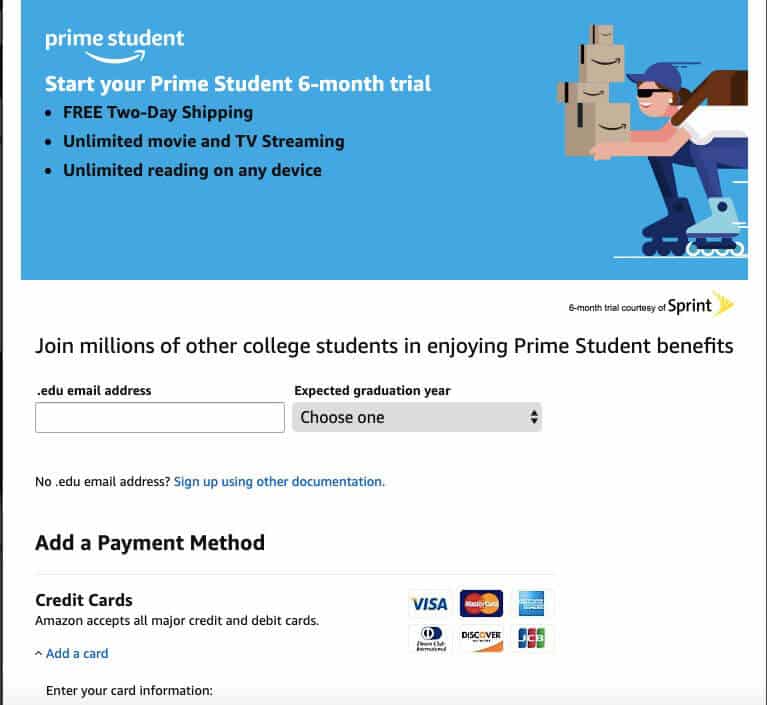
Enter Your Academic Details: You will be prompted to enter your college or university name, expected graduation year, and, most importantly, your valid .edu email address. Amazon’s system will attempt to send a verification link to this email.
-
Email Verification: Check your .edu inbox for an email from Amazon. This email will contain a unique verification link. Clicking this link electronically confirms your access to a recognized academic email domain. This is a common security measure to prevent fraudulent sign-ups.
-
Manual Verification (If Needed): If the .edu email verification fails or if your institution doesn’t provide a .edu address, Amazon will request alternative proof of enrollment. This usually involves securely uploading digital copies of documents such as:
-
Student ID: A clear photo or scan of your student ID card displaying your name, the university name, and a valid expiration date. Amazon’s image recognition and data extraction tools may be used here.
-
Enrollment Letter/Transcript: A digital PDF or image of an official document from your university confirming your current enrollment, often requiring redaction of sensitive personal information before upload for privacy.
-
Tuition Bill: A recent digital tuition bill showing your name and the current academic term.
When uploading documents, ensure the files are in acceptable formats (e.g., JPEG, PNG, PDF) and meet any size restrictions specified by Amazon’s upload interface. Amazon utilizes secure servers for these uploads, ensuring that your sensitive academic data is transmitted and stored with appropriate encryption.
-
Finalizing Your Membership: Payment and Confirmation on the Platform
Once your student status is verified, the final steps involve payment setup and membership confirmation.
-
Payment Method Setup: Although the initial six-month trial is free, you will be required to provide a valid payment method (credit card, debit card) to cover future membership fees should you choose to continue after the trial. Amazon’s payment gateway is PCI DSS compliant, ensuring secure transaction processing.
-
Review and Confirm: Before finalizing, the system will present a summary of your membership details, including the trial duration, the discounted student rate post-trial, and the terms and conditions. It’s crucial to digitally review these details.
-
Membership Activation: Upon confirmation, your Amazon Prime Student membership is immediately activated. You will receive a digital confirmation email, and your Amazon account will reflect the Prime Student status, granting you instant access to all included digital benefits.
Troubleshooting Common Digital Registration Hurdles
While the process is designed to be smooth, students might encounter digital roadblocks:
-
.edu Email Not Receiving Link: Check spam folders, ensure the email address is typed correctly, or contact your university’s IT department to confirm email forwarding or filters.
-
Document Upload Issues: Ensure image files are clear, within size limits, and in supported formats. Poor quality scans or photos can lead to rejection by Amazon’s verification systems.
-
Verification Delays: Manual verification can take a few business days. Patience is key. If delays persist, reach out to Amazon Customer Service via their digital chat support or phone line.
-
Expired Student ID/Proof: Ensure all submitted documents are current. Expired IDs will not be accepted.
Understanding these potential tech snags and their solutions can expedite your registration process.
Maximizing Your Prime Student Tech Benefits
Once registered, the true power of Prime Student lies in actively utilizing its diverse tech offerings. Beyond the initial signup, knowing how to leverage these tools can significantly enrich your student experience.
Streaming & Entertainment: Prime Video, Music, and Gaming Integrations
-
Prime Video: Access a vast library of movies, TV shows, and Amazon Originals. Utilize the Prime Video app on multiple devices (smartphones, tablets, smart TVs, gaming consoles) for on-the-go or at-home viewing. Download content for offline viewing, optimizing data usage and connectivity.
-
Amazon Music Prime: Stream millions of songs and thousands of stations ad-free. Integrate with Alexa-enabled devices for voice-controlled music playback. Explore curated playlists designed for studying or relaxation.
-
Prime Gaming: Get free games, in-game content, and a free Twitch channel subscription every month. This integrates directly with the Twitch platform, popular among students for streaming and community interaction.
Academic & Productivity Tools: Digital Discounts and Cloud Storage
-
Exclusive Tech Deals: Regularly check the Prime Student deals page for discounts on laptops, tablets, headphones, and other study-essential electronics. These are often flash sales, so timely digital browsing is key.
-
Amazon Photos: Take advantage of unlimited full-resolution photo storage and 5 GB of video storage. This cloud-based solution is invaluable for backing up academic projects, presentation images, and personal memories, accessible from any device.
-
Prime Reading: Access a rotating selection of eBooks, magazines, and comics. Utilize the Kindle app on any device for a portable reading experience, making textbooks or leisure reads accessible without physical copies.
Smart Shopping & Delivery: App Features and Alexa Integration
-
Amazon App Features: Use the Amazon mobile app for seamless shopping, order tracking, and delivery management. Features like package tracking maps, real-time notifications, and easy reordering simplify the consumer journey.
-
Alexa-Enabled Shopping: Link your Prime Student account to Alexa devices. You can ask Alexa for product recommendations, reorder frequently purchased items, and check delivery statuses using voice commands, further integrating technology into your daily routine.
Exploring Ancillary Tech Perks: Exclusive Deals and Early Access
Prime Student often grants early access to Amazon’s Lightning Deals and exclusive student-only promotions. Monitoring the Amazon app and website for these time-sensitive offers allows students to make the most of limited-time digital opportunities. From dorm room essentials to personal electronics, these deals are often digitally managed and require prompt action.
Maintaining and Managing Your Prime Student Account
A well-managed digital account ensures continuous access to benefits and protects your personal information. Regularly reviewing and updating your Prime Student settings is a good practice.
Digital Account Settings: Updating Information and Preferences
-
Profile Management: Access your “Manage Prime Membership” section on Amazon to update payment methods, shipping addresses, or personal details.
-
Communication Preferences: Adjust your email preferences to receive notifications about student deals, Prime Video releases, or delivery updates, tailoring the digital communication to your needs.
-
Device Management: Review connected devices (Kindles, Fire TVs, Echo devices) and deregister any you no longer use or recognize, enhancing security.
Renewal and Expiration: Understanding the Automatic Process
-
Automatic Renewal: After the initial trial, your membership will automatically renew at the discounted student rate using the payment method on file.
-
Term Limits: Prime Student is typically limited to four years or until graduation, whichever comes first. Amazon’s systems track this eligibility, and you will be notified electronically as your eligibility period nears its end.
-
Opting Out: If you wish to discontinue your membership, you must manually cancel it before the renewal date to avoid charges. This can be done digitally through your “Manage Prime Membership” page.
Security Best Practices: Protecting Your Digital Identity
-
Strong, Unique Passwords: Use complex passwords for your Amazon account and enable two-factor authentication (2FA) for an added layer of digital security.
-
Phishing Awareness: Be vigilant against phishing emails attempting to trick you into revealing login credentials. Amazon will never ask for your password or sensitive financial information via unsolicited email.
-
Secure Wi-Fi: Always use secure, private Wi-Fi networks when accessing your Amazon account, especially when making purchases or updating sensitive information. Avoid public Wi-Fi for such activities.
Transitioning Post-Graduation: Converting Your Membership
Once your four-year limit is reached or you graduate, your Prime Student membership will automatically convert to a standard Amazon Prime membership, and you will be charged the full price. Amazon will typically send digital notifications prior to this conversion, giving you time to decide whether to continue the full membership or cancel. This seamless transition is handled by Amazon’s backend systems, minimizing disruption to your digital services.
The Broader Tech Landscape: Why Prime Student Matters for Digital Natives
Amazon Prime Student is more than just a consumer service; it’s a testament to how technology is fundamentally reshaping the student experience. It underscores several critical trends in the digital landscape.
Fostering Digital Literacy and Access
For many students, Prime Student is an introduction to advanced digital services, subscription models, and cloud computing benefits. It encourages familiarity with online shopping security, streaming platform navigation, and digital content management – skills increasingly vital in a connected world. By providing accessible versions of these services, it helps bridge potential digital divides.
The Subscription Economy and Student Engagement
The program highlights the pervasive nature of the subscription economy. By offering a tiered, discounted entry, Amazon effectively integrates future professionals and consumers into a model where services are accessed rather than owned. This early engagement fosters brand loyalty and habit formation around digital subscriptions.
Preparing for a Connected Future
In an era where remote learning, digital collaboration, and online research are paramount, the tools offered by Prime Student (cloud storage, access to digital content, expedited delivery of tech essentials) are not just conveniences but necessities. It prepares students for a future workplace that will undoubtedly demand high levels of digital fluency and reliance on integrated tech ecosystems.
In conclusion, registering for Amazon Prime Student is a precise digital endeavor that unlocks a powerful suite of technological benefits. By understanding the verification processes, leveraging the integrated services, and practicing good digital hygiene, students can fully harness this program to enhance their academic success, personal convenience, and overall digital fluency in an ever-evolving tech landscape.
aViewFromTheCave is a participant in the Amazon Services LLC Associates Program, an affiliate advertising program designed to provide a means for sites to earn advertising fees by advertising and linking to Amazon.com. Amazon, the Amazon logo, AmazonSupply, and the AmazonSupply logo are trademarks of Amazon.com, Inc. or its affiliates. As an Amazon Associate we earn affiliate commissions from qualifying purchases.