
Cancelling a credit card, especially one from a major issuer like Bank of America, can seem daunting. However, it’s a straightforward process when approached with a clear understanding of the financial implications and the right steps. While closing a credit card can sometimes have a nuanced impact on your credit score, there are many legitimate and financially sound reasons to do so. This guide will walk you through the entire process, from understanding when cancellation is the right move to the specific steps for closing your Bank of America account and monitoring your financial health afterward.
Understanding When to Cancel Your Credit Card
Deciding to close a credit card isn’t a decision to be taken lightly. It can affect your credit score, credit history, and overall financial profile. However, there are several scenarios where cancellation is not only warranted but can be a wise financial decision.
Debt Management and Simplification
If you’re struggling with credit card debt and find that having an open card, even a zero-balance one, tempts you to spend, closing the account can be a critical step toward better debt management. Eliminating the temptation can help you focus on paying down existing balances without accumulating new ones. Similarly, if you’ve accumulated too many credit cards over time, simplifying your financial life by closing inactive or redundant accounts can reduce clutter, making it easier to track your spending and statements.
Avoiding Annual Fees
Many premium credit cards come with annual fees that can range from modest to significant. If the benefits you receive from a card no longer outweigh its annual fee, or if you’ve found a better alternative that offers similar perks without the cost, cancelling the card might be the most financially prudent choice. Before cancelling, always consider whether a product change (downgrading to a no-annual-fee card within the same bank) might be an option, as this can preserve your credit history with that issuer.
Protecting Against Fraud and Unnecessary Risk
An unused or forgotten credit card can be a security risk. If you no longer use a particular card and it’s simply sitting in a drawer, it represents an open line of credit that could potentially be compromised or overlooked in a financial review. Closing such accounts reduces your overall exposure to potential fraud and streamlines your financial management.
No Longer Needing the Card’s Benefits
Sometimes, a credit card serves a specific purpose for a period. Perhaps it offered an introductory 0% APR on purchases or balance transfers, or it was tied to a specific merchant you no longer frequent. Once the promotional period ends or your needs change, the card may no longer provide value. In such cases, holding onto it could be unnecessary, especially if it carries an annual fee or high interest rates for regular purchases.
The Pre-Cancellation Checklist: Essential Steps to Take
Before you pick up the phone to call Bank of America, there are several crucial steps you should take to ensure a smooth cancellation process and minimize any negative financial repercussions. Skipping these steps can lead to lost rewards, unexpected charges, or even a temporary dip in your credit score.
Pay Down Your Balance to Zero
This is arguably the most critical step. You cannot close a credit card account with an outstanding balance. If you have any remaining balance, pay it off completely before initiating the cancellation. This includes any pending transactions, interest charges, or fees. Verify that the balance is $0.00 after the payment has posted to avoid any issues or delays in closing the account.
Redeem All Rewards and Cash Back
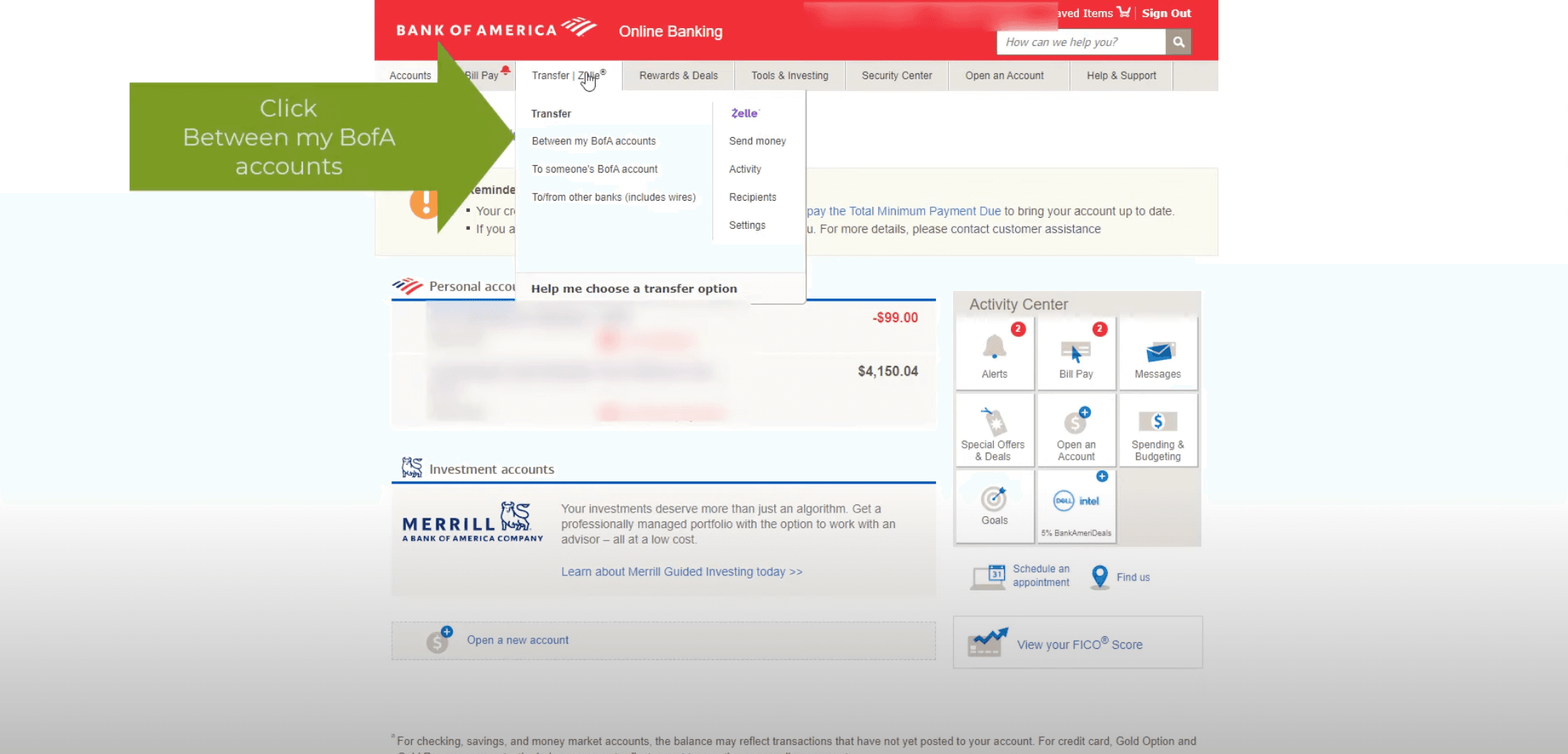
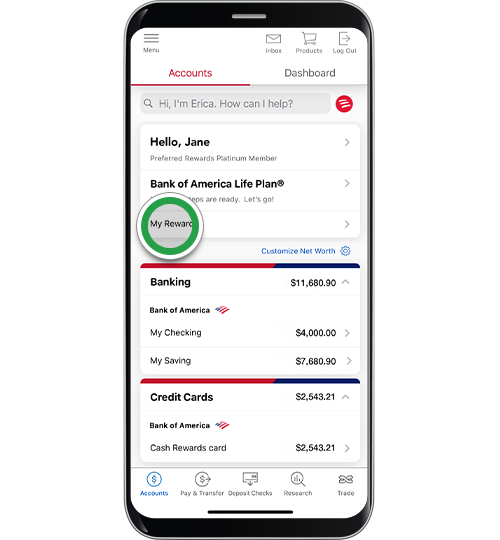
Bank of America offers various rewards programs, including cash back, travel points, and preferred rewards. Once you close your credit card account, you will typically forfeit any unredeemed rewards or cash back accumulated on that specific card. Before you cancel, log into your Bank of America online banking portal or call customer service to ensure you redeem all your accrued points, miles, or cash back. This could represent significant value that you don’t want to lose.
Update Automatic Payments and Subscriptions
Many people link credit cards to automatic bill payments for utilities, streaming services, gym memberships, or insurance premiums. Forgetting to update these can lead to missed payments, late fees, and service interruptions. Before closing your Bank of America card, review all your recurring payments and subscriptions, update them with a different payment method, and confirm the changes have taken effect. This prevents unexpected charges and ensures continuity of services.
Check Your Credit Score
While not strictly necessary for the cancellation itself, understanding your credit score before closing an account can help you monitor its impact. Closing a credit card can sometimes affect your score, especially if it’s one of your oldest accounts or significantly reduces your overall available credit. Knowing your baseline allows you to track changes.
Understand the Impact on Your Credit Utilization Ratio
Your credit utilization ratio is the amount of credit you’re using compared to your total available credit. Lenders use this ratio as a key factor in determining your creditworthiness. If you close a card, your total available credit decreases, which can cause your utilization ratio to jump if you carry balances on other cards. For example, if you have two cards, each with a $5,000 limit (total available $10,000), and you owe $1,000 on one, your utilization is 10% ($1,000/$10,000). If you close the other card, your total available credit drops to $5,000, and your utilization jumps to 20% ($1,000/$5,000). A higher utilization ratio (generally above 30%) can negatively impact your credit score.
Step-by-Step Guide to Cancelling Your Bank of America Credit Card
Once you’ve completed your pre-cancellation checklist, you’re ready to contact Bank of America to formally close your account.
Contacting Bank of America
The most effective way to cancel a Bank of America credit card is by calling their customer service line. While online chat or secure messages might seem convenient, a phone call ensures direct communication and immediate confirmation.
-
Find the right number: Look for the customer service number on the back of your credit card or on Bank of America’s official website under the “Contact Us” section. For credit card services, the general number is often 1-800-732-9194 (available 24/7).
-
Be prepared: Have your credit card number, account details, and perhaps your Social Security Number ready for verification.
What to Expect During the Call
When you call, you’ll likely speak with a customer service representative, possibly from the retention department. Their goal might be to keep you as a customer.
-
State your intention clearly: Politely but firmly state that you wish to close your credit card account.
-
Be ready for questions: The representative may ask why you’re closing the account. You can be brief and honest (e.g., “I no longer need this card,” “I’m consolidating my finances,” “I want to avoid the annual fee”).
-
Decline counter-offers: They might offer incentives like a lower interest rate, a waived annual fee, or a product change to a different card with better terms. If you’re set on cancelling, politely decline these offers. However, if any offer genuinely meets your needs and changes your mind about cancellation, feel free to explore it. Remember, product changes (e.g., switching from a rewards card with a fee to a no-fee cash back card) can preserve your credit history with the bank while eliminating the original reason for cancellation.
-
Confirm a $0 balance: The representative will likely verify that your balance is zero. If there’s any pending activity or a small residual balance (e.g., a tiny amount of interest that hadn’t posted yet), they will inform you and guide you on how to pay it off to proceed with closure.
-
Request immediate closure: Ask for the account to be closed immediately.
Getting Confirmation
It’s crucial to obtain confirmation that your account has been closed.
-
Ask for written confirmation: Request that Bank of America send you a written confirmation (via email or physical mail) stating that your account has been closed and has a zero balance.
-
Note the date and representative’s name: Write down the date and time of your call, as well as the name or ID number of the representative you spoke with. This information can be invaluable if any issues arise later.
-
Monitor your final statement: A final statement might be generated showing a zero balance and that the account is closed. Keep this for your records.
Destroying the Card
Once you’ve received confirmation that the account is closed, physically destroy the credit card. This means cutting it into multiple pieces, ensuring the chip, magnetic stripe, and account number are all unreadable. Dispose of the pieces in separate trash bins if possible, to prevent any potential misuse.
The Financial Aftermath: Monitoring Your Credit and Statements
Closing a credit card isn’t the absolute final step. You need to monitor your financial accounts and credit report to ensure everything is processed correctly and to understand the long-term impact.
Watch for Final Statements and Residual Charges
Even after cancellation, you might receive one or two more statements. These should confirm a zero balance and indicate that the account is closed. Occasionally, a small residual charge (like a tiny amount of interest that accrued just before closure) might appear. If this happens, pay it immediately to avoid any negative marks on your credit. If you believe a charge is erroneous, contact Bank of America immediately.
Monitor Your Credit Report
A few weeks to a month after closing your account, check your credit report from all three major credit bureaus (Experian, Equifax, TransUnion). You can obtain free copies annually through AnnualCreditReport.com.
-
Verify closure: Ensure the Bank of America account is accurately reported as “closed by grantor” or “closed by consumer” with a zero balance.
-
Check credit score impact: Observe if there’s any change in your credit score. As mentioned, closing an old account or one that significantly reduced your overall available credit can cause a temporary dip, but this often rebounds over time, especially if your other financial habits are strong. The impact of closing an account lessens over time as your other accounts age and your payment history continues to grow.
The Myth of the “Closed Account” Penalty
It’s a common misconception that closing a credit card automatically “penalizes” your credit score significantly. While it can reduce your total available credit (impacting utilization) and shorten your average age of accounts (if it’s an old card), closing an account that you manage responsibly and is no longer needed can be a healthy financial move. As long as you continue to manage your remaining credit accounts responsibly, make payments on time, and keep your credit utilization low, any initial negative impact is usually minor and temporary. The benefits of simplification, avoiding fees, or reducing temptation often outweigh the minimal short-term credit score fluctuations.
aViewFromTheCave is a participant in the Amazon Services LLC Associates Program, an affiliate advertising program designed to provide a means for sites to earn advertising fees by advertising and linking to Amazon.com. Amazon, the Amazon logo, AmazonSupply, and the AmazonSupply logo are trademarks of Amazon.com, Inc. or its affiliates. As an Amazon Associate we earn affiliate commissions from qualifying purchases.