
In the modern academic landscape, the transition from physical parchment to digital credentials has revolutionized how students and alumni share their achievements. However, this convenience comes with a layer of sophisticated digital security. If you have recently downloaded your official college transcript and found yourself staring at a password prompt, you are encountering a standardized security protocol designed to protect your Family Educational Rights and Privacy Act (FERPA) data. Understanding the logic behind these passwords requires a look into the intersection of document encryption, institutional security standards, and the software used to manage digital records.
The Architecture of Digital Document Security
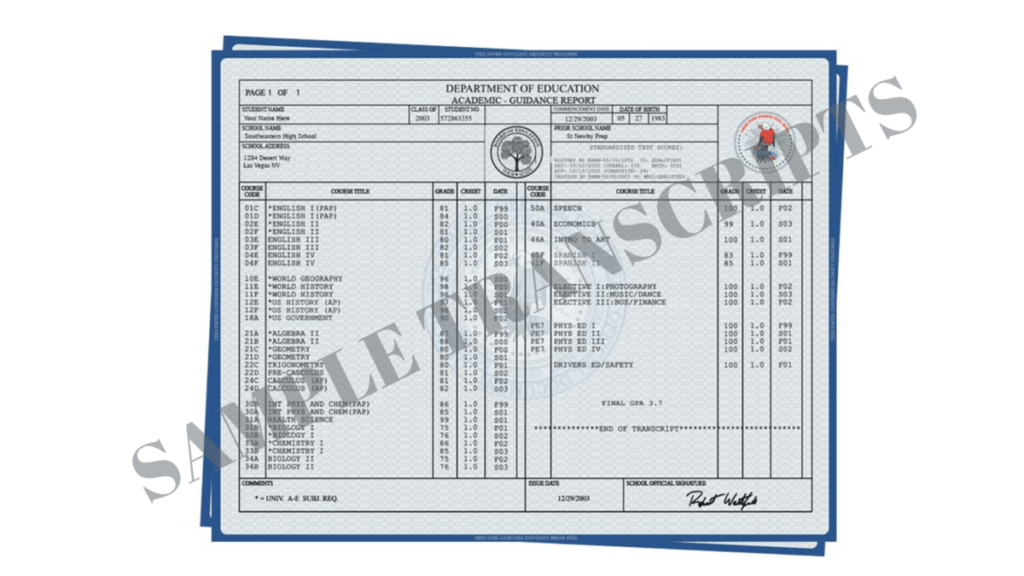
The primary reason your college PDF transcript is locked behind a password is the sensitive nature of the information it contains. A transcript is not merely a list of grades; it is a comprehensive identity document containing your full legal name, date of birth, student identification number, and often a partial Social Security Number. In the hands of a malicious actor, this data is a goldmine for identity theft.
AES Encryption and PDF Standards
Most institutions and third-party credentialing services use Advanced Encryption Standard (AES) to secure PDF files. When a university generates a digital transcript, the PDF software applies an encryption algorithm—usually AES-128 or AES-256—which requires a specific “user password” to decrypt the content for viewing. This encryption ensures that even if the file is intercepted during transit via email or downloaded from a public terminal, the data remains unreadable without the correct key.
The Role of Digital Signatures and Blue Ribbons
Beyond simple password protection, official transcripts often utilize Certified Document Services (CDS). When you open an official transcript in a professional PDF reader like Adobe Acrobat, you will often see a “Blue Ribbon” notification at the top of the frame. This indicates that the document has a digital signature that verifies the authenticity of the issuer and ensures the document has not been altered since it was signed. The password is the first gate, while the digital signature is the seal of integrity.
Decrypting the Standard: Common Password Formats
While every institution has the autonomy to set its own security parameters, the academic world leans heavily on standardized formats to ensure students can actually access their documents. If your university or the delivery service did not provide explicit instructions, the password almost certainly follows one of several common conventions.
Date of Birth (DOB) Variations
The most frequent password for a college PDF is a variation of the student’s date of birth. This is because the DOB is a unique identifier already stored in the university’s Registrar database. Common formats include:
- MMDDYYYY: For example, if you were born on May 15, 1998, the password would be 05151998.
- YYYYMMDD: A more standardized ISO format used by international institutions.
- MMDDYY: A shortened version often used by older legacy systems.
Student Identification Numbers
Many colleges prefer using the institutional Student ID (often called a Banner ID or EmplID) as the decryption key. Since this number is unique to the school and not part of your public-facing identity, it offers a higher tier of security than a birthdate. If you are using a Student ID, ensure you know whether to include leading zeros or any letter prefixes (e.g., “A00123456”).
Partial Social Security Numbers
Though less common due to modern privacy concerns, some institutions still utilize the last four digits of a student’s Social Security Number (SSN) as the password. In some cases, the password might be a combination, such as the first four letters of your last name followed by the last four digits of your SSN.
Case Sensitivity and Naming Conventions
If your password involves your name, it is critical to note that PDF encryption is case-sensitive. Most systems default to all caps or all lowercase. For example, if the password is your last name, “SMITH,” “Smith,” and “smith” are three distinct keys. If you have a hyphenated name or a name with an apostrophe (e.g., O’Connor), try the password both with and without the special character.
The Role of Third-Party Clearinghouses
The vast majority of colleges do not manage their own digital transcript delivery. Instead, they outsource this to specialized tech platforms. Understanding which platform your school uses can provide an immediate answer to your password dilemma.
National Student Clearinghouse (NSC)
The NSC is one of the largest providers of electronic transcript services. When they deliver a PDF, the password is often provided in a separate “Security Code” email or is displayed on the final download screen of their portal. A common pitfall for students is confusing the “Order Number” with the “Access Code.” The access code is the actual password for the PDF file, whereas the order number is for tracking the transaction.
Parchment and Scrip-Safe
Parchment is another dominant player in the space. Unlike a simple password-protected PDF, Parchment often uses a secure “claiming” process. You receive an email with a link to a secure portal; once you verify your identity on the portal, you can view the document. If you download the PDF from Parchment and it asks for a password, it is frequently the email address associated with the account or a unique code generated during the checkout process.
Credentials Solutions (TranscriptsNetwork)
This service often uses a “Security Key” method. When the transcript is ready, the student receives two separate emails: one containing the link to the document and another containing the decryption key. This “out-of-band” authentication prevents a single compromised email from giving an intruder access to both the file and the password.
Technical Barriers to Accessing Your Transcript
Sometimes the issue isn’t that you have the wrong password, but that the software you are using cannot handle the encryption or the security certificates attached to the file.
Browser vs. Dedicated Software
Modern web browsers like Google Chrome, Mozilla Firefox, and Microsoft Edge have built-in PDF viewers. While convenient, these viewers are often basic and may struggle with highly encrypted official documents. If you enter the correct password into a browser window and it fails or the document appears blank, the solution is almost always to download the file and open it using the free Adobe Acrobat Reader. Adobe is the industry standard for PDF technology, and it is specifically designed to handle the complex security layers used by academic institutions.
Mobile Device Limitations
Attempting to open an official transcript on an iPhone or Android device can be problematic. Mobile PDF viewers (such as the “Files” app on iOS) frequently fail to trigger the password prompt or may not support the specific encryption level (AES-256) used by the transcript provider. For the most reliable results, access your transcript on a desktop or laptop computer.
The “Permission Password” vs. “Document Open Password”
In the PDF technical specification, there are two types of passwords. The “Document Open Password” is what you are prompted for. However, many transcripts also have a “Permission Password” (or Owner Password). This prevents the user from editing the document, extracting pages, or sometimes even printing it. If you can open the file but cannot perform certain actions, you are bumping into the institutional restrictions set by the Registrar.
Best Practices for Managing Your Digital Records
Once you have successfully bypassed the password and accessed your transcript, there are technical best practices you should follow to ensure the document remains useful and secure.
Should You Remove the Password?
For personal record-keeping, it is tempting to “Print to PDF” to create an unencrypted version of your transcript. While this makes the file easier to open later, it usually strips the digital signature and the “Blue Ribbon” certification. An unencrypted transcript is often viewed as “unofficial” by employers or graduate schools because the chain of custody and the security seals have been broken. It is best to keep the original, encrypted file and simply store the password in a secure password manager.
Long-Term Digital Storage
Digital transcripts often have an expiration date. Many third-party services only allow you to download the file or access the link for 30 to 90 days. Once you have the file, back it up to a secure, encrypted cloud storage service or an external drive. Because the password is baked into the file’s metadata, the same password will work years from now, provided you remember the convention used (e.g., your Student ID).

Verification for Third Parties
When sending your transcript to a third party, such as a potential employer, do not simply forward the email you received. Most organizations require the transcript to be sent directly from the institution or the clearinghouse to ensure it hasn’t been tampered with. If an employer allows you to upload the file yourself, ensure you provide them with the password in a separate communication or verify if the platform they are using can automatically handle the decryption.
The password on your college PDF transcript is a vital piece of digital infrastructure. It represents the balance between the accessibility of your academic history and the stringent security required to protect your digital identity. By understanding the common naming conventions—typically centered around birthdates and student IDs—and using the correct software to interface with these encrypted files, you can ensure that your hard-earned credentials remain both secure and accessible whenever you need them.
aViewFromTheCave is a participant in the Amazon Services LLC Associates Program, an affiliate advertising program designed to provide a means for sites to earn advertising fees by advertising and linking to Amazon.com. Amazon, the Amazon logo, AmazonSupply, and the AmazonSupply logo are trademarks of Amazon.com, Inc. or its affiliates. As an Amazon Associate we earn affiliate commissions from qualifying purchases.