
On a standard hardware interface, the keyboard serves as the primary bridge between human intent and machine execution. While most users are familiar with the basic alphanumeric characters, the secondary functions triggered by the “Shift” key represent a critical layer of technical utility. Specifically, the combination of Shift + 4 is one of the most frequently utilized modifiers in both general computing and specialized technical fields.
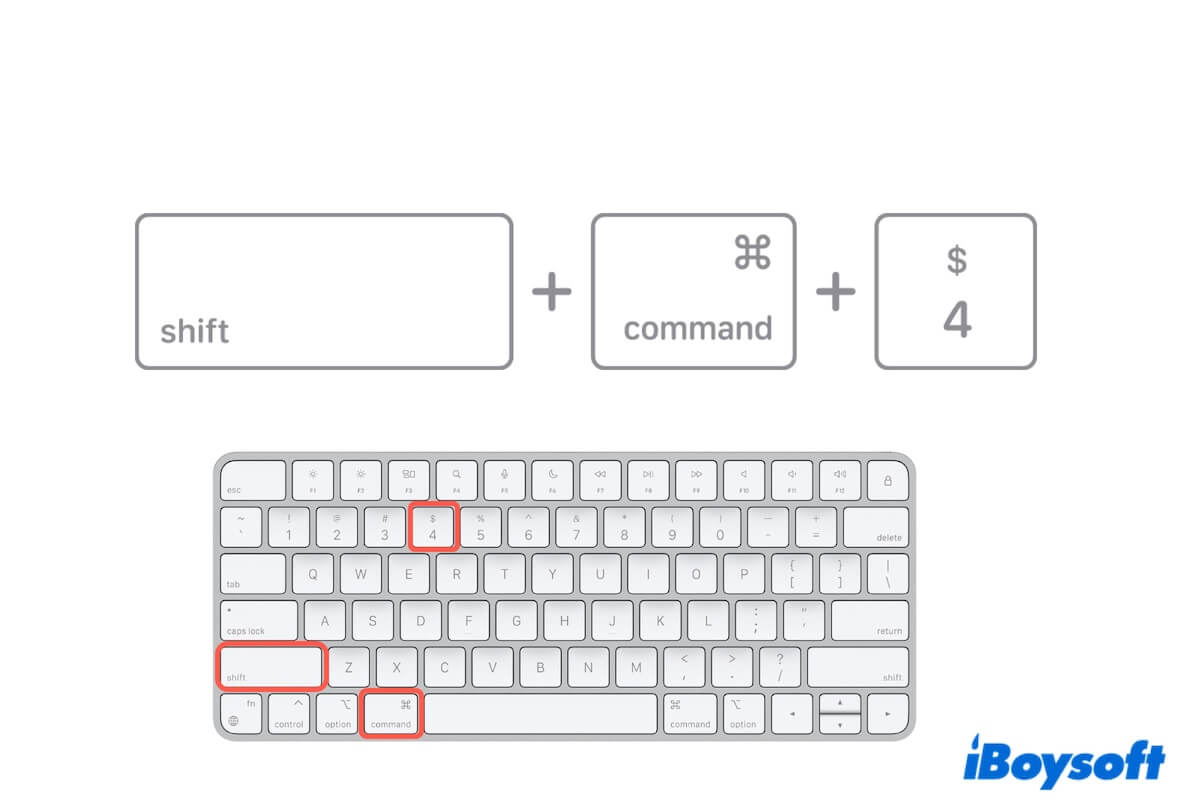
On a standard US QWERTY keyboard, pressing Shift and 4 simultaneously produces the dollar sign ($). However, the technical significance of this input extends far beyond simply typing a currency symbol. From programming syntax and spreadsheet logic to complex operating system shortcuts, “Shift 4” is a gateway to high-level productivity and system command.

The Technical Anatomy of the Shift + 4 Command
To understand what Shift 4 does, one must first understand the architecture of the keyboard itself. Modern keyboards operate on a matrix of circuits. When you press a key, the keyboard controller identifies the specific intersection of the row and column associated with that key.
Scan Codes and Modifier Keys
When you press the “4” key alone, the keyboard sends a specific “make code” to the computer’s operating system, which the OS interprets as the number four. However, the Shift key is what is known as a “modifier key.” It does not produce a character on its own; instead, it alters the scan code of the key pressed in conjunction with it.
In the case of Shift + 4, the keyboard’s internal firmware detects the active state of the Shift key and sends a modified signal. The operating system’s keyboard layout driver—such as the US English QWERTY driver—then translates this signal into the ASCII character 36, which corresponds to the dollar sign ($).
Hardware Variations and Regional Mappings
It is important to note that “Shift 4” is not universal across all hardware. While the US layout uses this combination for the dollar sign, international standards differ:
- United Kingdom (ISO) Layout: While many UK keyboards still place the dollar sign at Shift + 4, some regional variations or legacy systems have used it for different symbols. However, the dollar sign remains the standard for the fourth numerical key in most Western ISO and ANSI layouts.
- European Layouts: In some layouts, such as the French (AZERTY) or German (QWERTZ), the symbols associated with the numerical row are shifted. For instance, on a French keyboard, the number keys produce symbols by default, and Shift must be held to produce the number.
- Mechanical vs. Membrane Logic: Regardless of the physical switch type—be it a Cherry MX mechanical switch or a standard rubber dome membrane—the logic of the Shift 4 modifier remains consistent within the firmware of the device.
Shift 4 in Software Development and Programming
For developers, Shift 4 is not just a currency symbol; it is a foundational element of code. The character produced by this combination ($) serves various syntactical purposes across multiple programming languages and environments.
Variable Declaration in PHP and Perl
In languages like PHP and Perl, the dollar sign is a “sigil”—a symbol used to denote a variable. Without the Shift 4 combination, a developer cannot declare or reference variables. For example, in PHP, $variable_name tells the compiler that the following string is a container for data. This makes Shift 4 one of the most-pressed combinations for web developers globally.
Shell Scripting and Variables
In Bash and other Unix shells, the dollar sign is used to access the value stored within a variable. While you might assign a value using NAME="Tech", you must use Shift 4 to access it: echo $NAME. It is also used for command substitution, such as $(command), which allows the output of a command to be used as an argument for another.
Regular Expressions (Regex)
In the world of data processing and search algorithms, Regular Expressions are essential. In Regex, the symbol produced by Shift 4 signifies the “end of a line” or “end of a string.” If a developer wants to find every instance where a sentence ends with the word “system,” they would use the syntax system$.
jQuery and JavaScript Frameworks
For front-end developers, the dollar sign is synonymous with jQuery, one of the most popular JavaScript libraries in history. The command $(selector) is the standard way to select DOM elements. Even in modern development, where libraries like React or Vue are prevalent, the Shift 4 symbol remains a common shorthand for various utility functions and state management libraries.
The Critical Role of Shift 4 in Data Science and Spreadsheets
Perhaps the most common “pro-user” application of the Shift 4 symbol is within spreadsheet software like Microsoft Excel, Google Sheets, and Apple Numbers. Understanding the technical utility of the dollar sign in these environments is the difference between a novice and an expert user.
Absolute Cell References
By default, cell references in Excel are “relative.” If you copy a formula that references cell A1 down one row, it becomes A2. However, there are many technical scenarios where you need a formula to point to a fixed cell, regardless of where the formula is moved. This is known as an Absolute Reference.
By using Shift 4 to place a dollar sign before the column letter and row number (e.g., $A$1), you “lock” the reference. This technical nuance is vital for complex financial modeling, data analysis, and engineering calculations.
String Concatenation and Financial Formatting
While the primary technical use is for absolute references, Shift 4 is also used in the formatting layer. When spreadsheets ingest raw data, they often treat it as a generic integer. Applying the currency format—which relies on the symbol mapped to Shift 4—is essential for the visual representation of financial data.
Operating System Shortcuts: macOS and Beyond
Beyond producing a character, the combination of Shift and 4 is often part of a larger “chord” of keys used to trigger operating system functions.
The macOS Screenshot Tool
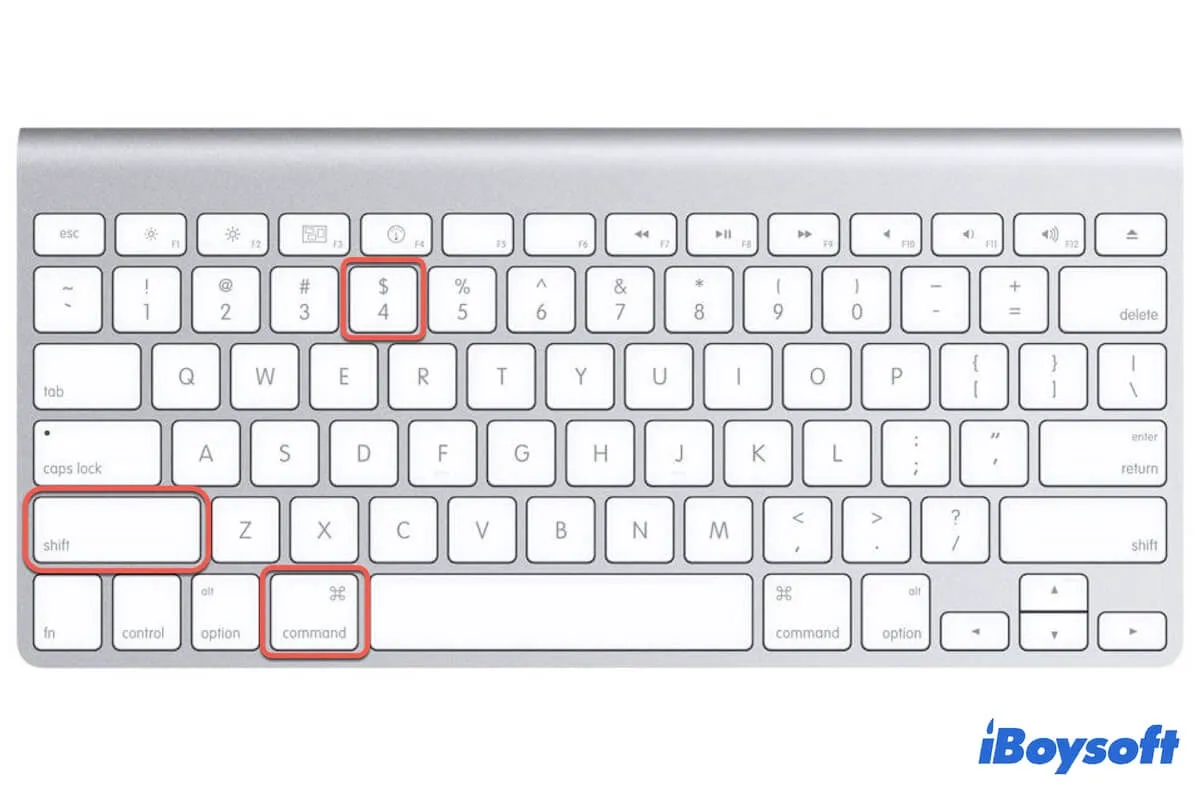
For Apple users, Command + Shift + 4 is perhaps the most famous keyboard shortcut. This command transforms the cursor into a crosshair, allowing the user to select a specific portion of the screen to capture as an image file. This is a hardware-level integration where the OS interrupts standard input to provide a specialized utility. Adding the Spacebar after Command + Shift + 4 further modifies the behavior, allowing the user to capture a specific window.
Windows Accessibility and Shortcuts
On Windows, while Shift + 4 doesn’t have a universal system-level shortcut as iconic as the macOS screenshot tool, it is frequently used in gaming and specialized software. In many Real-Time Strategy (RTS) games, Shift + [Number] is used to add units to a control group, making Shift + 4 a vital command for high-level competitive play.
Troubleshooting Input Issues with Shift 4
When a user asks “what is Shift 4,” it is often because the combination is not producing the expected result. This can stem from several technical failures or configuration errors.
Language and Keyboard Layout Mismatches
The most common reason Shift 4 produces something other than a dollar sign is an incorrect “Input Method Editor” (IME) setting. If a Windows or macOS system is set to a different regional language (such as United Kingdom or Spanish), the mapping of the numerical row changes. Users must navigate to their System Settings > Time & Language > Keyboard to ensure the layout matches their physical hardware.
Hardware Failure and Ghosting
If pressing Shift 4 does nothing, it could be a hardware issue. Keyboard “ghosting” occurs when the internal circuitry cannot register certain simultaneous keypresses. While rare on modern USB keyboards, it can occur on cheaper membrane models. Additionally, if the “4” key works and the “Shift” key works (for other letters), but they do not work together, there may be a localized failure in the keyboard’s matrix or a software “hotkey” conflict where another background application has hijacked that specific combination.
Cleaning and Maintenance
Because the numerical row is at the top of the keyboard, it is often a primary target for dust and debris. For mechanical keyboards, removing the keycap of the “4” and the “Shift” key to clean the switches with compressed air or isopropyl alcohol can resolve intermittent signal issues.
Conclusion: The Multi-Faceted Utility of a Single Combo
In the context of modern technology, “Shift 4” is much more than a way to type a dollar sign. It is a fundamental command that facilitates variable handling in programming, enables absolute data integrity in spreadsheets, and provides essential system-level shortcuts in various operating systems. Whether you are a developer writing PHP, a data analyst locking a cell in Excel, or a designer capturing a screen on a Mac, the Shift 4 combination is a testament to the depth of the standard keyboard interface. Understanding its varied applications allows users to transition from basic typing to advanced technical proficiency.
aViewFromTheCave is a participant in the Amazon Services LLC Associates Program, an affiliate advertising program designed to provide a means for sites to earn advertising fees by advertising and linking to Amazon.com. Amazon, the Amazon logo, AmazonSupply, and the AmazonSupply logo are trademarks of Amazon.com, Inc. or its affiliates. As an Amazon Associate we earn affiliate commissions from qualifying purchases.