
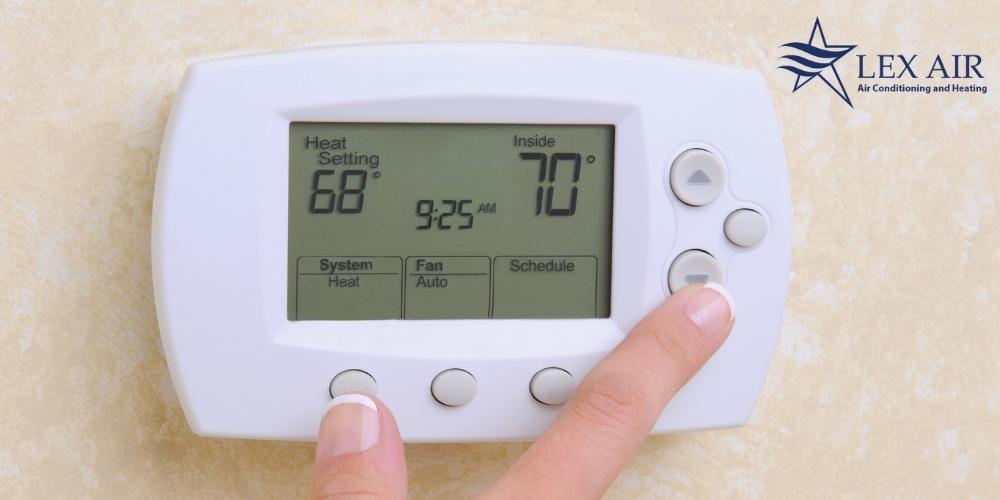
In the landscape of modern smart home technology, few indicators cause as much confusion—and potential concern—as the “Aux Heat” or “Auxiliary Heat” notification on a digital thermostat. For homeowners who have transitioned from traditional furnace systems to advanced air-source heat pumps, this status message represents a critical junction between mechanical hardware and intelligent software control. Understanding what this means requires a deep dive into the engineering of HVAC systems, the algorithmic logic of smart thermostats like Nest and Ecobee, and the evolving standards of residential energy efficiency.
At its core, the “Aux Heat” indicator signifies that your primary heating technology—the heat pump—is receiving a technological assist. As the climate control ecosystem becomes increasingly digitized, the way we manage internal temperatures has shifted from simple on/off switches to complex, data-driven processes that balance comfort, hardware longevity, and electrical consumption.
The Technical Architecture of Heat Pump Systems
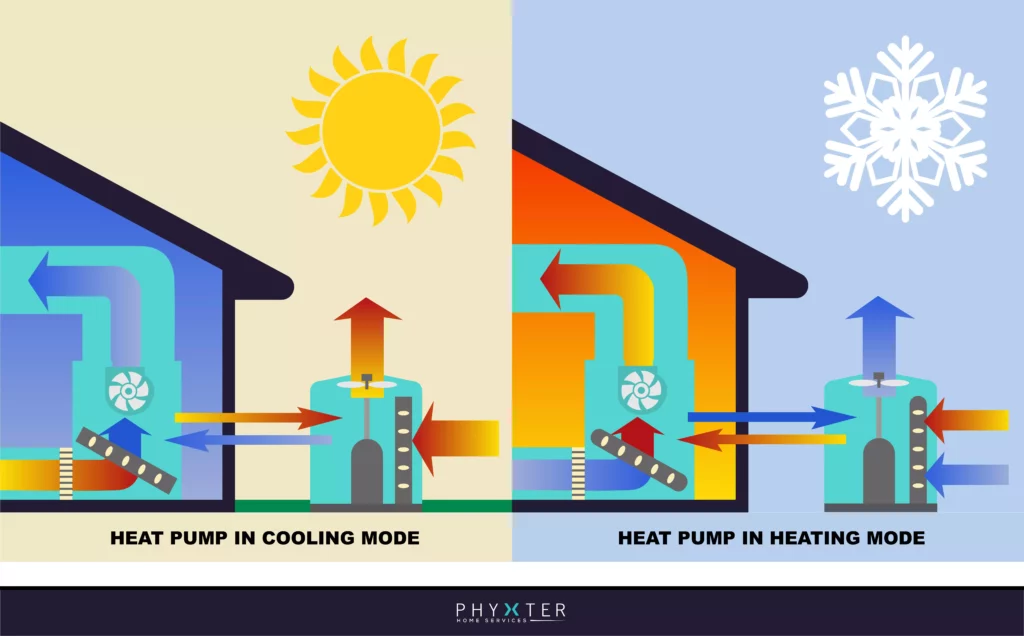
To understand why a thermostat triggers auxiliary heat, one must first grasp the technical limitations of a standard heat pump. Unlike a gas furnace, which generates heat through combustion, a heat pump is an energy-transfer device. It uses a refrigerant cycle to extract thermal energy from the outdoor air and move it indoors.
In the realm of thermodynamics, this process is remarkably efficient until the outdoor ambient temperature reaches what engineers call the “balance point.” As the temperature drops, there is less heat available in the outside air to be harvested. Simultaneously, the home’s heat loss increases. When the demand for heat exceeds the heat pump’s capacity to extract it from the environment, the smart thermostat’s software logic recognizes a performance gap.
This is where the auxiliary heat comes in. In most modern installations, auxiliary heat consists of electric resistance heating strips located inside the indoor air handler. These coils function similarly to a giant toaster; electricity passes through a high-resistance material, generating immediate, intense heat. While effective, this method is significantly less efficient than the heat pump’s transfer cycle. From a tech perspective, auxiliary heat is the “fail-safe” or “booster” gear in your home’s climate control transmission.
The Logic Behind the Notification
Modern smart thermostats do not activate auxiliary heat at random. They utilize sophisticated algorithms designed to optimize the user experience while managing power draw. There are three primary scenarios where the software will trigger the “Aux Heat” status:
1. The Temperature Differential Threshold
Most smart thermostats are programmed with a “set-point differential” logic. If the current indoor temperature is more than 2 or 3 degrees Fahrenheit lower than the desired target temperature, the thermostat assumes the primary heat pump cannot bridge the gap quickly enough. To ensure user comfort, the software engages the auxiliary strips to provide a rapid thermal spike. This is frequently seen when a user manually raises the temperature significantly or when the system transitions from a “sleep” schedule to a “home” schedule.
2. Defrost Cycle Management
Because heat pumps extract moisture along with heat, the outdoor coils can accumulate frost or ice in cold, humid conditions. To prevent mechanical failure, the system must periodically enter a “Defrost Mode.” In this state, the heat pump temporarily reverses its cycle to send warm refrigerant to the outdoor unit to melt the ice. To prevent the system from blowing cold air into the house during this process, the thermostat automatically engages the auxiliary heat. This is a purely automated, tech-driven maintenance cycle that requires no user intervention.
3. Sustained Thermal Load
If the heat pump has been running for a predetermined amount of time (often 30 to 60 minutes) without the indoor temperature reaching the set point, the thermostat’s processor determines that the thermal load of the house is greater than the pump’s current output. It then activates the auxiliary heat to assist the primary system in reaching the goal.
Aux Heat vs. Emergency Heat: Navigating the User Interface
A common point of confusion in modern thermostat interfaces is the distinction between “Aux Heat” and “Emergency Heat” (often labeled as EMER). While they often utilize the same hardware—the electric resistance strips—the software logic behind them is fundamentally different.
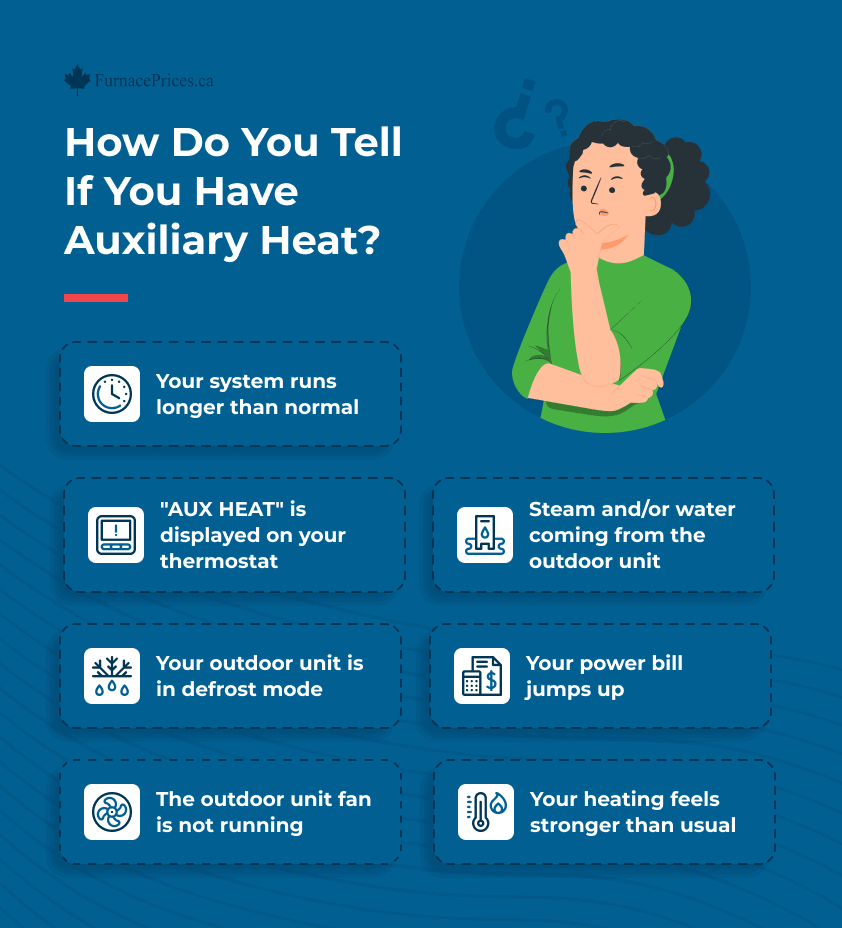
Auxiliary Heat is an automated function. The thermostat’s CPU decides when it is needed, manages the duration of its use, and turns it off once the primary system is back within efficient operating parameters. It is a collaborative effort between the compressor and the heat strips.
Emergency Heat, conversely, is a manual override. When a user selects “EMER” on their smart home app or thermostat screen, they are instructing the software to bypass the heat pump entirely. This locks out the outdoor compressor and relies 100% on the expensive electric resistance coils. In the tech world, this is akin to running a computer in “Safe Mode.” It is intended only for situations where the outdoor unit is mechanically broken or buried in snow. Using Emergency Heat when the heat pump is functional is a highly inefficient use of energy and hardware.
Optimizing Smart Thermostat Settings for Efficiency
As IoT (Internet of Things) devices have become more prevalent, the software controlling our HVAC systems has become more “aware.” Users now have access to granular settings that can significantly reduce the frequency of auxiliary heat activation, thereby lowering utility costs and carbon footprints.
Heat Pump Balance and AI Learning
Companies like Google (Nest) and Ecobee have introduced proprietary features such as “Heat Pump Balance” or “Smart Recovery.” These AI-driven features analyze the thermal profile of a home. The software learns how fast a home loses heat and how long the heat pump takes to warm it up. By starting the heating process earlier and more gradually, the AI can often reach the target temperature without ever needing to engage the auxiliary strips.
Lockout Temperatures
High-end smart thermostats allow tech-savvy users to set “Aux Heat Lockout” temperatures. For instance, a user might program the system to never allow auxiliary heat to turn on if the outdoor temperature is above 40°F. This prevents the system from using expensive electricity for minor temperature adjustments that the heat pump could eventually handle on its own. Conversely, a “Compressor Lockout” can be set for extremely low temperatures (e.g., -10°F) where the heat pump is no longer physically capable of operating, forcing a switch to auxiliary or emergency heat to protect the equipment.
Data Analytics and Energy Reports
One of the greatest advantages of modern HVAC tech is the availability of data. Most smart thermostat apps provide monthly energy reports that highlight exactly how many hours the auxiliary heat was active. By analyzing this data, homeowners can identify patterns—such as a drafty window or a failing sensor—that might be causing the system to rely too heavily on backup heating.
The Role of Sensors and IoT in Climate Control
The evolution of “Aux Heat” management is closely tied to the proliferation of remote sensors. In the past, a thermostat only knew the temperature of the hallway where it was mounted. Modern systems utilize a network of Bluetooth or Wi-Fi-enabled sensors placed in bedrooms, basements, and kitchens.
This sensor mesh creates a “weighted average” for the thermostat’s logic board. If a remote sensor in a poorly insulated nursery drops below a certain threshold, the system might trigger auxiliary heat even if the main hallway is warm. This localized data collection ensures that the “Aux Heat On” status is a precise response to the home’s actual environmental conditions rather than a reaction to a single data point.
Furthermore, integration with weather APIs allows the thermostat to “look ahead.” If the software sees a massive cold front approaching via a local weather service, it can adjust the heat pump’s run-time in advance, minimizing the “thermal shock” that would otherwise require auxiliary intervention.
Future Trends: Beyond Electric Resistance
As we look toward the future of smart home technology, the concept of “Aux Heat” is evolving. In hybrid or “dual-fuel” systems, the auxiliary heat isn’t an electric coil, but a high-efficiency gas furnace. In these setups, the thermostat acts as a sophisticated traffic controller, switching between the electric heat pump and the gas furnace based on real-time energy prices and outdoor temperatures.
The ongoing development of “Cold Climate Heat Pumps” is also pushing the boundaries of when auxiliary heat is necessary. New compressor technologies allow systems to maintain 100% capacity at temperatures as low as 5°F. For the end-user, this means the “Aux Heat On” notification will become an increasingly rare sight, reserved only for the most extreme meteorological events.
In summary, seeing “Aux Heat On” is not a cause for alarm; it is a sign that your smart home ecosystem is functioning exactly as designed. It represents a sophisticated software-hardware handshake intended to maintain your comfort when the laws of physics challenge your primary heating system. By understanding the technology behind this indicator, users can better manage their smart home settings, optimize their energy consumption, and ensure their HVAC hardware remains in peak condition for years to come.
aViewFromTheCave is a participant in the Amazon Services LLC Associates Program, an affiliate advertising program designed to provide a means for sites to earn advertising fees by advertising and linking to Amazon.com. Amazon, the Amazon logo, AmazonSupply, and the AmazonSupply logo are trademarks of Amazon.com, Inc. or its affiliates. As an Amazon Associate we earn affiliate commissions from qualifying purchases.