
In the rapidly evolving landscape of digital communication, the term “G Chat” has become a colloquial shorthand for a variety of tools provided by Google over the past two decades. While the official branding has shifted through iterations like Google Talk, Google Hangouts, and Google Chat, the core purpose remains the same: facilitating real-time connectivity for individuals, teams, and organizations. Understanding what G Chat is today requires looking past the nostalgia of the original chat window and examining the robust, enterprise-grade communication ecosystem that powers modern collaboration.
The Evolution of Google’s Communication Suite
To truly understand what G Chat is, one must first recognize its place in the timeline of Google’s messaging strategy. The platform has undergone several significant rebranding efforts, each reflecting the changing needs of the digital workplace.
From Google Talk to Google Chat
In 2005, Google introduced Google Talk, a lightweight, XMPP-based instant messaging service that gained immediate traction among Gmail users. It was simple, unobtrusive, and defined the early era of browser-based communication. However, as the demand for rich media, group collaboration, and video integration grew, Google transitioned to Hangouts. Hangouts attempted to merge video calling, SMS, and instant messaging into a single interface.
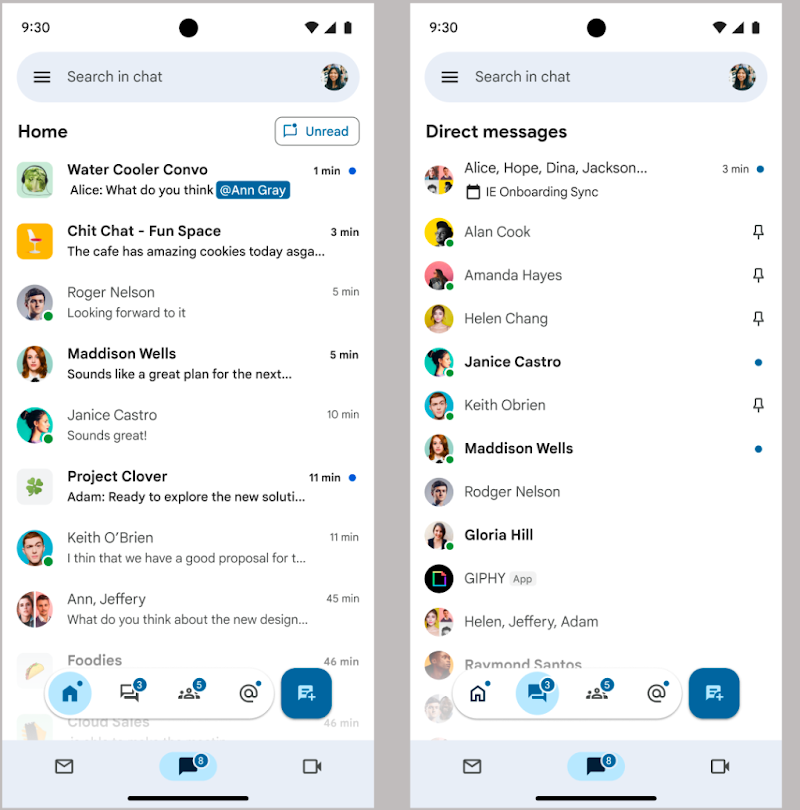
Today, Google Chat represents the refined, modern version of this progression. Designed specifically for the Google Workspace ecosystem, it has moved away from the fragmented approach of the past to offer a centralized, professional hub for communication that integrates seamlessly with Google Drive, Calendar, and Meet.
The Shift Toward Enterprise Integration
The modern “G Chat” is no longer just a window for sending text messages; it is a collaborative workspace. It has been built to compete with platforms like Slack and Microsoft Teams. By moving away from the consumer-focused Hangouts, Google repositioned Chat as a tool for project management, asynchronous updates, and organized team dialogue. The transition marks a strategic pivot toward enterprise productivity, where communication is treated as a component of the document-creation lifecycle rather than a siloed activity.
Core Features and Functionality
G Chat, or the current Google Chat interface, offers a suite of features designed to maximize efficiency. It functions as both a direct messaging platform and a space for structured team communication.
Spaces: The Hub of Collaboration
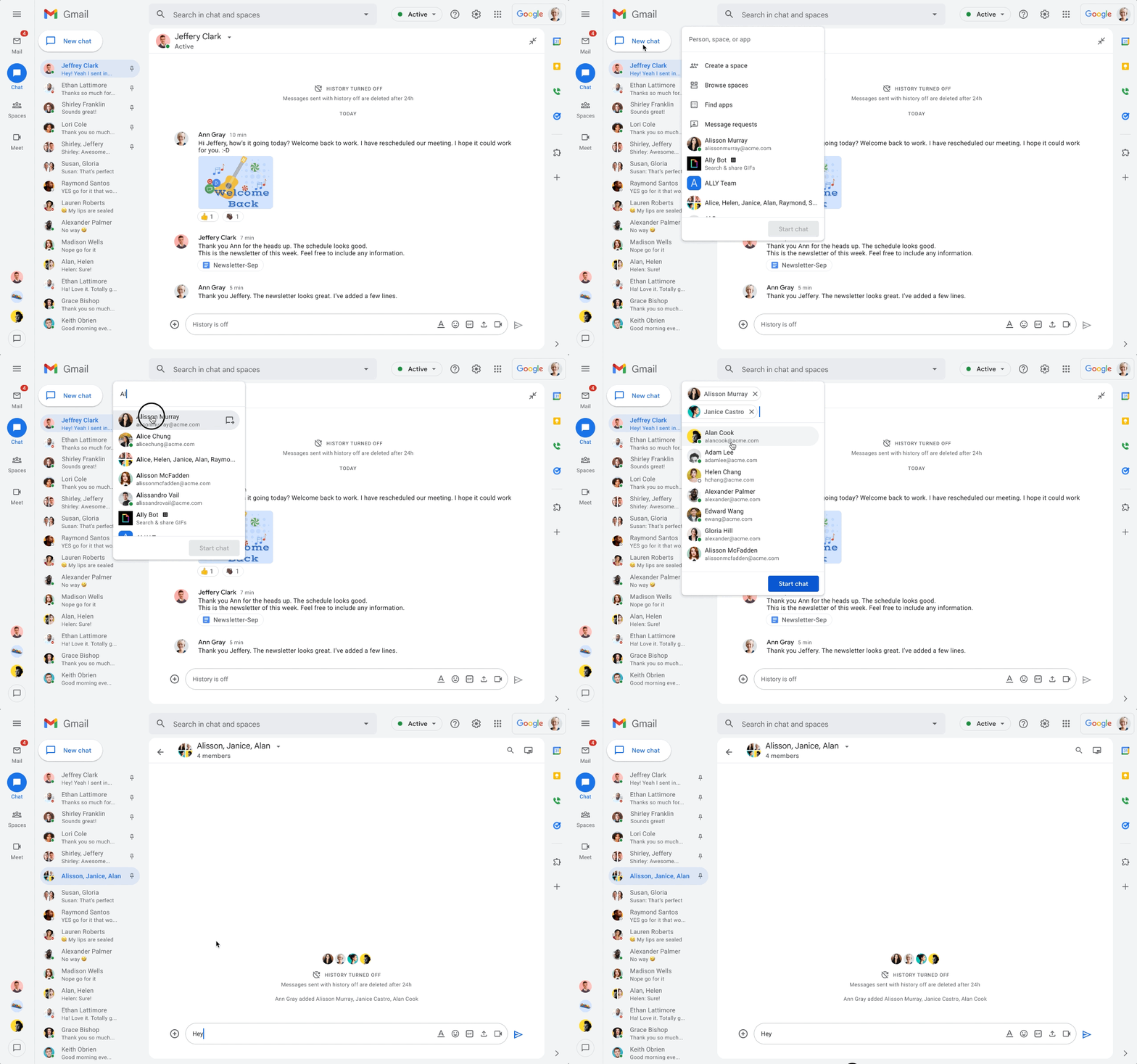
One of the most defining features of current Google Chat is “Spaces.” Unlike basic group chats, Spaces are dedicated areas where teams can organize conversations by project, department, or topic. Within a Space, users can:
- Share files directly from Google Drive, with automatic permission adjustments to ensure all members can access the content.
- Assign tasks to team members, which are then integrated into the shared workflow.
- Thread conversations to keep discussions focused and prevent information from being lost in a high-volume stream of messages.
By segregating communication into Spaces, users can reduce the cognitive load associated with managing multiple ongoing projects.
Integration with the Google Workspace Ecosystem
The primary advantage of using G Chat within a corporate environment is its deep integration with the Google Workspace suite. Because Chat is natively connected to Google Docs, Sheets, and Slides, the barrier to collaboration is significantly lowered. When a user shares a document link, Chat automatically checks if the members of the conversation have the necessary viewing or editing rights. This eliminates the “request access” loop that often slows down project momentum. Furthermore, the search functionality in Chat is powered by Google’s indexing engine, allowing users to find specific conversations, shared files, or meeting notes across the entire platform with ease.
Automated Notifications and Bots
Google Chat also supports an array of bots and automated notifications that streamline workflows. For instance, teams can set up integrations with third-party project management tools like Jira or Asana. When a task status is updated in those platforms, a notification is pushed into the relevant Google Chat Space. This keeps communication context-aware; instead of switching between tabs to check for updates, stakeholders receive the information where they are already collaborating.
Best Practices for Professional Communication
As with any enterprise communication tool, G Chat is only as effective as the culture surrounding its use. For organizations and individual professionals, optimizing the use of G Chat requires moving beyond casual messaging to a more structured communication style.
Mastering Asynchronous Communication
In a globalized workforce, real-time availability is rarely guaranteed. G Chat excels at bridging time zones through asynchronous communication. Best practices dictate that users should utilize threads within Spaces to keep long-running discussions organized. By threading, participants can respond to specific points without cluttering the main feed, allowing team members who join the conversation later to catch up on the context quickly.
Managing Notifications and Digital Wellness
“Always-on” culture is a significant challenge in modern remote work. Google Chat provides granular control over notification settings to help users protect their focus time. Users can customize notifications for specific Spaces or direct messages, and utilize the “Do Not Disturb” feature, which syncs with Google Calendar. When a user has a meeting scheduled, the system can automatically suppress notifications, signaling to colleagues that the user is currently unavailable. Mastering these settings is essential for maintaining deep work sessions and preventing professional burnout.
The Importance of Archiving and Compliance
For many businesses, the communication that happens in G Chat is subject to compliance and legal requirements. Google Workspace administrators have the ability to set retention policies, ensuring that communication history is stored according to company policy or legal standards. Understanding that G Chat is a formal channel for business communication—and that these messages are often archived and searchable by IT administrators—is a critical component of digital literacy for modern employees.
The Future of G Chat in the Age of AI
The next frontier for Google Chat is the integration of generative AI. Through the introduction of “Gemini” into the Google Workspace, the platform is evolving from a communication tool into a proactive assistant.
AI-Powered Drafting and Summarization
In the coming iterations of Google Chat, AI will play a central role in how users consume and generate content. Imagine joining a project Space late in the day and having an AI assistant provide a concise summary of the decisions made during your absence. Furthermore, AI-driven drafting tools will assist users in crafting professional, context-aware responses to colleagues, reducing the time spent on routine communication.
Smart Integration with Google Meet
The line between Chat and video communication is blurring further. Future updates are likely to leverage AI to translate conversations in real-time, offer live captioning, and provide intelligent meeting recaps directly within the Chat interface. This creates a feedback loop where the text-based communication in Chat informs the video meetings, and the outcomes of those meetings are instantly translated into actionable tasks within Chat.
Maintaining the Balance
While these advancements promise increased productivity, the core philosophy of G Chat remains the same: simplifying complexity. As AI tools become more prevalent, the challenge for the platform will be to enhance user efficiency without overwhelming the interface with unnecessary automation. By focusing on intent-based features—where the tool anticipates what the user needs without being intrusive—Google aims to ensure that G Chat remains the primary interface for professional collaboration in the years to come.
Ultimately, G Chat is more than just an application on a screen; it is the connective tissue of the modern digital workplace. Whether used for a quick check-in between colleagues or for the complex coordination of multi-departmental projects, its value lies in its ability to centralize information, streamline workflows, and foster a culture of transparency and collaboration. As technology continues to shift, G Chat will likely remain the foundational layer upon which the future of professional connectivity is built.
aViewFromTheCave is a participant in the Amazon Services LLC Associates Program, an affiliate advertising program designed to provide a means for sites to earn advertising fees by advertising and linking to Amazon.com. Amazon, the Amazon logo, AmazonSupply, and the AmazonSupply logo are trademarks of Amazon.com, Inc. or its affiliates. As an Amazon Associate we earn affiliate commissions from qualifying purchases.