
The eagerly anticipated moment of installing a new operating system, particularly one as significant as Windows 11, often comes with a subtle, yet ubiquitous, twist: the immediate demand for updates. You’ve just gone through the installation process, perhaps waited patiently as files were copied and settings configured, only to be greeted by another loading screen, another percentage counter, and the message “Updating Windows.” For many users, this can feel counterintuitive, even frustrating. Why, after a fresh install, does Windows 11 seem to require more installation? This isn’t an arbitrary inconvenience but a critical aspect of modern software management, deeply rooted in technology, brand strategy, and even economic efficiencies.
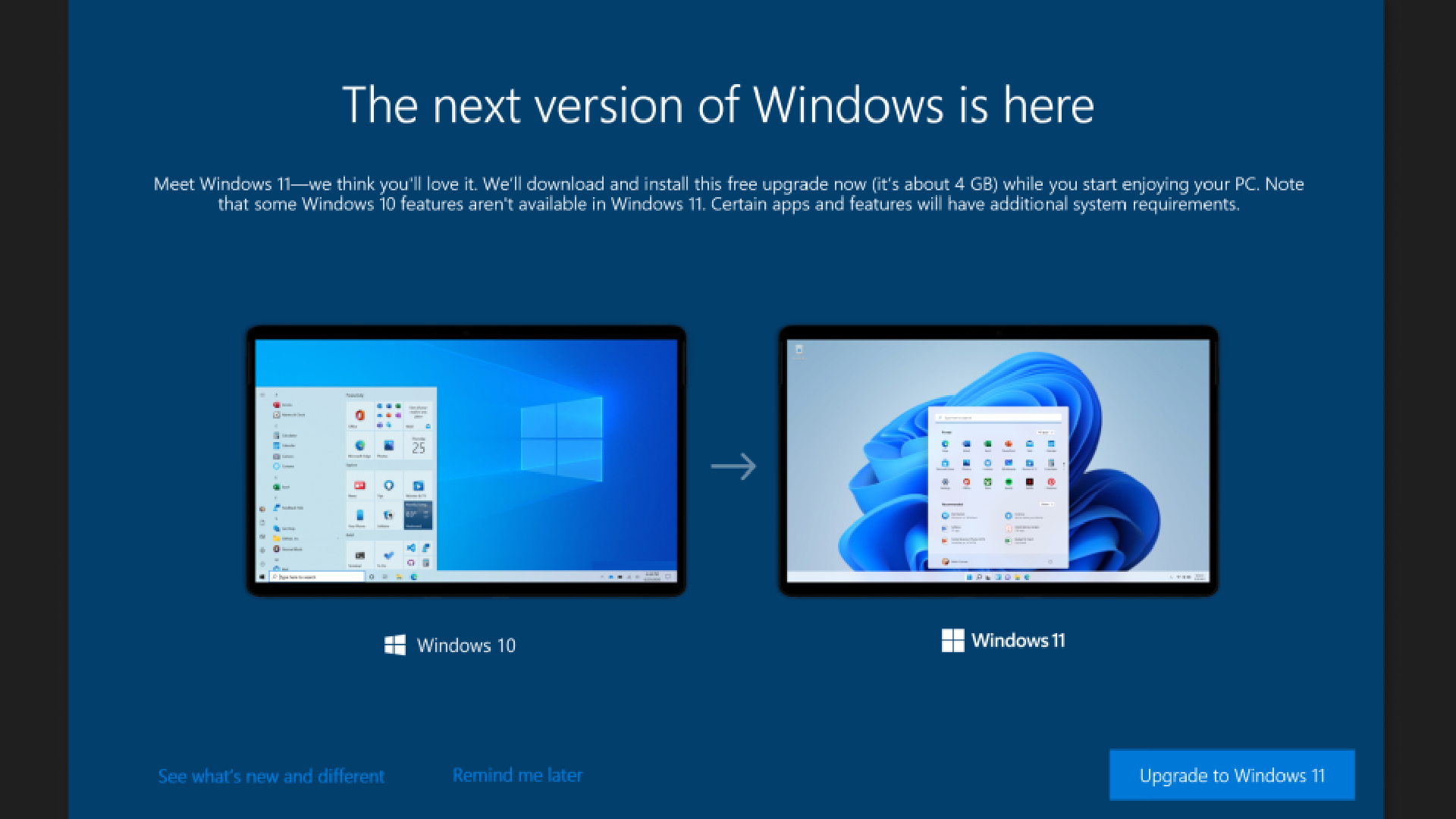
At its core, this immediate update requirement serves multiple vital functions: bolstering security, enhancing stability, ensuring hardware compatibility, and delivering the latest features. In an era where operating systems are less like static products and more like evolving services, these post-installation updates are not a bug, but a fundamental feature designed to protect your digital life, optimize your hardware, and keep you connected to the forefront of technological innovation. Understanding this necessity demystifies the process, transforming a perceived delay into an essential step for a robust and secure computing experience from day one.
The Imperative of Immediate Updates: A Deep Dive into the “Why”
The notion that a freshly installed operating system could already be “out of date” might seem paradoxical. However, the development cycle of a complex OS like Windows 11 is continuous, and the gap between when an installation image is finalized and when you actually install it can be significant. This time lag, coupled with the relentless pace of technological change and the ever-present threat landscape, necessitates immediate action upon first boot. These initial updates are far from trivial; they are the bedrock upon which a secure, stable, and high-performing system is built.
Bridging the Security Gap: Protecting Against Evolving Threats
Perhaps the most critical reason for immediate post-installation updates is security. Cyber threats are dynamic, sophisticated, and constantly evolving. Vulnerabilities that may not have existed, or were not publicly known, when your installation media was created could emerge within days or even hours. Microsoft, like all major software developers, is in a continuous battle against malware, viruses, ransomware, and various other forms of digital aggression. Upon installation, your Windows 11 system could potentially be exposed to newly discovered exploits if it’s running an older build.
These day-one patches often contain critical security fixes that close these newly identified loopholes. They protect your personal data, your financial information, and the integrity of your system from malicious actors who are always seeking weaknesses to exploit. Without these immediate updates, your brand-new system would be a prime target, making it inherently insecure from the moment it connects to the internet. For Microsoft, ensuring this immediate security posture is paramount, not just for user protection but also for maintaining its brand reputation as a reliable and trustworthy software provider. A single widespread security breach attributed to an unpatched system could have catastrophic financial and reputational consequences.
Enhancing Stability and Performance: A Smoother User Experience
Beyond security, initial updates frequently address known bugs and performance issues. While Windows 11 undergoes extensive testing before release, real-world usage on a myriad of hardware configurations invariably uncovers unforeseen glitches. These can range from minor annoyances like UI elements not rendering correctly to more serious issues like system crashes, application compatibility problems, or unexplained slowdowns.
The updates released shortly after a major OS version’s debut are often “cumulative updates” that bundle numerous fixes for these early issues. Installing them immediately ensures that you start with the most stable and optimized version of the operating system possible. This significantly improves the initial user experience, preventing frustration that might arise from encountering bugs that have already been identified and resolved. A stable system directly contributes to productivity, allowing users to focus on their tasks rather than troubleshooting OS quirks. This improved stability also indirectly saves money by reducing the need for costly technical support and preventing data loss due due to system instability.
Ensuring Hardware Compatibility and Driver Integrity
Modern computers are complex ecosystems of diverse hardware components, from CPUs and GPUs to motherboards, network adapters, and peripherals from countless manufacturers. Windows 11 needs to interact seamlessly with all of them. While the installation image includes a broad set of generic drivers, specific, optimized drivers are often released by hardware manufacturers after the OS has launched. These drivers are crucial for unlocking the full potential of your hardware, ensuring correct functionality, and maximizing performance.
Immediate updates often include these newer, validated drivers directly from Microsoft (which often collaborates with hardware vendors) or direct users to acquire them. This ensures that your system recognizes and correctly utilizes all its components, from high-performance graphics cards to specialized input devices. Without these driver updates, you might experience issues like reduced performance, non-functional features, or even system instability if generic drivers are struggling to interface correctly with specific hardware. For example, a new gaming laptop might not achieve its advertised frame rates without a day-one GPU driver update, or a new Wi-Fi adapter might not connect at optimal speeds. Ensuring this compatibility is vital for a smooth initial experience and long-term system health.
Delivering the Latest Features and Innovations
While the core features are present in the installation media, Microsoft frequently rolls out minor feature enhancements, UI refinements, and new functionalities through its update mechanism. These can be small quality-of-life improvements or tweaks that enhance accessibility, productivity, or the overall aesthetic.
By updating immediately, you’re not just getting security and stability fixes; you’re also ensuring you have the most current version of Windows 11 with all the latest improvements. This aligns with Microsoft’s “Windows as a Service” model, where the OS is continuously evolving rather than being a static product. It ensures that users are always running a cohesive, up-to-date version, which simplifies support and ensures everyone benefits from the newest innovations as soon as they are ready.
Beyond the Installation: The Ecosystem of Continuous Improvement
The necessity of immediate updates after installation is just one facet of a broader philosophy that underpins modern operating systems: continuous improvement. Windows 11, like its contemporaries, is no longer a “set it and forget it” piece of software. It’s a living, breathing digital platform that requires constant attention and evolution to remain relevant, secure, and performant in a rapidly changing technological landscape. This ecosystem of continuous improvement has significant implications for users, developers, and the brand itself.
Microsoft’s Service Model: OS as an Ever-Evolving Platform
Microsoft has explicitly shifted Windows towards a “service model,” exemplified by Windows 10 and carried forward with Windows 11. This means the operating system is perpetually updated with new features, security patches, and performance enhancements, rather than relying on infrequent, large-scale version releases (like the old Windows XP, Vista, 7, 8 cycle). This approach allows Microsoft to respond quickly to emerging threats, integrate new technologies faster, and gather continuous feedback to refine the user experience.
The immediate update after installation is the very first touchpoint of this service model for a new system. It brings your system up to the current “service level” for Windows 11. This model benefits users by providing constant protection and access to cutting-edge features without needing to purchase and install entirely new versions of the OS every few years. For businesses, it means a more predictable update cadence, aiding IT management and security compliance. This strategy also simplifies development, allowing Microsoft to target a more uniform operating environment, reducing fragmentation and improving software compatibility across the ecosystem.
The Cost of Inaction: Why Skipping Updates Isn’t an Option
While the immediate update might feel like an imposition, the long-term cost of not updating is far greater. An outdated system is a vulnerable system. Skipping security updates leaves gaping holes that cybercriminals are eager to exploit, potentially leading to data breaches, identity theft, and financial losses. The financial impact of a data breach for a business can be devastating, involving direct costs for recovery, legal fees, regulatory fines, and indirect costs like reputational damage and loss of customer trust. Even for individual users, the time and effort to recover from ransomware or a compromised account can be significant.
Beyond security, an unpatched system is prone to instability and performance degradation. Unresolved bugs can lead to frequent crashes, data corruption, and reduced productivity. Software incompatibility issues can emerge, preventing users from running critical applications or accessing new hardware. In a professional context, this translates directly to lost work hours and increased IT support costs. From a productivity standpoint, an unstable or slow system costs money in lost efficiency. The immediate, relatively short inconvenience of an update is a small price to pay for preventing potentially catastrophic issues down the line.

User Experience vs. System Health: Balancing Immediate Frustration with Long-Term Benefits
There’s no denying that waiting for updates right after installing an OS can be annoying. The anticipation of exploring a new system is momentarily deflated by another progress bar. However, this momentary frustration is a calculated trade-off for long-term system health and a superior user experience. Microsoft’s brand image is built on reliability, security, and innovation. Delivering a system that is immediately vulnerable or unstable would undermine that image significantly.
By enforcing these initial updates, Microsoft prioritizes the long-term well-being of the system and the user’s data. It ensures that the foundation upon which all subsequent computing activities occur is solid. While the initial wait might feel inconvenient, it’s an investment in a secure, stable, and performant computing environment that ultimately enhances user trust and satisfaction. The short-term pain is mitigated by the long-term gain of a robust and protected digital workspace.
Navigating the Initial Setup: Practical Advice for a Seamless Transition
Understanding why Windows 11 updates immediately after installation helps put the process in perspective. However, knowing how to best navigate this initial phase can significantly improve your experience. While you can’t bypass these critical updates, you can prepare for them and understand what to expect, turning a potential frustration into a routine step in setting up your new system.
Pre-Installation Preparations: Setting the Stage for Success
Before you even begin the Windows 11 installation, a few preparations can smooth the post-installation update process. First and foremost, ensure you have a stable and fast internet connection. Downloading large update files will be much quicker and less prone to errors with a reliable connection. A wired Ethernet connection is often preferred over Wi-Fi for initial setup due to its stability.
Secondly, ensure your system meets the minimum requirements for Windows 11. While the installer checks this, having adequate disk space and RAM will ensure the updates can be downloaded and installed without resource bottlenecks. It’s also a good idea to temporarily disable any firewalls or antivirus software (if you’re using a third-party solution during the install, though Windows Defender usually handles this fine during initial setup) that might interfere with the download process, re-enabling them once everything is up and running. Finally, allocate enough time. Don’t start a Windows 11 installation if you need to use the computer immediately afterward. Budget an extra 30-60 minutes specifically for the initial updates.
Understanding the Update Process: Patience and Connectivity
Once Windows 11 is installed, and the updates begin, patience is key. The process typically involves several stages: downloading the update files, preparing them for installation, installing them, and then requiring one or more restarts. Each restart is a normal part of the process, allowing the system to properly integrate the new code. It’s crucial not to power off your computer during these stages, especially when it says “Updating” or “Configuring updates” during a restart, as this can corrupt the operating system.
Maintain your internet connection throughout. If the connection drops during a download, the process might pause or fail, requiring it to restart. If possible, avoid using the internet heavily on other devices on the same network during this critical phase to ensure maximum bandwidth is dedicated to your new PC. Monitor the progress indicators, and let the system complete its tasks uninterrupted. The duration will vary based on your internet speed, the number and size of updates, and your hardware’s performance.
Post-Update Checks: Verifying System Integrity
After all the initial updates have been installed and your system has finally booted into the Windows 11 desktop, it’s wise to perform a few checks to ensure everything is in order. First, navigate to “Settings > Windows Update” and verify that there are no further critical updates pending. Sometimes, the initial batch might be followed by a smaller, subsequent set.
Next, check your Device Manager to ensure all your hardware components are recognized and have the latest drivers installed. Look for any yellow exclamation marks, which indicate a driver issue. If you have specific high-performance components (like a dedicated graphics card), consider visiting the manufacturer’s website (e.g., NVIDIA, AMD) to download and install their very latest drivers, as these are often updated more frequently than what’s available through Windows Update. Finally, open a few core applications and test essential functionalities like internet browsing, sound, and peripheral connectivity to ensure a smooth operation. This proactive approach ensures your new Windows 11 system is fully ready for optimal performance and security.
The Broader Impact: Tech, Brand, and the Bottom Line
The mandatory post-installation update for Windows 11, while seemingly a minor technical detail, actually reflects profound shifts in the technology industry, brand management, and even financial strategy. It encapsulates how modern software is developed, delivered, and maintained, impacting everything from user trust to corporate profitability.
Maintaining Brand Trust and Reputation
For a tech giant like Microsoft, its brand is one of its most valuable assets. A significant part of that brand promise is reliability, security, and innovation. Delivering a new operating system that is immediately vulnerable to known exploits or prone to widespread bugs would severely damage that trust. Imagine the headlines: “New Windows 11 system hacked minutes after install!” or “Windows 11 crashes for thousands on day one.” Such scenarios would not only lead to immense customer dissatisfaction but also erode public confidence in Microsoft’s ability to deliver secure and stable software.
By enforcing immediate updates, Microsoft proactively mitigates these risks, safeguarding its reputation. It demonstrates a commitment to user security and a responsive approach to identified issues. This dedication to continuous improvement reinforces the brand image as a responsible and trustworthy technology leader. In a highly competitive market, where user data privacy and security are paramount concerns, maintaining this brand trust is non-negotiable and directly impacts market share and long-term viability.
Productivity and Cost Efficiency: The Unseen Financial Benefits
While the immediate update process might seem like a small upfront cost in time, it yields significant financial benefits in the long run, both for individuals and businesses. For individual users, a stable and secure system means less time spent troubleshooting, recovering from malware, or dealing with system crashes. This directly translates to increased productivity and less stress. For small businesses, where every hour counts, a reliable OS means employees can focus on their work, rather than IT issues.
For larger enterprises, the financial benefits are even more pronounced. A standardized, secure, and up-to-date operating environment reduces the total cost of ownership (TCO) by minimizing support calls, reducing the need for costly data recovery operations, and mitigating the financial impact of security breaches. Proactive patching via updates is far more cost-effective than reactive incident response. Furthermore, regular updates can introduce features that streamline workflows, enhance collaboration, or improve hardware utilization, all of which contribute to greater operational efficiency and, ultimately, a healthier bottom line. The “money” aspect here is less about direct revenue and more about preventing loss and optimizing resource allocation.

The Future of Operating Systems: A Paradigm of Constant Evolution
The Windows 11 update model is a clear indication of the future direction of operating systems. We are moving away from monolithic, infrequent software releases towards a paradigm of constant evolution. This “software-as-a-service” approach allows developers to be agile, responsive, and innovative. As cloud computing, AI, and new hardware technologies continue to emerge at a rapid pace, the OS must be able to adapt and integrate these advancements seamlessly.
Immediate post-installation updates are a foundational element of this paradigm. They ensure that every new system enters this continuous cycle of improvement at the most current point possible. This benefits not only the end-user by providing an ever-improving experience but also fosters a dynamic ecosystem where software and hardware can evolve in tandem. The journey with Windows 11 begins not at the moment of installation, but at the moment it connects to the network, ready to embrace the latest updates that keep it secure, performant, and aligned with the cutting edge of technology.
In conclusion, the necessity for Windows 11 to update right after installing is not an oversight but a deliberate and essential design choice. It is a critical layer of defense against security threats, a commitment to system stability and performance, a means to ensure comprehensive hardware compatibility, and the gateway to continuous innovation. While it might add a short delay to your initial setup, this process is an indispensable investment in a secure, efficient, and future-proof computing experience, reflecting deeply on Microsoft’s brand promise and contributing significantly to the overall value and reliability of the technology.
aViewFromTheCave is a participant in the Amazon Services LLC Associates Program, an affiliate advertising program designed to provide a means for sites to earn advertising fees by advertising and linking to Amazon.com. Amazon, the Amazon logo, AmazonSupply, and the AmazonSupply logo are trademarks of Amazon.com, Inc. or its affiliates. As an Amazon Associate we earn affiliate commissions from qualifying purchases.