
The cryptic acronym “BIOS” often surfaces in tech discussions, sometimes accompanied by a sense of caution or even apprehension. For many users, it represents a fundamental, yet often overlooked, component of their computer’s hardware. But the question remains: when should you install your BIOS, and what exactly does it entail? This article aims to demystify the BIOS update process, providing a comprehensive guide for tech enthusiasts and everyday users alike, touching upon its implications within the broader spheres of technology, brand reputation, and even financial prudence.
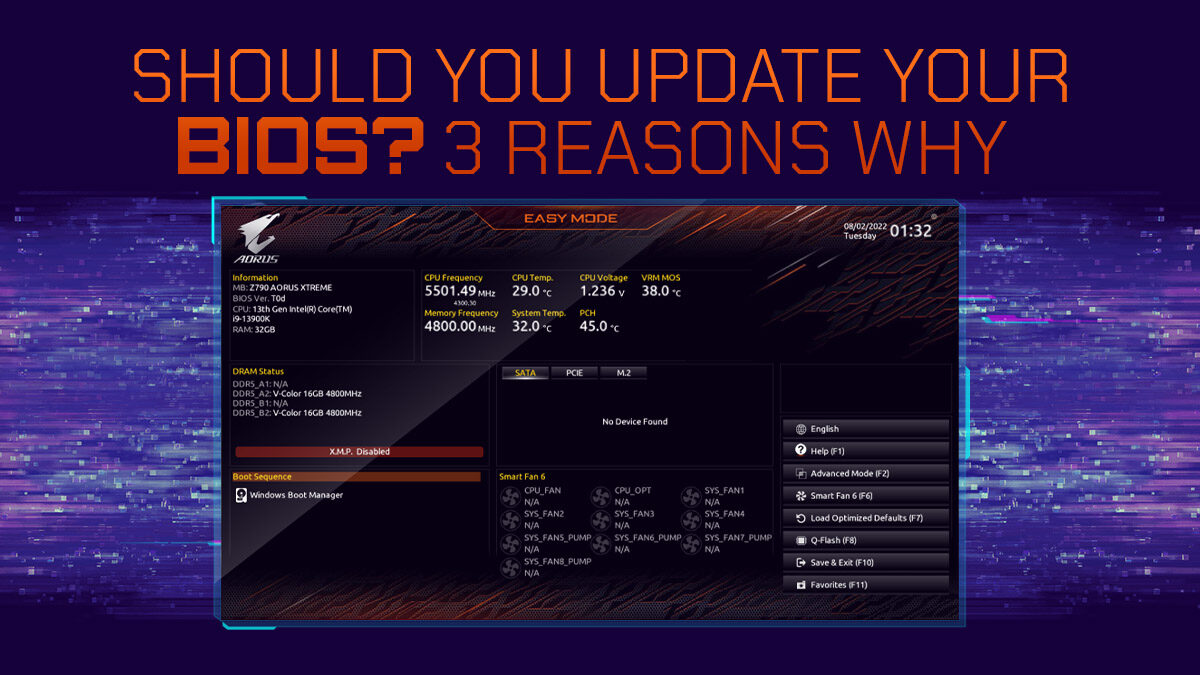
The BIOS, or Basic Input/Output System, is the firmware that resides on a small chip on your motherboard. It’s the very first piece of software that runs when you power on your computer. Its primary role is to initialize and test the system hardware components and then load the operating system from your storage device. Think of it as the foundational language that allows your hardware to communicate and your operating system to take control. While it’s a critical piece of software, it’s not something that needs frequent intervention. However, there are indeed specific scenarios where updating your BIOS becomes not just beneficial, but sometimes necessary.

The decision to update your BIOS is not a trivial one. It involves a degree of risk, and understanding when and why you should undertake this process is paramount to avoid potential issues and to leverage the advancements it can bring. This guide will explore the key triggers for a BIOS update, the potential benefits, the risks involved, and how to approach the process with confidence.
Understanding the Triggers: Why Consider a BIOS Update?
The world of technology is in constant flux, and the hardware you use today will inevitably be impacted by ongoing developments. BIOS updates are the mechanism by which motherboard manufacturers address these changes, patching vulnerabilities, improving performance, and ensuring compatibility. Therefore, the triggers for a BIOS update can be broadly categorized into several key areas:
Enhancing Hardware Compatibility and Performance
One of the most common and compelling reasons to update your BIOS is to ensure compatibility with new hardware. As new CPUs, RAM modules, or even graphics cards are released, motherboard manufacturers often release BIOS updates to recognize and properly support these components. If you’re planning an upgrade to a newer generation of processor, for instance, checking your motherboard’s support list and performing a BIOS update beforehand might be crucial for the new CPU to function correctly, or even to boot at all.
Beyond mere compatibility, BIOS updates can also unlock hidden performance potential within your existing hardware. Manufacturers might fine-tune power management settings, improve memory timings, or optimize the way the CPU interacts with other components. These optimizations, though sometimes subtle, can lead to a tangible boost in system responsiveness and overall performance. This is particularly relevant in the fast-paced tech industry where squeezing every ounce of performance from your hardware can be a competitive advantage, whether for gamers, content creators, or business professionals relying on their machines for critical tasks.
Addressing Security Vulnerabilities and Stability Issues
The digital landscape is rife with threats, and security is an ever-present concern. Like any software, BIOS firmware can contain security vulnerabilities that, if exploited, could compromise your system’s integrity. Companies like Intel and AMD, and subsequently motherboard manufacturers, regularly release BIOS updates to patch these security holes. Staying updated is a proactive measure to protect your system from potential exploits, ensuring the foundational layer of your computer is as secure as possible. This aligns with the broader theme of “Digital Security” within the tech landscape, emphasizing that even the most fundamental software needs vigilance.
Furthermore, BIOS updates can address stability issues and bugs that may have been identified in previous versions. These might manifest as random crashes, system freezes, or intermittent hardware malfunctions. If you’re experiencing such problems and have ruled out software conflicts or hardware defects, a BIOS update could be the solution. Manufacturers gather feedback from users and conduct extensive testing to identify and rectify these issues, aiming to provide a more reliable and stable computing experience.
Introducing New Features and Functionality
While less common than compatibility or security updates, some BIOS revisions may introduce new features or unlock functionalities previously unavailable. This could include improved support for specific power states, enhanced overclocking capabilities, or better integration with newer technologies. For enthusiasts who like to push the boundaries of their hardware or those who require specific advanced features, these updates can be a significant draw.
The Risks and Rewards: A Balanced Perspective
As with any significant system modification, updating your BIOS carries inherent risks. It’s crucial to approach the process with a clear understanding of both the potential rewards and the possible pitfalls.
The Perils of a Failed BIOS Update
The most significant risk associated with a BIOS update is the possibility of a failed installation. A BIOS update involves overwriting the existing firmware on the motherboard’s BIOS chip. If the process is interrupted – for example, due to a power outage, a software glitch, or user error – the BIOS chip can become corrupted. This can render your motherboard inoperable, effectively turning your computer into an expensive paperweight. In such scenarios, the only recourse is often to replace the motherboard, a costly and time-consuming endeavor.
This risk underscores the importance of a stable power supply and meticulous adherence to the update instructions. For businesses, this risk translates into potential downtime and financial losses, making a well-planned and executed update crucial for maintaining operational continuity. The “Reputation” aspect of Brand management also comes into play; a company whose products are known to be unstable or difficult to maintain can suffer long-term damage to its brand image.
Mitigating Risks: Best Practices for a Smooth Update
Fortunately, the risks associated with BIOS updates can be significantly mitigated by following established best practices:
-
Read the Manufacturer’s Instructions Carefully: Every motherboard manufacturer provides specific instructions for updating the BIOS. These instructions are tailored to their hardware and software. Always consult the official documentation for your specific motherboard model. This includes understanding the recommended update method (e.g., using a USB drive, within the BIOS interface itself, or via a Windows utility).
-
Ensure a Stable Power Supply: A sudden power loss during a BIOS update is one of the most common causes of failure. If possible, use an Uninterruptible Power Supply (UPS) to protect against power outages. If a UPS is not available, ensure your system is connected to a reliable power source and avoid performing the update during periods of known electrical instability.
-
Download the Correct BIOS File: It is absolutely critical to download the BIOS file specifically designed for your exact motherboard model and revision. Using a BIOS file for a different model can lead to serious compatibility issues or brick your motherboard. Double-check your motherboard model number and revision before downloading.
-
Backup Important Data: While a BIOS update primarily affects firmware, it’s always a good practice to back up your important data before any significant system change. This is a general tech recommendation for “Digital Security” and “Productivity,” ensuring that even in the worst-case scenario, your valuable information is safe.
-
Understand the “Why”: Only update your BIOS if there is a clear reason to do so, such as addressing a specific problem, improving compatibility with new hardware you plan to install, or patching a known security vulnerability. Don’t update your BIOS just for the sake of having the “latest” version if your system is currently stable and performing well. This aligns with a prudent approach to “Personal Finance” and “Business Finance” – avoiding unnecessary expenditure of time, effort, and potential risk.
The Rewards of a Successful Update
When performed correctly, a BIOS update can offer substantial benefits. These can range from the pragmatic – improved hardware compatibility and system stability – to the performance-enhancing. For users investing in high-end components, a BIOS update might be the key to unlocking their full potential, leading to smoother gaming experiences, faster rendering times for creative professionals, or more efficient data processing for businesses.
From a “Brand” perspective, a motherboard manufacturer that consistently provides timely and effective BIOS updates demonstrates a commitment to its customers and the longevity of its products. This builds trust and reinforces its reputation as a reliable provider of quality hardware. Conversely, a brand that neglects its firmware can alienate its user base.
When to Hold Back: Cases Where a BIOS Update Might Be Unnecessary
While the allure of the “latest and greatest” can be tempting, it’s important to recognize that not every BIOS update warrants immediate installation. In many situations, sticking with your current BIOS version is the wisest course of action.
If Your System is Stable and Performing Well
The golden rule of BIOS updates is: “If it ain’t broke, don’t fix it.” If your computer is operating smoothly, all your hardware is recognized and functioning correctly, and you haven’t encountered any stability issues or security concerns, there’s often no pressing need to update your BIOS. The risks associated with the update process might outweigh the potential benefits in such cases.
This principle extends to the “Money” aspect of your decision-making. While BIOS updates are typically free, the time, effort, and potential cost of recovering from a failed update can be significant. If you’re not experiencing any issues, you’re saving yourself potential headaches and resources by maintaining the status quo.
When the Update Offers No Tangible Benefits for Your Use Case
Review the release notes for a BIOS update carefully. Does it mention improvements or features that are relevant to your specific hardware setup or how you use your computer? If an update primarily addresses compatibility with a CPU you don’t own, or introduces features related to advanced overclocking that you have no interest in, then the update might not be beneficial for you.
This is particularly true for users with older hardware. While BIOS updates can sometimes extend the life of older systems by improving compatibility with newer, minor hardware revisions, they rarely introduce revolutionary changes for legacy platforms.
If You’re Not Comfortable with the Process
Updating your BIOS requires a certain level of technical comfort and a willingness to follow instructions precisely. If you’re not confident in your ability to perform the update correctly, or if the idea of potentially bricking your motherboard causes you significant anxiety, it’s perfectly acceptable to refrain from updating. There are many other ways to improve your computer’s performance and security without delving into BIOS modifications. This aligns with the personal growth aspect of “Personal Branding” – understanding your limitations and making decisions that align with your comfort levels and expertise.

Conclusion: A Calculated Decision for Optimal System Health
The decision of when to install your BIOS is not a one-size-fits-all answer. It’s a calculated choice that hinges on understanding the potential benefits and risks, the specific triggers that necessitate an update, and your own comfort level with the process. For technology enthusiasts, keeping their BIOS updated can be a way to maximize hardware potential and maintain a cutting edge. For the average user, it’s often a matter of security and stability, especially when encountering specific issues or when planning hardware upgrades.
By approaching BIOS updates with a clear understanding of the “why,” meticulously following manufacturer guidelines, and always prioritizing a stable power supply, you can navigate this crucial firmware update process with confidence. Ultimately, a well-informed decision about your BIOS will contribute to a more stable, secure, and performant computing experience, aligning with the core tenets of technological advancement, brand reliability, and prudent financial management. Remember, the goal is to enhance your system, not to jeopardize it.
aViewFromTheCave is a participant in the Amazon Services LLC Associates Program, an affiliate advertising program designed to provide a means for sites to earn advertising fees by advertising and linking to Amazon.com. Amazon, the Amazon logo, AmazonSupply, and the AmazonSupply logo are trademarks of Amazon.com, Inc. or its affiliates. As an Amazon Associate we earn affiliate commissions from qualifying purchases.