
In the ever-evolving landscape of technology, the term “desktop” can evoke a range of images and understandings. For some, it’s the familiar, static screen of their computer. For others, it’s a rapidly changing concept, blurring the lines with laptops, tablets, and even the cloud. But at its core, a desktop represents the foundational graphical user interface (GUI) that allows us to interact with our computers in an intuitive and visual way. It’s the digital canvas where we launch applications, manage files, and execute tasks, acting as our primary gateway to the vast digital world. This article will delve into the multifaceted nature of the desktop, exploring its historical evolution, its contemporary significance across different device types, and its crucial role in how we work, create, and engage with technology. We’ll also touch upon how the concept of a desktop influences productivity, digital security, and even our personal and corporate brands.
The Evolution of the Desktop: From Command Lines to Visual Immersion
The genesis of the desktop metaphor can be traced back to the pioneering work of Xerox PARC in the 1970s. Before the advent of graphical user interfaces, interacting with computers required a deep understanding of complex command-line languages. Users had to meticulously type in specific commands to perform even the simplest of tasks, making computing accessible only to a select few. Xerox PARC researchers, inspired by the idea of bringing the physical world into the digital realm, conceptualized a system where digital elements – files, folders, applications – could be represented by visual icons on a screen, much like objects on a physical desk.
This revolutionary concept, dubbed the “desktop metaphor,” dramatically simplified computer interaction. Suddenly, users could point and click on icons to open documents, drag and drop files between folders, and navigate through software with ease. The introduction of the Apple Macintosh in 1984, and later the widespread adoption of Microsoft Windows, cemented the desktop metaphor as the standard for personal computing. This visual paradigm democratized technology, opening the doors to a much broader audience and paving the way for the digital revolution we experience today.
The Iconic Elements: Icons, Windows, and the Taskbar
At the heart of the desktop metaphor lie a few key, enduring elements:
-
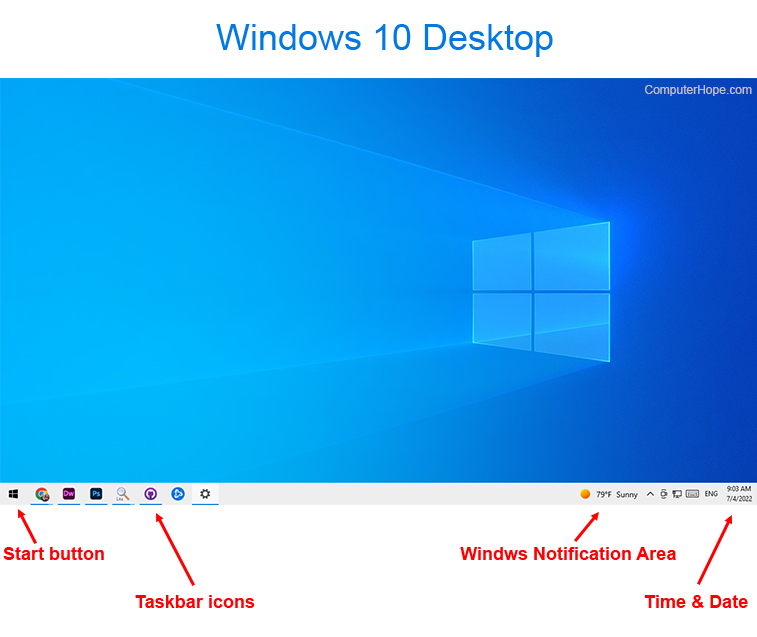
Icons: These small graphical representations are the visual shorthand for files, folders, applications, and system functions. Clicking or double-clicking an icon triggers its associated action, whether it’s opening a document, launching a program, or accessing a specific setting. The design and clarity of icons have evolved significantly over time, becoming more refined and informative.
-
Windows: The ability to display multiple applications and documents simultaneously in separate, resizable boxes is another hallmark of the desktop. These “windows” allow users to multitask efficiently, switching between different tasks or referencing information from one application while working in another. The organization and management of these windows are crucial for maintaining a clear and productive workspace.
-
The Taskbar/Dock: Typically located at the bottom or side of the screen, the taskbar (in Windows) or dock (in macOS) serves as a launchpad for frequently used applications and a visual indicator of currently running programs. It provides quick access to essential tools and allows for seamless switching between active applications.
These seemingly simple elements, when combined, create a powerful and intuitive interface that has remained remarkably consistent in its core principles, even as technology has advanced at an astonishing pace.
The Modern Desktop: Beyond the Traditional PC
While the term “desktop” originated with desktop computers, its meaning has broadened considerably in the modern era. The core principles of a visual workspace and intuitive interaction have been adopted and adapted across a range of devices, fundamentally reshaping how we access and utilize digital information.
Desktop Computers: The Enduring Powerhouse
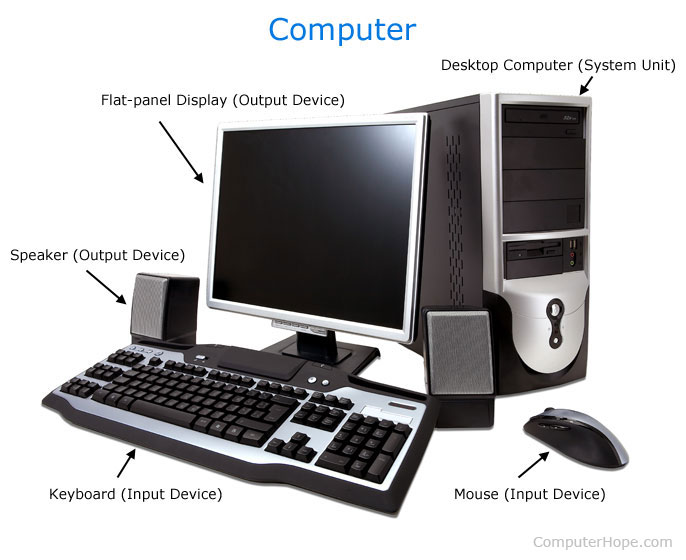
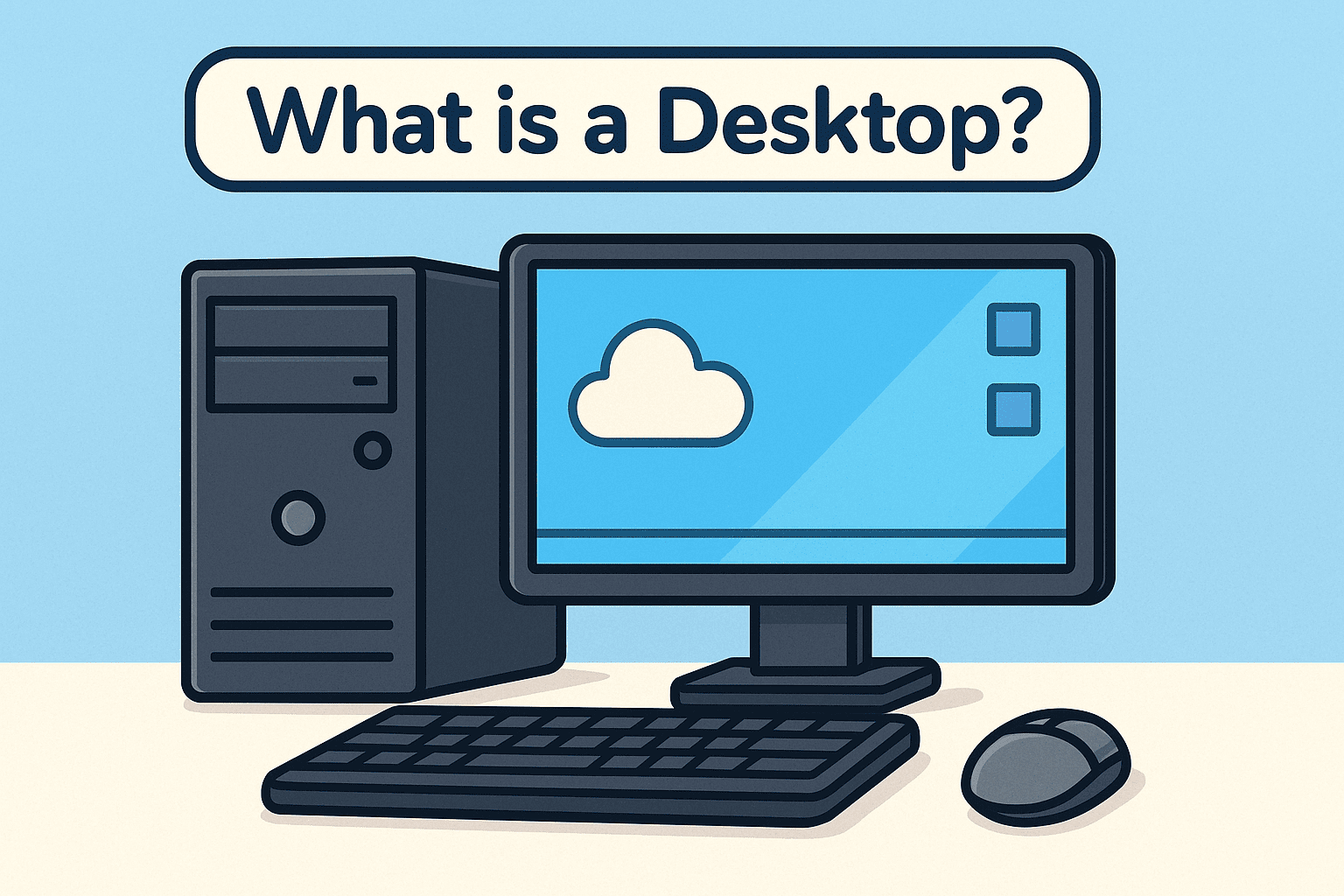
Traditional desktop computers, consisting of a tower unit, monitor, keyboard, and mouse, remain the backbone of many professional and personal computing environments. They offer unmatched power, expandability, and ergonomic advantages for demanding tasks such as video editing, graphic design, software development, and complex data analysis. For these users, the desktop is not just an interface; it’s a robust workstation, a meticulously organized digital studio where creativity and productivity flourish. The dedicated monitor provides ample screen real estate for multitasking, and the ability to customize hardware components allows for a truly personalized and optimized computing experience.
Laptops: The Portable Desktop Experience
Laptops have brought the desktop experience to a portable format, allowing users to take their digital workspace with them wherever they go. While the screen size might be smaller and hardware customization more limited than a desktop PC, modern laptops offer impressive performance that rivals many desktop counterparts. The integrated keyboard and trackpad provide a self-contained unit, and the ability to connect to external monitors, keyboards, and mice allows for the creation of a full desktop-like setup when needed. For professionals who travel, students attending classes, or anyone who values flexibility, the laptop’s desktop experience is indispensable.
Tablets and Smartphones: The Evolving Desktop Interface
The lines continue to blur with tablets and smartphones. While their primary interface is touch-based, the underlying operating systems often present a form of “desktop” experience, especially on larger tablets. Features like split-screen multitasking, app windows, and the ability to connect external keyboards and pointers bring them closer to the traditional desktop paradigm. For many, especially those focused on content consumption, communication, and light productivity, these devices have become their primary computing platforms, offering a highly accessible and on-the-go desktop.
Cloud Desktops: The Future of Accessibility
Perhaps the most significant evolution of the desktop concept lies in the rise of cloud desktops, also known as Virtual Desktop Infrastructure (VDI) or Desktop-as-a-Service (DaaS). In this model, the entire desktop environment – operating system, applications, and data – resides on remote servers in the cloud. Users access their personalized desktop from any device with an internet connection, effectively decoupling their digital workspace from specific hardware. This offers immense flexibility, scalability, and enhanced security, as sensitive data remains within the secure confines of the data center. For businesses, cloud desktops simplify IT management, reduce hardware costs, and enable seamless remote workforces. For individuals, they offer a consistent and powerful computing experience across multiple devices, from a high-end workstation to a basic tablet.
The Desktop’s Impact on Productivity, Brand, and Security
The desktop, in all its forms, plays a pivotal role in how we achieve our goals, build our identities, and protect ourselves in the digital realm.
Productivity: Streamlining Workflows and Enhancing Efficiency
A well-organized and efficient desktop is the cornerstone of personal and professional productivity. The ability to quickly access essential applications, manage files effectively, and multitask seamlessly directly impacts our ability to complete tasks efficiently.
- File Management: A clear folder structure and intuitive file naming conventions on our desktop (or within cloud storage accessible via our desktop interface) are crucial for quickly finding and organizing documents, projects, and other digital assets.
- Application Launching and Switching: Efficiently launching and switching between applications via the taskbar, shortcuts, or search functions minimizes time spent navigating menus and hunting for programs.
- Multitasking: The ability to have multiple applications open in different windows allows for parallel processing of information and tasks, significantly boosting efficiency.
- Digital Security: A secure desktop environment is paramount. This involves vigilant practices such as using strong passwords, enabling two-factor authentication, keeping software updated, and being cautious about downloads and email attachments. Antivirus software and firewalls are essential layers of defense. A compromised desktop can lead to data breaches, financial loss, and reputational damage. Understanding digital security best practices is not an optional add-on; it’s a fundamental component of responsible digital citizenship.
- Personal Branding: The way we present our digital selves, even on our desktop, can subtly influence how others perceive us. A clean, organized desktop with relevant shortcuts and a professional wallpaper can convey a sense of order and competence. Conversely, a cluttered desktop with random files and distracting icons might suggest disorganization.
Brand Building and Reputation Management
In today’s interconnected world, our digital presence is inextricably linked to our personal and corporate brands. The desktop experience, whether on a personal laptop or a corporate workstation, can subtly influence this perception.
- Professional Presentation: For business professionals, the organization and accessibility of their digital workspace are extensions of their professional image. A well-structured system for managing client files, project documents, and communication tools contributes to an image of efficiency and reliability.
- Marketing and Design: For businesses involved in marketing and design, the visual consistency of their brand across all digital touchpoints, including the desktop interfaces of their employees, is critical. This extends to the design of application icons, corporate wallpapers, and even the default settings of company devices.
- Case Studies and Reputation: The efficiency and effectiveness with which a company or individual can manage their digital assets and client information, facilitated by a well-configured desktop environment, can directly impact their ability to deliver excellent service and build a strong reputation. Seamless access to case studies, client data, and project timelines is vital for responsive and effective business operations.
Conclusion: The Enduring Relevance of the Desktop Metaphor
From its humble beginnings as a revolutionary concept to its current multifaceted existence across diverse devices, the desktop metaphor has remained an indispensable element of our digital lives. It provides the visual framework through which we interact with technology, empowering us to create, communicate, and consume information with unprecedented ease. Whether we’re crafting a document on a powerful desktop PC, managing emails on a portable laptop, or accessing our digital workspace from the cloud, the principles of the desktop continue to guide our interaction with the digital world. As technology advances, the desktop will undoubtedly continue to evolve, adapting to new paradigms and device forms. However, its core function – to serve as our intuitive, visual command center – will likely remain a constant, ensuring its enduring relevance in the ever-expanding universe of digital possibilities. Understanding “what’s a desktop” is not just about recognizing a visual interface; it’s about appreciating the foundational concept that has shaped our digital experience and continues to empower our technological endeavors.
aViewFromTheCave is a participant in the Amazon Services LLC Associates Program, an affiliate advertising program designed to provide a means for sites to earn advertising fees by advertising and linking to Amazon.com. Amazon, the Amazon logo, AmazonSupply, and the AmazonSupply logo are trademarks of Amazon.com, Inc. or its affiliates. As an Amazon Associate we earn affiliate commissions from qualifying purchases.