
In an increasingly digital world, where our screens have become our canvases, notebooks, and workstations, the humble stylus has emerged as an indispensable tool. Far from being a mere accessory, a well-chosen stylus can revolutionize the way we interact with our devices, enhancing creativity, boosting productivity, and even opening new avenues for digital income. From sketching intricate designs to annotating critical documents, from signing contracts on the go to navigating complex interfaces with precision, a stylus bridges the gap between our intentions and our digital output. But with a bewildering array of options available, from basic capacitive pens to sophisticated active styluses brimming with features, the question inevitably arises: “What stylus?”

This comprehensive guide aims to demystify the world of digital pens, navigating the technological nuances, exploring real-world applications, and considering the crucial interplay of brand, value, and personal financial investment. Whether you’re an aspiring digital artist, a busy professional, a dedicated student, or simply seeking a more intuitive way to use your tablet or smartphone, understanding the landscape of styluses is the first step towards unlocking your device’s full potential and, perhaps, even elevating your personal and professional brand in the digital realm.
The Tech Behind the Touch: Understanding Stylus Types and Features
At its core, a stylus is designed to mimic the precision and feel of traditional writing and drawing instruments on a digital screen. However, not all styluses are created equal. Their underlying technology dictates their capabilities, compatibility, and ultimately, their suitability for different tasks. Understanding these technological distinctions is paramount to making an informed choice.
Passive Styluses: Simple and Universal
The most basic form of digital pen, passive styluses (often referred to as capacitive styluses), function much like an extension of your finger. They contain a conductive tip, typically made of rubber or a fine mesh, that mimics the electrical properties of human skin. When touched to a capacitive touchscreen (the kind found on virtually all modern smartphones and tablets), the screen registers the touch as it would a finger tap.
Pros:
- Universal Compatibility: They work with almost any capacitive touchscreen device, regardless of brand or operating system.
- Affordable: Generally the least expensive option, making them accessible to everyone.
- No Power Required: They don’t need batteries, so they’re always ready to go.
Cons:
- Limited Precision: The broad tip often makes fine detail work challenging.
- No Advanced Features: They lack pressure sensitivity, tilt detection, palm rejection, or programmable buttons.
- Not Ideal for Art/Detailed Notes: While good for basic navigation or casual drawing, they fall short for serious creative or productivity tasks.
Passive styluses are excellent for general navigation, quick annotations, or if you simply prefer not to use your finger for certain tasks. They represent a low-cost, low-commitment entry point into the world of digital pens.
Active Styluses: Precision and Power
Stepping up significantly in sophistication, active styluses contain internal electronic components and typically connect to a device via Bluetooth or a proprietary wireless standard. This internal tech is what enables their advanced functionality, transforming them from simple pointers into powerful creative and productivity tools.
Key Features of Active Styluses:
- Pressure Sensitivity: This is perhaps the most crucial feature for artists and designers. It allows the stylus to detect how hard you’re pressing, translating into thicker, darker lines with more pressure and finer, lighter lines with less. Levels can range from 1,024 to over 8,192, offering a nuanced control over stroke opacity and width.
- Tilt Support: Some active styluses can detect the angle at which they are held, allowing for shading effects much like tilting a pencil or crayon.
- Palm Rejection: A game-changer for note-takers and artists, palm rejection technology ensures that only the stylus input is registered, allowing you to rest your hand naturally on the screen without creating accidental marks.
- Programmable Buttons: Many active styluses feature one or more buttons that can be customized to perform various functions, such as erasing, undoing, switching tools, or acting as a right-click.
- Low Latency: This refers to the minimal delay between moving the stylus and seeing the digital ink appear on the screen. Lower latency creates a more natural, fluid writing and drawing experience.
- Battery Life: Since they contain electronics, active styluses require power, usually via a rechargeable battery. Charging methods vary, from USB-C to magnetic attachment (like the Apple Pencil).
Examples: Apple Pencil (1st and 2nd Gen), Microsoft Surface Pen, Samsung S Pen (for specific tablets/phones), Logitech Crayon, many third-party options.
Active styluses are the workhorses for serious digital creation and high-level productivity. Their precision and feature set make them indispensable for those who demand more from their digital interaction.
EMR Styluses: A Niche of Excellence
Electromagnetic Resonance (EMR) technology represents another distinct category, primarily championed by Wacom, a leader in graphics tablets. EMR styluses do not contain batteries; instead, they draw power from a specialized EMR layer embedded within the screen itself.
Pros:
- Battery-Free Pen: The stylus itself never needs charging, which is a significant convenience.
- High Precision and Pressure Sensitivity: EMR technology is renowned for its excellent pressure sensitivity and accuracy.
- Durability: Fewer internal components mean potentially fewer points of failure.
Cons:
- Limited Compatibility: EMR styluses only work with devices that have a compatible EMR screen (e.g., specific Samsung Galaxy devices, certain Chromebooks, Wacom pen displays). They are not universally compatible.
- Device-Specific: You’re often tied to a specific ecosystem.
EMR styluses offer a unique blend of high performance and battery-free convenience, but their specialized nature means they are only an option for users with compatible hardware.
Matching the Tool to Your Trade: Use Cases and Compatibility
The “best” stylus isn’t just about the latest technology; it’s about finding the right tool for your specific needs and, crucially, for your specific device. Compatibility is often the make-or-break factor, as many of the most advanced styluses are designed to work seamlessly within a particular hardware ecosystem.
Creativity Unleashed: For Artists and Designers
For digital artists, illustrators, graphic designers, and animators, a stylus is an extension of their hand, enabling them to translate their vision onto a digital canvas with unparalleled detail and expressiveness.
- Essential Features: High pressure sensitivity (4096+ levels), tilt support for shading, low latency for a natural drawing feel, and excellent palm rejection are non-negotiable.
- Software Integration: The stylus should work flawlessly with industry-standard creative apps like Procreate (iPad), Clip Studio Paint, Adobe Fresco, Photoshop, and Illustrator.
- Ecosystem Examples:
- Apple Pencil (iPad Pro/Air/mini): Widely considered the gold standard for digital art on a tablet, offering exceptional pressure, tilt, and seamless integration with a vast ecosystem of creative apps.
- Microsoft Surface Pen (Surface devices): Offers strong pressure sensitivity, tilt, and haptic feedback on compatible Surface devices, ideal for drawing and designing on Windows.
- Wacom Pro Pen (Wacom tablets/displays): For professionals using dedicated drawing tablets or pen displays, Wacom pens offer industry-leading precision and customization.
- Samsung S Pen (Galaxy Tab/Note series): EMR-based, offering excellent pressure sensitivity and often bundled with compatible devices, making it a great option for artists in the Android ecosystem.
The choice here often hinges on your existing device ecosystem and preferred creative software. Investing in a high-quality active stylus can significantly enhance your artistic output and even contribute to building a portfolio for potential online income or side hustles.
Productivity Perfected: For Note-Takers and Professionals
Students, educators, business professionals, and anyone who frequently takes notes, annotates documents, or needs precise navigation will find immense value in a capable stylus.
- Essential Features: Palm rejection is critical for comfortable writing. Low latency ensures a fluid note-taking experience. Programmable buttons for quick access to eraser or highlighter tools can be very beneficial. Good ergonomics for extended writing sessions.
- Software Integration: Compatibility with popular note-taking apps like GoodNotes, Notability, OneNote, Evernote, and PDF annotation tools is key.
- Use Cases:
- Digital Note-Taking: Replacing physical notebooks, organizing notes, searching handwritten text.
- Document Annotation: Marking up PDFs, reviewing proposals, signing digital forms.
- Presentations: Highlighting key points during a presentation.
- Mathematical/Scientific Work: Writing complex equations or diagrams.
- Mind Mapping: Brainstorming and organizing ideas visually.
While pressure sensitivity is less critical than for artists, a stylus that provides a natural writing feel can significantly boost productivity and organization. For professionals looking to streamline workflows and reduce paper usage, a well-integrated stylus is an investment in efficiency.
Everyday Navigation and Accessibility
Even for those not engaged in intensive creative or professional work, a stylus can offer a superior interaction experience compared to a finger.
- Use Cases:
- Precise Tapping: Navigating small buttons or links on websites.
- Gaming: Certain mobile games benefit from stylus precision.
- Accessibility: For individuals with motor control difficulties, a stylus can provide more controlled interaction than a finger.
- Hygiene: Avoiding direct finger contact with shared screens or public kiosks.
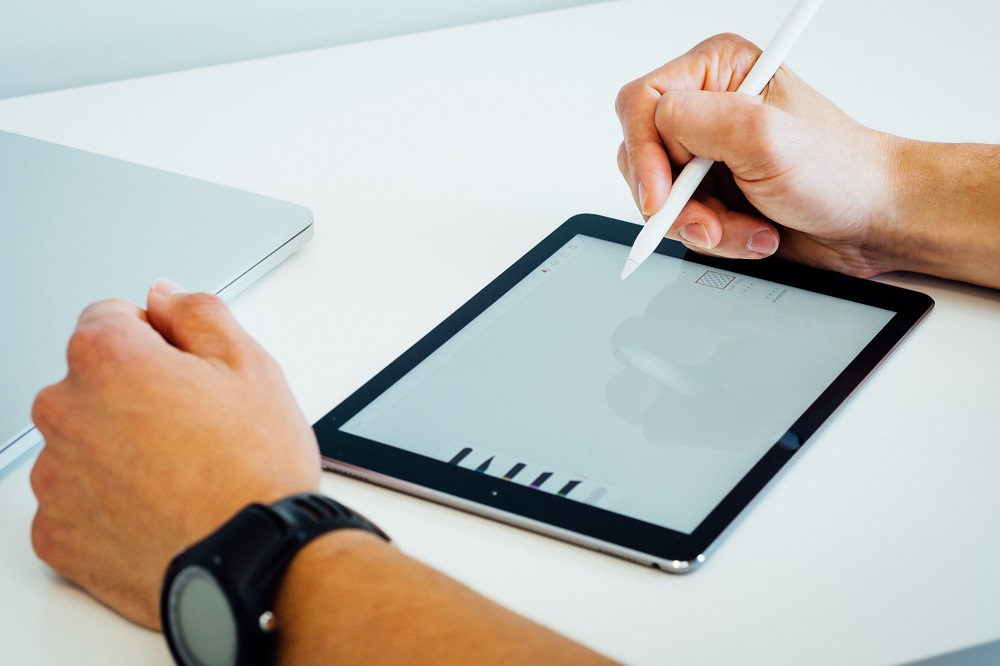
For these uses, a high-end active stylus might be overkill. A good quality passive stylus or a budget-friendly active stylus that offers basic precision will often suffice. The goal is enhanced comfort and accuracy in daily digital interactions.
The Ecosystem Lock-in: Compatibility Matters
It cannot be stressed enough: check compatibility first. Many of the best styluses are designed to work exclusively with specific devices or device families.
- Apple Pencil: Works only with compatible iPads.
- Microsoft Surface Pen: Works only with compatible Surface devices.
- Samsung S Pen: Works only with compatible Samsung Galaxy devices.
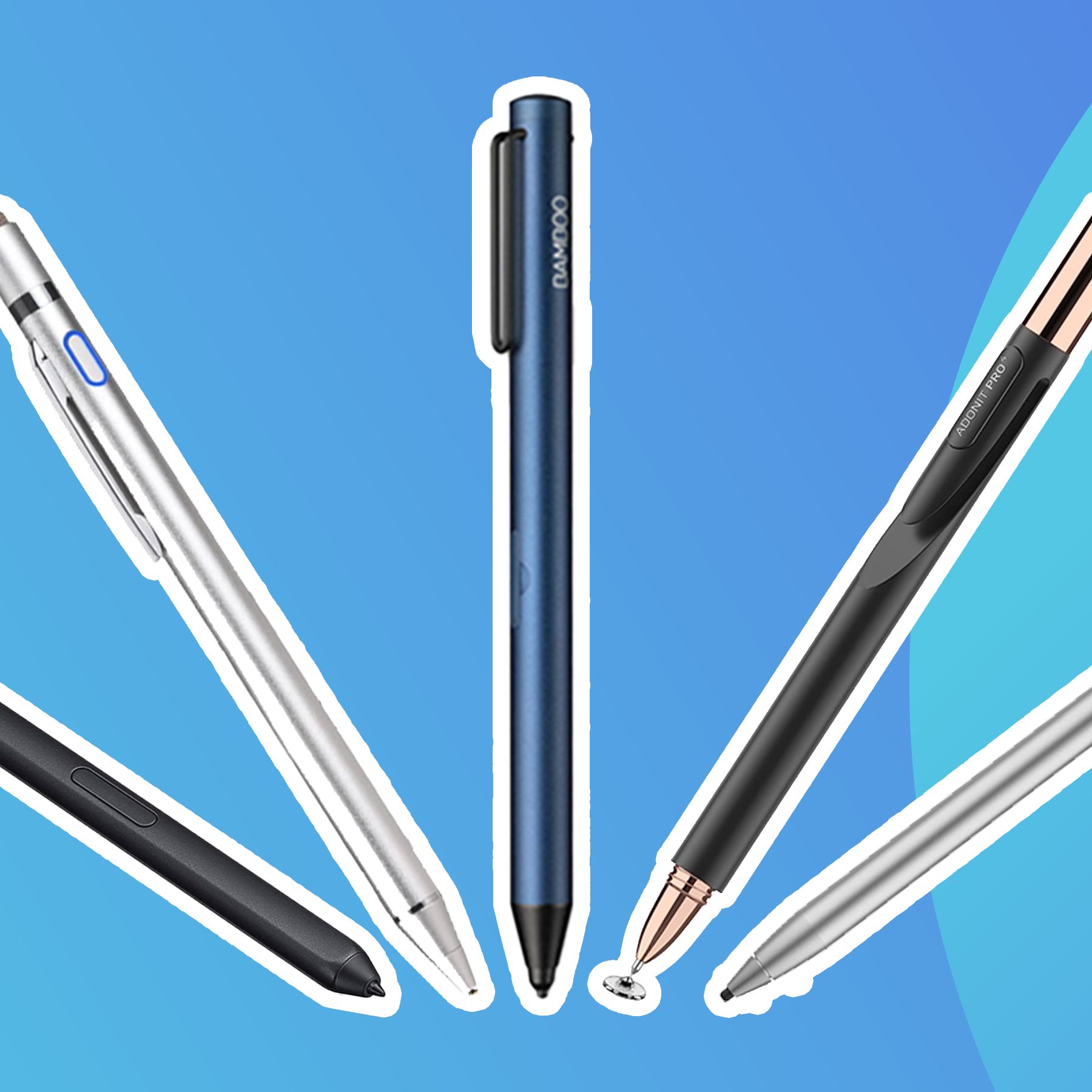
- Third-Party Active Styluses: Some brands like Adonit, Zagg, or Logitech offer active styluses that are compatible with a broader range of devices (e.g., “Works with iPad” for certain models, or universal MPP-compatible pens for Windows devices). However, they might not offer the same deep integration or features as the first-party options.
Always verify that the stylus you’re considering is explicitly listed as compatible with your specific tablet or laptop model. A mismatch will render even the most advanced stylus useless.
Brand, Value, and Your Digital Ecosystem: Making a Smart Investment
Beyond the technical specifications and use cases, the decision of “what stylus” also involves considerations of brand reputation, perceived value, and how this investment aligns with your personal and professional financial goals.
The Brand Premium: Apple, Microsoft, Samsung, and Beyond
Leading technology companies not only innovate but also cultivate powerful brands that influence purchasing decisions.
- Apple Pencil: Commands a premium price, but offers unparalleled integration within the Apple ecosystem. Its brand promise is seamless performance, intuitive use, and a vast app ecosystem optimized for its capabilities. For many creative professionals and Apple loyalists, the investment is justified by the “Apple experience.”
- Microsoft Surface Pen: Positioned as a key productivity tool for the Surface line, emphasizing pen-first input for Windows. Its brand focuses on versatility, integration with Microsoft Office, and haptic feedback.
- Samsung S Pen: Often bundled with devices, the S Pen embodies convenience and robust functionality within Samsung’s Android ecosystem, particularly for note-taking and quick creativity on the go. Its EMR technology offers a unique battery-free advantage for the pen itself.
- Wacom: A brand synonymous with professional digital art. Their styluses and tablets are trusted by creators worldwide, emphasizing precision, durability, and a deep understanding of artistic workflows.
- Third-Party Brands (Logitech, Adonit, etc.): These brands often offer more budget-friendly alternatives that can compete closely on features, especially for specific device compatibility (e.g., Logitech Crayon for iPad). They aim to provide excellent value, sometimes sacrificing a degree of seamless integration for a more accessible price point.
Choosing a brand often means buying into an ecosystem. Consider how well a brand’s stylus integrates with your existing devices and software, as this impacts both user experience and long-term value.
Weighing the Cost: Is it an Investment or an Expense?
Stylus prices vary wildly, from under $20 for basic passive pens to over $100 for premium active models. This leads to a critical question: is this purchase an investment or merely an expense?
- Investment: For professionals (digital artists, designers, educators, consultants) whose work directly benefits from a stylus, it can be a genuine investment. It enhances output quality, saves time, streamlines workflows, and can even directly contribute to revenue generation through improved digital creation for clients or for generating content for online income streams/side hustles. The ROI comes from increased productivity, efficiency, and potentially new income opportunities.
- Expense: For casual users who might only use it for occasional navigation or simple games, a high-end stylus might be an unnecessary expense. In such cases, a more affordable option that meets basic needs represents a more financially prudent choice.
Before purchasing, consider your budget and realistically assess how much value the stylus will bring to your daily tasks or professional endeavors. A cost-benefit analysis will help you determine if the price aligns with the expected utility and potential financial returns.
Enhancing Your Digital Identity and Brand
In today’s digital landscape, the tools you use can subtly (or overtly) shape your personal and corporate brand.
- Professional Image: For creators and professionals, using a high-quality stylus can signal professionalism and commitment to detail. Presenting a digital portfolio created with precision or delivering a dynamic presentation using a stylus projects an image of tech-savviness and attention to quality.
- Content Creation: If you generate digital content – be it illustrations for a blog, handwritten notes for an online course, or annotations for social media – a good stylus directly impacts the quality and aesthetic of that content. This, in turn, contributes to your personal branding as a digital creator or expert.
- Efficiency and Reliability: A reliable stylus that doesn’t falter during an important presentation or creative session contributes to your professional efficiency, which is a valuable trait for any brand.
Choosing a stylus isn’t just about functionality; it’s also about empowering your digital presence and ensuring your tools reflect the quality and professionalism you want to convey.
The Buying Guide: What to Consider Before You Click ‘Add to Cart’
To summarize and simplify your decision-making process, here’s a concise checklist of key considerations:
Device Compatibility First
- Absolutely critical. Double-check that the stylus is specifically compatible with your tablet, laptop, or smartphone model. Many high-performance styluses are device-specific.
Primary Use Case
- Artists/Designers: Prioritize pressure sensitivity, tilt support, low latency, and robust palm rejection.
- Note-Takers/Professionals: Focus on palm rejection, low latency, good ergonomics, and programmable buttons.
- Casual Users: A basic active or even a good passive stylus might suffice for navigation and light tasks.
Desired Features (Pressure, Tilt, Buttons)
- Do you need nuanced control over line weight and opacity (pressure sensitivity)?
- Will you be shading or creating artistic effects (tilt support)?
- Do you want quick access to tools like an eraser or highlighter (programmable buttons)?
- How important is a natural writing/drawing feel (low latency)?
Budget Considerations
- Set a realistic budget based on your needs and how much value the stylus will bring.
- Remember that a higher price often correlates with advanced features and ecosystem integration, but excellent mid-range options exist.
Ergonomics and Build Quality
- Consider the stylus’s weight, balance, and grip. If you’ll be using it for extended periods, comfort is paramount.
- Look for durable materials and a design that feels good in your hand. Features like magnetic attachment to your device can also be a convenience factor.
Conclusion
The journey to finding “what stylus” is a personal one, deeply intertwined with your individual needs, your chosen digital ecosystem, and your aspirations for creativity, productivity, or even financial gain. From the simple utility of a passive stylus to the sophisticated capabilities of an active pen, each option offers a unique value proposition.
By understanding the underlying technology, aligning your choice with your primary use cases, and weighing the brand value against your budget, you can transform a mere purchasing decision into a strategic investment. A well-chosen stylus is more than just a gadget; it’s a powerful tool that can unlock new levels of digital interaction, enhance your personal brand, and open doors to new possibilities in a connected world. Choose wisely, and embrace the precision and freedom that the right digital pen can bring to your fingertips.
aViewFromTheCave is a participant in the Amazon Services LLC Associates Program, an affiliate advertising program designed to provide a means for sites to earn advertising fees by advertising and linking to Amazon.com. Amazon, the Amazon logo, AmazonSupply, and the AmazonSupply logo are trademarks of Amazon.com, Inc. or its affiliates. As an Amazon Associate we earn affiliate commissions from qualifying purchases.