
In the modern digital landscape, “speed” is often the most cited metric for internet quality. We see advertisements for gigabit connections and lightning-fast downloads, yet we frequently encounter frustrating delays during a Zoom call or “lag” while playing a competitive online game. This discrepancy occurs because bandwidth—the amount of data that can be transferred—is only half the story. The other half, and arguably the most critical for interactive experiences, is latency.
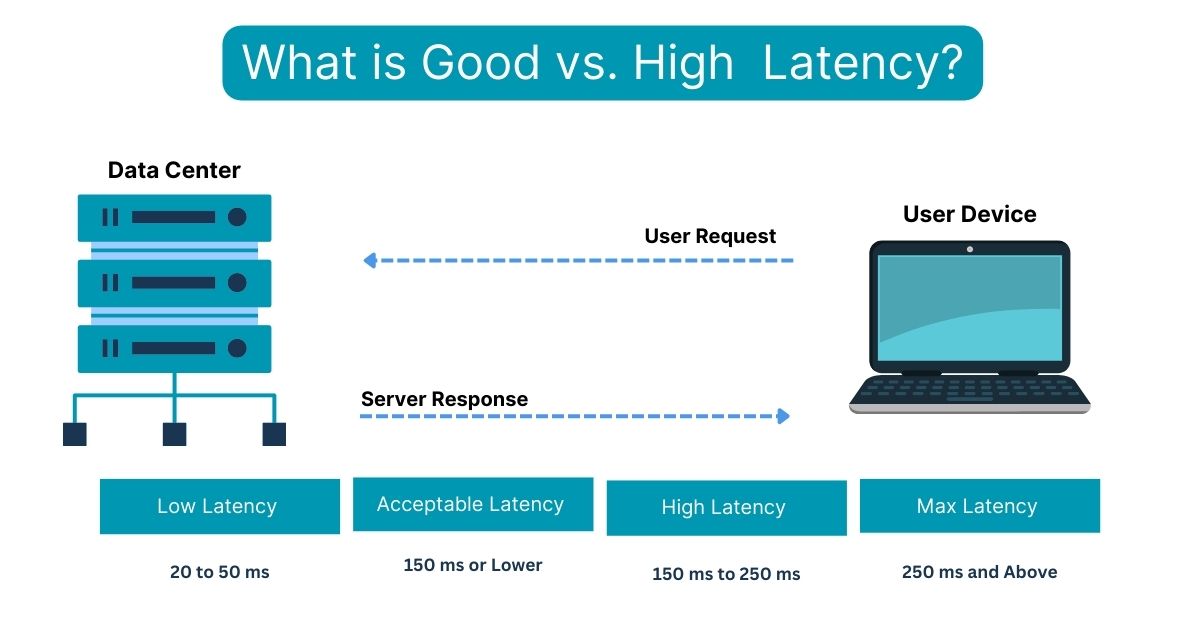
Latency is the measure of time it takes for a data packet to travel from its source to its destination and back again. Often referred to as “ping,” it represents the invisible delay that dictates how responsive our digital world feels. But what exactly qualifies as “good” latency? The answer is not a single number, but a spectrum that depends heavily on the specific technology being used and the task at hand.
Decoding Latency: The Invisible Engine of Digital Speed
To understand what constitutes good latency, we must first dissect what latency actually is and why it differs from other networking terms.
Latency vs. Bandwidth: Clearing the Confusion
It is a common misconception that high bandwidth (the size of your “pipe”) automatically results in low latency. To use a transportation analogy: bandwidth is the number of lanes on a highway, while latency is the speed limit and the distance of the trip. You can have a twenty-lane highway, but if the destination is a thousand miles away, it will still take time for a single car to get there. In tech terms, you could have a 1,000 Mbps fiber connection, but if your request has to travel halfway across the globe, you will still experience a delay.
How Latency is Measured (The Millisecond Standard)
Latency is measured in milliseconds (ms). One millisecond is 1/1,000th of a second. In the realm of human perception, anything under 10ms feels instantaneous. Once we cross the 50ms to 100ms threshold, the human brain begins to notice a slight “floaty” feeling in interactive applications. Beyond 150ms, the delay becomes disruptive to fluid communication and real-time interaction.
The Role of Round-Trip Time (RTT)
When tech professionals discuss latency, they are usually referring to Round-Trip Time (RTT). This is the duration from the moment a signal is sent to the moment an acknowledgment of that signal is received. This is crucial because most digital interactions require a “handshake” between your device and a server. If you click a button, your device sends a request; the server processes it and sends a response back. The total time for that cycle determines your user experience.
Defining “Good” Latency: Benchmarks for the Modern User
“Good” is a relative term in technology. A latency value that is excellent for streaming a 4K movie might be utterly disastrous for a professional e-sports player.
Gaming: The High-Stakes Frontier
For gamers, latency is the ultimate performance metric. In fast-paced genres like First-Person Shooters (FPS) or Fighting games, latency dictates whether your shot hits the target or misses.
- 0–20ms: Professional grade. This is the gold standard, typically achievable only with fiber-optic connections to local servers.
- 20–50ms: Excellent. Most players will find this range perfectly smooth.
- 50–100ms: Acceptable. You may notice a slight disadvantage against players with lower pings, but it is playable for most.
- 100ms+: Poor. At this stage, “rubber-banding” (teleporting around the map) and input lag become significant issues.
Video Conferencing and Remote Work
In a post-pandemic world, video conferencing on platforms like Zoom, Microsoft Teams, and Google Meet has become a pillar of productivity.
- Under 150ms: This is the industry recommendation for high-quality voice and video. When latency stays below this mark, conversations feel natural.
- 150ms–300ms: Noticeable. You will start to experience the “talking over one another” phenomenon, where the delay causes participants to break the natural rhythm of conversation.
- 300ms+: Frustrating. Video and audio will likely become desynchronized, leading to a “choppy” experience.
Web Browsing and Content Streaming
For activities like browsing the web or watching Netflix, latency is less critical but still impactful. Streaming services use “buffering” to combat latency; they download several seconds or minutes of video ahead of time so that the playback remains smooth even if there are spikes in delay. For general browsing, a latency of under 100ms ensures that websites feel snappy and responsive.
The Architecture of Delay: Why Latency Happens
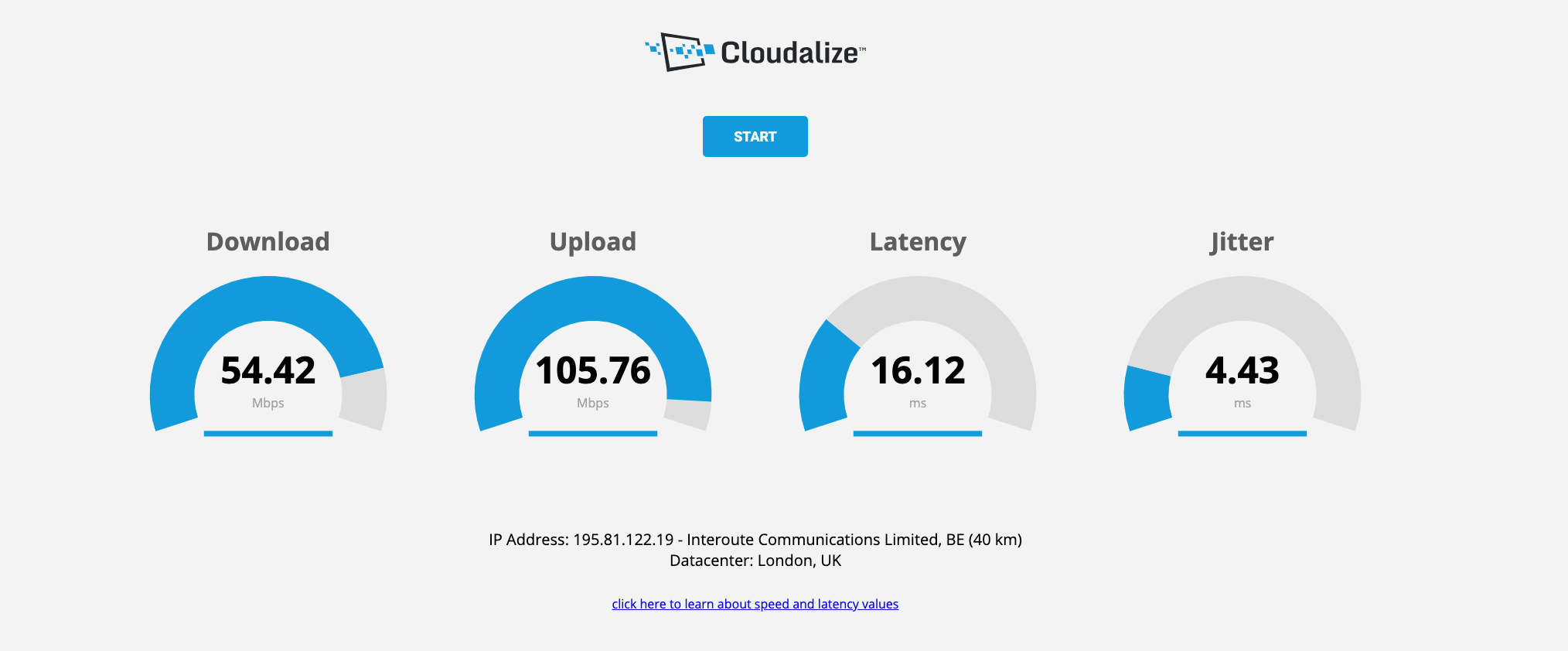
Latency isn’t just a result of a “slow” internet plan; it is a product of physics, infrastructure, and hardware.
Physical Distance and the Speed of Light
The primary constraint on latency is distance. Data in fiber-optic cables travels via light, but light through glass is roughly 30% slower than light in a vacuum. Furthermore, data rarely travels in a straight line; it must navigate through a series of routers and switches. If you are in New York and the server is in London, the data must travel approximately 3,500 miles. No matter how fast your equipment is, the laws of physics dictate a minimum “floor” for that latency (roughly 60–70ms for a transatlantic round trip).
Network Congestion and Routing Efficiency
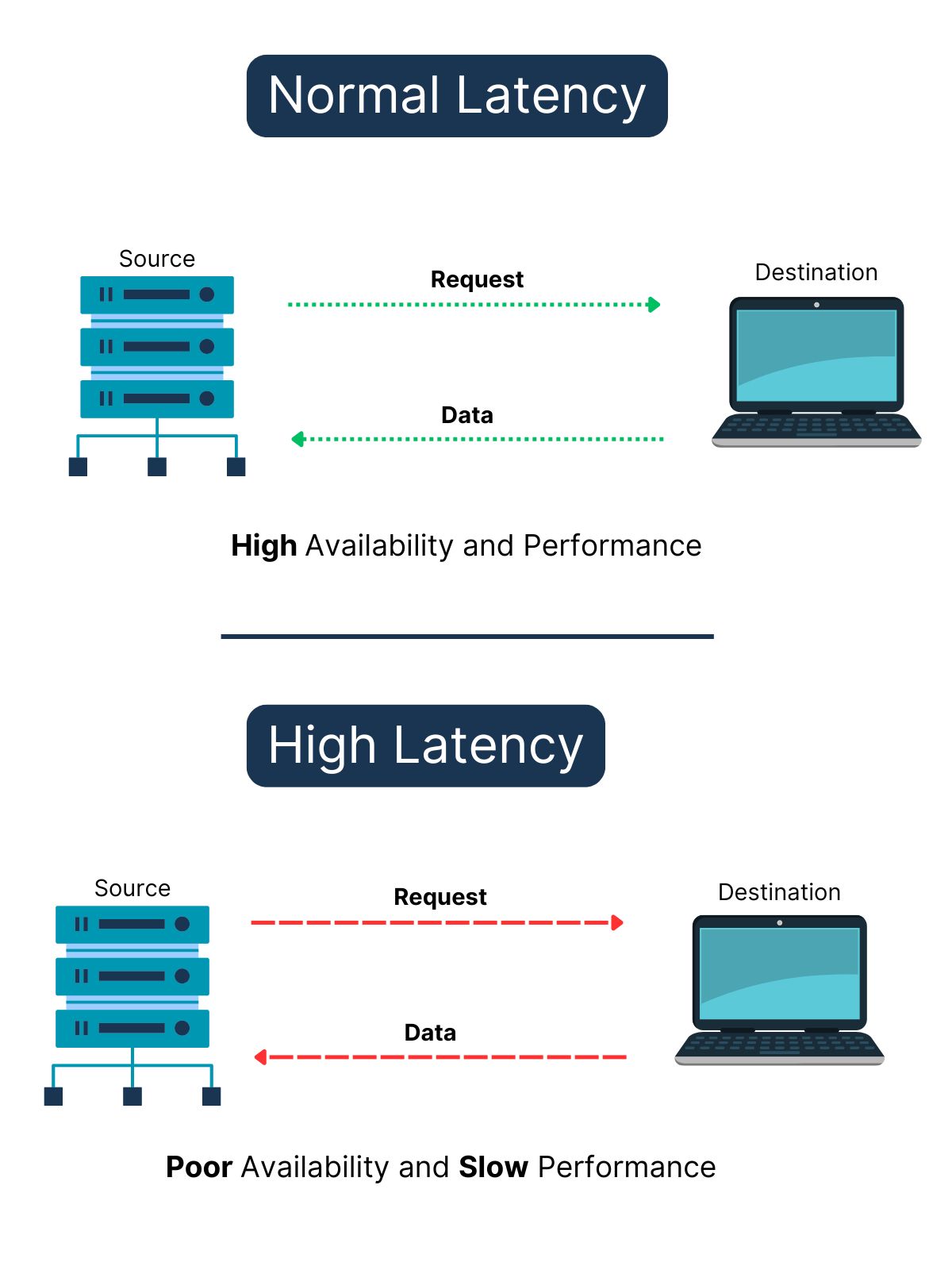
Even if the physical distance is short, latency can increase if the network is crowded. This is often called “jitter”—the variation in latency over time. If a specific router on the internet’s backbone is overwhelmed with traffic, it may hold onto your data packets for a few extra milliseconds before passing them on. Efficient routing—finding the path with the fewest “hops”—is essential for maintaining low latency.
Hardware Bottlenecks: Routers, Cables, and End-Devices
Your local setup is often the culprit for poor latency. Wireless connections (Wi-Fi) are inherently more prone to latency than wired Ethernet connections. Wi-Fi signals can be interrupted by walls, other electronic devices, and even your neighbor’s router. Furthermore, the processing power of your router and the age of your network card play a role. Older hardware takes longer to “package” and “unpackage” data, adding precious milliseconds to every transaction.
The Future of Low Latency: 5G, Fiber, and Edge Computing
The tech industry is currently in a race to the bottom—trying to reach “zero latency.” Several emerging technologies are making this a reality.
The Fiber Revolution
Fiber-optic technology is the gold standard for low latency. Unlike traditional copper cable (DOCSIS), which uses electrical signals prone to interference, fiber uses light. Fiber providers are increasingly offering symmetrical speeds (equal upload and download) and “direct” routing to major data centers, significantly reducing the “last mile” latency that plagues residential connections.
Edge Computing: Bringing the Cloud Closer
One of the most significant shifts in tech is the move toward Edge Computing. Instead of processing data in a few massive data centers located in central hubs like Northern Virginia or Oregon, companies are placing smaller servers closer to the end-users—at the “edge” of the network. By reducing the physical distance data must travel, Edge Computing allows for innovations like autonomous vehicles and cloud-based gaming (like NVIDIA GeForce Now) to function with near-zero lag.
The 5G Promise
While 4G LTE typically offers latencies in the 30–50ms range, 5G aims to bring that down to under 10ms. This is achieved through higher frequency bands and more efficient signaling. This improvement is critical not just for mobile gaming, but for the Internet of Things (IoT), where millions of devices need to communicate in real-time.
Actionable Strategies to Reduce Latency Today
If your latency isn’t where it needs to be, there are several technical steps you can take to optimize your environment.
Optimizing Your Local Network
The single most effective way to lower latency is to switch from Wi-Fi to a wired Ethernet connection. Ethernet provides a dedicated, shielded path for your data, eliminating the interference and signal degradation inherent in wireless technology. If you must use Wi-Fi, ensure you are using the 5GHz or 6GHz band, as the 2.4GHz band is often overcrowded and slower.
Advanced Software and ISP Tweaks
- Quality of Service (QoS): Many modern routers have a QoS setting. This allows you to prioritize specific types of traffic. For instance, you can tell your router to prioritize gaming or video call data over background downloads, ensuring that your most sensitive applications get the “fast lane.”
- DNS Optimization: While the Domain Name System (DNS) doesn’t affect the speed of data once a connection is established, it does affect how quickly your device “finds” a server. Using a fast, third-party DNS like Cloudflare (1.1.1.1) or Google (8.8.8.8) can make web browsing feel significantly snappier.
- ISP Routing: If you consistently have high latency to a specific service, it may be an issue with how your ISP routes traffic. In some cases, using a specialized “Gaming VPN” can actually reduce latency by forcing your data through a more direct and less congested path, though this is dependent on the specific network topology.
In conclusion, “good” latency is defined by the needs of the user. For a casual web surfer, 100ms is perfectly fine. For a remote professional, keeping it under 150ms is the key to clear communication. And for the competitive gamer, the quest for sub-20ms performance remains the ultimate goal. By understanding the physics and infrastructure behind the delay, and by optimizing our local hardware, we can ensure our digital experiences are as responsive as the modern world demands.
aViewFromTheCave is a participant in the Amazon Services LLC Associates Program, an affiliate advertising program designed to provide a means for sites to earn advertising fees by advertising and linking to Amazon.com. Amazon, the Amazon logo, AmazonSupply, and the AmazonSupply logo are trademarks of Amazon.com, Inc. or its affiliates. As an Amazon Associate we earn affiliate commissions from qualifying purchases.