
In an increasingly interconnected digital world, professionals, students, and everyday users alike find themselves juggling a multitude of applications, email accounts, collaboration tools, and social media platforms. The constant need to switch between tabs, log in and out, and manage an ever-growing array of digital tools can lead to significant productivity loss, mental fatigue, and a fragmented workflow. Enter Shift, an innovative desktop application designed to streamline and centralize your digital workspace. More than just a simple application launcher, Shift positions itself as a comprehensive productivity hub, engineered to bring order and efficiency to your digital life by consolidating all your web applications and accounts into one cohesive interface.
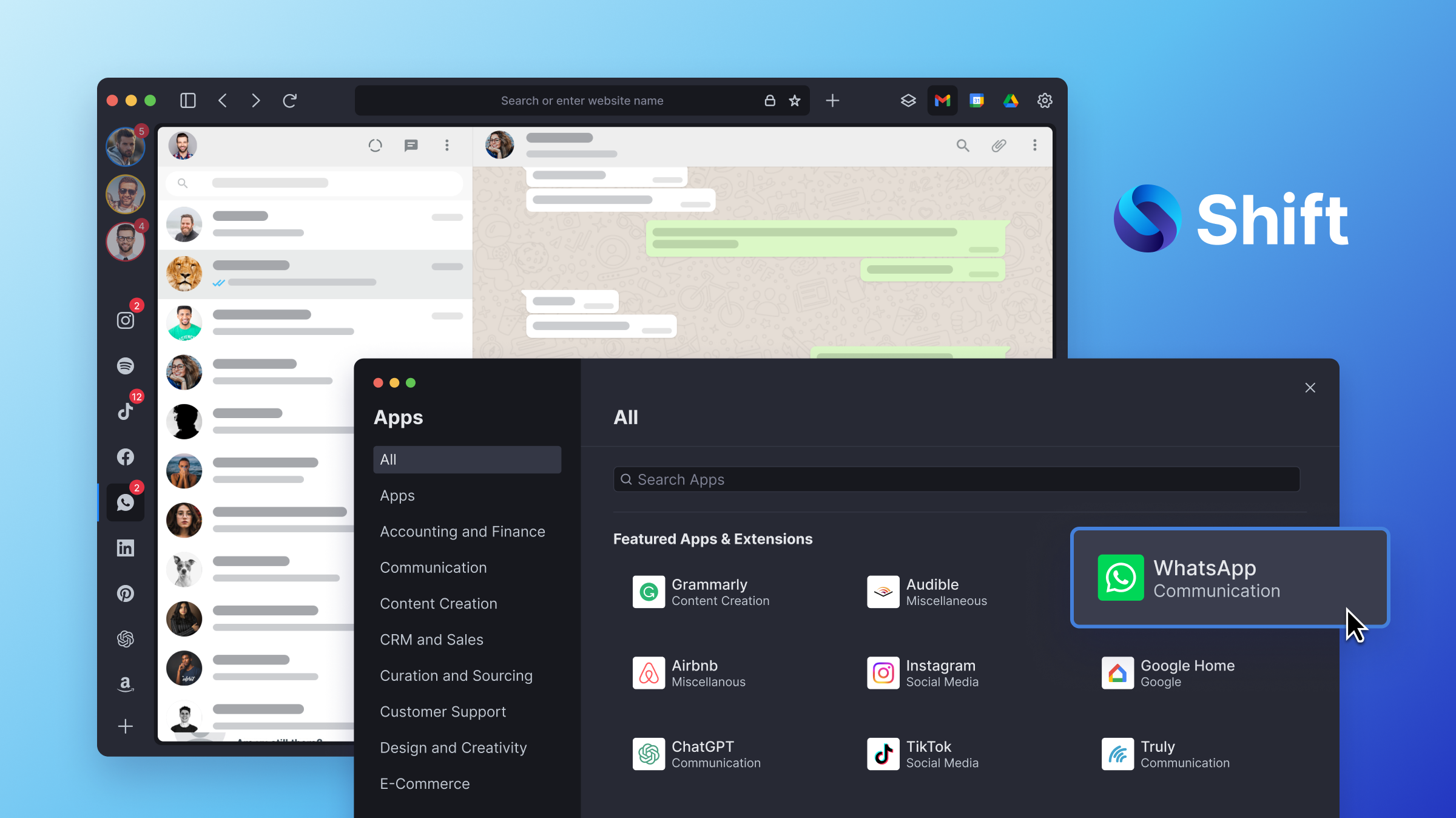
At its core, Shift is about integration and seamless transitions. It aims to eliminate the constant context-switching that plagues modern digital work by allowing users to access multiple email accounts (Gmail, Outlook, etc.), social media profiles, SaaS applications (Slack, Asana, Trello, Salesforce, etc.), and cloud services from a single, unified window. This centralisation is not merely about convenience; it’s about fundamentally altering how individuals interact with their digital tools, fostering a more focused, efficient, and less distracting work environment. By providing a dedicated space for all critical applications, Shift empowers users to navigate their digital landscape with unparalleled agility, transforming what was once a chaotic jumble into a finely tuned symphony of productivity.
The Digital Workspace Revolution: Understanding Shift’s Core Purpose
The concept behind Shift stems from a deep understanding of the challenges posed by modern digital work environments. The proliferation of specialized web applications, while undeniably powerful, has inadvertently created a new set of problems related to information overload and workflow disruption. Shift seeks to provide a definitive solution, acting as the nexus for all your digital interactions.
The Challenge of Digital Fragmentation
Consider a typical workday for a modern professional. It often involves:
- Checking multiple email inboxes for different projects or clients.
- Engaging in team communication across platforms like Slack, Microsoft Teams, or Google Chat.
- Managing projects in tools such as Asana, Monday.com, or Jira.
- Accessing CRM software like Salesforce or HubSpot.
- Utilizing cloud storage services like Google Drive, Dropbox, or OneDrive.
- Monitoring social media channels for marketing or community engagement.
- Switching between various browser tabs, each demanding attention and consuming system resources.
This constant switching is not just tedious; it’s mentally taxing. Each context switch incurs a “switching cost”—a cognitive burden that reduces focus and efficiency. Information gets lost, notifications are missed, and the overall sense of control diminishes. Traditional web browsers, while versatile, are not inherently designed to manage distinct application contexts efficiently, leading to a cluttered interface and performance bottlenecks.
Shift’s Unifying Vision
Shift’s vision is to reverse this trend of fragmentation. It acts as a dedicated application browser, optimized for productivity. Instead of having separate tabs for each web app within a conventional browser, Shift encapsulates each app within its own dedicated container, maintaining separate login sessions and notification streams. This architecture means you can run multiple instances of the same application (e.g., five different Gmail accounts) side-by-side without conflicts, all while enjoying native desktop notifications and a streamlined user experience.
The app’s fundamental purpose is to simplify access and management. By bringing everything under one roof, Shift aims to:
- Reduce Cognitive Load: Minimize the mental effort required to navigate between different tools and accounts.
- Enhance Focus: Create a less cluttered environment, reducing distractions and fostering deeper concentration on tasks.
- Improve Efficiency: Streamline workflows by making essential tools instantly accessible and organized.
- Save Time: Eliminate redundant login processes and constant tab switching.
- Boost Productivity: Ultimately empower users to achieve more by optimizing their digital workspace.
Key Features and Functionalities That Define Shift
Shift’s power lies in its thoughtfully designed features, all geared towards creating a seamless and integrated digital experience.
Centralized Account Management
One of Shift’s most compelling features is its ability to manage multiple accounts from the same application simultaneously. This is particularly beneficial for individuals who handle several professional and personal identities.
- Multiple Email Accounts: Easily add and switch between unlimited Gmail, Outlook, and Office 365 accounts without logging out and back in. Each account operates independently.
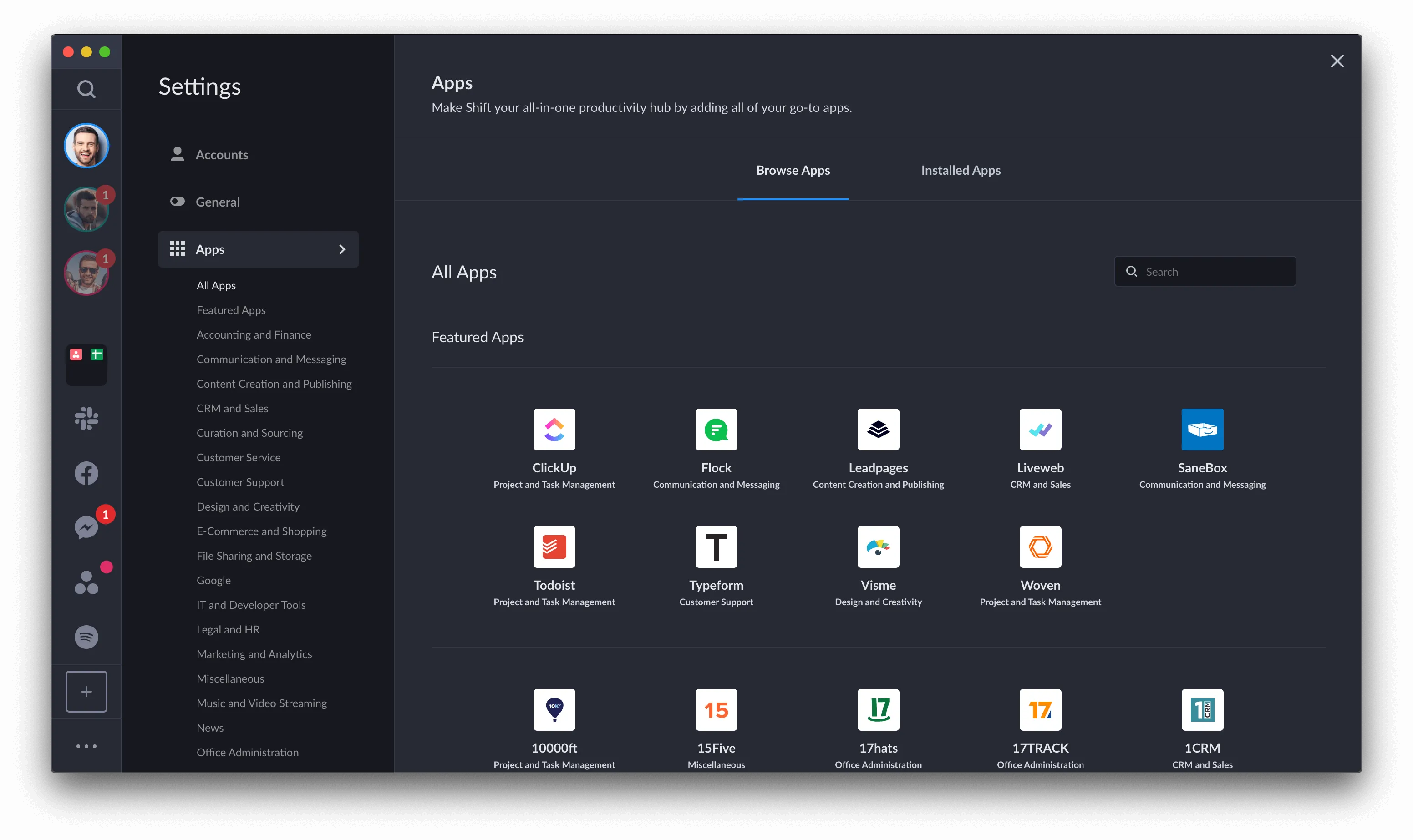
- Consolidated App Access: Integrate hundreds of popular web applications, including Slack, Asana, Trello, HubSpot, Jira, WhatsApp, Messenger, Dropbox, Salesforce, Google Drive, and many more. Shift effectively turns these web apps into desktop-like applications, each with its own dedicated space.
- Unified Notifications: Receive real-time desktop notifications from all integrated apps and accounts directly within Shift, eliminating the need to monitor multiple sources. Customizable notification settings ensure you only get alerts from what truly matters.
Seamless Workflow Integration
Shift is engineered to enhance your existing workflows, not disrupt them.
- Workspaces: Group related apps and accounts into “Workspaces” (e.g., “Client A Project,” “Marketing Ops,” “Personal Admin”). This allows for rapid context-switching, moving from one focused work environment to another with a single click.
- App Switching: A quick access sidebar allows for effortless navigation between all your added applications and accounts.
- Extensions and Add-ons: Integrate popular Chrome extensions directly into Shift, expanding its functionality to suit specific needs, from grammar checkers to password managers.
Customization and Productivity Tools
Beyond mere integration, Shift offers tools to personalize and optimize your environment.
- Customization Options: Personalize your Shift experience with themes, custom icons, and preferred layouts to match your aesthetic and workflow.
- Bookmarks: Create an internal bookmark manager within Shift, saving links to frequently used pages or resources within your integrated apps.
- Muted Notifications: Temporarily mute notifications for specific apps or accounts to minimize distractions during deep work sessions.
Enhanced Search and Notifications
Shift’s robust search functionality allows you to find information across all your connected accounts and apps.
- Universal Search: Search across all your integrated mailboxes, documents in cloud storage, and messages in communication apps from a single search bar. This is a game-changer for retrieving buried information quickly.
- Notification Management: Granular control over notifications, allowing users to prioritize critical alerts and suppress less important ones. Badges on app icons indicate unread messages or pending tasks.
Who Can Benefit from Using Shift?
The versatility and integrated nature of Shift make it an invaluable tool for a wide spectrum of users seeking to optimize their digital productivity.
Professionals and Entrepreneurs
For business owners, project managers, and independent professionals, Shift provides the ultimate command center. They can manage multiple client communications, internal team collaboration, project tracking tools, and CRM systems from one place. This significantly reduces the overhead of administrative tasks and allows for greater focus on strategic initiatives and core business activities.
Digital Marketers and Social Media Managers
These roles inherently involve juggling numerous social media platforms, analytics tools, content scheduling apps, and communication channels. Shift allows them to consolidate all their client accounts for Facebook, Instagram, Twitter, LinkedIn, Google Analytics, Hootsuite, Mailchimp, and more, enabling rapid monitoring, posting, and engagement without the constant back-and-forth.
Students and Researchers
Managing coursework, group projects, research materials, and academic communications can be overwhelming. Students can use Shift to centralize their university email, learning management systems (Canvas, Moodle), research databases, collaboration tools (Google Docs, Dropbox), and communication apps, creating a dedicated study environment.
Anyone Seeking Digital Decluttering
Beyond specific professional roles, anyone who feels overwhelmed by the sheer number of tabs open in their browser or struggles with context switching between personal and professional digital lives will find Shift transformative. It offers a structured approach to managing digital chaos, promoting a calmer, more focused, and ultimately more productive digital experience.
Technical Underpinnings and Security Considerations
Understanding how Shift works “under the hood” and its approach to security is crucial for users considering its adoption.
How Shift Works: A Glimpse Under the Hood
Shift is built on the Electron framework, which allows web technologies (HTML, CSS, JavaScript) to be used for creating desktop applications. This means that each “app” you add in Shift is essentially a specialized web view, but unlike a typical browser tab, each one operates within its own isolated process. This isolation is key to its functionality:
- Separate Sessions: Each app or account maintains its own login session and cookies, preventing cross-contamination and allowing for multiple instances of the same service.
- Resource Management: While Electron apps can sometimes be memory-intensive, Shift is designed to manage resources efficiently by keeping inactive app views in a suspended state until needed.
- Native Integration: Despite being web-based at its core, Shift leverages Electron to provide a native desktop experience, including system tray integration, native notifications, and keyboard shortcuts, making it feel like a fully integrated desktop application rather than just another browser.
Data Privacy and Security Measures
Security is paramount for an application that centralizes so much sensitive data. Shift employs several measures to ensure user data privacy and security:
- Local Data Storage: Most user data, including login tokens and configurations, is stored locally on the user’s computer, not on Shift’s servers. This minimizes the risk of server-side data breaches.
- End-to-End Encryption: For any data that might pass through Shift’s own services (e.g., synchronization of settings across devices, if applicable), robust encryption protocols are used to protect information in transit.
- No Access to Content: Shift’s architecture is designed so that the application itself does not “read” or “store” the content of your emails, messages, or documents from integrated apps. It acts as a secure, isolated container for these web applications, much like a browser, but with enhanced management capabilities.
- Regular Updates: Like any reputable software, Shift receives regular updates that include security patches and performance enhancements, crucial for staying ahead of potential vulnerabilities.
System Requirements and Compatibility
Shift is a cross-platform desktop application, compatible with the most widely used operating systems:
- Windows: Requires Windows 10 or later.
- macOS: Requires macOS 10.14 (Mojave) or later.
- Linux: Often supports popular distributions, though specific requirements may vary.
Users should ensure their system meets the minimum RAM and processor requirements for optimal performance, especially when running numerous integrated applications simultaneously.
Implementing Shift into Your Daily Workflow: Tips for Maximizing Productivity
Adopting Shift is an opportunity to redefine your digital habits. To truly unlock its potential, consider these practical tips for integration.
Initial Setup and Account Prioritization
Upon first launch, take the time to strategically add your most critical email accounts and frequently used web applications. Prioritize those you interact with daily or hourly. Think about grouping them logically. For instance, put all your primary work communication tools (e.g., main email, Slack) at the top of your sidebar for easy access.
Leveraging Workspaces for Context Switching
Workspaces are Shift’s secret weapon for managing different aspects of your life. Create distinct workspaces for:
- Work Projects: Group all apps and accounts related to a specific client or project.
- Personal Use: Keep your personal email, social media, and entertainment apps separate.
- Specific Roles: If you wear multiple hats (e.g., manager and content creator), create workspaces for each role.
This allows for instantaneous shifts between different mental contexts, minimizing distractions from unrelated tasks.
Integrating Third-Party Applications
Don’t forget to explore Shift’s App Directory. It boasts integration with hundreds of popular web services. If there’s a web-based tool you use regularly but isn’t listed, Shift often provides an option to add it as a “Custom Web Tab,” giving you the flexibility to centralize almost any online service. Also, consider which Chrome extensions are essential to your workflow and add them directly within Shift to maintain feature parity with your browser experience.
Staying Organized with Tabs and Bookmarks
Within each app in Shift, you can open multiple “web tabs” just like in a browser. Use these for specific tasks or frequently accessed pages within that app (e.g., a specific project board in Trello, a particular report in Salesforce). Furthermore, Shift’s internal bookmarking feature allows you to save these tabs or any other important URLs for quick retrieval, further reducing reliance on external browser tabs.

Conclusion: Redefining Digital Productivity with Shift
Shift stands as a powerful testament to the evolving landscape of digital productivity tools. In an era where digital fragmentation and information overload are ever-present challenges, Shift offers a compelling solution by elegantly unifying disparate applications and accounts into a single, cohesive, and highly efficient workspace. It’s more than just an app; it’s a productivity philosophy embodied in software, designed to help users reclaim focus, minimize distractions, and navigate their complex digital lives with unprecedented ease.
By centralizing critical tools, streamlining workflows, and offering robust customization and security features, Shift empowers professionals, creatives, and everyday users to transcend the limitations of traditional browsing and multi-app juggling. For anyone seeking to transform their digital chaos into a harmonious symphony of efficiency, understanding and adopting Shift is a crucial step towards achieving a more focused, productive, and ultimately more satisfying digital experience. It’s not just about shifting between apps; it’s about shifting your entire approach to digital work.
aViewFromTheCave is a participant in the Amazon Services LLC Associates Program, an affiliate advertising program designed to provide a means for sites to earn advertising fees by advertising and linking to Amazon.com. Amazon, the Amazon logo, AmazonSupply, and the AmazonSupply logo are trademarks of Amazon.com, Inc. or its affiliates. As an Amazon Associate we earn affiliate commissions from qualifying purchases.