
In the ever-evolving landscape of digital threats, few annoyances are as prevalent and frustrating as the browser hijacker. Among the more persistent culprits that have plagued users, particularly those on macOS, is a creature known as Search Marquis. More than just a minor inconvenience, Search Marquis represents a category of potentially unwanted programs (PUPs) that seize control of your web browser, redirecting your online activities and potentially compromising your digital privacy. This article delves deep into the nature of Search Marquis, dissecting its mechanics, uncovering its risks, and providing a comprehensive guide to its removal and prevention, ensuring a safer and more streamlined online experience.

Understanding Search Marquis: A Deep Dive into its Mechanics
To effectively combat Search Marquis, one must first comprehend its operational modus operandi. It’s not a virus in the traditional sense, but its effects can be just as disruptive, if not more so, for the unsuspecting user.
What Exactly is Search Marquis?
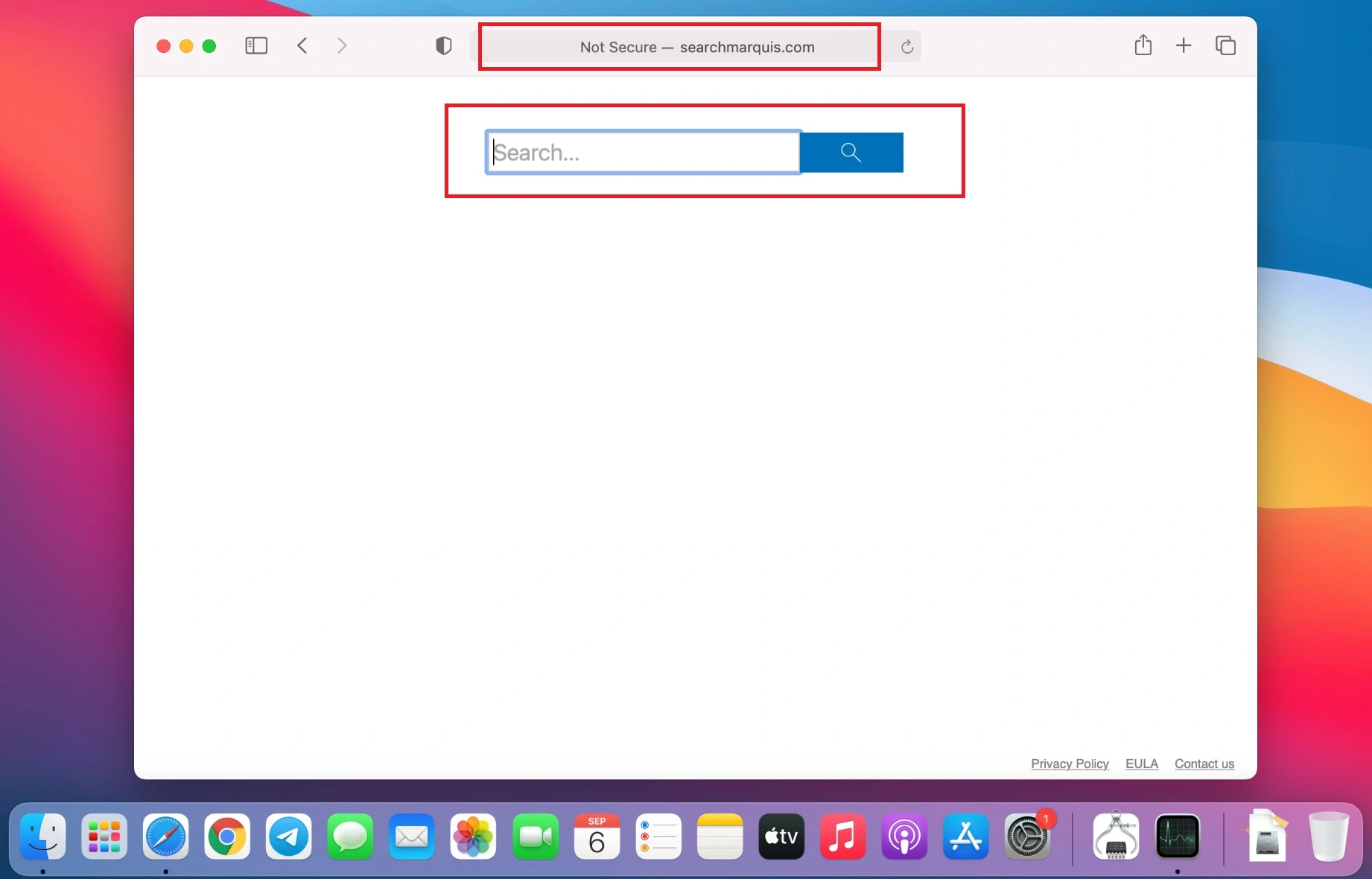
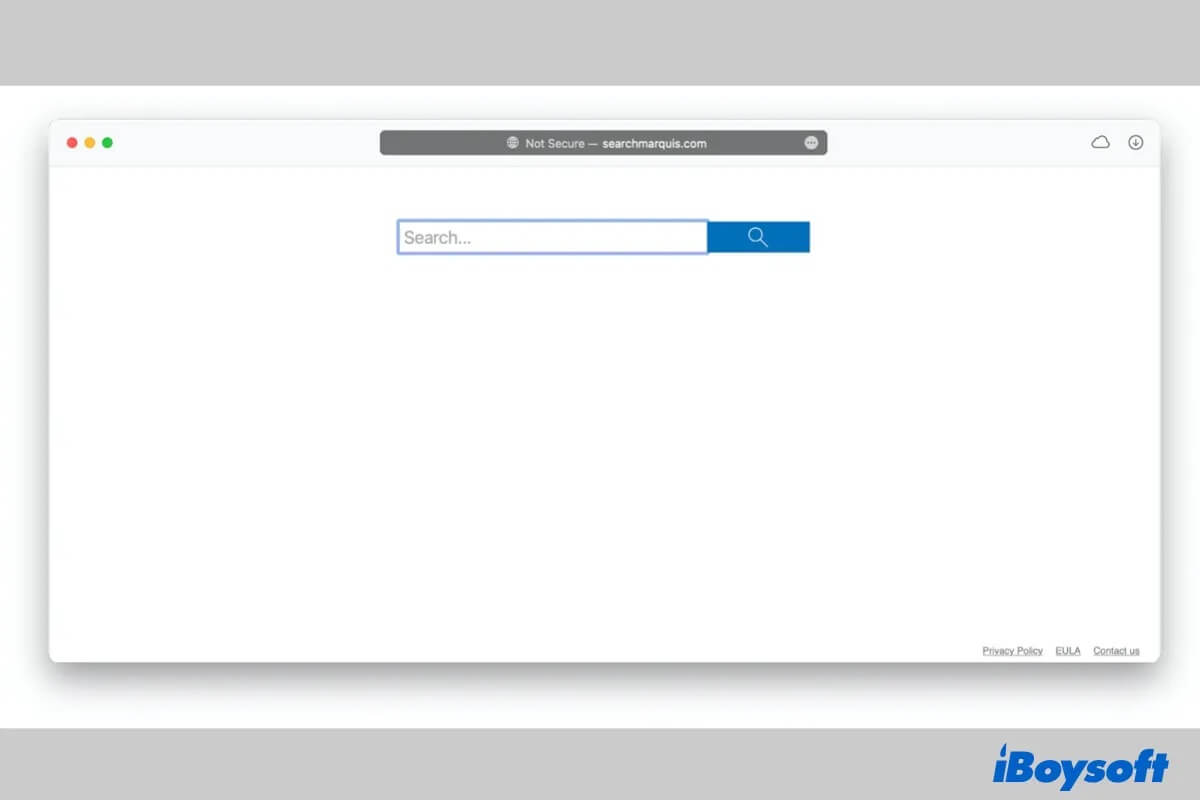
At its core, Search Marquis is classified as a browser hijacker. This type of software is designed to modify your web browser’s settings without your explicit consent. Its primary objective is to reroute your search queries through its own domains, such as searchmarquis.com or similar variants, before ultimately delivering you to a legitimate search engine like Yahoo or Bing. While the end result might seem innocuous – you still get your search results – the journey is anything but. The critical point of concern lies in the intermediary steps, where Search Marquis can collect data and inject unwanted advertisements. Primarily, Search Marquis targets macOS users, though its underlying techniques are common across various operating systems. It achieves its goals by altering your browser’s homepage, new tab page, and default search engine, making it incredibly difficult to revert these settings manually without addressing the root cause.
How Search Marquis Infiltrates Your System
The stealthy nature of Search Marquis lies in its distribution methods, which often exploit user trust and a lack of vigilance. It rarely announces its presence; instead, it sneaks onto your system through various deceptive tactics.
The most common infiltration method is software bundling. Search Marquis is frequently packaged with free software downloaded from third-party sites, freeware platforms, or shareware distributors. When users download a seemingly legitimate application, the installer might include Search Marquis as an “optional extra” that is often pre-selected by default. Many users, eager to complete the installation process, click “Next” or “Agree” without scrutinizing the custom or advanced installation options, inadvertently granting permission for Search Marquis to install.
Another common vector involves deceptive downloads. This includes disguised installers mimicking legitimate software updates (e.g., fake Adobe Flash Player updates), cracked software, or pirated content. Users who seek out these illicit downloads are more susceptible to encountering bundled PUPs like Search Marquis. Less frequently, but still a possibility, are drive-by downloads, where visiting a compromised website can initiate an unauthorized download without user interaction, though this typically requires exploiting browser vulnerabilities. Ultimately, the lack of user vigilance during the installation process remains the primary gateway for Search Marquis to gain a foothold.
The Immediate Impact on User Experience
The moment Search Marquis establishes itself on your system, its presence becomes immediately apparent and profoundly frustrating. The most prominent symptom is the unwanted redirection of all your search queries. Instead of directly navigating to your preferred search engine, you’ll first be routed through searchmarquis.com or a similar domain, adding an extra, unwanted step to every search. This continuous redirection not only disrupts the flow of your browsing but also contributes to noticeable slowdowns in browser performance. Pages may load sluggishly, and the overall responsiveness of your web browser can degrade significantly. Furthermore, users might experience an increase in intrusive pop-ups and advertisements, which can appear even on legitimate websites. These ads are often irrelevant, disruptive, and can sometimes lead to further malicious content. The difficulty in reverting browser settings manually is another common frustration, as Search Marquis often has persistent components that automatically reset the hijacked configurations even after manual attempts to change them back.
The Risks and Ramifications of Search Marquis
Beyond the immediate annoyance, Search Marquis poses several tangible risks to your digital privacy, system performance, and overall security posture. Ignoring its presence is akin to leaving a back door open in your digital home.
Privacy Concerns and Data Collection
One of the most significant concerns associated with browser hijackers like Search Marquis is their potential for data collection. While it may not explicitly steal sensitive information like bank details or passwords (though its presence can make your system more vulnerable to such threats), Search Marquis is designed to monitor your browsing habits. This can include recording your search queries, the websites you visit, your IP address, and other non-personally identifiable information. This data is incredibly valuable to advertisers and is often monetized by being sold to third-party advertising networks. This means your online activities are being tracked and analyzed for commercial gain, without your explicit consent. Moreover, the constant redirects can sometimes lead to websites that are less than reputable, potentially exposing you to further privacy risks or deceptive practices.
System Performance Degradation
The parasitic nature of Search Marquis directly impacts your system’s efficiency. Its constant activity, from redirecting traffic to potentially serving ads, leads to significant resource consumption. Your web browser, which is already resource-intensive, becomes even more so as it constantly processes additional requests and loads unnecessary content. This results in a noticeable slowdown in browser performance, making web pages load slower and general navigation feel sluggish. Beyond the browser, the underlying program associated with Search Marquis can consume CPU and memory in the background, leading to an overall degradation of system performance. Your computer might feel less responsive, applications could take longer to launch, and your network bandwidth might be unnecessarily utilized by the hijacker’s background processes and ad loading, especially if you have a limited data plan.
Security Vulnerabilities and Malware Gateway
Perhaps the most insidious risk of Search Marquis is its potential to act as a gateway to more severe security threats. While Search Marquis itself might be classified as a PUP rather than full-blown malware, its presence often indicates or creates a lowered security posture. Some PUPs can interfere with or even disable legitimate security features on your system. More critically, the intrusive ads and deceptive links it promotes can lead to malicious websites, phishing scams, or drive-by download attempts for more dangerous malware, such as spyware, ransomware, or trojans. Clicking on a seemingly innocuous ad generated by Search Marquis could inadvertently download malicious software onto your computer, compromising your data, identity, or even your entire system. Its ability to blend in with legitimate processes and stubbornly resist removal also means it can obscure the presence of other, more dangerous infections, making comprehensive threat detection much harder for the average user.
Diagnosing and Removing Search Marquis: A Comprehensive Guide
Removing Search Marquis can be a multi-step process, requiring patience and a systematic approach. Due to its persistence, a simple browser reset often isn’t enough.
Initial Steps: Manual Browser Cleanup
Before resorting to specialized tools, it’s wise to perform a thorough manual cleanup of your web browser. This can often provide temporary relief and make subsequent steps more effective.
- Check Browser Extensions: Open your browser’s extension or add-on manager (e.g.,
chrome://extensionsfor Chrome,about:addonsfor Firefox,safari://extensionsfor Safari). Look for any suspicious, unfamiliar, or recently installed extensions. Disable and then remove them. Pay close attention to extensions related to search enhancement or anything you don’t recognize. - Reset Browser Settings:
- Homepage: Go to your browser settings and reset your homepage to your preferred URL.
- New Tab Page: Configure your new tab page to open a blank page or a specific site.
- Default Search Engine: Change your default search engine back to Google, DuckDuckGo, or another trusted provider. Remove any entries related to Search Marquis.
- Clear Browser Data: Clear your browser’s cache, cookies, and browsing history. This can sometimes remove remnants that help Search Marquis persist.
Crucially, understand that while these manual steps can mitigate the immediate symptoms, Search Marquis often has underlying files and processes that will revert these changes, making a deeper cleanup necessary.
Identifying and Deleting Malicious Files (macOS Focus)
Because Search Marquis primarily targets macOS, this section focuses on locating its persistent files within the macOS file system. This step requires caution, as deleting legitimate system files can cause instability.
- Applications Folder: Open “Finder” and navigate to “Applications.” Look for any suspicious applications you don’t recall installing, especially those with names like “Search Marquis,” “MacCaptain,” “Advanced Mac Cleaner,” “Safe Finder,” or variations thereof. Drag them to the Trash and then empty the Trash.
- Library Folders: Search Marquis often embeds files in various Library folders to ensure persistence.
- Open “Finder,” click “Go” in the menu bar, and select “Go to Folder…”
- Type
~/Library(for your user’s Library) and press Enter. Look for folders related to Search Marquis or suspicious names in:LaunchAgentsApplication SupportCachesStartupItems
- Repeat the process for
/Library(the system-wide Library), paying attention toLaunchAgents,LaunchDaemons, andApplication Support. - Delete any files or folders that are clearly associated with Search Marquis. If you’re unsure about a file, it’s safer to research it online before deleting.
- Profile Settings (Safari): For Safari users, Search Marquis might install a malicious profile. Go to “System Settings” (or “System Preferences” on older macOS versions) > “Profiles.” If you see any profiles that you didn’t install or that seem suspicious, remove them.
The Role of Anti-Malware Software
Given the complexity and stealth of Search Marquis, relying solely on manual removal is often insufficient. This is where dedicated anti-malware software becomes indispensable.
- Why it’s Crucial: Specialized anti-malware tools are designed to detect and remove deeply embedded files, rootkits, and persistent components that evade manual detection. They can identify the various hidden files, scheduled tasks, and registry entries (or their macOS equivalents) that keep Search Marquis alive.
- Recommendations for macOS: Download and run a full system scan with reputable anti-malware software. Excellent choices for macOS include:
- Malwarebytes for Mac: Highly recommended for its effectiveness in removing PUPs and browser hijackers.
- Avast Security for Mac: Offers robust protection against a wide range of threats.
- Bitdefender Antivirus for Mac: Known for its strong detection rates and minimal system impact.
- Sophos Home Free: Another solid option for comprehensive protection.
- Full System Scan: After installing, ensure you perform a full and thorough system scan. Allow the software to quarantine or remove all detected threats. Restart your computer after the scan.
Post-Removal Verification
Once you’ve completed the removal steps, it’s vital to verify that Search Marquis is indeed gone and that your system is clean.
- Monitor Browser Behavior: Open your browser and perform several searches. Ensure you are no longer redirected through
searchmarquis.comand that your homepage and new tab settings remain as you configured them. - Check System Settings: Revisit your browser settings and macOS system profiles to confirm no malicious changes have reappeared.
- Regular Scans: Perform regular anti-malware scans to catch any lingering components or new infections.
Prevention: Fortifying Your Digital Defenses Against Future Intrusions
The best defense against threats like Search Marquis is proactive prevention. By adopting safe browsing habits and utilizing robust security tools, you can significantly reduce your risk of future infections.
Practicing Safe Downloading Habits
The vast majority of Search Marquis infections stem from careless downloading. By exercising caution, you can prevent most intrusions.
- Download from Official Sources Only: Always download software directly from the developer’s official website or trusted app stores (e.g., Apple App Store). Avoid third-party download sites, as they are notorious for bundling PUPs.
- Opt for “Custom” or “Advanced” Installation: During any software installation, always choose the “Custom” or “Advanced” option rather than “Express” or “Recommended.” This allows you to deselect any bundled additional software, toolbars, or unwanted programs.
- Read End-User License Agreements (EULAs) Carefully: While often lengthy, skimming EULAs can sometimes reveal intentions to install additional software.
- Be Skeptical of Free Offers: If something seems too good to be true, it often is. Free software from unknown sources often comes with hidden costs, like bundled PUPs.
Utilizing Robust Security Tools
A multi-layered security approach provides the best defense against evolving threats.
- Keep Operating System and Browsers Updated: Software updates often include critical security patches that protect against known vulnerabilities. Enable automatic updates for macOS and your web browsers.
- Install Reputable Antivirus/Anti-Malware Software: As highlighted in the removal section, a good anti-malware solution is your first line of automated defense. Keep it updated and perform regular scans.
- Employ Ad Blockers: While not a primary security tool, reputable ad blockers can prevent many malicious pop-ups and redirects that are often used by browser hijackers to spread or serve unwanted content.
- Use a Firewall: Ensure your operating system’s firewall is enabled to control incoming and outgoing network traffic, preventing unauthorized access.
General Cybersecurity Awareness
Knowledge and vigilance are your most powerful tools in the fight against cyber threats.
- Be Wary of Suspicious Emails and Links: Phishing attempts often lead to compromised websites or malicious downloads. Never click on suspicious links or open attachments from unknown senders.
- Regular Backups: While not directly preventing Search Marquis, regular backups of your important data ensure that even if your system is compromised, you can recover without significant data loss.
- Educate Yourself on Social Engineering Tactics: Understand how cybercriminals try to trick you into downloading malware or revealing information. Be skeptical of urgent warnings, enticing offers, or unexpected requests.
Conclusion
Search Marquis, while not a devastating virus, is a persistent and disruptive browser hijacker that significantly degrades the user experience and poses notable privacy and security risks. Understanding its insidious methods of infiltration, recognizing its impact on system performance and data privacy, and knowing how to systematically remove it are crucial steps toward digital hygiene. More importantly, adopting proactive prevention strategies—such as diligent downloading habits, utilizing comprehensive security software, and maintaining a high level of cybersecurity awareness—forms the bedrock of a secure and unhindered online journey. In the digital age, vigilance is not merely a recommendation; it is an imperative. Stay informed, stay secure, and reclaim control over your browsing experience.
aViewFromTheCave is a participant in the Amazon Services LLC Associates Program, an affiliate advertising program designed to provide a means for sites to earn advertising fees by advertising and linking to Amazon.com. Amazon, the Amazon logo, AmazonSupply, and the AmazonSupply logo are trademarks of Amazon.com, Inc. or its affiliates. As an Amazon Associate we earn affiliate commissions from qualifying purchases.