
In today’s data-driven world, the security, speed, and reliability of our digital information are paramount. Whether you’re a small business owner striving for seamless operations, an individual safeguarding precious memories, or a tech enthusiast seeking peak performance, understanding how data is stored and protected is crucial. This is where the concept of RAID, or Redundant Array of Independent Disks, comes into play. Often spoken about in hushed tones among IT professionals, RAID is a fundamental technology that underpins many modern computing systems, from high-performance servers to everyday desktop computers.
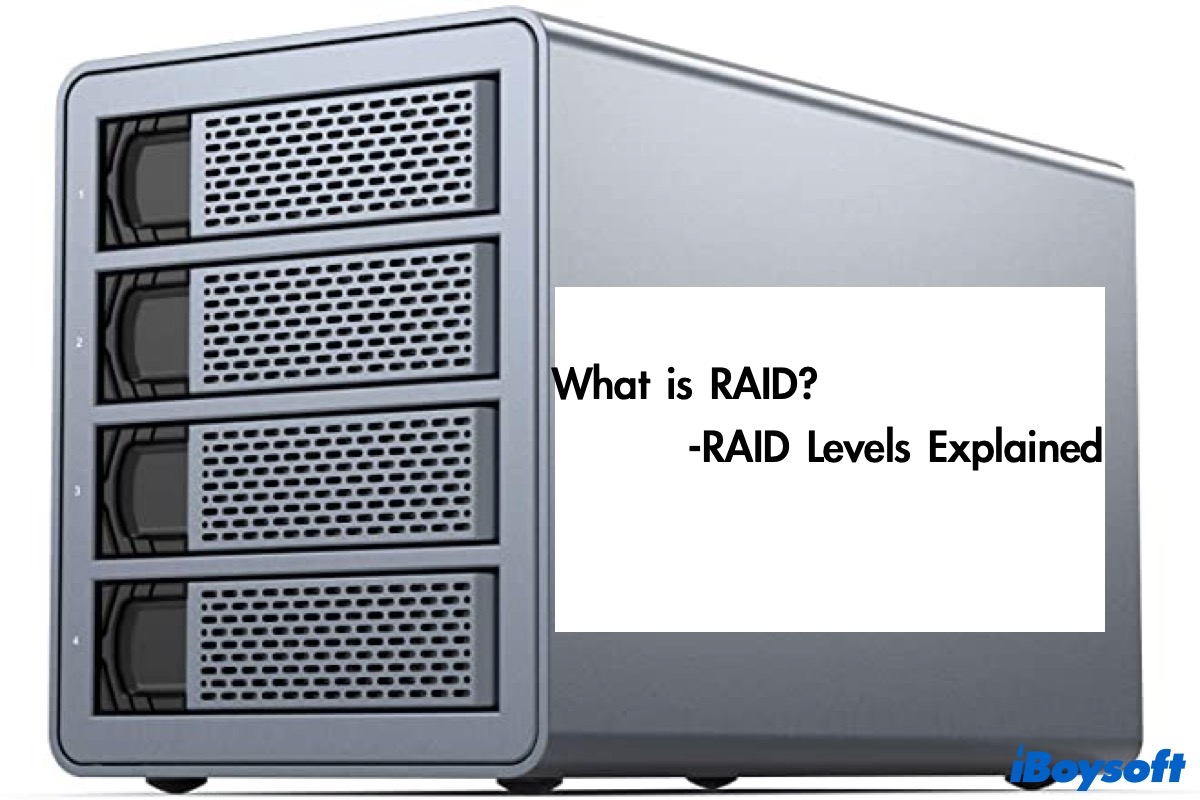
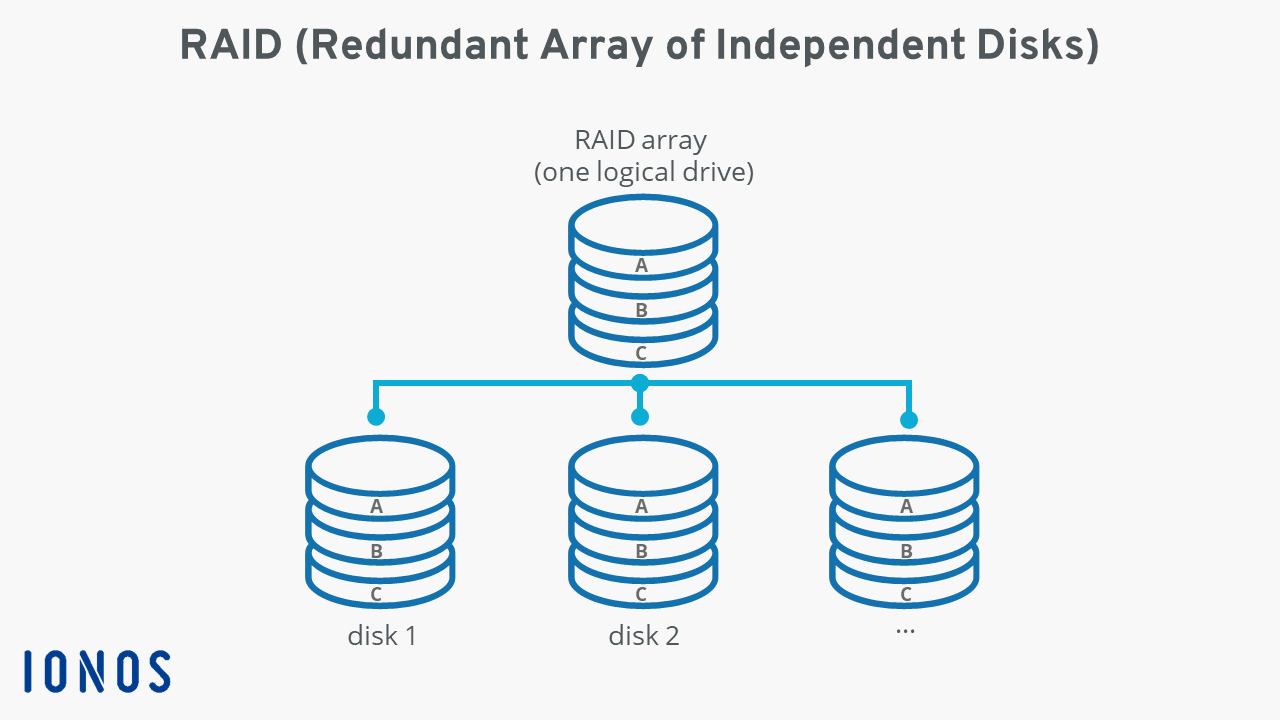
At its core, RAID is not a single product but a methodology for combining multiple physical disk drives into one or more logical units. This aggregation serves a dual purpose: enhancing data redundancy, thereby protecting against drive failure, and improving data throughput, leading to faster read and write operations. While the term “RAID computers” might conjure images of specialized machines, RAID itself is a configuration that can be implemented within various hardware and software setups. This article will delve into the intricacies of RAID, explaining its core principles, exploring popular RAID levels, and highlighting its significance across the domains of Tech, Brand, and Money.
Understanding the Fundamentals of RAID
Before diving into specific RAID configurations, it’s essential to grasp the underlying concepts that make RAID work. RAID achieves its goals through two primary techniques: striping and mirroring.
Striping: Speed Through Parallelism
Striping is a technique where data is divided into blocks and distributed across multiple drives. Imagine you have a large file to write. Instead of writing the entire file sequentially to a single drive, striping breaks it down and writes different parts of the file simultaneously to different drives in the array. This parallel access significantly reduces the time it takes to read and write data, as multiple drives are working in concert.
- How it works: Data is broken into segments. These segments are then written to each disk in the array in a round-robin fashion. When data needs to be read back, the segments are retrieved from their respective drives and reassembled.
- Benefits: Increased performance, particularly for sequential read and write operations, which is crucial for applications like video editing, large database operations, and high-traffic web servers.
- Drawbacks: Without redundancy, if any single drive in a striped array fails, all the data on that array is lost. This is because the data is fragmented across multiple drives, and a missing piece renders the whole unusable.
Mirroring: The Power of Duplication
Mirroring, also known as duplication, involves creating an exact copy of data on multiple drives. In a mirrored setup, every piece of data written to one drive is simultaneously written to another. This provides a high level of data redundancy.
- How it works: Data is written identically to two or more drives. If one drive fails, the other(s) can continue to serve the data without interruption.
- Benefits: Enhanced data reliability and fault tolerance. If one drive fails, the system can continue operating using the mirrored copy, minimizing downtime. Read performance can also be improved as data can be read from either drive.
- Drawbacks: Mirroring is inherently less storage-efficient. If you have two drives in a mirrored setup, you effectively only get the storage capacity of one drive. Write performance can sometimes be slightly slower than a single drive, as data needs to be written to multiple locations.
RAID levels combine these techniques in various ways to offer different balances of performance, redundancy, and cost-effectiveness.
Exploring Popular RAID Levels: Finding the Right Fit
The “RAID levels” refer to the specific configurations that dictate how data is striped, mirrored, or a combination of both, along with parity information. Different levels offer distinct advantages and disadvantages, making them suitable for different use cases. Here are some of the most common RAID levels:
RAID 0: Pure Performance, No Redundancy
RAID 0, often referred to as “striping,” prioritizes speed above all else. It stripes data across two or more drives without any form of redundancy.
- How it works: Data is broken into blocks and distributed across all drives in the array.
- Performance: Excellent read and write speeds due to parallel access. The more drives you add, the higher the potential performance.
- Redundancy: None. A single drive failure in a RAID 0 array results in complete data loss.
- Use Cases: Ideal for applications where speed is critical and data loss is acceptable or mitigated by other backup strategies. This might include temporary storage for video editing scratch disks or gaming drives where performance is paramount and games can be reinstalled.
- Minimum Drives: 2
RAID 1: The Mirror for Reliability
RAID 1, or “mirroring,” offers excellent data protection at the cost of storage capacity. It writes identical data to two or more drives.
- How it works: Data is duplicated across all drives in the array.
- Performance: Read performance can be slightly improved as data can be read from any drive in the mirror. Write performance is typically similar to a single drive, as data needs to be written to all mirrored drives.
- Redundancy: High. If one drive fails, the other(s) can seamlessly take over, and the array continues to function.
- Use Cases: Ideal for critical data where uptime and data integrity are paramount, such as operating system drives, small business servers, or personal computers storing vital documents.
- Minimum Drives: 2
RAID 5: The Balance of Performance and Redundancy with Parity
RAID 5 is a popular choice that balances performance, redundancy, and storage efficiency by using parity. Parity is a calculated value that allows the system to reconstruct lost data in the event of a drive failure.
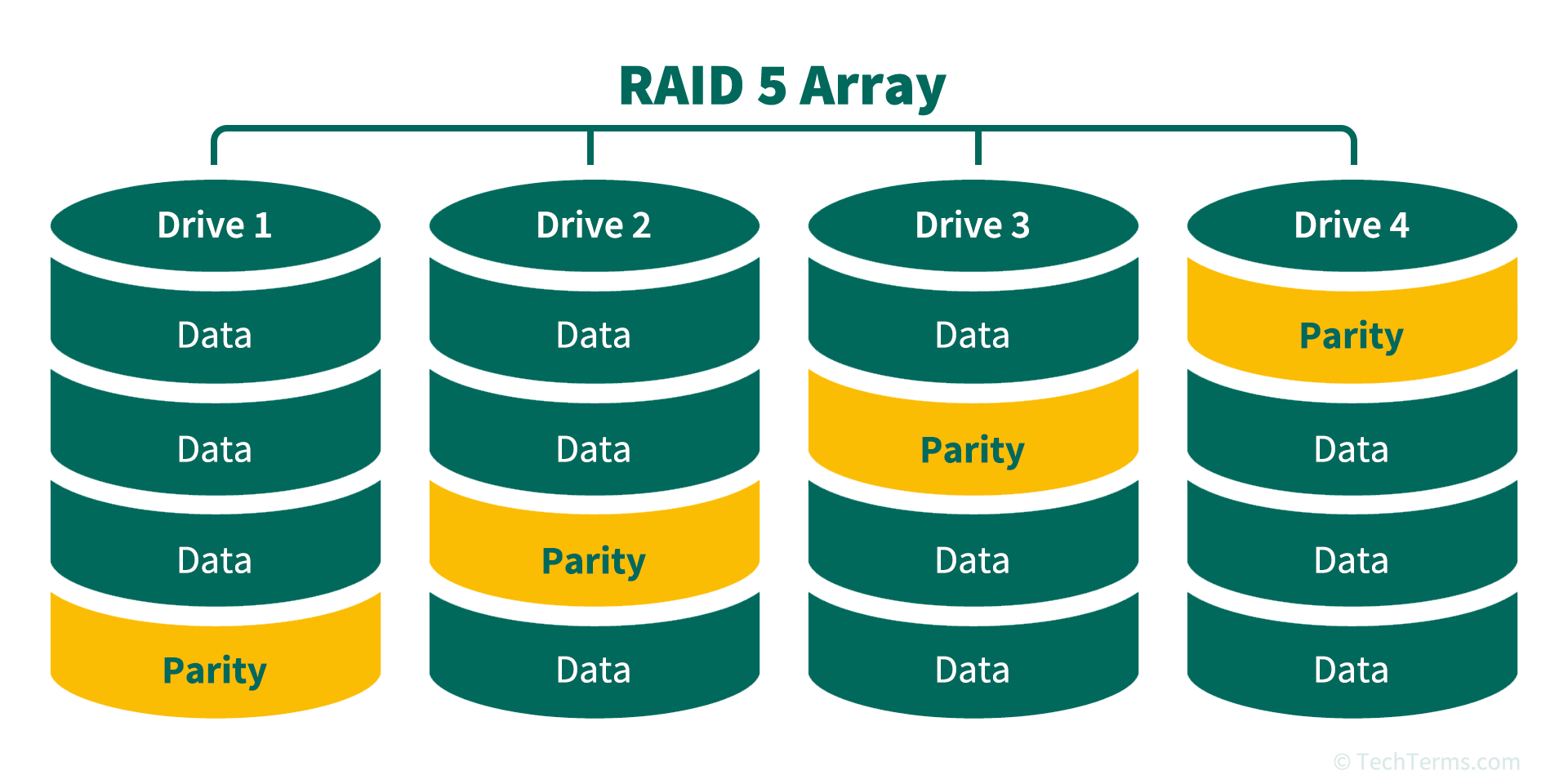
- How it works: Data is striped across multiple drives, and parity information is distributed across all drives as well. This means that if one drive fails, the data on that drive can be rebuilt using the data on the remaining drives and the parity information.
- Performance: Good read performance due to striping. Write performance is slightly impacted by the need to calculate and write parity information, but it’s generally acceptable for many applications.
- Redundancy: High. It can tolerate the failure of a single drive.
- Storage Efficiency: More efficient than RAID 1. For an array of ‘n’ drives, the usable capacity is (n-1) drives worth of storage.
- Use Cases: A very common choice for general-purpose servers, file servers, and applications that require a good mix of performance and data protection without sacrificing too much storage.
- Minimum Drives: 3
RAID 6: Enhanced Redundancy with Double Parity
RAID 6 is similar to RAID 5 but uses double parity, allowing it to withstand the failure of up to two drives simultaneously.
- How it works: Data is striped, and two independent parity blocks are calculated and distributed across all drives.
- Performance: Similar read performance to RAID 5, but write performance is slightly more impacted due to the calculation of two parity blocks.
- Redundancy: Very high. It can tolerate the failure of two drives. This is particularly beneficial for large arrays where the rebuild time after a single drive failure can be extended, increasing the risk of a second failure during the rebuild process.
- Storage Efficiency: Less efficient than RAID 5. For an array of ‘n’ drives, the usable capacity is (n-2) drives worth of storage.
- Use Cases: Ideal for mission-critical applications, large storage arrays, and environments where the risk of multiple simultaneous drive failures is a concern.
- Minimum Drives: 4
RAID 10 (or 1+0): The Best of Both Worlds
RAID 10, also known as RAID 1+0, combines mirroring and striping to offer both high performance and high redundancy. It creates mirrored pairs of drives and then stripes data across these pairs.
- How it works: Drives are first mirrored (RAID 1), and then these mirrored sets are striped together (RAID 0).
- Performance: Excellent read and write performance, often exceeding that of RAID 5 or RAID 6 due to the direct access of mirrored pairs without parity calculations for every write.
- Redundancy: High. It can tolerate the failure of multiple drives, as long as no entire mirrored pair fails. For example, in a four-drive RAID 10 array (two mirrored pairs), you can lose one drive from each pair and still maintain functionality.
- Storage Efficiency: Half the total raw capacity is usable due to the mirroring.
- Use Cases: Frequently used in high-performance database servers, virtualisation environments, and applications that demand both speed and robust data protection.
- Minimum Drives: 4 (in pairs)
Beyond the Basics: Other RAID Levels
While the levels above are the most commonly encountered, there are other RAID levels and nested configurations (like RAID 0+1) that cater to specific needs. However, for most users and businesses, understanding RAID 0, 1, 5, 6, and 10 provides a solid foundation for making informed decisions about data storage.
RAID in the Context of Tech, Brand, and Money
The implications of RAID extend far beyond the technical specifications of hard drives. Its principles and benefits resonate deeply across the core pillars of modern business and personal endeavors: Tech, Brand, and Money.
Tech: The Foundation of Performance and Reliability
In the realm of Tech, RAID is not just a feature; it’s often a foundational requirement.
- Servers and Data Centers: High-performance servers and enterprise-grade storage solutions heavily rely on RAID configurations, particularly RAID 5, 6, and 10, to ensure continuous operation, rapid data access for applications, and protection against costly downtime. This directly impacts the user experience of websites, cloud services, and online applications.
- Content Creation: Professionals in video editing, graphic design, and 3D rendering, who work with massive files, benefit immensely from the speed of RAID 0 for scratch disks or RAID 10 for project storage, enabling faster workflows and reduced frustration.
- Digital Security: While RAID protects against hardware failure, it’s crucial to remember it’s not a substitute for a comprehensive digital security strategy. However, by ensuring data availability, it can prevent data loss from ransomware attacks that encrypt data, giving organizations a chance to restore from backups without significant interruption.
- Software and AI Tools: The development and deployment of complex software, including AI tools, require vast amounts of data to be processed and stored efficiently. RAID configurations ensure the underlying infrastructure can handle these demands.
Brand: The Guardian of Reputation and Trust
For Brand building and management, data integrity and availability are not just technical concerns; they are critical components of trust and reputation.
- Customer Data Protection: Businesses of all sizes collect customer data. Implementing robust RAID solutions for databases and customer relationship management (CRM) systems ensures that this sensitive information is protected against loss or corruption. A data breach or significant data loss due to hardware failure can severely damage a brand’s reputation and lead to a loss of customer trust.
- Uninterrupted Service Delivery: For e-commerce sites, SaaS providers, and any business that relies on online presence, downtime can translate directly into lost revenue and a negative brand perception. RAID configurations, especially those with high redundancy like RAID 1, 5, and 6, help maintain service availability, ensuring customers can always access products, services, and support.
- Brand Continuity: In the event of a hardware failure, a well-configured RAID array with redundancy ensures that critical business operations can continue with minimal interruption. This smooth operation contributes to a perception of reliability and professionalism, reinforcing the brand’s image.
- Intellectual Property Protection: For companies with valuable intellectual property (IP), such as proprietary designs, research, or code, ensuring the security and availability of this data is paramount. RAID configurations are a key layer in protecting this IP from accidental loss.
Money: The Economics of Data Management
The financial implications of RAID are multifaceted, impacting both personal finances and business bottom lines.
- Cost of Downtime: For businesses, downtime is not just an inconvenience; it’s a direct financial drain. Lost sales, decreased productivity, and the cost of emergency repairs or data recovery can be substantial. RAID configurations that minimize downtime through redundancy offer a clear return on investment.
- Data Recovery Costs: Attempting to recover data from failed drives without a proper RAID setup can be incredibly expensive and often unsuccessful. RAID solutions proactively prevent many of these scenarios, saving significant costs associated with data recovery services.
- Storage Efficiency and Cost: While some RAID levels (like RAID 1) sacrifice storage capacity for redundancy, others (like RAID 5 and 6) offer a more balanced approach, allowing businesses to maximize usable storage space while maintaining data protection. This optimizes hardware investment.
- Investment in Reliability: For individuals, investing in a RAID-enabled NAS (Network Attached Storage) device or a desktop computer with a RAID configuration for important personal files, photos, and videos is an investment in peace of mind and the long-term preservation of their digital assets. The cost of losing irreplaceable memories can be immeasurable.
- Online Income and Side Hustles: For those running online businesses, freelancing, or managing side hustles that rely on digital assets, ensuring the reliability of their storage is crucial for consistent income generation. Data loss can mean lost client work, missed deadlines, and a damaged reputation that impacts future earnings.
Conclusion: A Smart Investment in Data Resilience
RAID is a powerful technology that offers a spectrum of solutions for managing digital data. From the blazing-fast speeds of RAID 0 to the robust fault tolerance of RAID 6 and the balanced performance of RAID 10, there’s a RAID level to suit almost every need. Understanding what RAID is and how its various levels function is no longer just the domain of IT professionals. It’s a crucial aspect of modern computing that impacts the reliability of our technology, the trustworthiness of our brands, and the security of our finances. By carefully considering your data storage needs and the potential risks of data loss, you can leverage RAID to build a more resilient, efficient, and secure digital environment.
aViewFromTheCave is a participant in the Amazon Services LLC Associates Program, an affiliate advertising program designed to provide a means for sites to earn advertising fees by advertising and linking to Amazon.com. Amazon, the Amazon logo, AmazonSupply, and the AmazonSupply logo are trademarks of Amazon.com, Inc. or its affiliates. As an Amazon Associate we earn affiliate commissions from qualifying purchases.