
In an era defined by data, the ability to transform raw information into actionable insights is no longer a luxury but a necessity for business survival and growth. At the forefront of this transformation is Microsoft Power BI, a robust suite of business intelligence (BI) tools designed to empower organizations of all sizes. While Power BI Desktop serves as the primary authoring tool for reports and data models, it is the Power BI Service that truly unlocks the collaborative, scalable, and accessible potential of these insights.
The Power BI Service, also known as PowerBI.com, is the cloud-based component of the Power BI ecosystem. It acts as the central hub for publishing, sharing, collaborating, and consuming reports and dashboards created within Power BI Desktop. Imagine a secure, web-based platform where your carefully crafted data visualizations come alive, becoming interactive tools for decision-makers across your organization, accessible from virtually anywhere, on any device. This service elevates data analysis from an individual endeavor to a collective intelligence initiative, fostering a data-driven culture that can significantly impact strategic outcomes.
Deconstructing the Power BI Ecosystem
To fully appreciate the Power BI Service, it’s essential to understand its place within the broader Power BI ecosystem. Microsoft has engineered a comprehensive suite where each component plays a distinct yet interconnected role.
Power BI Desktop: The Authoring Environment
The journey of data visualization typically begins with Power BI Desktop, a free application downloaded and installed on a local computer. This is where data professionals and analysts connect to various data sources (databases, spreadsheets, cloud services), transform and model data, and design visually compelling reports. It offers powerful capabilities for data extraction, transformation, and loading (ETL) through Power Query, and advanced data modeling with DAX (Data Analysis Expressions) for complex calculations. Think of Desktop as the studio where the masterpiece is created, defining the underlying data logic and visual presentation.
Power BI Service: The Collaboration & Sharing Hub
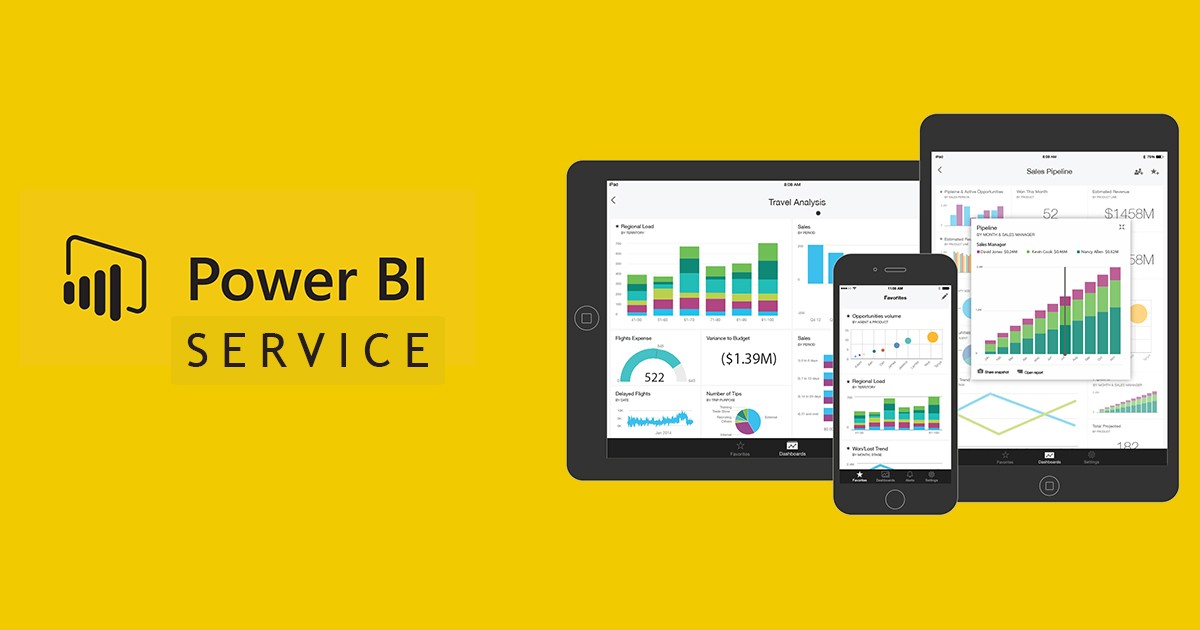
Once a report or dashboard is perfected in Power BI Desktop, it is published to the Power BI Service. This cloud platform is the destination for consuming and interacting with these reports. Users can view, analyze, and slice data through interactive dashboards and reports directly in their web browser or mobile app. The Service facilitates seamless collaboration, allowing users to share insights securely with colleagues, create workspaces for team projects, build custom apps, and even embed reports into other applications. It provides the infrastructure for scheduled data refreshes, ensuring that published reports always display the most current information. This is where the static report transforms into a dynamic, living resource.
Power BI Mobile: Data on the Go
Complementing the web-based service are the Power BI Mobile apps, available for iOS, Android, and Windows devices. These apps provide a secure and interactive experience, allowing users to access their dashboards and reports, monitor key performance indicators (KPIs), and respond to data alerts regardless of their location. This mobility ensures that critical insights are always at the fingertips of decision-makers, enabling agile responses to evolving business conditions.
Power BI Report Server: On-Premise Solution
While the Power BI Service is predominantly cloud-based, organizations with strict on-premise data residency requirements or those unwilling to move their data to the cloud can utilize Power BI Report Server. This server acts as a local host for Power BI reports, offering similar sharing and viewing capabilities but within a company’s own firewall. It’s an important alternative, though it lacks some of the advanced AI and collaboration features inherent to the cloud service.
Core Capabilities and Features of Power BI Service
The Power BI Service isn’t merely a storage repository; it’s a dynamic platform packed with features designed to maximize data utility and user engagement.
Interactive Dashboards and Reports
At its heart, the Power BI Service presents interactive dashboards and reports. Dashboards are single-page canvases that compile key metrics and visualizations from multiple reports into a consolidated view, offering a high-level snapshot of business performance. Reports, on the other hand, can be multi-page, providing detailed analysis with various charts, tables, and slicers, allowing users to drill down into specifics. The interactivity empowers users to filter, highlight, and explore data dynamically, fostering deeper understanding without needing to be an analyst.
Collaboration and Sharing
Collaboration is a cornerstone of the Power BI Service. Users can create Workspaces to collaborate on reports and dashboards, sharing data models and artifacts securely within teams. Apps can be published from workspaces, packaging a collection of related dashboards and reports for specific audiences (e.g., Sales, Marketing, Finance), making it easy to distribute curated content. Robust sharing options allow specific reports or dashboards to be shared with individuals or groups, both inside and outside the organization, with granular control over permissions. Features like Row-Level Security (RLS) ensure that users only see the data relevant and authorized for them.
Data Refresh and Connectivity
For data to remain valuable, it must be current. The Power BI Service facilitates automatic data refreshes from various sources. For cloud-based data sources, refreshes can be scheduled directly. For on-premise data sources, the On-premises Data Gateway acts as a secure bridge, allowing the Power BI Service to connect to and refresh data without moving it entirely to the cloud. This ensures that the insights presented are always based on the latest available information.
Natural Language Query (Q&A)
One of the most intuitive features is the Q&A capability. Users can simply type questions in natural language (e.g., “What were our sales last quarter by region?”) into a designated Q&A box on a dashboard. The Power BI Service then interprets the query and generates appropriate visualizations in real-time. This democratizes data access even further, allowing non-technical users to quickly get answers to their questions without needing to navigate complex reports.
AI-Powered Insights
Microsoft continually infuses artificial intelligence into Power BI. The Service offers Quick Insights, which can automatically scan datasets for patterns, trends, outliers, and correlations, generating interesting visualizations with a single click. Features like anomaly detection, forecasting, and integration with Azure Machine Learning capabilities further empower users to uncover hidden patterns and predict future outcomes, transforming descriptive analytics into predictive and prescriptive insights.

Data Governance and Security
Security and compliance are paramount. The Power BI Service leverages Azure Active Directory for user authentication and authorization. It provides comprehensive administrative controls through the Power BI Admin portal, allowing administrators to manage users, monitor usage, control sharing settings, and enforce data security policies. Integration with Microsoft Information Protection ensures that sensitive data is classified and protected with sensitivity labels, aligning with an organization’s compliance requirements.
The Strategic Advantage: Why Businesses Leverage Power BI Service
Adopting the Power BI Service offers significant strategic advantages, enabling businesses to become more agile, responsive, and ultimately, more competitive.
Democratizing Data Access
Traditionally, accessing critical business insights often required submitting requests to IT or dedicated data analysts. The Power BI Service breaks down these silos by making interactive reports and dashboards accessible to a much broader audience, from executives to frontline employees. This decentralization of data empowers every department to make informed decisions based on real-time insights, fostering a truly data-driven culture.
Enhanced Decision-Making
With up-to-date, interactive data visualizations at their fingertips, decision-makers can quickly grasp complex information, identify trends, spot anomalies, and evaluate performance against goals. This leads to more confident, evidence-based decisions, moving away from intuition or guesswork. The ability to drill down and explore data nuances in real-time allows for proactive adjustments to strategies, improving overall business performance.
Scalability and Accessibility
Being a cloud-based service, Power BI offers unparalleled scalability. It can effortlessly handle growing data volumes and an increasing number of users without requiring significant on-premise infrastructure investments. Furthermore, its accessibility from any web browser or mobile device ensures that insights are available whenever and wherever they are needed, supporting remote workforces and global operations.
Cost-Effectiveness
Compared to traditional on-premise BI solutions that demand substantial upfront investments in hardware, software licenses, and maintenance, Power BI Service operates on a flexible subscription model. This reduces capital expenditure and allows businesses to scale their BI capabilities as needed, paying only for the resources they consume. The Microsoft ecosystem integration often means organizations already have some licensing, further enhancing cost efficiency.
Integration with Microsoft Ecosystem
For organizations already invested in Microsoft technologies, the Power BI Service offers seamless integration. It works hand-in-hand with Office 365, Azure services, Microsoft Teams, and SharePoint, allowing for a cohesive data and collaboration environment. This deep integration streamlines workflows, enhances productivity, and maximizes the value derived from existing technology investments.
Getting Started with Power BI Service
Embarking on the Power BI Service journey is a straightforward process, typically following a logical sequence from data preparation to insight consumption.
Prerequisites and Account Setup
To begin, users typically need a Microsoft account or an organizational account tied to Azure Active Directory. Licensing for Power BI Service comes in different tiers: Power BI Free for individual exploration (though limited sharing), Power BI Pro for full sharing and collaboration features, and Power BI Premium for enterprise-scale deployments, dedicated capacity, and advanced features. Understanding the appropriate license is crucial for an organization’s needs.
Publishing Reports from Desktop to Service
Once a report is created and perfected in Power BI Desktop, it can be published to the Power BI Service with a single click. This action uploads the report, along with its underlying data model, to a chosen workspace within the cloud service. This marks the transition from local creation to shared insight.
Creating Dashboards and Apps
After publishing reports, users can start creating dashboards by “pinning” visuals from various reports. These dashboards serve as personalized or team-wide landing pages for key metrics. For broader distribution, users can then assemble reports and dashboards into Power BI Apps, which provide a simplified, curated experience for end-users, ensuring they access the most relevant information without being overwhelmed by the full content of a workspace.
Monitoring and Administration
For administrators, the Power BI Admin portal provides robust tools for managing the entire Power BI environment. This includes monitoring usage metrics, managing data gateways, configuring security settings, and ensuring compliance. Regular monitoring helps optimize performance, identify popular content, and maintain a secure and efficient BI infrastructure.

Conclusion
The Power BI Service is more than just a cloud platform; it’s the engine that drives data democratization, collaboration, and intelligent decision-making within modern enterprises. By providing a secure, scalable, and highly interactive environment for sharing and consuming data insights, it transforms raw data into a strategic asset accessible to everyone. From its tight integration with the broader Power BI ecosystem to its AI-powered capabilities and robust security features, the Power BI Service empowers organizations to harness the full potential of their data, fostering a culture where every decision is informed, and every insight leads to meaningful action. As businesses continue to navigate an increasingly data-intensive world, understanding and leveraging the Power BI Service will remain a critical differentiator for sustained success.
aViewFromTheCave is a participant in the Amazon Services LLC Associates Program, an affiliate advertising program designed to provide a means for sites to earn advertising fees by advertising and linking to Amazon.com. Amazon, the Amazon logo, AmazonSupply, and the AmazonSupply logo are trademarks of Amazon.com, Inc. or its affiliates. As an Amazon Associate we earn affiliate commissions from qualifying purchases.