
In the modern digital landscape, smartphones have become an extension of our identity, serving as portals to information, productivity, and entertainment. While most users interact with their devices through a seamless interface of icons and gestures, a complex infrastructure operates beneath the surface. For Android users, the core of this infrastructure is the APK file.
If you have ever explored the settings of your smartphone or attempted to install an application outside of the official Google Play Store, you have likely encountered the term “APK.” But what exactly is it, how does it work, and why is it such a pivotal component of the technology ecosystem? This guide provides an in-depth exploration of the APK format, its technical architecture, and the role it plays in digital flexibility and security.
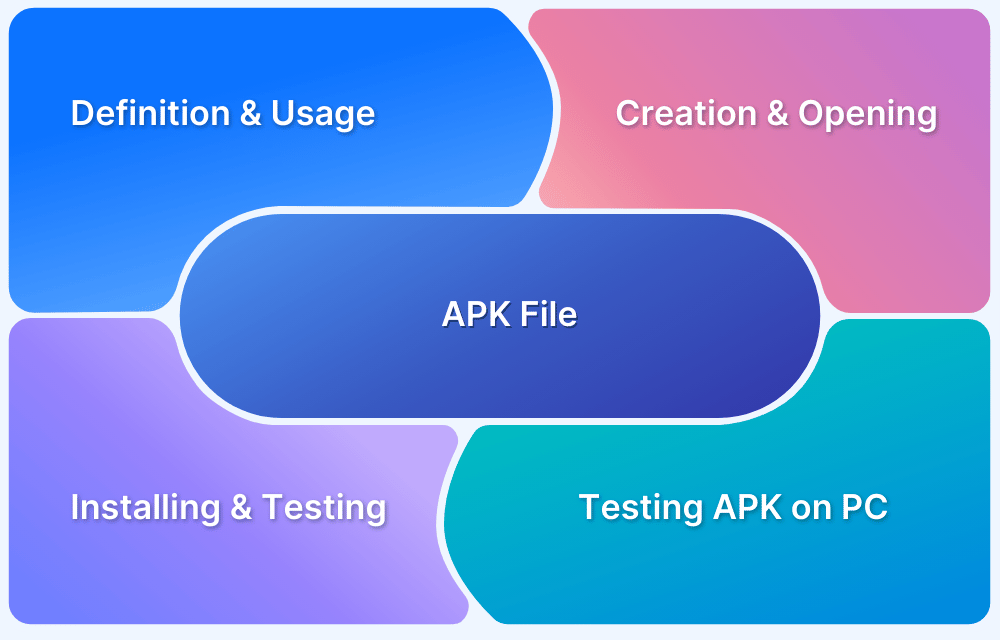
1. Decoding the Anatomy of an APK File
To understand an APK, one must first understand its name: Android Package Kit (sometimes referred to as Android Application Package). In the simplest terms, an APK is the file format used by the Android operating system for the distribution and installation of mobile applications. It is functionally similar to an .exe file on Windows or a .pkg file on macOS.
What is Inside an APK?
An APK is essentially a specialized ZIP archive. While it appears as a single file to the user, it contains a variety of components necessary for an app to function correctly. If you were to change the extension of an APK file to “.zip” and open it, you would find several critical directories and files:
- AndroidManifest.xml: This is the most important file in the package. It contains the application’s name, version, access rights, and referenced library files. It tells the Android OS what the app needs to function and what permissions it requires from the user.
- classes.dex: These are the compiled Java (or Kotlin) classes that the Android Runtime (ART) or Dalvik virtual machine executes. They contain the logic and functionality of the application.
- resources.arsc: A file containing precompiled resources, such as binary XML files used for the app’s layout.
- res/ folder: This directory holds resources that are not compiled into the resources.arsc file, such as images, icons, and strings.
- META-INF/ folder: This contains the manifest file, signature, and a list of resources in the archive. This folder is vital for security, as it verifies that the APK has not been tampered with after being signed by the developer.
- lib/ folder: Contains the compiled code that is platform-specific (e.g., for ARM, x86, or MIPS processors).
How APKs Work within the Android Ecosystem
When you download an app from the Google Play Store, the store automatically handles the APK behind the scenes. It downloads the package, verifies its integrity, and tells the Android Package Installer to extract the files into the appropriate system directories. The Android system then registers the app, allowing it to appear in your app drawer and interact with the OS.
2. Why APKs Matter: Freedom, Flexibility, and Innovation
The existence of the APK format is one of the primary reasons Android is often cited as a more “open” platform compared to its competitors. Because Android is built on the Linux kernel and values interoperability, it allows users to handle these installation files directly—a process commonly known as “sideloading.”
Bypassing Geo-Restrictions and Delayed Rollouts
One of the most common reasons tech enthusiasts seek out APK files is to bypass geographical limitations. Developers often release apps in specific regions before others (soft launches). Similarly, Google frequently rolls out updates to its apps in “stages.” By downloading the APK of a new version from a reputable source, a user in Europe can access features that might not officially arrive via the Play Store for several weeks.
Accessing Beta Versions and Experimental Features
Tech-savvy users often want to be on the cutting edge of software development. Many developers offer “Beta” versions of their apps that contain experimental features not yet available to the general public. By manually installing these APKs, users can provide feedback and test new tools. Furthermore, when an app is removed from the official store—either due to policy changes or developer choice—the APK remains a way to preserve and use that software.
The Rise of Alternative App Stores
The APK format facilitates competition. While the Google Play Store is the dominant marketplace, it is not the only one. The Amazon Appstore, Samsung Galaxy Store, and open-source repositories like F-Droid all rely on APKs. This competition encourages better service for users and lower commission rates for developers, fostering a healthier software economy.
3. The Digital Security Landscape: Risks and Best Practices
While the ability to manually install APKs offers immense freedom, it is not without significant risks. In the realm of digital security, “sideloading” is often viewed as a double-edged sword. Because you are bypassing the curated security checks of the official Play Store, the responsibility of verification shifts from Google to the user.
The Threat of Malware and Injection
The primary risk associated with third-party APKs is the “repackaged” app. Malicious actors may take a popular, legitimate APK, decompile it, inject malware or spyware into the code, and then redistribute it on unofficial websites. Once installed, these infected apps can steal personal data, monitor keystrokes, or turn the device into a botnet node.
The Importance of Trusted Sources
If you must install an APK manually, the source is everything. Reputable repositories like APKMirror or APKPure have rigorous verification processes. They compare the cryptographic signatures of new APK uploads with previous versions from the same developer to ensure they haven’t been modified. If the signatures don’t match, the file is rejected.
Modern Security Protocols: Play Protect and Scoping
Modern Android versions have introduced “Google Play Protect,” a built-in security suite that scans sideloaded APKs for known threats. Additionally, the move toward “Scoped Storage” in recent Android updates limits the ability of an APK to access sensitive parts of the file system, providing an extra layer of defense even if a malicious app is accidentally installed.
4. Technical Evolution: From APK to Android App Bundles (AAB)
As mobile technology has advanced, the limitations of the traditional APK have become more apparent. In 2018, Google introduced the Android App Bundle (.aab), which is gradually replacing the APK as the standard publishing format on the Play Store.
The Efficiency of App Bundles
The traditional APK is “universal,” meaning it contains code and resources for every possible device configuration (different screen sizes, processor architectures, and languages). This results in a bloated file size.
The Android App Bundle solves this by using a “Split APK” mechanism. When you download an app via an AAB-supported store, the Google Play Store generates a custom-tailored APK specifically for your device’s hardware. This reduces the download size by an average of 20%, saving storage space and data.
Will the APK Disappear?
Despite the rise of AABs, the APK is not going away. While developers now upload AABs to the Play Store, the end product installed on the phone is still technically a “split” APK. For the foreseeable future, the APK remains the “executable” of the Android world, ensuring that the platform remains open to manual installations and third-party distribution.
5. How to Safely Manage APKs on Your Device
If you have decided that the benefits of sideloading outweigh the risks, it is important to know how to manage these files professionally.
Enabling Unknown Sources
By default, Android blocks the installation of apps from sources other than the Play Store. To install an APK, you must grant permission to the specific app (like Chrome or a File Manager) that is attempting to trigger the installation. This is found under Settings > Apps > Special App Access > Install Unknown Apps.
Verifying Permissions
Before hitting “Install” on an APK, Android will present a list of permissions the app is requesting. A professional user should always scrutinize this. If a simple calculator app or a wallpaper tool is asking for permission to read your SMS messages or access your microphone, it is a significant red flag.
Dealing with “XAPK” and “APKS” Files
As apps become more complex, you may encounter “.xapk” or “.apks” files. These are not standard APKs but rather containers that hold several “split” APKs. To install these, you generally need a specialized installer app (like the APKMirror Installer), as the default Android Package Installer cannot always handle the fragmented structure of modern, large-scale apps.

Conclusion: The Backbone of Android Openness
The APK file is more than just a container for mobile software; it is a symbol of the flexibility and user-centric philosophy that has made Android the world’s most popular operating system. By understanding the structure, utility, and security implications of APKs, users can move beyond being passive consumers of technology and become informed participants in the digital ecosystem.
Whether you are a developer looking to distribute your latest innovation, a power user seeking the latest beta features, or a privacy advocate utilizing open-source software via F-Droid, the APK remains your primary tool. As we transition toward more efficient formats like Android App Bundles, the APK will continue to serve as the foundational building block that keeps the Android experience diverse, competitive, and accessible.
aViewFromTheCave is a participant in the Amazon Services LLC Associates Program, an affiliate advertising program designed to provide a means for sites to earn advertising fees by advertising and linking to Amazon.com. Amazon, the Amazon logo, AmazonSupply, and the AmazonSupply logo are trademarks of Amazon.com, Inc. or its affiliates. As an Amazon Associate we earn affiliate commissions from qualifying purchases.