
In the complex architecture of modern telecommunications, the movement of data is governed by a variety of hardware and software components. Among these, the network bridge stands as a fundamental building block of Local Area Network (LAN) design. While modern hardware has evolved significantly, the concept of bridging remains a cornerstone of how we connect disparate network segments, manage traffic flow, and ensure efficient data delivery.
To understand a network bridge, one must look at the “Data Link Layer” (Layer 2) of the Open Systems Interconnection (OSI) model. Unlike simpler devices that blindly repeat signals, a bridge possesses a level of intelligence that allows it to inspect incoming data packets—specifically frames—and make informed decisions about where they should go.
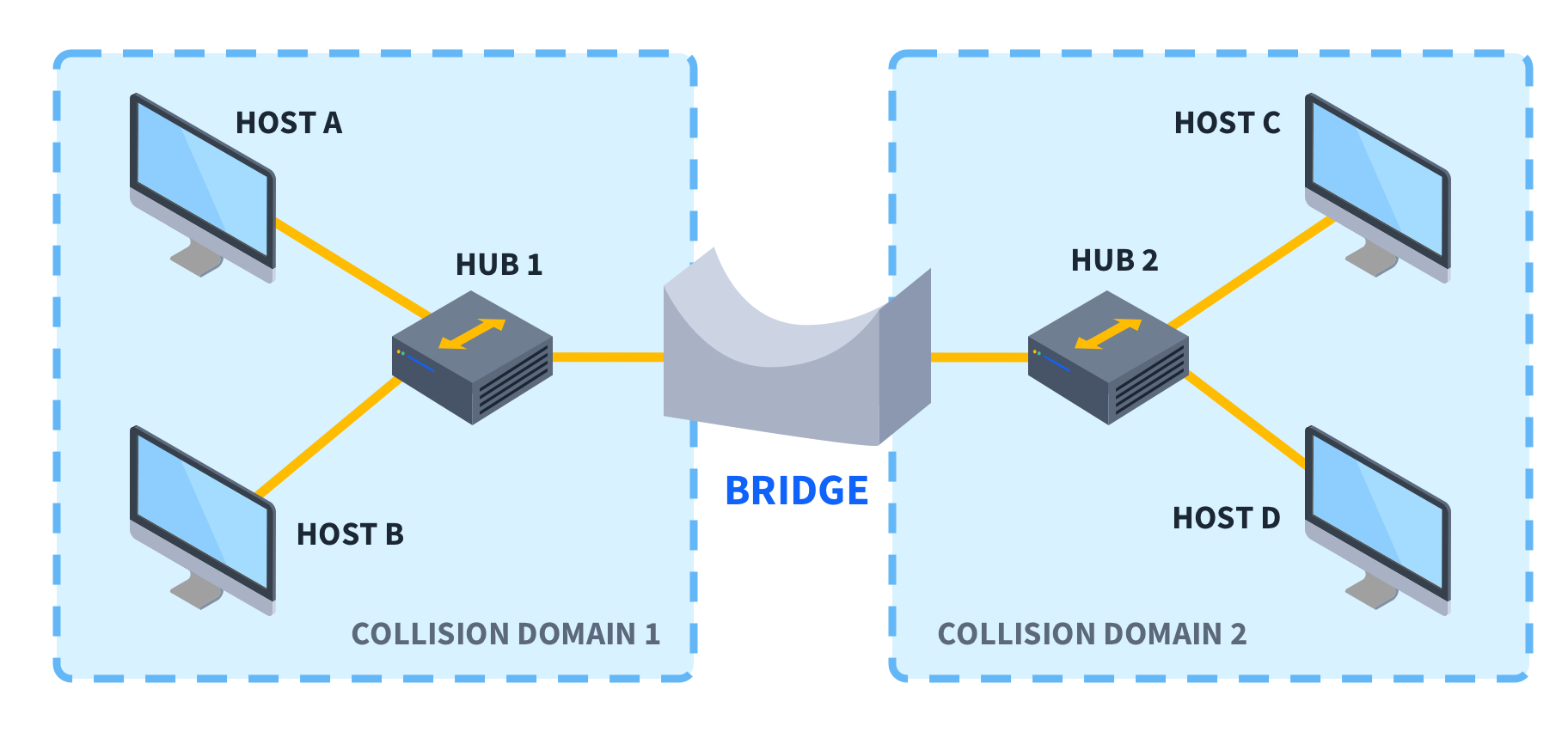
The Fundamentals of Network Bridging
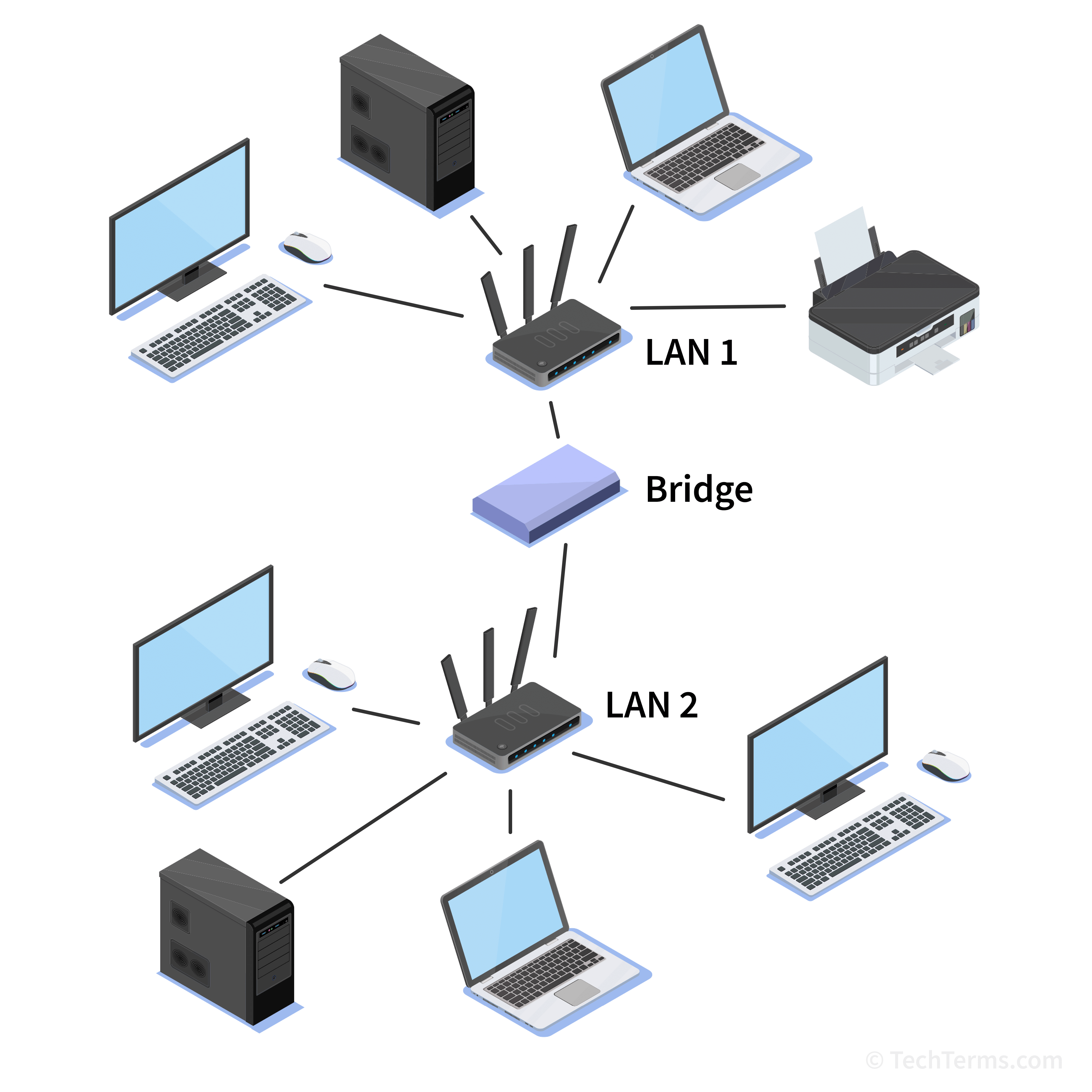
At its core, a network bridge is a device that connects two or more different network segments, allowing them to communicate as if they were a single aggregate network. This process is known as transparent bridging. In the early days of networking, bridges were essential for extending the physical reach of a network beyond the limitations of cable lengths and the number of connected devices.
Defining the Network Bridge
A bridge is often described as a “Layer 2” device. This means it operates using MAC (Media Access Control) addresses rather than IP addresses, which are the domain of routers at Layer 3. When data travels across a network, it is encapsulated in “frames.” Each frame contains the hardware address of the sender and the intended recipient. The bridge monitors these addresses to determine whether a piece of data needs to cross over to another segment or if it should stay within the local segment.
How a Bridge Operates at the Data Link Layer
The primary function of a bridge is to manage traffic. In a large network, if every computer sent data to every other computer simultaneously, the “noise” or data collisions would render the network unusable. A bridge solves this by creating “collision domains.” By splitting a large network into two smaller segments, the bridge ensures that a collision in Segment A does not affect Segment B. It acts as a gatekeeper, only allowing traffic to pass through if the destination MAC address resides on the other side of the bridge.
Types of Network Bridges and Their Use Cases
Not all bridges are created equal. Depending on the geographical layout of the network and the medium of transmission, different types of bridges are deployed to maintain connectivity.
Local Bridges
Local bridges are the most common type used in physical infrastructure. They are used to connect two network segments within the same geographical area, typically using high-speed cables. For example, a local bridge might connect two different floors of an office building, each having its own segment of Ethernet. The goal here is usually performance optimization—keeping local traffic local while providing a pathway for inter-departmental communication.
Remote Bridges
Remote bridges are used to connect two LANs that are geographically distant from one another. Since you cannot simply run a standard Ethernet cable across a city or between states, remote bridges use a Wide Area Network (WAN) link, such as a leased line or a fiber optic connection, to bridge the gap. In this scenario, the bridge on each end handles the encapsulation and de-encapsulation of data, making the two distant networks appear as one logical LAN to the users.
Wireless Bridges
In the contemporary era of mobility, wireless bridges have become ubiquitous. A wireless bridge connects a wired network to a wireless network or connects two wireless access points. This is particularly useful in environments where running physical cables is impossible or cost-prohibitive, such as connecting two separate buildings in a campus environment using point-to-point microwave or Wi-Fi signals.
The Operational Mechanism: How Bridging Works
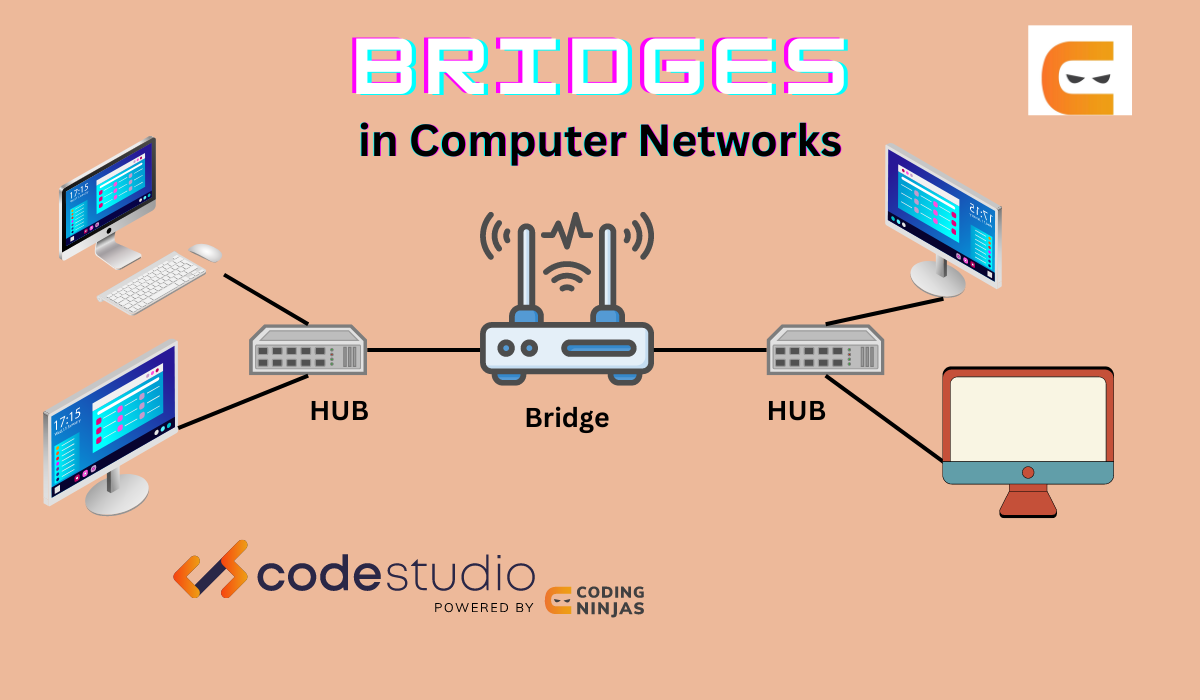
The “intelligence” of a bridge comes from its ability to learn. When a bridge is first plugged in, it knows nothing about the devices connected to it. However, it quickly builds a “Forwarding Information Base” (FIB) or a routing table based on MAC addresses.
Learning and Forwarding MAC Addresses
The learning process is dynamic. When a device on Segment A sends a frame, the bridge examines the “Source MAC Address.” It records that this specific address is located on Segment A. Over time, the bridge builds a complete map of which devices are on which ports.
When a frame arrives, the bridge looks at the “Destination MAC Address.”
- If the destination is on the same segment as the source, the bridge “filters” the frame, meaning it blocks it from crossing to other segments, as the recipient has already seen it.
- If the destination is on a different segment, the bridge “forwards” the frame to the correct port.
- If the bridge doesn’t know where the destination is, it “floods” the frame to all segments except the one it came from, hoping the recipient will respond so the bridge can learn its location.
Filtering and Reducing Collision Domains
By filtering traffic, a bridge significantly increases the available bandwidth for all users. In an unbridged network, every device shares the same bandwidth “pipe.” In a bridged network, the bridge prevents unnecessary data from clogging up segments where it isn’t needed. This reduction in the collision domain is the primary reason bridges were developed, as it allows for much larger and more complex network topologies without a degradation in speed.
Comparing Bridges, Hubs, and Switches
In the hierarchy of networking hardware, bridges occupy a middle ground between the “dumb” hub and the “sophisticated” switch. Understanding these differences is vital for any tech professional.
Bridge vs. Hub: Intelligence in Data Handling
A hub is a Layer 1 (Physical Layer) device. It has no intelligence; it simply repeats any electrical signal it receives on one port to all other ports. This leads to massive amounts of data collisions and security risks, as every computer sees every other computer’s data. A bridge, by contrast, uses the MAC address table to make logical decisions, effectively cleaning up the network and providing a more secure and efficient environment.
Bridge vs. Switch: The Evolution of Ports
You might hear people say that a switch is just a “multi-port bridge,” and technologically, they are correct. While a traditional bridge usually has only two ports (connecting two segments), a switch has dozens of ports. A switch performs bridging functions on every single port, meaning every single device connected to a switch is essentially its own network segment. In modern enterprise environments, dedicated hardware bridges have largely been replaced by switches because switches provide the same logic at a much higher density and speed.
Bridge vs. Router: Layer 2 vs. Layer 3
The distinction between a bridge and a router is often confused. A bridge operates at Layer 2 (MAC addresses) and connects segments of the same network. A router operates at Layer 3 (IP addresses) and connects different networks, such as connecting your home LAN to the Internet. While a bridge is “transparent” (devices don’t know the bridge is there), a router is an active participant in data routing, often involving complex protocols to determine the best path across the globe.
The Role of Bridging in Modern Networking
While physical, standalone bridges are rarer in modern data centers than they were in the 1990s, the concept of bridging has never been more relevant, particularly in the realms of virtualization and cloud computing.
Software-Defined Networking (SDN) and Virtualization
In a virtualized environment, such as a server running multiple Virtual Machines (VMs), the physical server must act as a bridge. Hypervisors (like VMware or Hyper-V) use “Virtual Bridges” or “Virtual Switches” to connect the virtual network interface cards (vNICs) of the VMs to the physical network card (pNIC) of the host. Without the logic of a network bridge, virtual machines would be unable to communicate with the outside world or with each other efficiently.
Spanning Tree Protocol (STP) and Loop Prevention
One of the historical challenges with bridging was the “network loop.” If two bridges were connected to each other in a circle, data could circulate infinitely, creating a “broadcast storm” that would crash the network. To solve this, tech pioneers developed the Spanning Tree Protocol (STP). This protocol allows bridges to communicate with each other to detect loops and logically shut down redundant paths. Today, this logic is baked into almost every enterprise-grade switch, ensuring that our complex, interconnected networks remain stable.
When to Use a Bridge in Today’s Infrastructure
Despite the dominance of switches, bridging remains a vital tutorial topic for network technicians. It is used when integrating legacy equipment, extending Wi-Fi signals to wired-only devices, or when creating specific “transparent” security layers where a router would be too intrusive. Understanding the bridge is the first step in mastering the flow of data across the digital landscape, providing the foundational knowledge necessary to troubleshoot and optimize the high-speed networks of the future.
aViewFromTheCave is a participant in the Amazon Services LLC Associates Program, an affiliate advertising program designed to provide a means for sites to earn advertising fees by advertising and linking to Amazon.com. Amazon, the Amazon logo, AmazonSupply, and the AmazonSupply logo are trademarks of Amazon.com, Inc. or its affiliates. As an Amazon Associate we earn affiliate commissions from qualifying purchases.