
In the landscape of modern computing, where touchscreens and voice-activated AI often dominate the conversation, one piece of legacy hardware remains an immovable pillar of professional productivity: the 10-key. Whether it is integrated into a full-sized mechanical keyboard or connected as a standalone peripheral, the 10-key (or numeric keypad) is more than just a cluster of buttons. It is a specialized interface designed for high-speed data entry, precision calculation, and specialized technical workflows.
Understanding the 10-key requires looking past its simple appearance. It represents a bridge between the mechanical adding machines of the past and the high-speed digital processors of today. For professionals in data science, engineering, and software development, mastering this tool is often the difference between a sluggish workflow and peak technical performance.
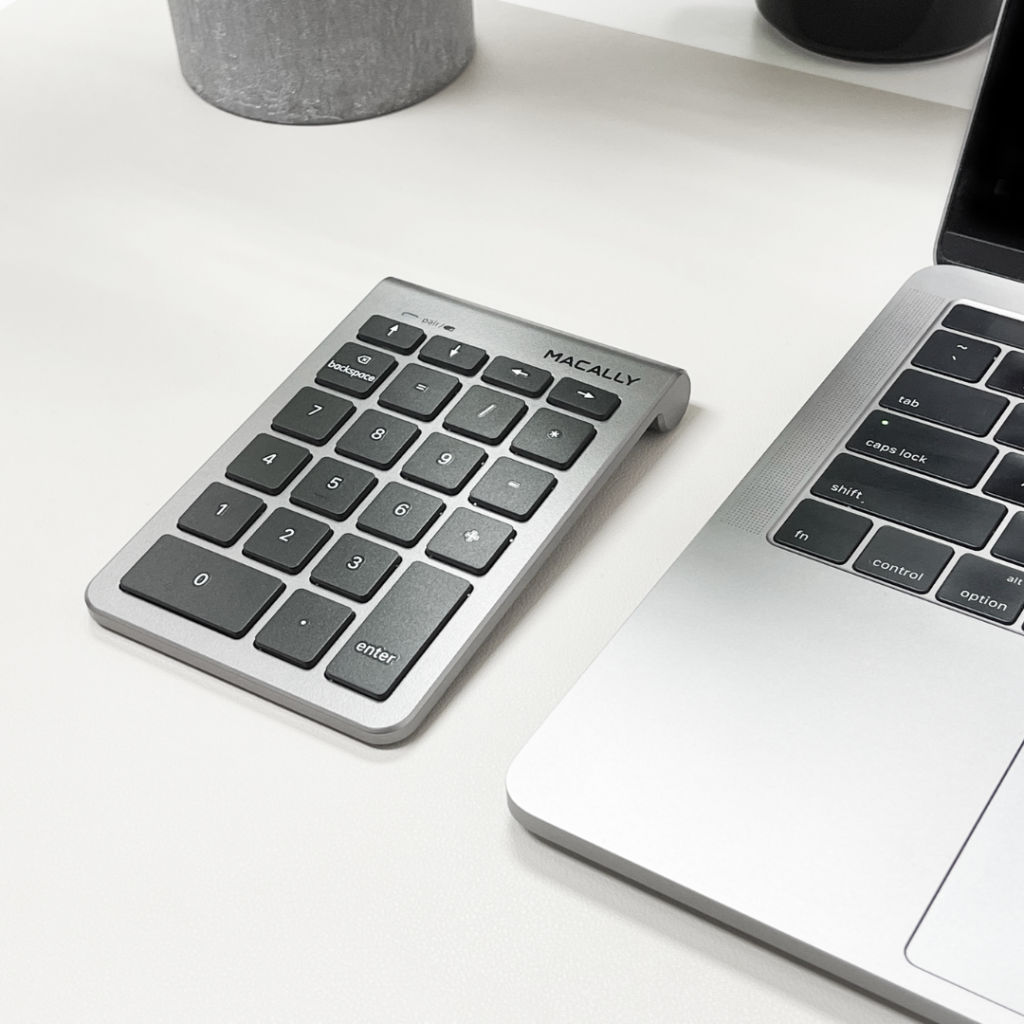
The Evolution and Anatomy of the 10-Key Layout
The 10-key is characterized by its grid-like arrangement of numbers 0 through 9, usually accompanied by basic mathematical operators (+, -, *, /), a decimal point, and an “Enter” key. However, the logic behind this specific arrangement is rooted in decades of technological refinement.
The Origin Story: From Adding Machines to Modern Keyboards
The 10-key layout as we know it today was popularized by the Sundstrand Adding Machine Company in 1914. Before this, “full keyboard” adding machines had dozens of buttons, making them cumbersome and prone to operator error. The transition to a condensed 3×3 grid (with the zero at the bottom) revolutionized how humans interacted with numerical data. When computers began to replace mechanical calculators in the mid-20th century, the layout was ported directly into the hardware design of early terminals, such as the IBM Model M keyboard, cementing its place in the tech pantheon.
Anatomy of the 10-Key: Why the Layout Matters
Standard 10-key pads are designed for “blind” operation. The most critical feature is the raised bump or “homing bar” on the number 5 key. This allows a user to orient their hand without looking down, using the middle finger on the 5, the index on the 4, and the ring finger on the 6. This ergonomic consideration is what allows professional data entry specialists to achieve speeds that are physically impossible on the horizontal number row at the top of a standard QWERTY keyboard.
The Difference Between Calculator and Telephone Layouts
A common point of confusion in interface design is why the 10-key on a computer follows a different order than a telephone keypad. On a computer or calculator, the 7-8-9 keys are at the top, while on a phone, the 1-2-3 keys are at the top. This divergence occurred because, by the time touch-tone phones were being developed, the 10-key “bottom-up” layout was already standard for high-speed mechanical calculators. Telephone engineers found that users were actually too fast for early phone switching technology if they used the calculator layout, so they inverted it to slow users down and ensure signal accuracy. Today, the “bottom-up” layout remains the gold standard for all technical and data-heavy hardware.
Why 10-Key Mastery is a Vital Technical Skill
While casual users might see the 10-key as an optional extra, for power users, it is a vital technical skill. Proficiency is measured in KPH (Keystrokes Per Hour), with top-tier professionals reaching speeds of 10,000 to 12,000 KPH with near-zero error rates.
Precision and Speed in Data Input
The primary advantage of the 10-key is the reduction of hand travel. In a standard data entry task, using the horizontal number row requires the user to move their entire hand across the keyboard, often leading to “hunt-and-peck” errors. The 10-key keeps the hand stationary in a “claw” position, using only finger movements to reach every digit and operator. This localization significantly reduces the cognitive load on the user, allowing them to focus on the source document rather than the keyboard.
Ergonomics and Repetitive Strain Prevention
From a hardware tech perspective, ergonomics is a primary concern. Sustained use of the top number row often leads to wrist extension and “uinar deviation,” which are precursors to carpal tunnel syndrome. A dedicated 10-key allows the user to maintain a neutral wrist position. Furthermore, many modern tech setups allow for the 10-key to be placed on the left side of the keyboard (southpaw layout), which brings the mouse closer to the user’s midline, reducing shoulder strain.

Industry Applications: Where 10-Key Reigns Supreme
Outside of traditional bookkeeping, the 10-key is essential in several high-tech fields:
- Computer-Aided Design (CAD): Engineers and architects use the 10-key to input precise coordinates and dimensions without taking their other hand off the mouse.
- Programming and Scripting: Many developers use the 10-key for rapid input of array values, IP addresses, and hex codes.
- Video Editing and Color Grading: Professionals map specific 10-key buttons to shortcuts for frame-by-frame navigation or color value adjustments.
10-Key Hardware Options: From Integrated Pads to External Peripherals
The market for 10-key hardware has exploded in recent years, driven by the mechanical keyboard community and the rise of “minimalist” desk setups. Users now have to choose between integrated functionality and modular freedom.
Full-Sized Mechanical Keyboards vs. Tenkeyless (TKL) Designs
A “full-sized” keyboard includes the integrated 10-key on the right side. However, the rise of “Tenkeyless” (TKL) or 60% keyboards has become a major trend in the tech world. TKL keyboards remove the numeric pad to save desk space and improve mouse ergonomics. For many users, this creates a dilemma: do you want the extra space, or do you need the numeric efficiency? This has led to the “modular” approach, where users buy a TKL keyboard for daily typing and a separate 10-key for data-heavy tasks.
The Rise of the Standalone USB/Wireless 10-Key Pad
Standalone numeric pads have become a staple gadget for laptop users. These devices connect via USB-C or Bluetooth and offer high-end features like mechanical switches (Cherry MX Blue or Brown for tactile feedback) and customizable RGB lighting. High-quality external pads often feature their own internal memory, allowing them to store “macros” or custom key assignments that work across different computers without needing additional software.
Programmable Macros and Customizing Your Numeric Input
Modern 10-key hardware often includes “layers.” Through software like VIA or QMK, a user can program the 10-key so that while it functions as a number pad by default, holding a “Function” key turns it into a macro pad for launching apps, controlling media, or executing complex strings of code. This transforms a simple numeric tool into a powerful productivity hub.
Modern Software and the Future of Numeric Input
As we move further into a software-defined world, the 10-key is evolving beyond physical hardware. From software shortcuts to the potential of AI-driven input, the way we handle numbers is shifting.
10-Key Software Shortcuts for Power Users
Software like Microsoft Excel and Google Sheets is designed with the 10-key in mind. Beyond just typing numbers, the “Enter” and “Plus” keys on the numeric pad often have different behaviors than their counterparts on the main keyboard. For example, in many technical applications, the “Enter” key on the 10-key serves as a “Calculate” or “Execute” command, while the main Enter key creates a new line. Mastery of these software-specific nuances is what distinguishes a power user from a casual one.
Virtual 10-Key Apps and Touchscreen Integration
For mobile professionals, several apps turn a smartphone or tablet into a wireless 10-key for a laptop. Using Wi-Fi or Bluetooth, these apps provide a haptic-feedback grid on the phone screen. While these lack the tactile “homing” benefits of physical keys, they offer a bridge for users who need 10-key functionality on the go without carrying extra hardware.

Is AI and Voice Recognition Threatening the 10-Key?
A common question in tech circles is whether the 10-key will eventually become obsolete. With the advent of AI-powered voice-to-text and Optical Character Recognition (OCR) that can scan spreadsheets instantly, the need for manual data entry is decreasing. However, the 10-key remains the ultimate “verification” tool. AI and OCR often make mistakes with nuances in data; the human-to-hardware interface of the 10-key provides a level of intentionality and real-time correction that automated systems cannot yet match. Furthermore, in secure environments where voice input is a privacy risk, physical hardware remains the standard.
In conclusion, the 10-key is a testament to the idea that some technological designs are so fundamentally efficient that they do not need to be replaced—only refined. From its origins in mechanical gears to its future in programmable, mechanical-switch masterpieces, the 10-key remains an essential gadget for anyone serious about digital precision. Whether you are an engineer, a developer, or a data enthusiast, the 10-key is a small piece of tech that yields massive gains in professional output.
aViewFromTheCave is a participant in the Amazon Services LLC Associates Program, an affiliate advertising program designed to provide a means for sites to earn advertising fees by advertising and linking to Amazon.com. Amazon, the Amazon logo, AmazonSupply, and the AmazonSupply logo are trademarks of Amazon.com, Inc. or its affiliates. As an Amazon Associate we earn affiliate commissions from qualifying purchases.