
In the dynamic and often enigmatic world of social media applications, every icon, color, and notification carries a potential meaning, often sparking curiosity, confusion, or even concern among users. Snapchat, with its unique ephemeral content, playful filters, and distinct communication style, is no exception. While its interface is generally intuitive, specific visual cues can sometimes stand out, prompting users to ask: “What does the green icon on Snapchat mean?”
The answer isn’t always singular, as “green” can appear in several contexts within a digital environment. However, for many users, the most significant “green icon” they encounter while using Snapchat – and indeed, many other apps – isn’t actually an icon within Snapchat itself, but rather a crucial privacy indicator provided by their operating system. This article will delve into the various interpretations of a green icon, from critical privacy alerts to subtle in-app notifications, and explore how understanding these visual cues ties into broader themes of technology, digital security, personal branding, and even financial literacy in the modern digital age.

Demystifying the OS-Level Green Indicator: Your Digital Security Guardian
When users notice a small, persistent green dot or icon appearing on their phone’s status bar while actively using an app like Snapchat, their immediate thought often attributes it directly to the app in question. This is a natural assumption, but it overlooks a vital layer of modern smartphone design centered around user privacy and transparency.
The Camera/Microphone Privacy Dot (iOS & Android)
The most prominent and significant “green icon” that Snapchat users are likely to encounter is a system-level privacy indicator. Both Apple’s iOS and Google’s Android operating systems have implemented these visual cues to alert users when an application is actively utilizing their device’s camera or microphone.
- On iOS (Apple iPhones): When an app is using your device’s camera, a small green dot appears in the top-right corner of your screen, next to your cellular signal and battery icons. If the app is only using the microphone, an orange dot appears. However, if both are in use (as might happen during a video call or recording a video Snap with audio), the green dot takes precedence, indicating camera activation. Tapping or swiping down from the top right reveals a more detailed control center, explicitly stating which app is using which sensor.
- On Android: Similar indicators have been rolled out across various Android versions, typically appearing as a small green dot or an icon resembling a camera or microphone in the top-right status bar. Swiping down reveals a quick settings panel that confirms which app is accessing the camera or microphone in real-time.
The core purpose of this green dot is profound: it’s a direct, unambiguous visual signal that your device’s camera is active. It acts as a digital sentinel, constantly reminding you that an app has requested and been granted access to one of your most sensitive hardware components. This transparency is a cornerstone of digital security, empowering users to be aware of their phone’s activities and, by extension, their privacy.
Why it Matters for Snapchat Users
For Snapchat, an app fundamentally built around camera usage and real-time communication, the appearance of this green dot is a common and expected occurrence. When you open Snapchat, the camera typically activates immediately, ready for you to capture a Snap. When you engage in a video call, record a video, or even use certain AR filters that map to your face, the camera and often the microphone are actively involved. In these scenarios, the green dot serves as a reassuring confirmation that the app is functioning as intended, and you are aware of its hardware access.
However, its importance extends beyond mere confirmation. This green indicator is a crucial tool for digital security. Imagine a scenario where you’ve closed Snapchat, but you still see the green dot. This would be a red flag, prompting you to investigate which app might still be accessing your camera in the background without your explicit knowledge or consent. It empowers users to question unexpected camera activity, check their app permissions, and take action if something feels amiss.
In an era where concerns about data privacy and unauthorized surveillance are paramount, these OS-level privacy indicators provide an essential layer of protection and peace of mind. They transform a potentially abstract concept of “app permissions” into a tangible, real-time alert, making users more proactive participants in their own digital security strategy. Understanding this green icon is not just about knowing a Snapchat feature; it’s about mastering a fundamental aspect of smartphone security and privacy.
Exploring Other Potential Green Cues Within Snapchat’s Interface
While the OS-level privacy dot is arguably the most critical “green icon” discussed, Snapchat’s intricate interface does utilize various shades and symbols of green to convey information specific to its functionality. These in-app green cues, though less about system-level privacy, are vital for navigating the app and understanding the status of your interactions.
Green “Sent” Status Indicators
Within the chat interface of Snapchat, observing the status of your sent Snaps and messages is crucial for understanding the flow of communication. Snapchat employs a system of small icons to indicate whether your content has been successfully sent, delivered, opened, or if there’s been an issue.
- Solid Green Arrow/Square (Sent): When you send a Snap to a friend, you might notice a small, solid green arrow or square icon appear next to your message or Snap in the chat feed. This indicator signifies that your Snap has been successfully sent from your device to Snapchat’s servers. It means the upload was successful and the Snap is now en route to your recipient.
- Hollow Green Arrow/Square (Delivered): Once your recipient’s device has received the Snap, the green icon typically changes to a hollow green arrow or square. This indicates that the Snap has been delivered to their phone. While it doesn’t mean they’ve opened or viewed it yet, it confirms it’s waiting for them.
Understanding these subtle distinctions is essential for effective communication. If you see a persistent solid green icon, it suggests the Snap hasn’t yet been delivered, possibly due to the recipient’s lack of internet connection or an issue on their end. These small green cues provide immediate feedback on the technical journey of your ephemeral content.
The Green Dot for Active Friends on Snap Map/Chat
Snapchat thrives on real-time connection, and one of its features designed to facilitate this is the indication of a friend’s online status. While not always a bold “icon,” a subtle green dot can appear in specific contexts:
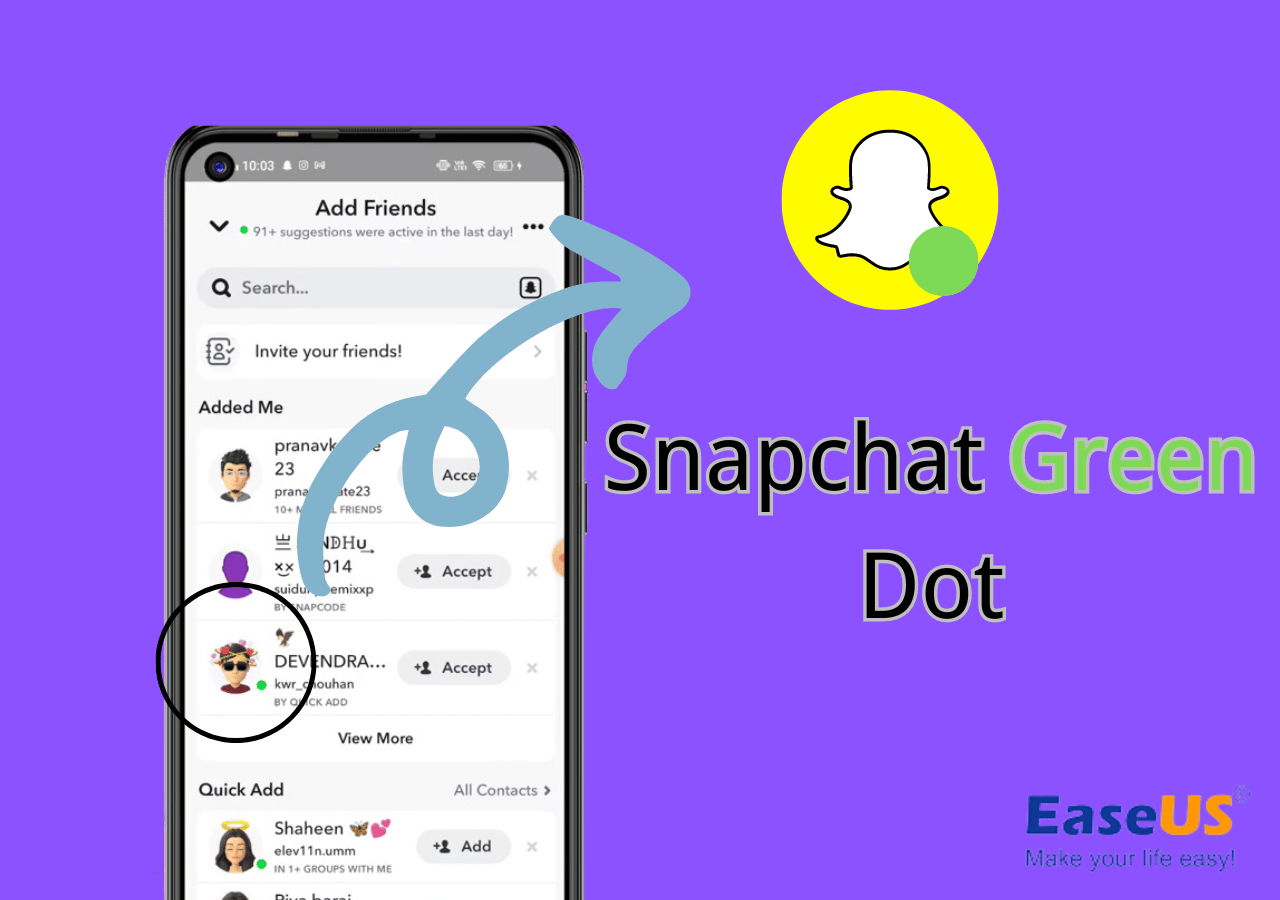
- Bitmoji Activity Status: On the Snap Map, or occasionally within your chat list, a small green dot might appear next to a friend’s Bitmoji. This green dot often signifies that the friend is currently active on Snapchat or has been recently active. It’s a quick visual cue to identify who might be available for a chat or to view your Stories.
- Chat Presence: In some iterations of the chat screen, a green indicator might also signal that a friend is currently viewing your chat or is typing a response, enhancing the real-time, interactive nature of Snapchat conversations.
These green dots, though minor in appearance, play a significant role in the app’s social dynamics. They reduce friction in communication, allowing users to instantly gauge the likelihood of a quick response, thereby influencing who they choose to interact with at a given moment. It’s an integral part of the user experience designed to foster immediate social connection.
Bitmoji Elements and Thematic Green Accents
Beyond functional indicators, green, like any color, can be used for aesthetic or thematic purposes within Snapchat.
- Bitmoji Customization: Users can customize their Bitmojis with a vast array of clothing, accessories, and themes. Naturally, green attire, hats, or other elements might be chosen by users, making their Bitmoji appear with green accents. These are purely personal choices and don’t carry a universal “meaning” within the app itself.
- Seasonal Filters and AR Lenses: Snapchat frequently introduces new filters and augmented reality (AR) lenses, many of which incorporate specific color palettes. During holidays like St. Patrick’s Day, or for nature-themed lenses, green would be a prevalent color, appearing as part of the visual experience rather than a functional icon.
These stylistic uses of green highlight Snapchat’s commitment to visual engagement and personalization. While not “icons” in the traditional sense, they contribute to the overall visual landscape where green elements might be observed, enriching the user’s interactive journey.
Beyond the Icon: Snapchat’s Impact on Personal Branding and Productivity
Understanding the nuances of Snapchat’s interface, including its various green cues, extends beyond mere technical comprehension. It intersects profoundly with how individuals and brands navigate the digital landscape, impacting personal branding strategies and overall digital productivity.
Leveraging Snapchat for Personal Branding
Snapchat, despite its ephemeral nature, remains a powerful platform for personal branding, especially for younger demographics and those in creative fields. Content creators, influencers, and businesses leverage Snapchat’s unique features to cultivate a distinct brand identity.
- Authenticity and Raw Content: The real-time, often unpolished nature of Snaps encourages authenticity, allowing individuals to present a more genuine and relatable persona than on highly curated platforms. This raw appeal can be a significant asset for personal branding, building trust and engagement with an audience.
- Ephemeral Storytelling: Snapchat Stories, though copied by many, pioneered a format of sequential, disappearing content that encourages daily engagement. Brands use this to share behind-the-scenes glimpses, daily updates, or quick promotions, keeping their audience constantly informed and entertained without oversaturating permanent feeds.
- Interactive Features: Polls, quizzes, and AR filters foster direct interaction, allowing creators to engage their audience in a playful and personalized manner. This active participation strengthens community bonds and reinforces brand loyalty.
- Spotlight and Discover: For those aiming for broader reach, features like Spotlight (Snapchat’s TikTok competitor) and Discover channels offer opportunities for viral exposure and showcasing professionally produced content, translating into significant brand visibility and growth.
Understanding when a green “sent” icon appears, or when friends are active, aids in timing content delivery and engagement strategies, maximizing the impact of branding efforts. A well-executed Snapchat strategy can differentiate an individual or brand in a crowded digital space, turning fleeting moments into lasting brand impressions.
Digital Well-being and Productivity in a Connected World
The knowledge gleaned from understanding app indicators, like the OS-level green dot, isn’t just about security; it’s also about fostering better digital well-being and productivity.
- Mindful Technology Use: Being aware that the green dot signifies active camera use promotes a more mindful approach to technology. It encourages users to be present in their physical environment and consciously choose when and why their camera is active, rather than passively allowing apps to run in the background. This intentionality can reduce anxiety associated with constant digital presence.
- Privacy as a Productivity Tool: A secure digital environment is a productive one. When users feel confident that their privacy is protected (partially thanks to transparent indicators), they can focus more effectively on their tasks and interactions. This reduces mental overhead spent on privacy concerns, freeing up cognitive resources for more productive endeavors, whether it’s creating content, communicating with colleagues, or managing personal finances.
- App Management: The green dot can also serve as a prompt to review app permissions periodically. Users might realize an app they rarely use still has broad access to their camera and microphone, leading them to revoke unnecessary permissions. This routine app management contributes to a leaner, more secure, and thus more productive digital ecosystem.
By integrating this awareness into daily digital habits, users can transform potentially passive consumption into active, intentional, and secure interaction, ultimately enhancing both their digital well-being and productivity.
Financial Implications and the Creator Economy on Snapchat
While primarily a social media platform, Snapchat, like many of its peers, has evolved into a significant player in the creator economy, presenting intriguing financial implications for both individuals and businesses. Understanding the platform, from its nuanced icons to its broader features, can unlock new avenues for online income and investment in digital presence.
Earning Potential Through Snapchat Spotlight and Creator Tools
The advent of features like Snapchat Spotlight has opened direct monetization opportunities for creators, turning viral Snaps into potential income streams.
- Spotlight Payouts: Snapchat has allocated substantial funds to reward creators whose content goes viral on Spotlight. Users whose short, entertaining videos garner significant views can receive direct payments, sometimes amounting to thousands of dollars. This transforms the simple act of creating a fun Snap into a legitimate “side hustle” or even a full-time online income opportunity for those who master the platform’s trends and audience engagement.
- Creator Profiles and Brand Partnerships: Established creators with significant followings can leverage their audience to secure brand partnerships and sponsorships. Businesses pay creators to integrate their products or services into Snaps and Stories, allowing creators to monetize their influence. This aligns perfectly with the “Online Income” and “Business Finance” aspects of the website’s focus.
- AR Lenses and Creator Studio: Snapchat also supports AR creators through its Lens Studio, allowing developers to create and monetize their augmented reality lenses. This niche creator economy adds another layer of financial opportunity for those with technical and creative skills.
Understanding how to track the success of content (even through basic metrics derived from view counts on Snaps and Stories) and optimize for virality is key to tapping into these financial opportunities.
Investing in Digital Presence and App Ecosystems
Beyond direct payouts, a deeper understanding and strategic engagement with platforms like Snapchat can be seen as an investment in one’s broader digital presence, with indirect financial benefits.
- Building Digital Capital: For personal brands and small businesses, a strong, active presence on platforms like Snapchat builds “digital capital.” This intangible asset can translate into increased brand recognition, customer loyalty, and ultimately, sales or opportunities. It’s an investment in marketing and community building that can yield long-term financial returns.
- Market Research and Trends: Actively participating in and observing platforms like Snapchat provides invaluable insights into current technology trends, consumer behavior, and cultural shifts. For entrepreneurs and investors, this real-time market research can inform business strategies, product development, and investment decisions, aligning with “Investing” and “Business Finance” principles.
- Diversifying Online Income Streams: For individuals pursuing online income or side hustles, diversifying their presence across multiple platforms (e.g., combining Snapchat with TikTok, YouTube, or Instagram) reduces reliance on a single channel. This strategic approach to digital presence is akin to diversifying a financial portfolio, mitigating risks and maximizing potential reach and earnings.
In essence, navigating Snapchat, deciphering its icons, and leveraging its features is not merely a social activity. It’s an engagement with a powerful digital ecosystem that offers tangible benefits for personal branding, digital security, and increasingly, financial growth within the burgeoning creator economy.

Conclusion
The journey to understand “what does the green icon on Snapchat mean” leads us through a fascinating intersection of technology, user experience, digital security, and the broader implications for personal and professional development. We’ve seen that the most significant green indicator is often the operating system’s privacy dot, a crucial guardian alerting users to active camera use, thereby empowering them with real-time digital security awareness. Beyond this, Snapchat itself employs green cues to convey the status of sent Snaps and the online presence of friends, aiding in seamless communication.
Ultimately, mastering the subtle language of app interfaces, like deciphering green icons, is a critical skill in our increasingly digital world. This seemingly small detail connects directly to vital topics: it underscores the importance of digital security and mindful technology use, highlights opportunities for personal branding and engaging with a global audience, and even touches upon the financial potential within the vibrant creator economy. By understanding these visual signals, users can navigate Snapchat and other applications more securely, efficiently, and strategically, transforming everyday app usage into an informed and empowering experience.
aViewFromTheCave is a participant in the Amazon Services LLC Associates Program, an affiliate advertising program designed to provide a means for sites to earn advertising fees by advertising and linking to Amazon.com. Amazon, the Amazon logo, AmazonSupply, and the AmazonSupply logo are trademarks of Amazon.com, Inc. or its affiliates. As an Amazon Associate we earn affiliate commissions from qualifying purchases.